Best Squarespace Templates for Artists
This post contains affiliate links. If you purchase through them, I may receive a small commission at no extra cost to you.
Table of Contents Show
What are the best Squarespace templates for artists?
Quick Answer: The best Squarespace templates for artists are Montclaire (best for painters and visual portfolios), Spotted (best for selling art prints and originals), Toledo (best for illustrators), and Reflect (best for galleries and large collections). Montclaire is the perhaps the best all-around pick for most visual artists. All Squarespace plans include ecommerce starting at $19/month billed annually.
If you search "best Squarespace template for artists," you'll find a lot of articles that list 15+ templates and leave you to sort through them on your own. (There are a lot of generic ones.) Not super helpful when you're a painter who needs a clean gallery layout and the person reading next to you is an illustrator who wants to sell prints.
So instead of a random info dump of artsy-looking templates, I'm organizing this article by what you need your website to do. Because the right template depends way more on YOUR goals than on what the demo page looks like with someone else's work in it.
KEY ARTIST SQUARESPACE WEBSITE TEMPLATE FACTS:
- Squarespace plans in 2026: Basic, Core, Plus, Advanced, all billed annually
- Every plan includes ecommerce; you can sell art on any Squarespace plan
- 14-day free trial, no credit card required
- Squarespace 7.1 with Fluid Engine is the current editor
- All built-in templates are free with any plan
- Every template is fully customizable; you're choosing a starting point you can adjust
- Squarespace has 200 and counting templates; I’ve found roughly 10-12 that are strong fits for artists specifically
Best Portfolio Squarespace Templates for Artists
If your main goal is showing your work and letting the art speak for itself and you don’t need a ton of extra pages or copy, these templates are your best starting points.
Montclaire Squarespace Template
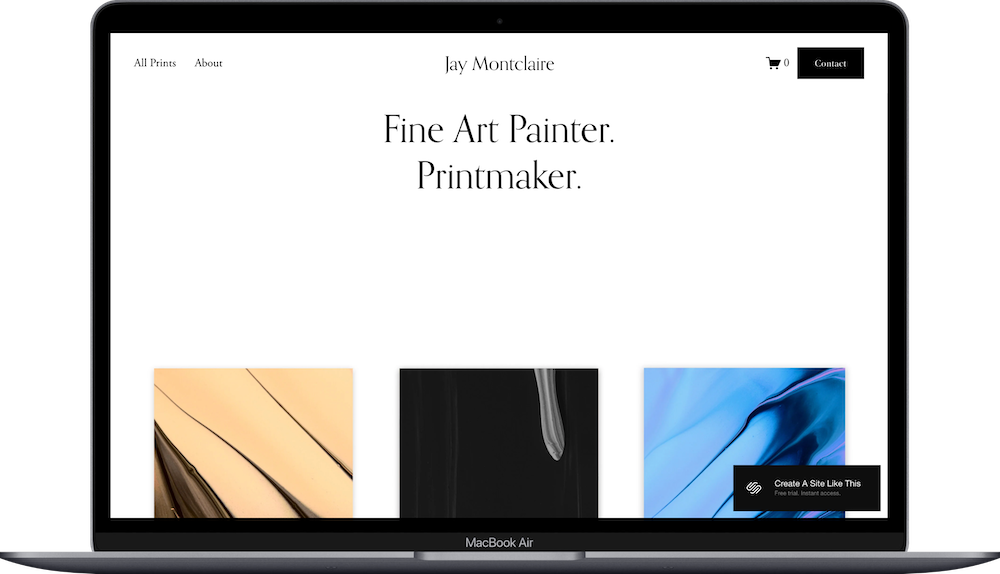
Montclaire is the one I'd point most painters, mixed-media artists, and visual creatives toward first. It's built around large image displays with a clean layout that doesn't compete with your art for attention. The gallery sections are strong, the navigation is simple, and the overall feel is polished without being fussy.
It shows up on nearly every "best artist template" list for a reason. This is one of the older Squarespace templates, so if you want something a little more design-forward, you might want to peep another one on the list. If you want a deeper look, I have a full Montclaire template review.
Sawyer Squarespace Template
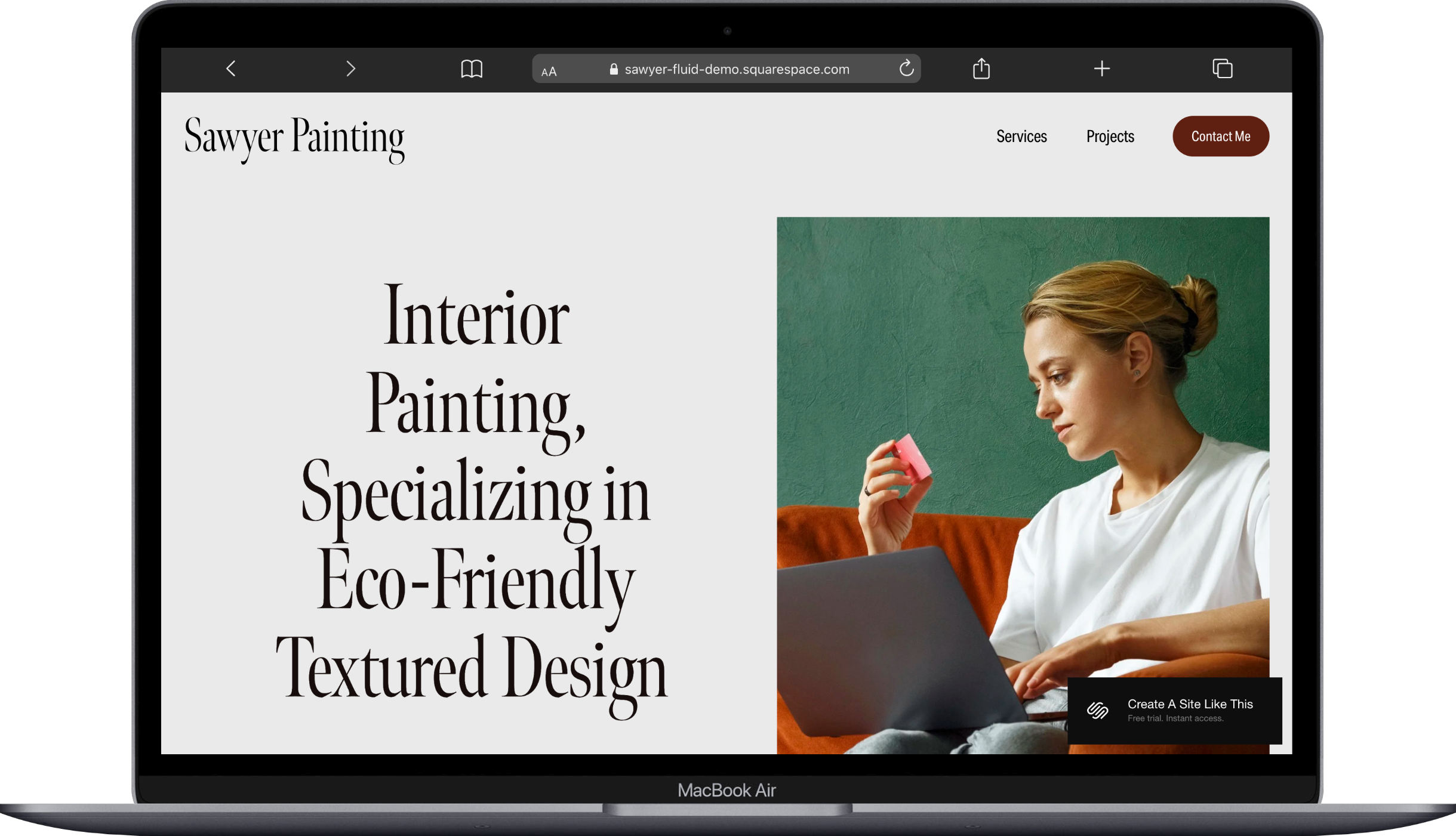
Sawyer is minimal in the best way. If your work is bold and colorful, Sawyer's layout gives it room to breathe. If your work is subtle and detailed, the clean background won't overpower it. It's a portfolio-first template that keeps the focus exactly where it belongs.
Good pick for: painters, printmakers, and anyone who really is just looking for a "here's my work, here's how to contact me" site.
Nevins Squarespace Template
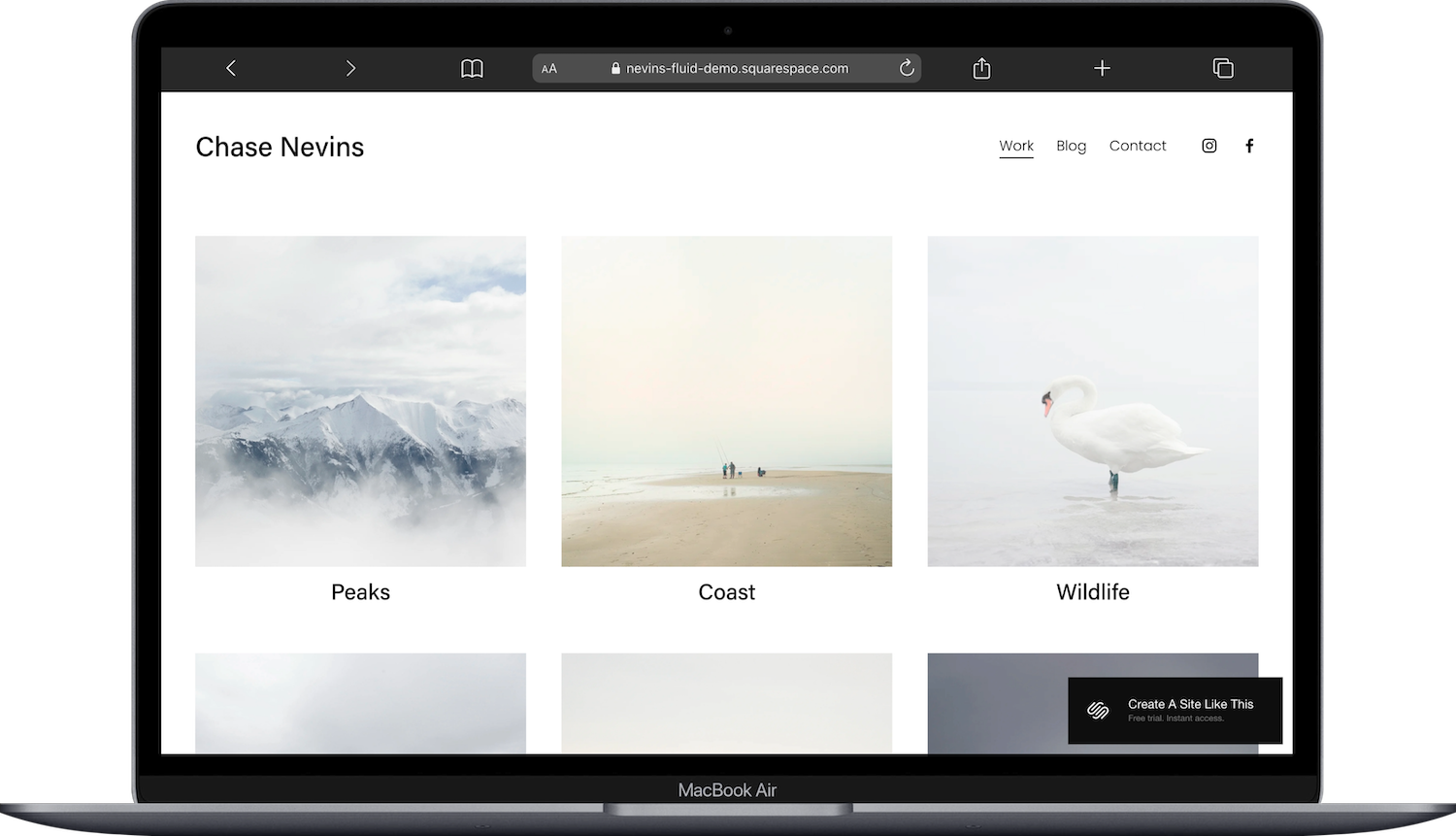
Nevins has a slightly more editorial feel compared to Montclaire and Sawyer. Think overlapping images, asymmetric layouts, and a bit more visual personality baked into the structure itself. It works well for artists whose brand has a moodier or more conceptual vibe.
One thing to know: because Nevins leans editorial, it can feel like a lot if your portfolio is already very visually busy. But for artists with a curated, cohesive body of work, it's a strong choice. Nevins is another older Squarespace template, so it won’t be built in with a lot of the newer Squarespace released features like pins or automated blocks. Not a plus or a minus, just good to know.
Worth mentioning: if your aesthetic leans dark or edgy (tattoo artists, ink work, black-and-white pieces), take a look at Achromatic too. It was designed with that exact vibe in mind.
For even more picks in this category, check out my best Squarespace portfolio templates roundup.





Best Squarespace Templates for Selling Art Online
You want people to browse your work AND buy it. Maybe prints, maybe originals, maybe commissions. These templates have ecommerce baked into the design from the start, making it easier to sell from the get-go.
Spotted Squarespace Template
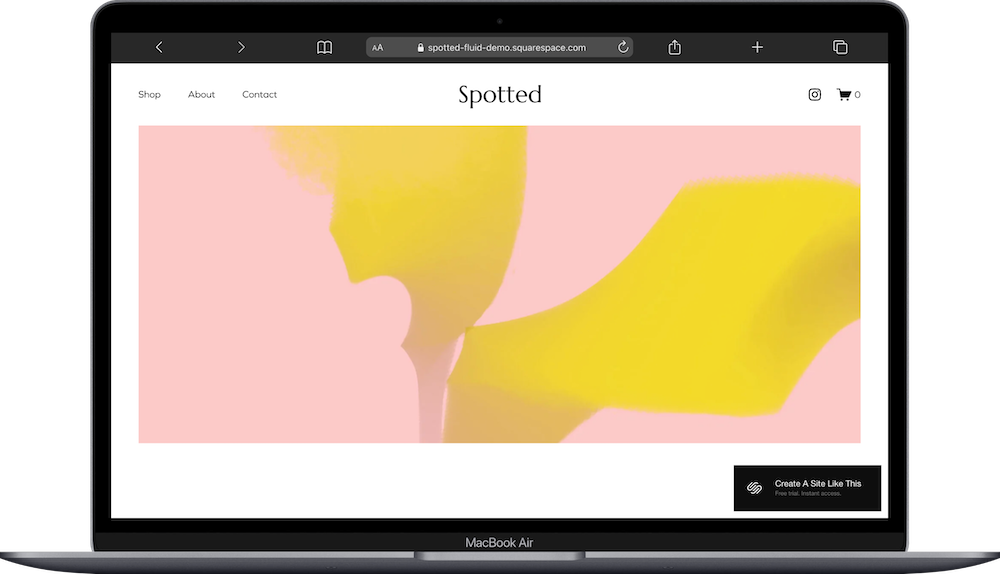
Spotted was designed around an art and watercolor shop concept. The product displays feel like gallery pieces rather than generic ecommerce listings, which is important when you're selling art. Nobody wants their hand-painted original sitting in a layout that looks like it's selling phone cases.
The shop pages are prominent but not overwhelming, and the overall design feels creative without being chaotic. This is an underrated template IMO, and a nice and easy one to start with.
Kester Squarespace Template
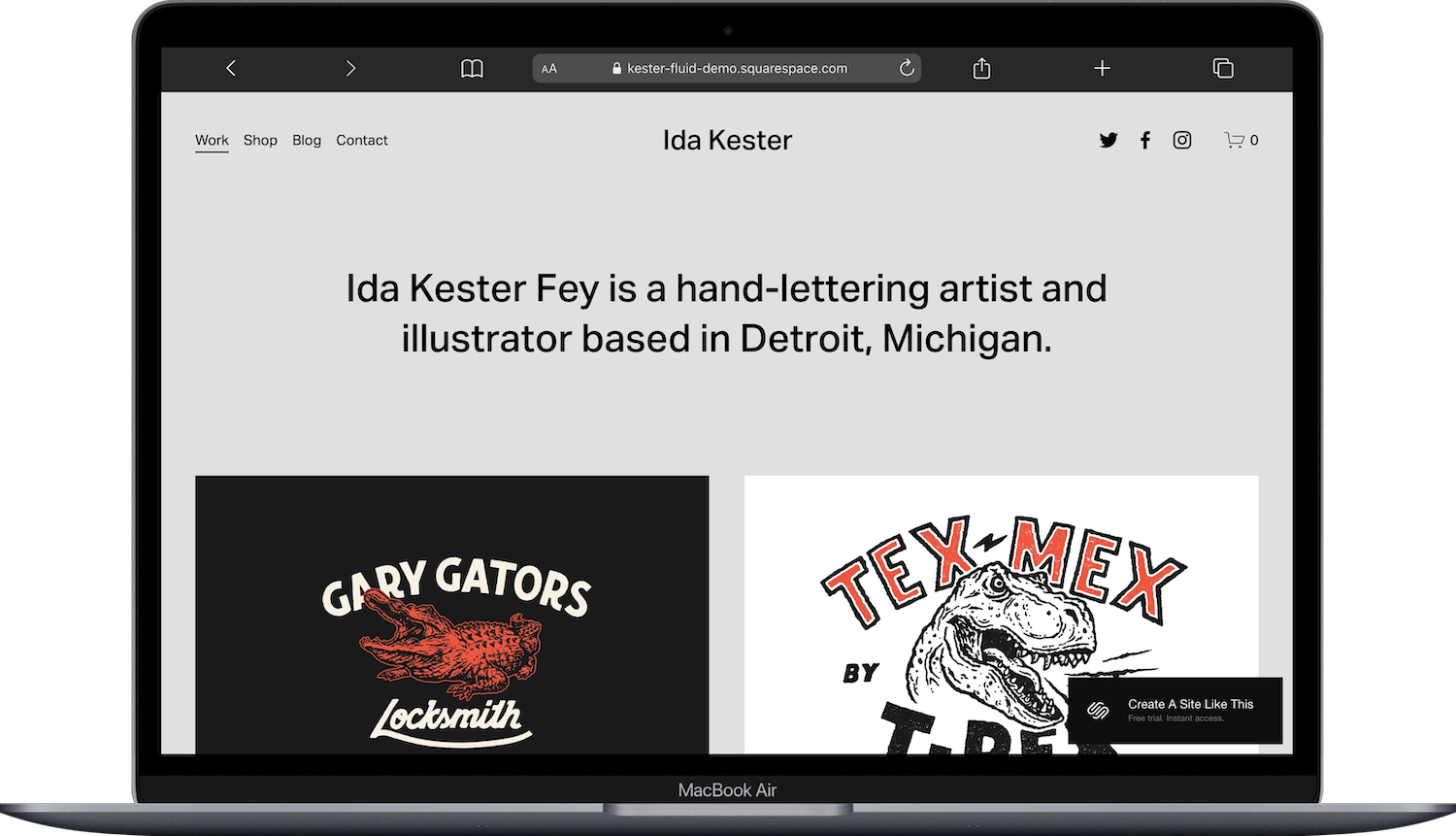
Kester is built for handmade and art-based shops. It's slightly warmer and more tactile in feel than Spotted; think ceramics, textile art, or mixed-media pieces. If your art has a handmade quality and you want the website to reflect that, Kester does it well. This one also has a bit more of a ‘masculine’ vibe - san serif fonts, dark colors, gators and dinos.
Altaloma Squarespace Template
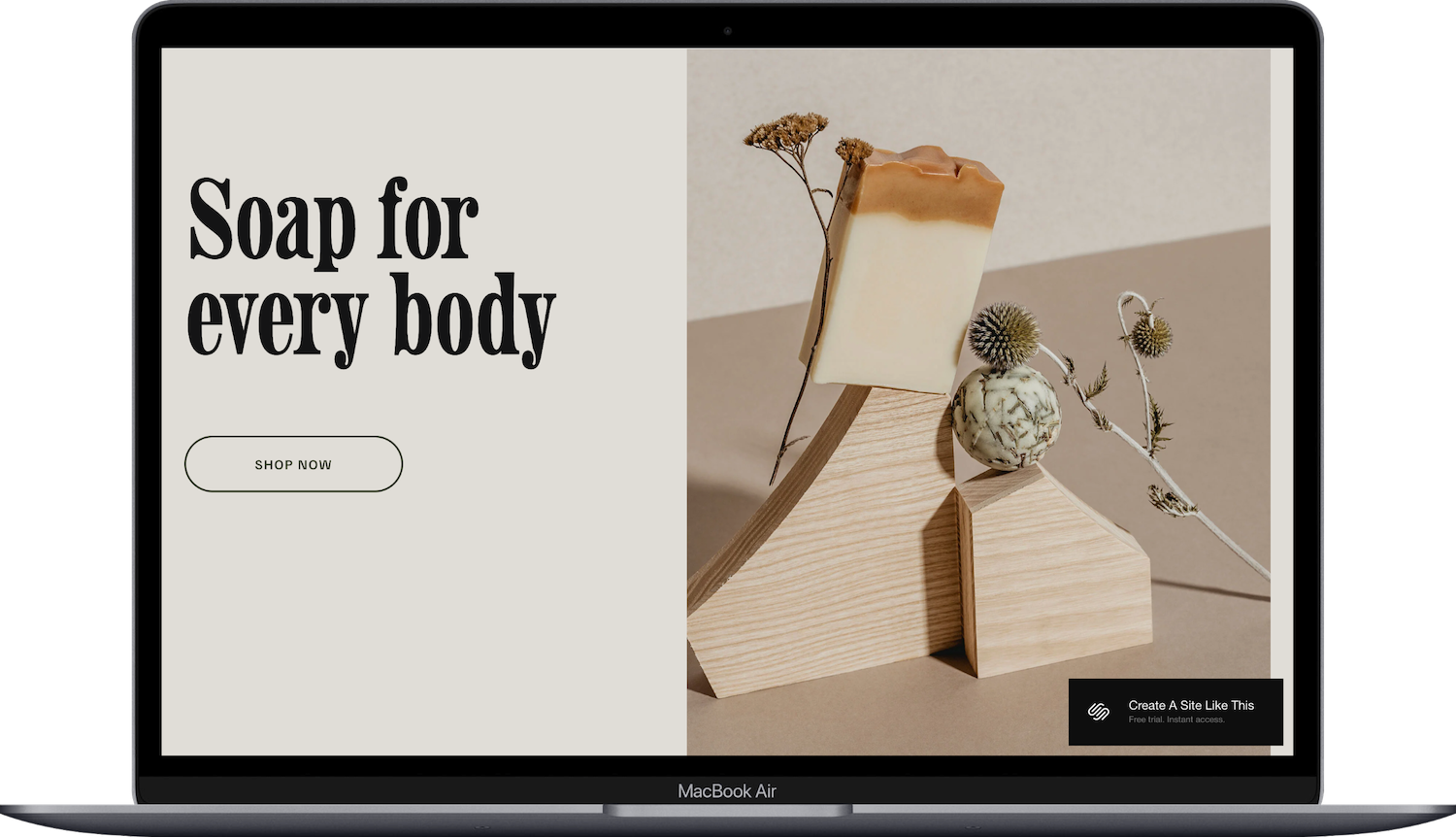
Altaloma rounds out the selling picks with a maker/artisan focus. It bridges the gap between portfolio and shop nicely; you can showcase your process and your finished pieces in a layout that feels intentional rather than bolted together. I go into more detail in my Altaloma template review. I find Altaloma really versitle for a lot of different industries/templates, and selling art is one of the best.
Quick note on all three: every Squarespace plan includes ecommerce now, so you don't need a specific tier to sell your work. The Basic plan even handles it (though you will have to pay more in fees). You can start a free trial and test any of these with your own products before committing.
For a broader and deeper look at ecommerce options, my best free Squarespace ecommerce templates post covers more picks.
Best Templates for Artists Who Also Teach or Blog
Some artists aren't just making art; you're teaching workshops, running a YouTube channel, writing about your process, or selling courses. You want a website that handles content alongside your portfolio.
Toledo Squarespace Template
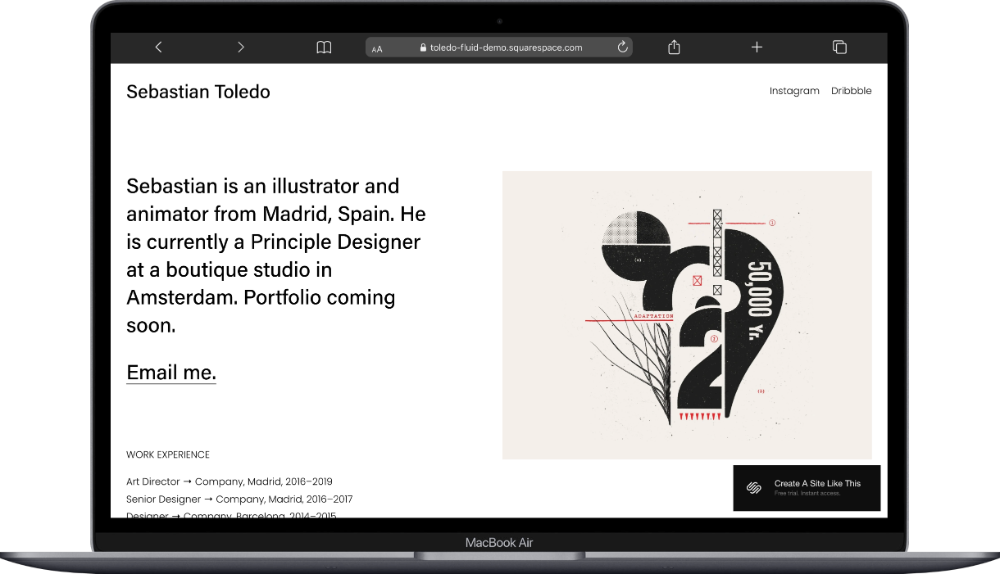
Toledo is a brief, one-page template that was designed with illustrators and artists in mind, and it balances portfolio display with content sections without either feeling like an afterthought. You can showcase your work, feature a blog, and promote offerings (workshops, commissions, digital downloads) in a layout that stays cohesive.
If you're an illustrator especially, this one was made for you. But it works for any artist who creates content alongside their art practice.
Comet Squarespace Template

If courses are a significant part of your business (not just a side offering), Comet is worth considering. It's structured around education and academy-style content. For artists who teach painting classes, sell video tutorials, or run membership-based workshops, Comet gives you a framework built for that from the start. I have a full Comet template review if you want the details. This is another template I find really versitile and under-utiilzed.


Best Gallery Squarespace Template for Art Collectives
Reflect Squarespace Template
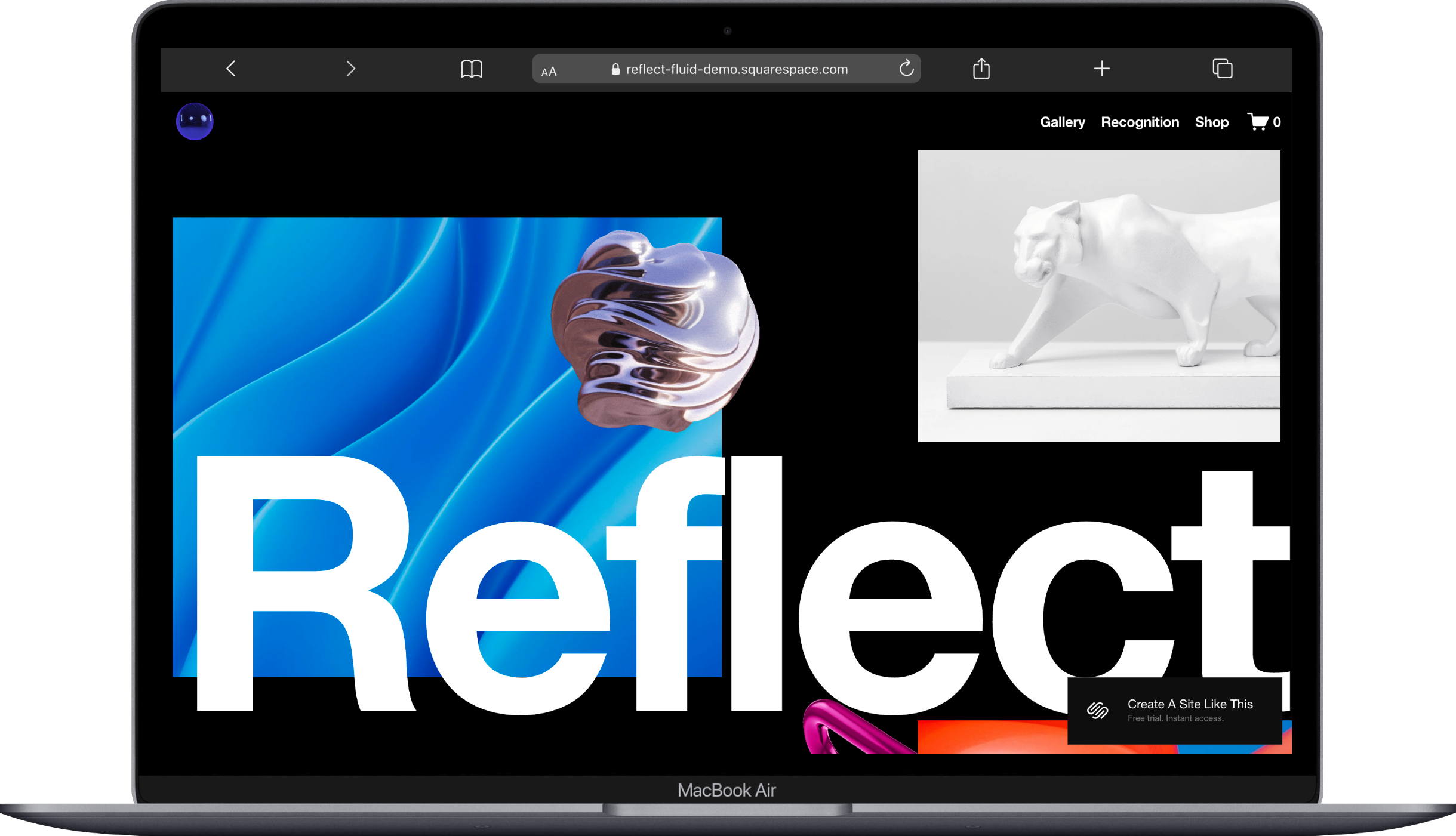
Reflect is Squarespace's most gallery-focused template. It was designed in collaboration with the art world (it's the Jeff Koons collaboration, if that means anything to you), and it's built to display large volumes of work with an immersive, full-screen experience.
A couple things to know about Reflect: it's gorgeous for galleries, exhibition spaces, and art collectives showing multiple artists. But it can feel like overkill for a solo artist with 20-30 portfolio pieces. If you're running a gallery or curating shows, Reflect is the pick. If you're a solo artist, Montclaire or Sawyer might be better starting points.
Want Something More Custom Than a Built-In Template?
All of the templates above are Squarespace's built-in options. They're free with your plan, they work well, and they're solid starting points. But they are starting points that thousands of other people are also using. If you want a site that looks distinctly yours from the moment someone lands on it, third-party template shops are worth a look.
A few I'd recommend for artists:
Big Cat Creative has a range of bold, design-forward templates
Applet Studio specializes in sleek, modern designs
These are premium templates (you pay once on top of your Squarespace subscription), but the trade-off is a much more distinctive starting point. For artists where brand differentiation is a priority, that can be well worth it.
How to Pick the Right Squarespace Template for Artists
A quick framework for making this decision:
Start with your primary goal. Is it showing your portfolio? Selling work? Teaching? That determines your category above.
Look at the template with YOUR images in mind. Every demo looks beautiful with professional stock photos. Your question is whether the layout works for the kind of art you make.
Don't overthink it. Every Squarespace template can be customized with the Fluid Engine editor. Fonts, colors, layout structure; you can change all of it. You're choosing a structural starting point you can adjust anytime.
Try before you decide. Squarespace offers a 14-day free trial and you can preview any template during that period.
If you want more guidance on the selection process in general, my how to choose a Squarespace template guide walks through the whole thing.
Frequently Asked Questions
Is Squarespace good for artists?
Yes. In my opinion, Squarespace is one of the best website platforms for artists still, because it handles image-heavy content well, includes built-in ecommerce on every plan, and offers polished design quality out of the box. It's the middle ground between hiring a web designer and wrestling with a more complex platform like WordPress, vibecoding something that looks like everything else, or struggling with a Shopify or similar.
Which Squarespace template is best for an art portfolio?
Montclaire is the best all-around Squarespace template for an art portfolio. It prioritizes large image displays with clean navigation, making it ideal for painters, mixed-media artists, and other visual creatives. Sawyer and Nevins are strong alternatives depending on your aesthetic preferences.
Can you sell art on Squarespace?
Yes. Every Squarespace plan includes ecommerce, so you can sell prints, originals, commissions, or digital downloads starting on the Basic plan. Templates like Spotted and Kester are specifically designed for art-based shops.
How much does a Squarespace website cost for artists?
Squarespace pricing starts at $19/month for the Basic plan (billed annually), which includes ecommerce, a free custom domain for the first year, and SSL security. Most artists will find the Basic or Core plan sufficient. You can test everything with a 14-day free trial before paying anything.
Does Squarespace have portfolio templates?
Squarespace has multiple templates designed specifically for portfolio display, including Montclaire, Sawyer, Nevins, and others. All templates in Squarespace 7.1 can be customized using the Fluid Engine editor to create portfolio-style layouts, but starting with a portfolio-focused template gives you a better structural foundation from the start.
Is Squarespace better than Wix for artists?
Squarespace generally offers higher design quality and more polished templates out of the box compared to Wix, which matters for artists who want their site to look professional with minimal tweaking. Wix provides more granular customization options but with a steeper learning curve and less consistent design results. For most artists building a portfolio or art shop, Squarespace is the stronger choice. Read my full Squarespace vs Wix guide here.

