Montclaire Squarespace Template Review
This post contains affiliate links. If you purchase through them, I may receive a small commission at no extra cost to you.
Table of Contents Show
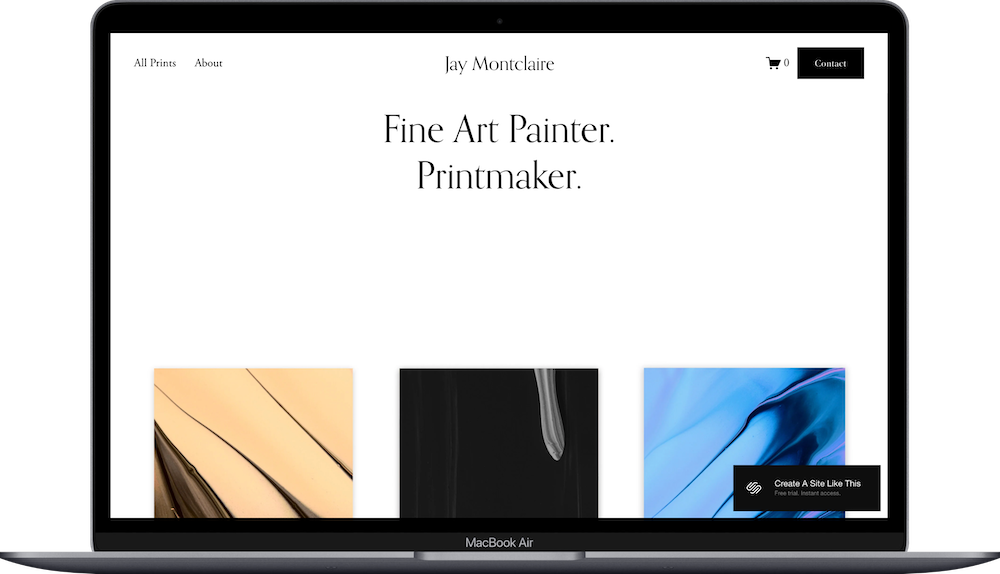
Montclaire is a free Squarespace template built for artists selling prints or original work online.
If you're an artist, photographer, or illustrator and have a small number of pieces to sell, Montclaire works well.
Let's figure out if this template fits what you’re looking for.
Who Montclaire Works Well For
Fine art painters selling originals and prints
Photographers selling prints or digital downloads
Illustrators running portfolio-to-shop sites
Printmakers with up to a few dozen pieces
Artists who want basic e-commerce
Who Montclaire Doesn't Work For
Skip Montclaire if you:
Are not an artist and don’t need a portfolio site
Have art products in multiple categories requiring filters; there's no category navigation beyond the single "All Prints" page
Want a portfolio site without e-commerce. The template is designed around selling
What's Included in Montclaire
Home Page
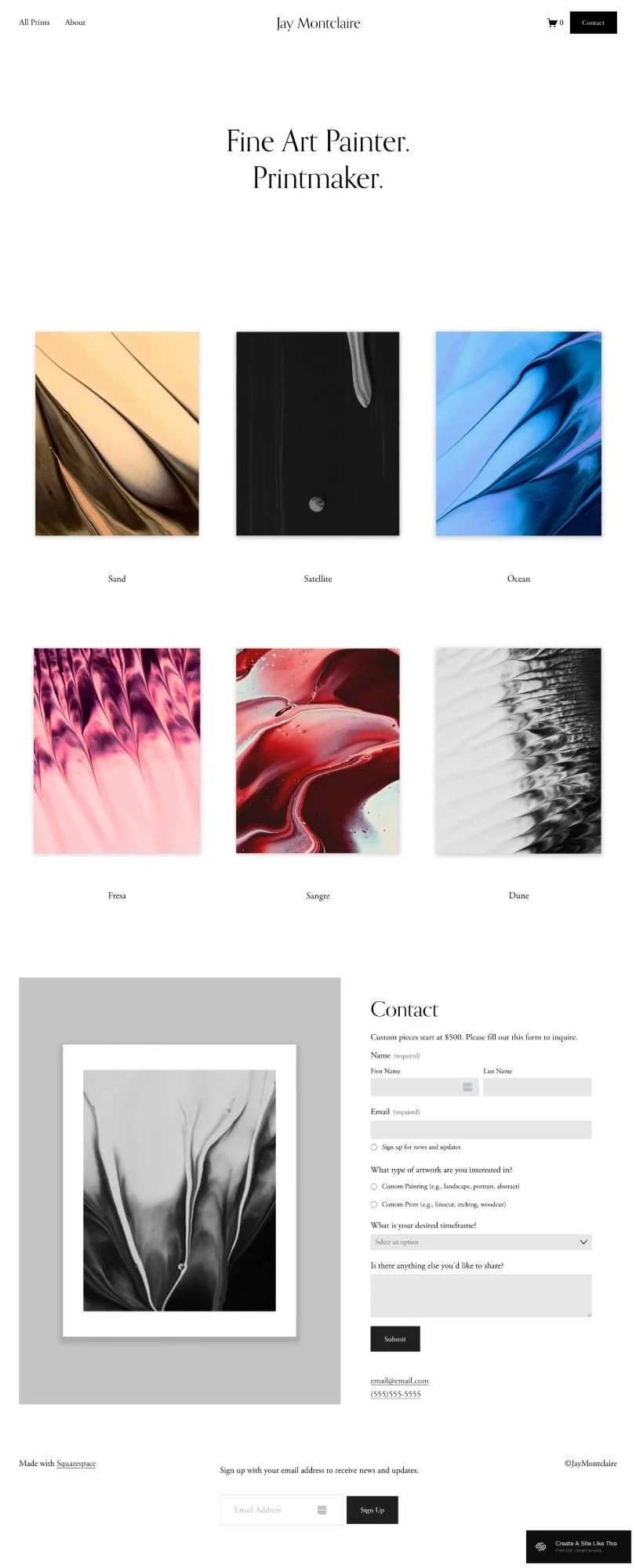
The homepage opens with your site name centered at the top of the page in the header. Below that is a text section and a three-column grid showing product images with titles underneath each one. Further down the page is a contact section that includes a large framed image on the left and a contact form on the right with checkboxes for custom work inquiries. At the bottom is an email signup form.
All Prints (Shop)
Three-column product grid showing all work. Click an image to reach individual product pages with large zoomable image, title, price, add-to-cart button, description, space for additional images.
About Page
Text and image sections for artist bio, workspace photos, creative process, or background story.
Contact Page
Form for custom commissions or inquiries.
Extras
Shopping cart icon in the floating header (always visible as you scroll)
Email newsletter signup form at the bottom of pages
Social media links available in the header or footer
E-commerce functionality: inventory management, payment processing, shipping calculations
Mobile-responsive design
Elegant serif typography (Orpheus Pro as the header and Adobe Garamond Pro as the body copy)
Pros and Cons of the Montclaire Template
What Works Well
Three-column grid shows work at substantial size. Thumbnails display at 400-500px wide on desktop. Large enough to see details before clicking through.
Floating header keeps cart accessible. Navigation stays at top as visitors scroll. Shopping cart is always one click away.
Minimal navigation reduces decision fatigue. Two main menu items in the demo. Visitors focus on browsing work, not navigating complex menus.
Layout works well for square or near-square artwork. If your work is 1:1 ratio or close, the grid displays pieces evenly without awkward cropping.
Where It Falls Short
No category filtering for larger catalogs. If you have over 50 pieces, visitors scroll through everything. No way to filter by medium, subject, size, or price.
Minimalist design can feel too sparse. With so much white space and limited text, the site might feel incomplete if you're not selling work that benefits from gallery-style presentation.
Getting started with the Montclaire template is easy.
Once you pick Montclaire in the Squarespace 7.1 template library, here's what to do:
Update your business name and tagline. This is the first thing visitors see.
Adjust colors and fonts in Site Styles. Go to Design > Site Styles to customize the template's color palette and typography.
Add products to the shop. Go to Commerce > Inventory. Upload each piece with high-quality & optimized images, titles, prices, descriptions. Include multiple angles or detail shots.
Customize product pages. Check how pages look with your actual content. Adjust image sizes, description length, pricing, and shipping info.
Write your About page. Replace demo content with your artist statement, background, or process. Include 2-3 photos of yourself or your workspace.
Set up contact page and commission form. If you take custom commissions, explain your process, pricing, and timeline. Configure the form to send inquiries to your email.
Configure shipping settings. Go to Commerce > Shipping. Set up zones, rates, and flat-rate or calculated shipping options. Add international shipping if relevant.
Connect your email service provider. Link Squarespace Campaigns, Kit, or whoever you use to the newsletter form.
Check heading hierarchy. Make sure your site title is H1 and page titles use H2 or H3 tags in logical order.
Test the purchase process. Create a test product at $0.00 or use test mode. Go through checkout (add to cart, enter shipping, process payment, etc.) and verify confirmation emails work.
Add social media links. Include Instagram, Facebook, or other accounts in header or footer.
Review, connect domain & choose Squarespace plan, and publish. Test all buttons and forms, fix any issues, then go live.
Bottom Line
Buy Montclaire if you're a visual artist selling up to a few dozne prints or originals and want a gallery-style layout where your work is the main focus. The text-only homepage and minimal navigation work well for artists with a clear creative identity.
Skip it if you need category filtering for large inventories, want detailed product descriptions, or need blog functionality for content marketing.
Try Montclaire with a 14-day free trial and test it with your actual artwork.
Montclaire Squarespace Template FAQs
Can I sell products on the Montclaire website template?
Yes, Montclaire is specifically designed for artists selling products, especially art, prints, and visual work. It includes Squarespace's full e-commerce features: inventory management, shopping cart, checkout, payment processing (via Stripe, PayPal, Apple Pay), and shipping calculations. The product pages are simple but functional.
Is the Montclaire template good for SEO?
Yes. All Squarespace 7.1 templates have the same basic SEO capabilities, so you can optimize page titles, meta descriptions, and image alt text. If SEO is a priority, consider creating a blog.
Is the Montclaire template good for mobile?
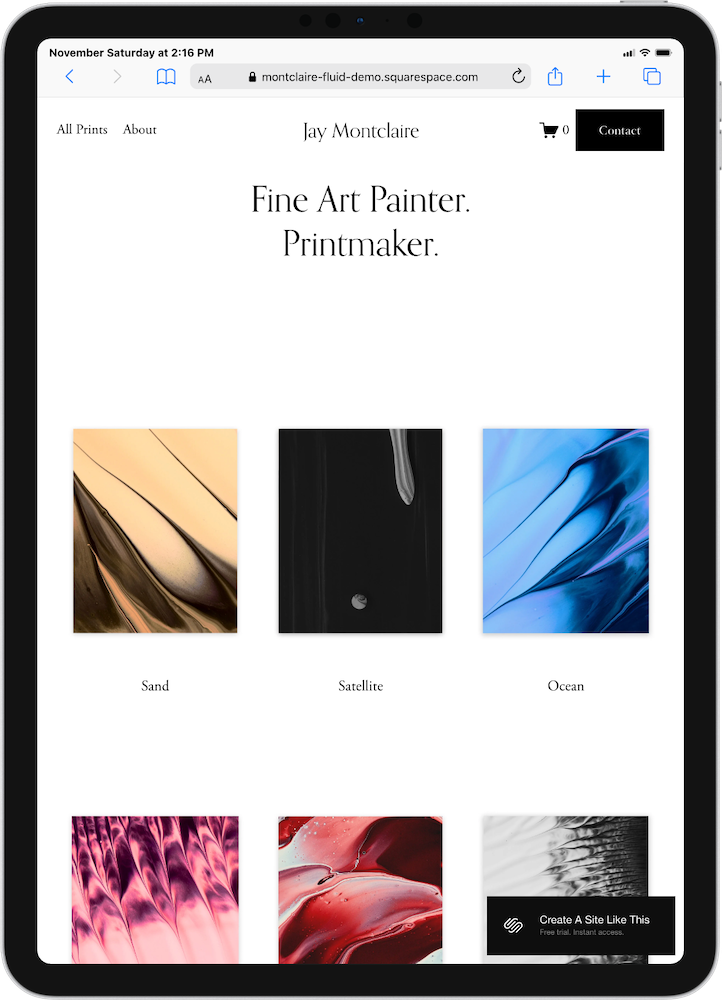
Yes, Montclaire is fully responsive. The three-column product grid automatically reformats to a single-column layout on phones, images scale appropriately, navigation condenses to a hamburger menu, and the checkout process works on small screens.
Can I change fonts and colors on the Montclaire template?
Yes, you can customize fonts, colors, spacing, and button styles through the Site Styles panel without any coding.
Does Montclaire work if I don't want to sell anything?
Sure. But while you could technically disable the shop and use it as a portfolio site, the entire template is built around the e-commerce grid layout and shopping cart functionality. If you just want a portfolio without sales, templates like Keo or Resedo are better options since they're designed for showcasing work without the shop infrastructure.
How many products can I display with Montclaire?
There's no technical limit, but the template works best with up to 100 products. Once you get above 100 items, the single-page grid becomes difficult to browse since there's no category filtering or search refinement. Visitors would need to scroll through everything to find specific pieces. In that case, you should check out Shopify.
Can I add categories or filtering to the shop page?
Not without custom code or paid plugins. Montclaire's shop displays all products in a single grid. If you need category navigation, you can create separate shop pages for different product types (like "Paintings" and "Prints") and link to them in your navigation, but this requires manual setup and isn't built into the template.
Can I add customer reviews to product pages?
Not built-in. Montclaire's product pages are minimal (image, title, price, description, and an add-to-cart button). If you want customer reviews, you'll need to integrate a third-party app, or manually add review text to your product descriptions.
Can I sell both physical products and digital downloads?
Yes, Squarespace's e-commerce functionality supports both physical products (with shipping) and digital products (instant download after purchase). You can mix both types in your shop. Just set each product type appropriately in the product settings.
Is there a way to show sold-out or "one of a kind" products?
Yes, you can set inventory to "1" for one-of-a-kind original artwork, and when it sells, Squarespace will automatically mark it as sold out and disable the purchase button. You can choose whether sold-out items still appear in your grid or get hidden completely.