Squarespace Basic Plan: A Complete Guide for 2026
A note on pricing: all prices mentioned in this post are accurate as of when this post was written, but can change at any time. This includes Squarespace plans, third-party tools, plugins, templates, and any other services referenced. Always check directly with the provider for the most current pricing before committing. Prices current as of Squarespace’s latest increase, July 6 2026.
This post contains affiliate links. If you purchase through them, I may receive a small commission at no extra cost to you.
Table of Contents Show
What is the Squarespace Basic plan?
Quick Answer: The Squarespace Basic plan starts at $19/month (billed annually) and includes unlimited bandwidth and storage, all 7.1 templates, up to 1,000 pages, the ability to sell unlimited products and subscriptions, SSL, mobile optimization, and basic SEO tools. It does NOT include custom code injection, premium integrations, or more than 2 contributors. You'll also pay a 2% Squarespace transaction fee on commerce sales. For a lot of people building a website for the first time or running a small service-based business, Basic is more capable than most comparison articles give it credit for.
KEY FACTS:
Basic plan: $19/month billed annually, or $25/month billed monthly
Free custom domain for the first year (annual plans only)
14-day free trial, no credit card required
Includes unlimited bandwidth, unlimited storage, and up to 1,000 pages
Sell unlimited products and subscriptions; 2% Squarespace transaction fee applies
No custom CSS or JavaScript (code injection not available on Basic)
Limited to 2 contributors (including the site owner)
30 minutes of video storage
Core plan ($23/month annual) removes the 2% transaction fee and adds custom code, premium integrations, and unlimited contributors
Why a dedicated Squarespace Basic plan guide?
Most articles about Squarespace pricing treat the Basic plan like a footnote. You get a row in a comparison table, a quick "it's the starter option," and then the article spends the next 1,500 words telling you why you should upgrade to Core.
Which isn't super helpful if you're trying to figure out whether Basic actually does what you need.
So this guide is specifically for the Basic plan. What's in it, what's not, what the real tradeoffs are, and how to figure out if it's genuinely enough for your situation. (If you want a side-by-side of ALL four plans, I have a full Squarespace plans breakdown that covers everything.)
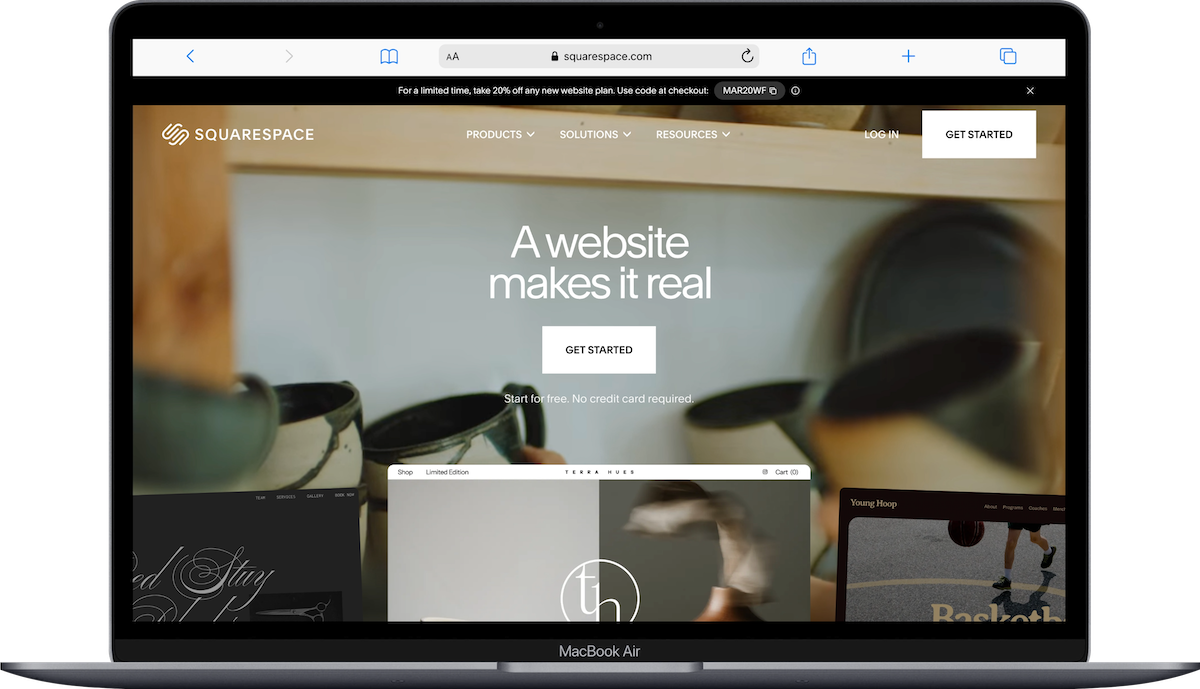
What the Squarespace Basic Plan includes
Website builder and design
Full access to ALL Squarespace 7.1 templates, the the ability to build your own site from a blank template, or have a premium template installed on your site
Drag-and-drop page editor with dynamic sections, blocks, and layout options
Mobile-optimized site
SSL certificate (that little lock icon in the browser; also required for SEO)
Unlimited bandwidth and storage
Favicon and social share image
Up to 1,000 pageson a single site
A thousand pages is a LOT. Most small business sites have 5-15 pages. (And blog posts don’t count toward that limit.)
Commerce and selling on the Basic Plan
Yes, you can sell on the Basic plan. You get:
Unlimited products (physical, digital, and service-based)
Subscriptions and memberships
Abandoned cart recover
Client invoicing and proposals
Courses
Gift cards
Squarespace Payments or Stripe integration
Checkout on your own domain
The catch? Transaction fees. More on that in a sec.
6/15/26 Update (Worth noting if you send invoices): Squarespace recently rolled out automated invoice reminder emails. When an invoice goes unpaid, reminders go out automatically at 3, 7, 14, and 30 days overdue. You don't have to set anything up or chase anyone down manually. You can track reminder status for each invoice in the Invoice panel under the Activity tab. (This is available on all Squarespace plans.)
Blogging
Multiple blogs on one site
Categories, tags, and post scheduling
RSS feeds
Unlimited blog posts
Contributor permissions (though limited to 2 total on Basic)
SEO and analytics
Built-in SEO tools (page titles, meta descriptions, URL slugs, alt text)
Basic website analytics (traffic overview, popular content, referral sources)
Google Analytics 4 integration
Squarespace extensions marketplace
Other inclusions
30 minutes of video storage
2 contributors (this includes the site owner)
Free custom domain for the first year with annual billing
14-day free trial with no credit card required
What the Squarespace Basic Plan does NOT include
These are the features reserved for Core Plan or higher:
No custom code injection
On the Basic plan, you cannot add custom JavaScript to your site. In practical terms, that means:
No third-party plugin scripts (like the ones from Will Myers or SQSPThemes that add things like mega menus, animated sections, or advanced layout features)
No pasting in tracking pixels beyond what Squarespace natively supports (so no Facebook Pixel via code injection, for example)
No custom code blocks on individual pages
If you're someone who wants to add third-party tools, use plugins, or make visual tweaks beyond Squarespace's built-in options, this limitation could be a dealbreaker. If you're building a straightforward site and the built-in design tools give you what you need, you might never notice.
No premium integrations
The Basic plan doesn't include integrations with tools like Mailchimp, OpenTable, Zapier, or other third-party platforms that connect through Squarespace's premium integration panel. You can still embed third-party forms or use tools that provide their own embed code through supported methods, but the native integrations are Core and above.
No popup or promotional banners
Those announcement bars and promotional popups you see on a lot of Squarespace sites? Not available on Basic. If you want to promote a sale, a new product launch, or collect email signups via a popup, you'd need to be on Core or higher.
Other things reserved for higher plans
Unlimited contributors (Basic caps at two contributors only, which is actually more of a pain than you might think)
Google Workspace email (first year free on Core+)
Commerce analytics (sales data, conversion funnels, purchase funnel reporting)
Customer discounts and real-time shipping rates
Google Shopping integration (Plus and above)
More than 30 minutes of video storage (Core gets 5 hours; Plus and Advanced get more)
Squarespace Basic Plan transaction fees: the MATH behind it all
On the Squarespace Basic plan, when someone buys from your site, here's what comes out of the sale:
2% Squarespace commerce transaction fee on physical products and services
7% Squarespace fee on digital products
Plus standard payment processing: 2.9% + $0.30 per transaction (through Squarespace Payments or Stripe)
So if you sell a $100 product, you're paying roughly $2.00 (Squarespace fee) + $3.20 (payment processing) = $5.20 in fees on a $100 sale.
On the Core plan, that 2% Squarespace fee goes away entirely. You'd only pay the $3.20 payment processing fee. So on that same $100 sale, you save $2.00.
When does upgrading to Core make financial sense?
If you're a service-based business and you're not selling products through your Squarespace store — you're just taking inquiries through a contact form, for example — the transaction fee doesn't apply to you at all. But if you ARE selling through your store (physical products, digital downloads, courses, or service packages with checkout), here's when the math tips toward Core.
The Core plan costs $29/month annually vs. Basic at $19/month. That's an extra almost $100/year.
If the 2% Squarespace transaction fee on your sales exceeds that difference, upgrading saves you money. The breakeven point:
$84 ÷ 0.02 = $4,200 in annual sales, or roughly $350/month.
So if you're consistently selling more than ~$350/month in products or services through your Squarespace site, the Core plan actually pays for itself just by removing that transaction fee. Below that, Basic is the more cost-effective choice.
(For digital products, the math shifts even faster since the fee is 7% on Basic. If you're selling digital downloads, courses, or templates, the breakeven drops to roughly $100/month in sales — $84 ÷ 0.07 = $1,200/year, or about $100/month.)
Who the Squarespace Basic Plan is a good fit for
Based on what's included and what's not, the Basic plan could work really well if you're:
Building your first basic business website and want something polished without a big monthly commitment
A service provider (freelancer, consultant, coach) who primarily needs a web presence with info about your services, an about page, and a contact form
A blogger or content creator who needs a clean, well-designed blog without complex integrations
Selling a small number of products and your monthly sales volume is under ~$550/month
Someone who doesn't need custom code and is comfortable working within Squarespace's built-in design tools
The Basic plan gives you a genuinely complete website. Unlimited pages, unlimited products, SSL, mobile optimization, SEO tools, and access to every single template Squarespace offers. For some use cases, that's more than enough.
… And when you'd probably want to upgrade
The honest answer: the Basic plan stops being enough when you hit specific needs, not a vague "outgrowing" moment. Here are the real triggers:
You want to add custom code or third-party plugins. This is the #1 reason people move to Core. If you're working with a Squarespace designer or want to use tools like Will Myers plugins, you'll need Core.
Your monthly sales exceed ~$550. At that point, the 2% transaction fee costs more than the plan price difference.
You need more than 2 contributors. If you have a team editing the site, a VA updating content, or a designer making changes, 2 seats fills up fast.
You want popups, promotional banners, or announcement bars. If email list building or promotional messaging is a core part of your strategy, you'll miss these on Basic.
You need premium integrations. Mailchimp, Kit or Flodesk, OpenTable, Zapier, and similar tools that connect through Squarespace's native integration panel require Core.
You need commerce analytics. Basic gives you website traffic data, but if you want sales funnels, conversion data, and purchase reporting, that's Core and above.
If none of those apply to you right now, Basic is a perfectly fine choice. You might run into limitations, but you can always upgrade later, and Squarespace makes it easy to move between plans without losing any of your content or design work.
An important note on Squarespace plan names
If you've been Googling and finding articles that reference the "Personal" plan, that's what Basic used to be called. Squarespace renamed all their plans in 2025:
Personal → Basic
Business → Core
Commerce Basic → Plus
Commerce Advanced → Advanced
The features and pricing shifted a bit with the rename, so if you're reading an older article about the "Personal" plan, double-check that the info is still current.
Important: Squarespace occasionally adjusts pricing and plan features. Everything in this article is accurate as of July 2026, but you should always check Squarespace's official pricing page for the most up-to-date info, especially since prices and plan details can vary by country.
How to get started on the Squarespace Basic plan
If the Basic plan sounds like the right fit, Squarespace offers a 14-day free trial where you can build your entire site before committing to a plan. No credit card needed. You can test templates, add your content, set up pages, and get a real sense of whether the platform works for you before paying anything.
Once you're ready to publish, choosing the annual billing option saves you a big chunk compared to monthly billing, and it comes with a free custom domain for the first year.
And if you want something more distinctive than Squarespace's built-in templates, third-party template shops like Big Cat Creative, Kseniia Design, or Studio Mesa offer professionally designed templates that work on any Squarespace plan, including Basic. (Just keep in mind that some third-party templates include custom code elements that require the Core plan to fully function; always check with the template shop before purchasing.)
Frequently Asked Questions
What is the basic plan on Squarespace?
The Squarespace Basic plan is the most affordable paid plan. It includes full access to all Squarespace 7.1 templates, unlimited bandwidth and storage, up to 1,000 pages, the ability to sell unlimited products and subscriptions, SSL, mobile optimization, basic SEO tools, and Google Analytics 4 integration. It's designed for individuals and small businesses who need a polished, functional website without advanced features like custom code or premium integrations.
Can you sell products on the Squarespace Basic plan?
Yes. The Basic plan supports unlimited physical products, digital products, services, subscriptions, memberships, courses, and gift cards. The main tradeoff is that Squarespace charges a 2% transaction fee on physical and service sales and a 7% fee on digital products, on top of the standard payment processing fee (2.9% + $0.30). Upgrading to Core removes the 2% fee on physical/service sales.
What is the difference between Squarespace Basic and Core?
The biggest differences are custom code access, transaction fees, and contributor limits. Core includes JavaScript injection, premium integrations (Mailchimp, Zapier, OpenTable), popup and promotional banners, unlimited contributors, commerce analytics, 5 hours of video storage (vs. 30 minutes), and no Squarespace commerce transaction fee on physical/service sales. Basic doesn't include any of those features.
Does Squarespace Basic include a free domain?
Yes, if you choose annual billing. All Squarespace annual plans (including Basic) come with a free custom domain for the first year. After the first year, the domain renews at Squarespace's standard domain pricing, which varies depending on the domain extension. Monthly billing does not include a free domain.
Can you use custom code on the Squarespace Basic plan?
Some. You can use Custom CSS, but JavaScript and code injection are not available on the Basic plan. This means you can't add third-party plugin scripts, more complicated custom code, or custom tracking pixels (beyond what Squarespace natively supports).
How much does Squarespace cost per month?
Squarespace has four plans: Basic, Core, Plus, and Advanced. The monthly billing will always be higher. All plans include a 14-day free trial. For the most current pricing, check Squarespace's official pricing page, as prices can vary by country and change over time.
Which Squarespace plan do you recommend?
For the vast majority of small business owners, I recommend Core. The monthly price tag on Basic looks great, but I've seen several clients run into its limitations faster than they expected. Things like not being able to embed a Flodesk email signup form, not being able to run Facebook lead ads, no announcement bar for promotions or launches.
The one time I'd recommend Basic is if you're an artist or creative with a small portfolio site that you update here and there and mostly want to share with people. You don't need the extra features, and monthly price is a solid price for a clean, professional online presence.
And if you're selling a ton of volume of digital or physical products, Plus is the way to go. The lower transaction fees on digital products alone will likely save you more than the cost difference between plans.

