Squarespace for Coaches: Complete Setup Guide
A note on pricing: all prices mentioned in this post are accurate as of the date this article was written, but can change at any time. This includes Squarespace plans, third-party tools, plugins, templates, and any other services referenced. Always check directly with the provider for the most current pricing before committing.
This post contains affiliate links. If you purchase through them, I may receive a small commission at no extra cost to you.
This article was researched and fact-checked for all information provided directly from primary sources (Squarespace, Acuity, Squarespace Email Campaigns,) and is up to date as of July 2026. AI was not used as a source.
Table of Contents Show
Is Squarespace a Good Platform for Coaching Businesses?
Quick Answer: Squarespace is one of the best website platforms for coaches in 2026. It handles the core things coaching businesses need; a professional site, scheduling through Acuity Scheduling (a separate paid add-on), digital product and course sales, member areas for clients, and email list building through Squarespace Email Campaigns. The Core plan is the sweet spot for most coaches, and you can add Acuity Scheduling starting at $16/month on top of your site subscription.
KEY FACTS:
Squarespace plans for coaches: Basic, Core, Plus, Advanced - all billed annually
Acuity Scheduling is NOT included in any Squarespace plan - it's a separate add-on starting at $16/mo - billed annually
Digital product transaction fees vary by plan: Basic 7%, Core 5%, Plus 1%, Advanced 0%
Member Areas (now called Member Sites) are included with all four paid Squarespace plans and allow gated content for coaching clients
Squarespace Email Campaigns lets you build and email your list directly from the platform
Course functionality is built into Squarespace for selling video-based courses
What Do Coaches Typically Need From a Website?
If you're a coach (life coach, business coach, health coach, career coach, whatever your niche is), your website should do three things well:
Build trust fast (so potential clients feel confident booking with you)
Make it easy to book a session or discovery call
Create additional revenue streams beyond 1:1 work (courses, digital products, memberships)
That's really it. You don't need a million features. You need the RIGHT features, set up well.
Squarespace handles all three of those things. Not perfectly in every case (I'll get into the limitations), but for most coaches, it's the right balance of professional design, built-in tools, and not needing a computer science degree to manage your own site.
Let me walk you through how to set up each piece.
Booking & Scheduling: Acuity Scheduling
Okay, let's talk about the thing I see the most confusion around first.
Acuity Scheduling isn’t included in your Squarespace subscription. It's a completely separate paid add-on. I want to be really clear about this because I've had clients assume it comes bundled in, and then they're surprised by the extra cost. I think that’s because it USED to be included, way back in the day (circa 2019). But it hasn’t been included for years now. Acuity Scheduling has its own pricing:
Starter: $16/month (1 calendar)
Standard: $27/month (up to 6 calendars)
Premium: $49/month (up to 36 calendars)
(All billed annually.)
So if you're on the Core plan and add Acuity Starter, you’d be looking at maybe around $45-$50/month total. Worth knowing upfront before you commit.
Is Acuity worth it for coaches?
For most coaches, yes.
Here's why:
Clients can self-book discovery calls, sessions, and packages directly from your site
You can set up different appointment types (free 15-min intro call vs. paid 60-min coaching session vs. group workshop)
It syncs with Google Calendar, Outlook, and iCloud so you don't double-book
You can accept payments at the time of booking through Stripe or PayPal
Automated confirmation emails and reminders reduce no-shows
You can create intake forms that clients fill out before their session
The Starter tier is enough for most solo coaches. You'd only need Standard if you have multiple coaches on your team or you're running sessions in different locations.
Pro Tip: If you already use a scheduling tool you love (Calendly, TidyCal, etc.), you don't HAVE to switch to Acuity. You can embed most scheduling tools on a Squarespace page. Acuity just integrates more seamlessly since it's part of the Squarespace ecosystem.
Setting it up: Once you subscribe to Acuity, you connect it to your Squarespace site through the Scheduling panel. You can add a booking page to your navigation, embed your scheduler on any page, or add a "Book Now" button that links directly to your Acuity calendar. The integration is smooth; it doesn't look like you're sending people to a completely different platform.


Selling Digital Products & Courses on Squarespace
This is where things get exciting if you want to move beyond trading hours for dollars.
Digital Products
Squarespace lets you sell digital products (PDFs, worksheets, workbooks, audio files, templates) directly from your site. For coaches, this is huge. Think:
Journaling prompt PDFs
Goal-setting workbooks
Assessment templates
Audio meditations or guided exercises
Resource bundles for specific coaching niches
You set up digital products by adding a store page, creating a new product and choosing Download as the product type, uploading your file, and setting a price. Squarespace handles delivery automatically after purchase. Then the buyer gets an email with a download link.
One thing to know: digital product transaction fees depend on your plan. Basic takes 7%, Core takes 5%, Plus takes 1%, and Advanced takes 0%. If you're planning to sell a lot of digital products, this math matters. On a $50 workbook, that's $3.50 on Basic vs. $2.50 on Core vs. $0.50 on Plus. It adds up.
Courses
Squarespace has built-in course functionality, which is a big deal for coaches. You can create and sell video-based courses directly on your site without needing a third-party platform like Teachable or Kajabi.
Courses on Squarespace include:
Sequential or self-paced chapter and lesson structures
Video hosting (uploaded directly to Squarespace)
Progress tracking for students
The ability to bundle courses with other products
This works well for coaches who want to offer something like a "Foundations" course that new clients go through before 1:1 work, or a standalone self-study program for clients who aren't ready for (or can't afford) private coaching.
Where it falls short: Squarespace's course features are functional but relatively basic compared to dedicated course platforms. If you need quizzes, certificates of completion, complex drip schedules, or community discussion boards built into the course experience, you'll probably outgrow what Squarespace offers. For most coaches creating their first course or a supplemental program, it's more than enough. But if courses are going to be your PRIMARY revenue stream and you're planning a whole catalog, a dedicated platform might serve you better long-term.
Pro Tip: Start with Squarespace's built-in courses. If you outgrow them, you can always migrate later. I've seen a lot of coaches spend months researching Teachable vs. Kajabi vs. Teachery before they've even created their first course. Build the thing first. Then figure out the fancy platform later if you need to.





Member Areas for Client Portals
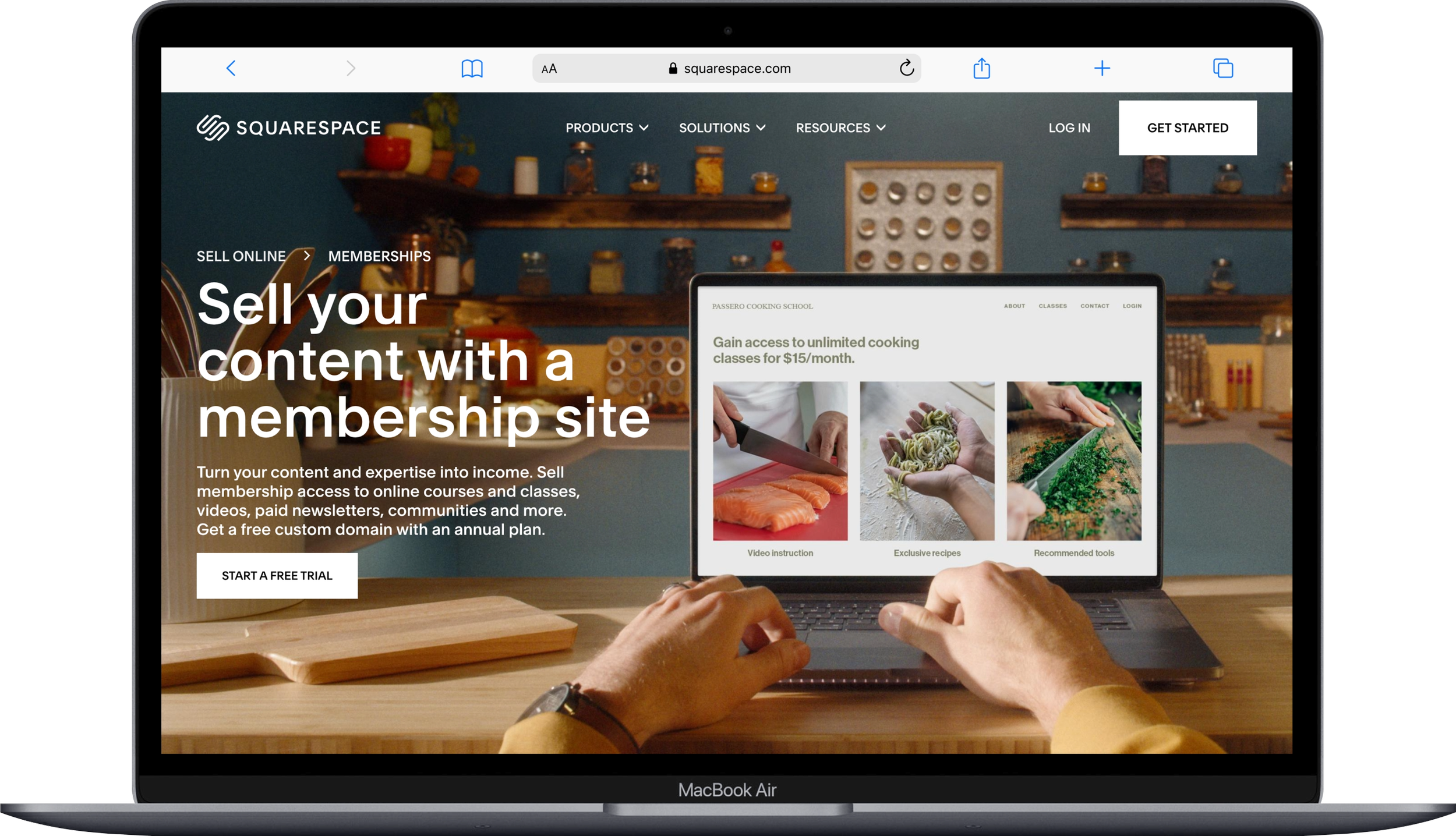
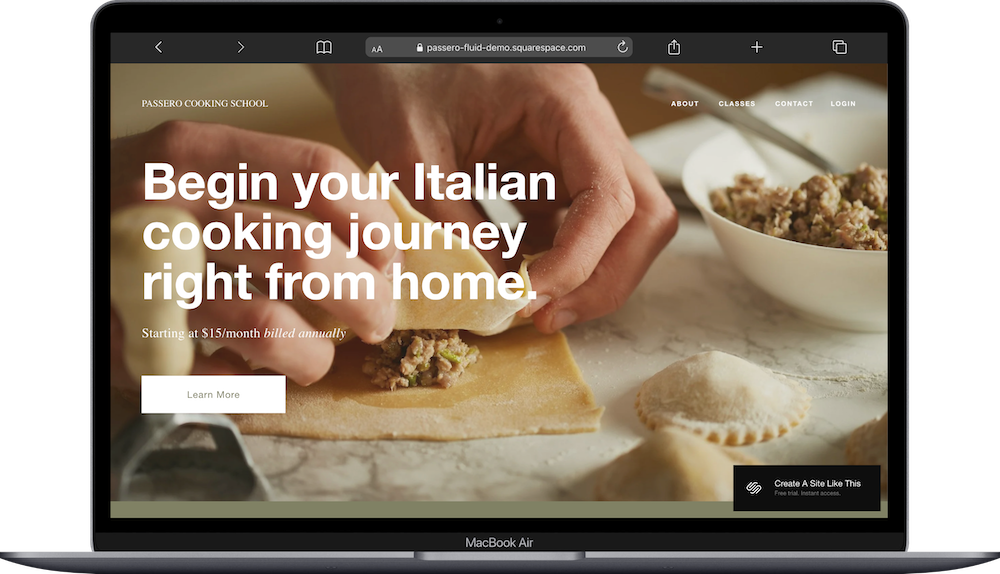
Member Areas (now called Member Sites) let you create password-protected, gated content on your site.
For coaches, Member Sites is really useful for:
Client resource libraries - Upload session recordings, homework, worksheets, and recommended reading behind a login so clients can access everything in one place
Group coaching programs - Give your group members access to exclusive content, replays, and materials
Membership communities - Offer a monthly or annual membership with ongoing content drops
You can set up different membership tiers with different pricing, and Squarespace handles the recurring billing. Members log in through your site and see only the content they've paid for.
This is a really practical way to add recurring revenue to a coaching business. Instead of only getting paid per session, you can offer an ongoing membership where clients pay monthly for continued access to resources, group calls, and new content.
My take: Member Areas work well for content delivery and gated access. They're NOT a full-blown community platform. If you want discussion forums, live chat, or social-media-style interaction between members, you'd want to pair this with something like Circle or a private Slack or Discord channel. But for "here's your stuff, log in and access it," Member Areas gets the job done.
Building Your Email List
If you're a coach and you don't have an email list yet, this is an important section to pay attention to. Your email list is how you stay in touch with potential clients who aren't ready to book yet, share your expertise, and fill your programs when you launch them.
Squarespace Email Campaigns is a separate paid subscription starting at $8/month billed annually. Every paid Squarespace website plan includes a free trial for up to three campaigns before a paid plan is required.
Newsletter Blocks and Pop-ups
You can add email signup forms to any page on your site; your homepage, blog sidebar, about page, wherever makes sense. You can also set up pop-ups that appear when someone visits. These collect email addresses directly into your Squarespace email list.
Squarespace Email Campaigns
This is Squarespace's built-in email marketing tool. You can design and send emails to your list without needing a separate platform like Mailchimp or Kit. It includes:
Pre-designed email templates that match your site's branding
Automations (like a welcome email when someone subscribes)
Basic analytics so you can see open rates and clicks
The ability to segment your list
For coaches just starting to build an email list, Squarespace Campaigns is a perfectly good place to start. You're keeping everything in one ecosystem, which makes life simpler.
When you might want something else: If email marketing is a major part of your strategy; like you're running complex funnels, doing heavy segmentation, or sending multiple sequences to different audiences; a dedicated email platform like Kit (formerly ConvertKit) will give you more power and flexibility. And if you’re very design-coded and love a gorgeous layout above all, Flodesk is a popular aesthetic choice. But if you're sending a weekly or biweekly newsletter and a welcome sequence, Squarespace Email Campaigns handles that just fine.








Which Squarespace Plan Should Coaches Choose?
Here's how I'd break it down:
The Squarespace Core Plan is the right starting point for most coaches. You get:
0% transaction fees on physical products (and 5% on digital)
Customer accounts (so clients can log in)
Advanced website analytics
Code injection for adding custom scripts
Enough of everything to run a coaching business
→ Read my full Squarespace Core Plan review here.
Squarespace Plus makes sense if you're selling a lot of digital products, since the digital product transaction fee drops to 1%. → Read my full Squarespace Plus Plan review here.
Squarespace Basic is technically fine if you just want a simple informational site with no ecommerce, but the 2% transaction fee on physical products and 7% on digital products makes it a tough sell the moment you start selling anything. → Read my full Squarespace Basic Plan review here.
Squarespace Advanced is overkill for most solo coaches. This is for larger businesses with high-volume ecommerce needs and 0% digital product fees. → Read my full Squarespace Advanced Plan review here.
My recommendation: Start with Core. Add Acuity Starter when you're ready to take bookings. That puts you at a reasonable monthly total for a professional coaching website with integrated scheduling. That's a pretty reasonable investment for a business tool you use every day.
You can start a free Squarespace trial to test everything out before committing to a plan.
Choosing a Squarespace Template (And Should You Do Free or Paid)
I'm not going to do a full template breakdown here because I already wrote an entire post on this: best Squarespace templates for coaches and consultants. That post covers five templates specifically chosen for coaching businesses, with details on what each one includes and who it's best for.
The short version: look for a template with a strong homepage and a clear call-to-action (like "Book a Call"), an About page that lets you tell your story, a Services page, and ideally a blog or resources section. All Squarespace templates are fully customizable, so you're really choosing a starting structure, not a permanent design.
And if you want something more distinctive than what comes built in, premium third-party template shops like Big Cat Creative, Kseniia Design, or Studio Mesa make templates specifically for service-based businesses. They tend to have more refined layouts and unique design touches that help you stand out from the sea of default Squarespace sites.
Where Squarespace Can Fall Short for Coaches
I'd be doing you a disservice if I didn't mention the limitations. Squarespace is great for a lot of things, but it's not perfect for everything.
Advanced course features. If you're building a full online academy with quizzes, certificates, community features, and complex enrollment logic, Squarespace's built-in course tools will feel limiting. Dedicated platforms like Teachable, Teachery, or Kajabi are purpose-built for this.
Complex client management. Squarespace doesn't have a built-in CRM. If you need to track client history, session notes, progress, and communication all in one place, you'll want a separate tool like HoneyBook or Moxie for that.
Community features. Member Areas deliver content, but they don't facilitate conversation. If community is central to your coaching model, you'll need to supplement with another tool.
Advanced email marketing. Squarespace Email Campaigns handles the basics well. If you're running sophisticated automations, A/B testing subject lines and sequences, or managing a large segmented list, a dedicated email platform like Kit is the better call.
Group scheduling nuance. For simple 1:1 booking, Acuity is fantastic. But if you're running complex group programs with waitlists, cohort-based enrollment, and multi-session packages with variable scheduling, you might find yourself working around the tool rather than with it.
None of these are dealbreakers for most coaches, especially when you're getting started. They're just things to be aware of so you can plan ahead.
Quick Setup Checklist for Coaching Squarespace Websites
Once you've picked your Squarespace plan and template, here's the order I'd tackle things:
Set up your main web pages - Home, About, Services, Contact (at minimum)
Write your About page first - For coaches (and most service-based professionals), this is often the first and most-visited page. People want to know who you are before they trust you with their goals.
Add a clear call-to-action on every page - "Book a Discovery Call" or "Work With Me" should be impossible to miss
Connect Acuity Scheduling - Set up your appointment types, intake forms, and calendar sync. → Read my tutorial How to Set up Acuity on Squarespace here
Set up an email signup - Even a simple "Join my newsletter" form. Start building your list from day one. → Here’s my guide on how to set up Squarespace Campaigns if that’s the route you choose to go.
Connect Google Search Console - So Google knows your site exists. → I wrote about how to connect Squarespace to Google Search Console if you need the steps.
Optimize your images - Upload properly sized images so your site loads quickly. → My post on how to optimize images in Squarespace walks you through exactly how.
Add a blog - If you're planning to write content for your coaching niche, set this up early. It helps with SEO and positions you as an expert. → Here's how to create a Squarespace blog post the right way. And here’s how to add a blog to your Squarespace site.
Set up your legal pages - Privacy policy (you're legally required to have one), terms of service, cookie policy. Termageddon is always my first choice and keeps these updated automatically when laws change.
Get an SEO plugin - SEOSpace is built specifically for Squarespace and helps you optimize each page for search. They have a free tier, though if you get really into it, you can upgrade to paid.
Frequently Asked Questions
Is Squarespace good for coaching businesses?
Yep, it's one of the better options for coaches in 2026. Squarespace gives you a professional-looking site, the ability to sell digital products and courses, member areas for client resources, and email list building; all built in. The main add-on you'd want is Acuity Scheduling for client bookings. Where it works best is for coaches who want one platform handling most of their online presence without stitching together a bunch of different tools. If your primary business model is 1:1 and group coaching with some digital products, Squarespace handles that really well.
How much does Squarespace cost for a coaching website?
The Core plan at $29/month (billed annually) is the sweet spot for most coaches. Add Acuity Scheduling at the Starter tier ($16/month) and you're at $45/month total for your website plus booking. The Basic plan works if you just need a simple informational site, but it charges 7% on digital product sales and 2% on physical products, which adds up fast if you're selling anything. The Plus plan drops digital product fees to 1%, and the Advanced plan at $99/month eliminates them entirely. Acuity is always a separate cost on top of whichever site plan you choose.
Can I sell courses on Squarespace?
Squarespace has built-in course functionality where you can create video-based courses with chapters and lessons, track student progress, and accept payments directly on your site. You can structure courses as sequential (students go through in order) or self-paced. This works well for coaches creating a foundational course, a self-study program, or a supplemental resource for clients. The limitation is that Squarespace's course features are relatively straightforward compared to dedicated platforms like Teachable or Kajabi; you won't find built-in quizzes, certificates, or community discussion boards. But for most coaches creating their first course or a handful of programs, it does the job without adding another monthly subscription.
Does Squarespace include scheduling for coaches?
Not exactly. Acuity Scheduling is Squarespace's booking tool, but it's a separate paid add-on; it doesn't come free with any Squarespace plan. The Starter tier gives you one calendar, which is plenty for a solo coach. The Standard tier supports up to 6 calendars, and the Premium tier handles up to 36. Once you subscribe, Acuity integrates seamlessly with your Squarespace site; clients can self-book, fill out intake forms, pay at the time of booking, and receive automated reminders. If you already use and love a different scheduling tool like Calendly, you can embed that on your Squarespace site instead.
Can I create a client portal on Squarespace?
You can get close with Member Areas. They let you create password-protected pages where clients log in to access gated content like session recordings, worksheets, recommended resources, and program materials. You can set up different membership tiers with different pricing, and Squarespace handles recurring billing automatically. It's a good setup for delivering content and organizing resources for coaching clients or group program members. What it doesn't do is function as a full client management system; you won't find session notes, progress tracking, messaging, or CRM features built in. For that, you'd want to pair Squarespace with a tool like HoneyBook or Dubsado. But for "here's your content, log in and access it," Member Areas work well.
What's the best Squarespace template for coaches?
I wrote a whole post on this: best Squarespace templates for coaches and consultants. The short answer is it depends on your coaching niche and what pages you need. Look for a template with a strong homepage hero section, a clear call-to-action like "Book a Discovery Call," an About page, and a Services section. All Squarespace templates are customizable, so you're really choosing a starting structure and page layout rather than a permanent design. If you want something more unique than the built-in options, third-party template shops like Big Cat Creative and Studio Mesa have templates specifically for service businesses.

