The 11 Best Free Squarespace Templates for Shops & Ecommerce
This post contains affiliate links. If you purchase through them, I may receive a small commission at no extra cost to you.
Table of Contents Show
If you’re running a shop or have products to sell and you’re perusing website platforms, Squarespace is a great place to start. They’ve got free-with-any-plan built-in templates and it’s fairly easy to set up yourself and maintain.
BUT. They have over 195 templates, and scrolling through all of them looking for the right ecommerce shop setup would feel overwhelming. Some are clearly built for shops, while others have ecommerce added as an afterthought. And the demo content doesn't always make it obvious which template will work best for your specific type of product.
So I went through all 195 options to find 11 of the best Squarespace templates for ecommerce.
And don't get hung up on the demo styling: You can customize colors, fonts & layouts to match your brand. But what you're really looking for is the structure: the content areas, the layout, how products are organized. Focus on the bones, not the aesthetics. A template demoed for a plant shop can absolutely work for your jewelry line or print shop once you swap in your brand colors and fonts.
All these templates are 100% free with any Squarespace subscription and built on Squarespace 7.1.
1. Anise Squarespace Template
Best for: Jewelry, small accessories, artisan goods, curated collections
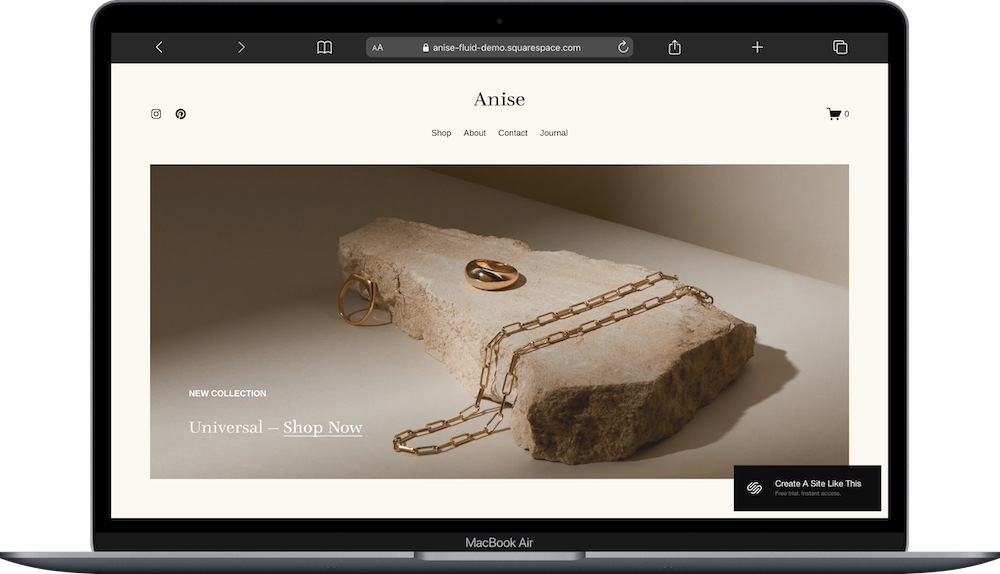
Anise ecommerce Squarespace template is criminally underrated & I'm not sure why more people don't talk/write about it. If you're selling jewelry or other small, detailed products where people need to see the craftsmanship up close, this template gets it.
The layout is elegant with clean product grids, individual product pages with room for multiple photos (with lovely detail shots of that metalwork or stone setting), and enough room that your pieces can breathe.
What I like: it feels intentional. The structure supports close-up photography & detailed descriptions without making the whole experience feel precious OR overly minimalist. If you're making handmade jewelry or curating artisan goods, Anise gives you the framework to showcase your own craftsmanship well.
2. Crosby Squarespace Template
Best for: Premium products, plant shops, apothecary brands, upscale goods
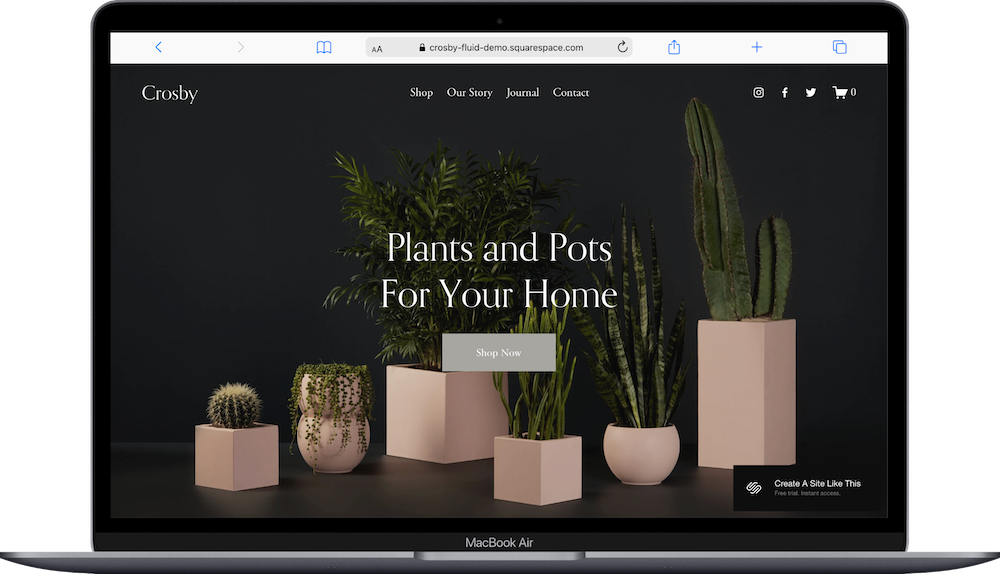
Crosby is a popular Squarespace template that comes with a dark, moody plant vibe in the demo – lots of greenery & earthy tones. But don't let that box you in, because the real value here is how upscale it feels, regardless of what you do with the colors.
The Crosby template uses full-width images well (great if your product photography is strong), and the product pages have space for storytelling alongside specs & pricing. Even if you swap the dark aesthetic for something completely different, the underlying structure still communicates quality & intentionality.
This works beautifully for plants (obviously), but also handmade goods, skincare, apothecary products... The layout lets you talk about your process, your ingredients, your why without it feeling forced or like you're writing a novel on every product page.
3. Galena
Best for: Colorful brands, gift shops, stationery, fun products

The Galena ecommerce template is simple at its core, but it uses color & shapes in a way that brings energy in a fun, bright way. The demo shows color blocking & geometric elements that feel playful & modern – not childish or overwhelming, just fun.
What makes this template work: it gives you permission to be colorful. If your products are bright, quirky, or just inherently cheerful (think stationery, enamel pins, patches, gifts), Galena is a great template to choose. You get sections for featured products, collections & promotional banners that integrate into the design instead of looking like afterthoughts.
The structure of Galena is flexible enough that you could tone it down if needed. But honestly, if you picked this template, you probably don't want minimal & neutral? So lean into the energy – your customers will appreciate the personality.
4. Maca Squarespace Template
Best for: Fashion brands, lifestyle products, shops that blog regularly
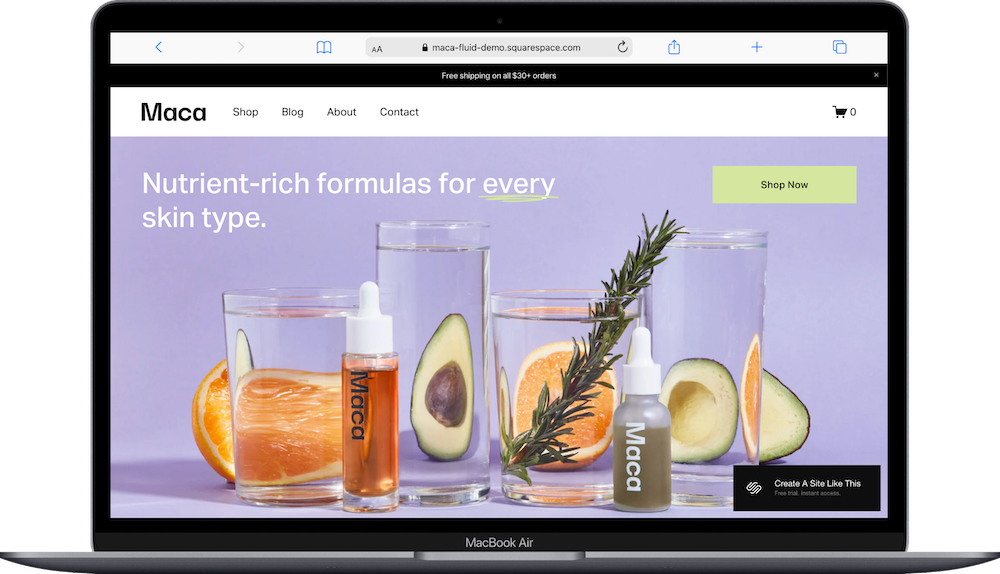
The Maca Squarespace template has a modern, editorial vibe that works well if you want your shop to feel like a brand, not just a product catalog. The demo uses great colors (yes, you can change them, but they're worth noting because they set a great, vibey tone), and the overall layout feels more magazine than generic ecommerce.
One thing that sets Maca apart is that it comes with a blog built in. Not all ecommerce templates do this from the start, and it's genuinely useful if you plan to share styling tips, behind-the-scenes content, or product stories.
The product pages have solid image galleries & layouts that work well for fashion, accessories, or lifestyle products. If you want to build a brand people connect with AND buy from, and this fits your vibe, Maca is a great template for you.
5. Mariana Squarespace Template
Best for: One-page shops, small product lines, single-product businesses
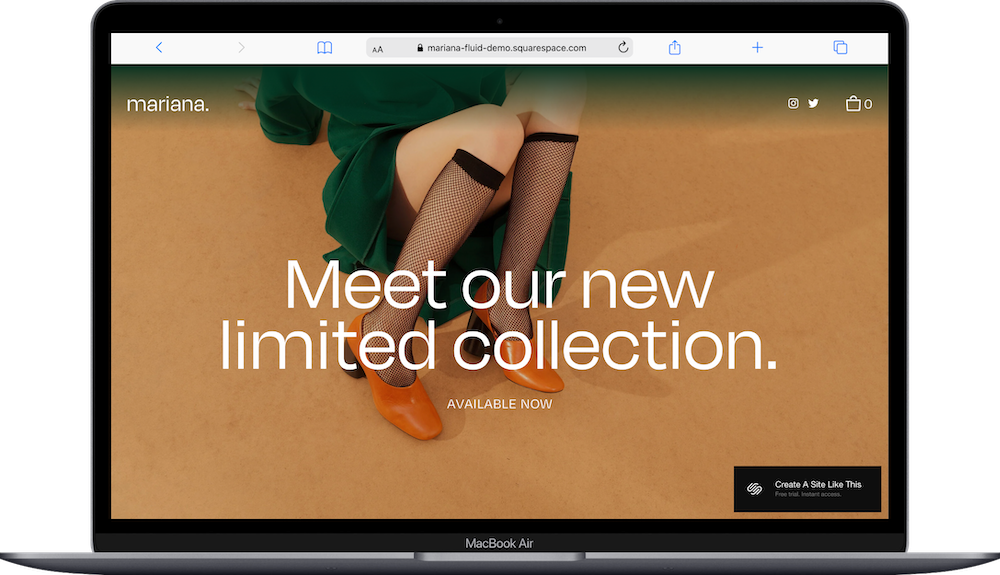
Mariana is a one-page ecommerce Squarespace template. Not every shop needs multiple pages & complex navigation. Maybe you have a simple shop to get started with. Mariana is designed for an easy but engaging one-page setup, perfect for smaller or newer brands.
This template is efficient and simple. If you have 5–10 items max (or even just one hero product), customers see everything at once without clicking around. It gets people to checkout faster, which is kinda the whole point.
But let's be clear: this probably isn't the template for you if you have a large store and you're planning to scale to hundreds of products across multiple categories. Mariana really works for launches, capsule collections, focused product lines, or single-product businesses.
6. Seen Squarespace Template
Best for: Fashion brands, large inventories, shops with lots of products
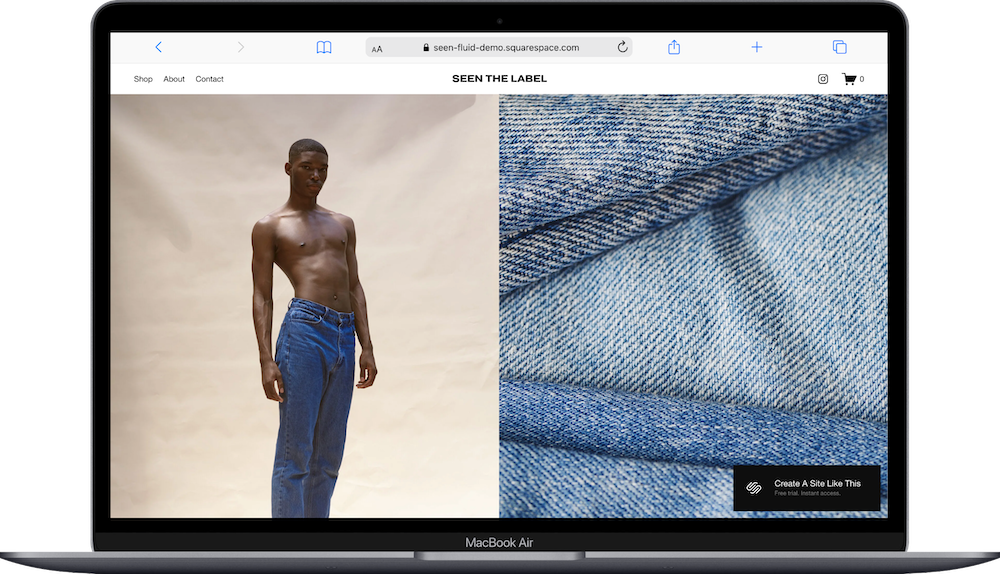
Seen is a Squarespace ecommerce template set up for fashion - and built to handle volume. If you've got multiple collections, lots of categories, or a growing inventory, this template is a great choice for you.
The demo has product filtering, clear navigation & layouts that stay organized even with dozens (or hundreds) of items. Product pages have room for size charts, detailed descriptions & multiple images – all the stuff people need when they're shopping for clothes online & can't try things on first.
This works well for fashion, activewear, or anything with variations (sizes, colors, styles).
7. Skyloop Squarespace Template
Best for: Kids' clothing, baby products, playful brands, subscription boxes
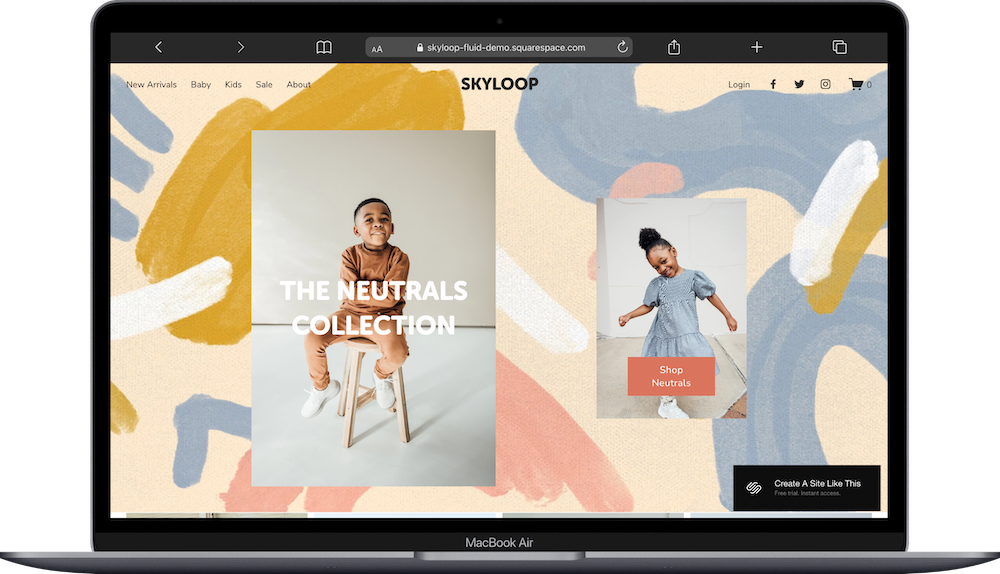
Skyloop is a Squarespace template technically made for children's clothes, but here's what you need to know: the bones are better than almost any other template. The structure is SO solid that it's way more adaptable than the demo makes it look. This is probably my favorite Squarespace ecommerce template for that reason.
Yes, you can absolutely use this for kids' products & it'll work beautifully. But you can also strip away the playful aesthetic entirely, and use that strong foundation for other product types. The layout, navigation & product organization are just really well thought out – dedicated space for featured products, category pages that stay organized, image sections for lifestyle shots or brand storytelling.
What makes Skyloop worth considering even if you're not selling onesies: it balances personality & function better than most templates. The demo uses soft pastels & whimsical fonts (all customizable), but underneath that, you've got a structure that just WORKS. Don't sleep on this one.
8. Spotted Squarespace Template
Best for: Artists selling prints or photographs
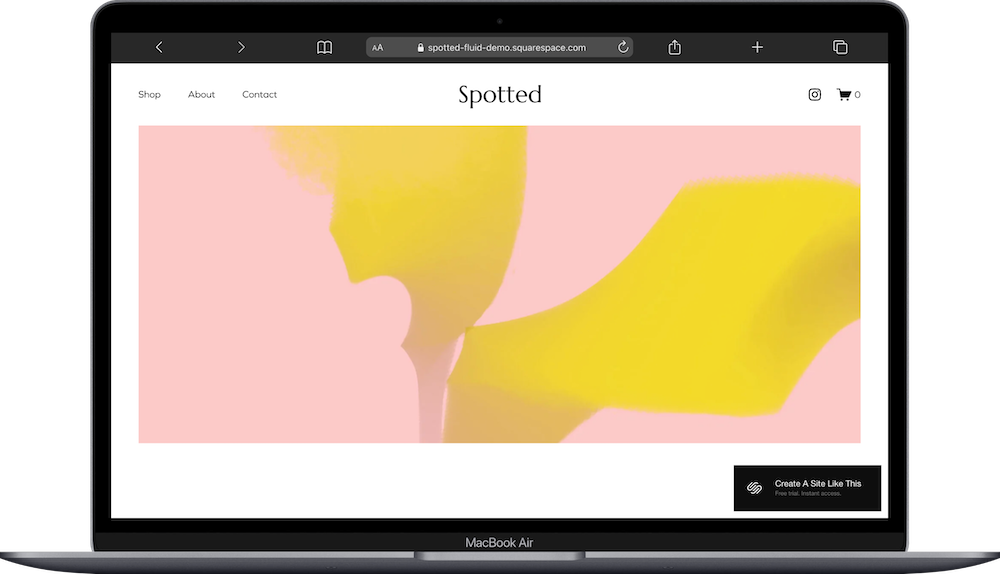
Spotted is a Squarespace template that’s literally built for showcasing visual work. If you're selling art prints, photographs, or illustrations, this template puts your images in large grids & makes it easy to be seen properly.
There aren't a lot of extra design elements to navigate around – the focus stays on your work. Product pages show images at high quality with space for descriptions, sizing & pricing info. It's straightforward in the best way.
One thing to know: this template works best when your products are visually compelling on their own. If you're a photographer, illustrator, or visual artist, perfect. If your products need significant context, explanation, or storytelling beyond the images themselves, you might want something with more content sections (like Crosby or Tresoire).
9. Tresoire Squarespace Template
Best for: Fashion accessories, handbags, seasonal collections, upscale brands
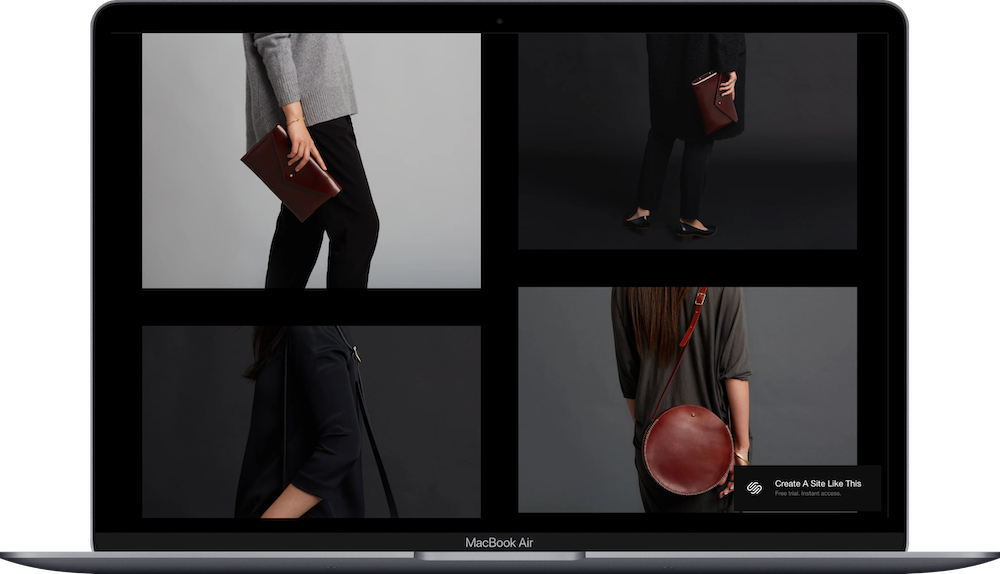
The Tresoire template is set up for chic vegan handbags in the demo and has a polished, upscale feel. But it works for any seasonal fashion brand or accessory line that wants to feel premium.
The template balances product focus with brand storytelling – you get space for campaign-style imagery, featured collections & individual product pages that feel elevated. It's set up well for brands that release collections seasonally or want to highlight new arrivals prominently (think: new season, new drop, here's what you need to see first).
Tresoire works well for handbags, shoes, sustainable fashion brands.
10. Ventura Squarespace Template
Best for: Home goods shops, decor, kitchen products, textiles
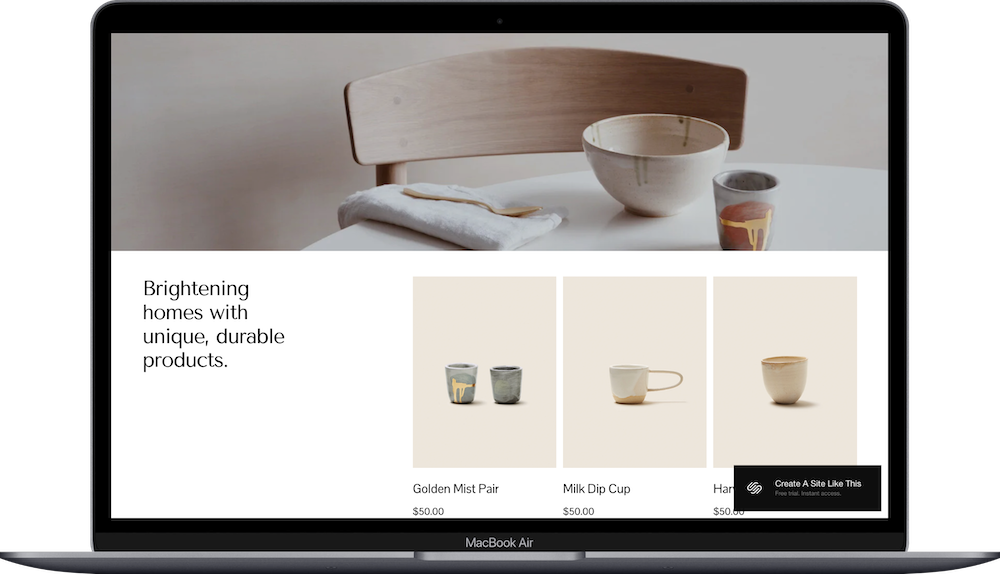
Ventura is an ecommerce template designed for home goods (bowls, plates, mugs, etc.). The aesthetic is clean & home-focused, which works well for products that benefit from lifestyle photography – candles on a shelf, throws on a couch, pottery on a dining table. You know, context.
Product pages have space for detailed descriptions & multiple angles, which helps when you're selling things like furniture or kitchen items where people need to understand size, materials & how things look in an actual space (not just on a white background).
If you're selling candles, pottery, textiles, furniture, or anything home-related, Ventura is a great template to start with.
11. Zaatar Squarespace Template
Best for: Minimalist brands, shoes, simple product lines, Scandinavian aesthetics
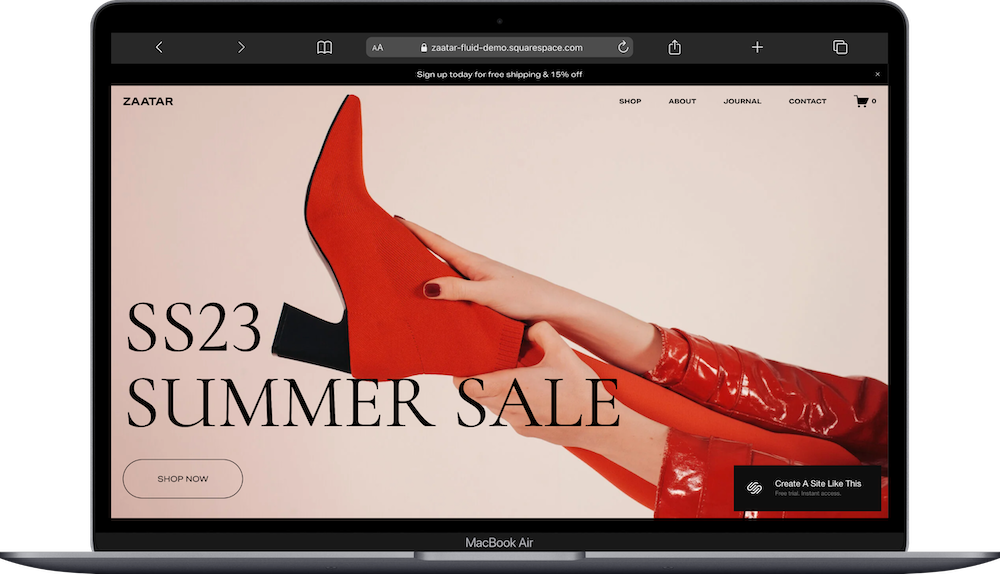
Zaatar keeps things minimal. Like, REALLY minimal. The Zatar template is set up for shoes with lots of white space, clean typography & a pared-down aesthetic that lets the products be the main event.
The minimalist approach works when your products have strong visual appeal & your photography is on point. You don't need (or want) design elements filling the page – the focus stays entirely on what you're selling. Clean product grids, simple navigation, product pages that prioritize your items.
Zaatar is ideal for shoes, minimalist accessories, or any brand going for that Scandinavian-inspired simplicity.
How to Get Started With Any Squarespace Shop Template
Sign up for a Squarespace free trial. You get 14 days to build & test your site before committing to a plan – no credit card required.
Select your template. Browse the ecommerce templates and choose the one that feels closest to what you need.
Replace the demo content. Start with the homepage and work your way through. Swap out demo images with your product photos, update text with your descriptions, and replace placeholder info with your actual info.
Add your products. Go to the Commerce section & start adding your inventory – product names, descriptions, prices, images, and any variants like sizes or colors.
Customize your colors & fonts. Go to Site Styles and adjust the color palette & typography to match your brand.
Set up your shop settings. Configure shipping rates, tax settings, payment processing through Stripe or PayPal and any other ecommerce functionality you need. (This is also where you'll set up discount codes if you plan to use them.)
Add your favicon & social share image. Upload a small square logo for your favicon (browser image) and set your default social sharing image.
Test the checkout process. Use Squarespace's test mode to run through a purchase from start to finish. Make sure everything works smoothly before launching.
Check how it looks on mobile. Most people will shop on their phones, so preview your site on mobile & make sure product images, buttons & navigation all work well on small screens.
Connect your domain & go live. Once everything looks good, choose your Squarespace plan, connect your custom domain & launch your website!
Which Template Should You Use? (Quick decision guide)
Still not sure? Here's the quick version:
Selling jewelry or small detailed items: Anise
Want upscale vibes for premium products: Crosby or Tresoire
Simple, fun brands: Galena
Modern products with blogging: Maca
One-page shop with a small line: Mariana
Large fashion inventory: Seen
Children clothing, or need solid structure for any product type: Skyloop
Art prints or photography: Spotted
Home goods & decor: Ventura
Minimalist aesthetic: Zaatar
All of these ecommerce templates are free, fully customizable & mobile-responsive. Pick the one that feels closest to your shop's personality & setup, and then make it your own.
FAQs About Squarespace Ecommerce Templates (2026)
What is the best Squarespace template for an online store?
There’s no single “best” Squarespace template; all templates offer the same features. The best one for your store depends on your brand style and product type. For bold fashion brands, try Seen. For customizable clothing brands, Skyloop is a great fit.
Are all Squarespace templates free?
Yes. All built-in Squarespace templates are free to use with any paid Squarespace plan. There are no extra costs for choosing any one of their almost 200 templates.
Can I customize any Squarespace template completely?
Absolutely. Every template on Squarespace 7.1+ is fully customizable using the Fluid Engine drag-and-drop editor. You can rearrange layouts, add custom sections, change fonts, and even build mobile-specific designs — all without code.
Can I change the colors even though the demos look specific?
Absolutely. Every color, font & design element can be customized. The demo is just showing you one way to use the template – you control how it looks.
Can I add a blog to templates that don't show one?
Yes. Even if the demo doesn't include a blog, you can add one to any Squarespace site. Some templates like Maca just have it set up already as a starting point.
Do these templates work for digital products?
Kind of. Squarespace supports selling digital downloads, so you can use any of these templates for PDFs, music files, or digital art. The demos show physical products, so you might need to adjust descriptions & imagery to make it clear you're selling downloads.
How many products can I sell with these templates?
There's no hard limit on product count. That said, some templates handle large catalogs better than others. If you're planning to list 100+ products, stick with templates like Seen or Skyloop that are built to organize bigger inventories.
Is Squarespace good for eCommerce?
Yes. Squarespace is ideal for small to medium-sized online stores. It supports:
Product pages (digital and physical)
Inventory management
Secure checkout
Shipping & tax tools
Email marketing
Subscriptions and member areas
For advanced features (like multichannel sales or complex integrations), platforms like Shopify may be better, but Squarespace is perfect for creators, solo brands, and growing shops.
Can I use my own domain name?
Yes. You can connect a domain you already own, or buy one directly through Squarespace. Either option works fine.
What if the template doesn't have a feature I need?
Squarespace has built-in tools for most standard ecommerce needs – product variants, discount codes, email marketing, shipping options. If you need something more specialized, you can often integrate third-party tools or add custom code if you're comfortable with that.
Are there transaction fees on top of the monthly cost?
On the Business plan, there's a 3% transaction fee per sale. On the Commerce plans, there are no transaction fees. You'll still pay standard credit card processing fees through Stripe or PayPal regardless of which plan you choose.
Ready to Launch Your Shop Website on Squarespace?
Start your free Squarespace trial and pick the template that feels right for what you're selling. They're all free with your subscription, fully customizable & designed to help you get your products online.