Bogart Squarespace Template Review
This post contains affiliate links. If you purchase through them, I may receive a small commission at no extra cost to you.
Table of Contents Show
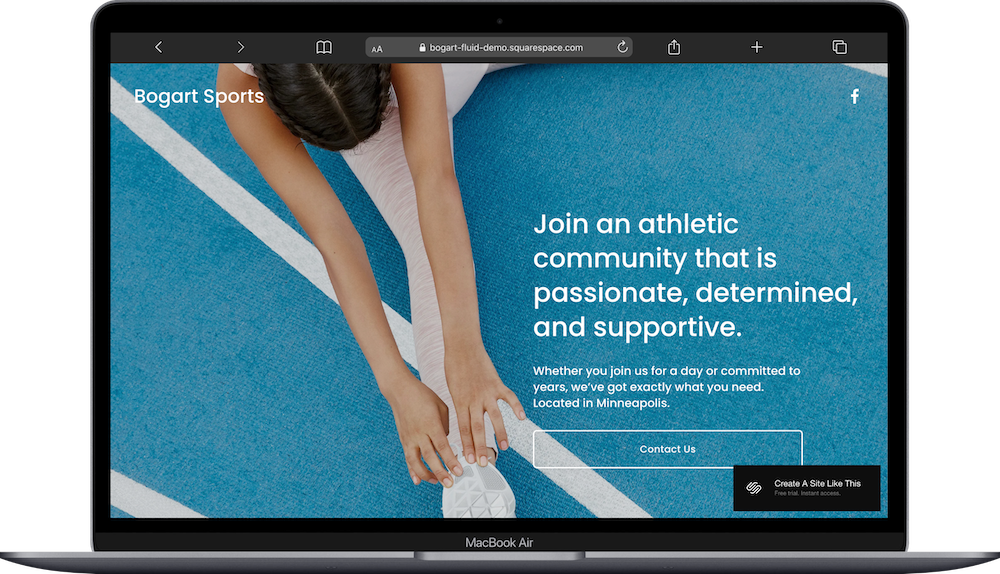
Bogart is a very simple one-page Squarespace cover page template; just a single-screen design with an image, headline, description, and call-to-action button.
Bogart is for situations where you need a quick, professional landing page. Maybe you're launching something new or need a "coming soon" page, or just want a minimal web presence for a social-first business. . If you're looking for a very quick & easy one-page ‘Coming Soon’ page, Bogart probably caught your eye for good reason.
This review covers what Bogart includes, where it shines, and where you'll hit limitations.
The goal: help you figure out if this free Squarespace template is the right fit for your business or if you should keep looking.
Who the Bogart Template Works Best For
Pre-launch businesses and "coming soon" pages
If you're building something and need a professional landing page to collect emails, announce your launch date, or direct people to your social channels while you work on the full site, Bogart is perfect.
Social-first businesses that need a link destination
When Instagram or TikTok is your actual platform and you just need a professional-looking landing spot for your link in bio, Bogart provides that without requiring you to build a full website.
Local fitness communities and athletic groups
Neighborhood running clubs, pickup sports leagues, or community fitness groups where most coordination happens in person or through social media can use Bogart as a simple reference point.
Temporary or seasonal programs
Running a summer bootcamp, seasonal sports clinic, or limited-time fitness program? Bogart gives you a landing page without building infrastructure you won't need long-term.
Service businesses testing a new offering
If you're validating a new program or service and want to gauge interest before investing in a full website, Bogart lets you put something professional online quickly.
Anyone who needs something online TODAY
When you need a web presence fast - like, this afternoon - and don't have time to build out multiple pages, Bogart is the fastest path to looking professional online.
Who the Bogart Template Isn’t A Fit For
The Bogart template probably isn't the best fit if you:
Want an actual whole website template
Need to showcase multiple services, programs, or pricing tiers in detail
Want to rank in search engines for specific keywords (single-screen pages have minimal SEO value)
What You Get With The Bogart Template
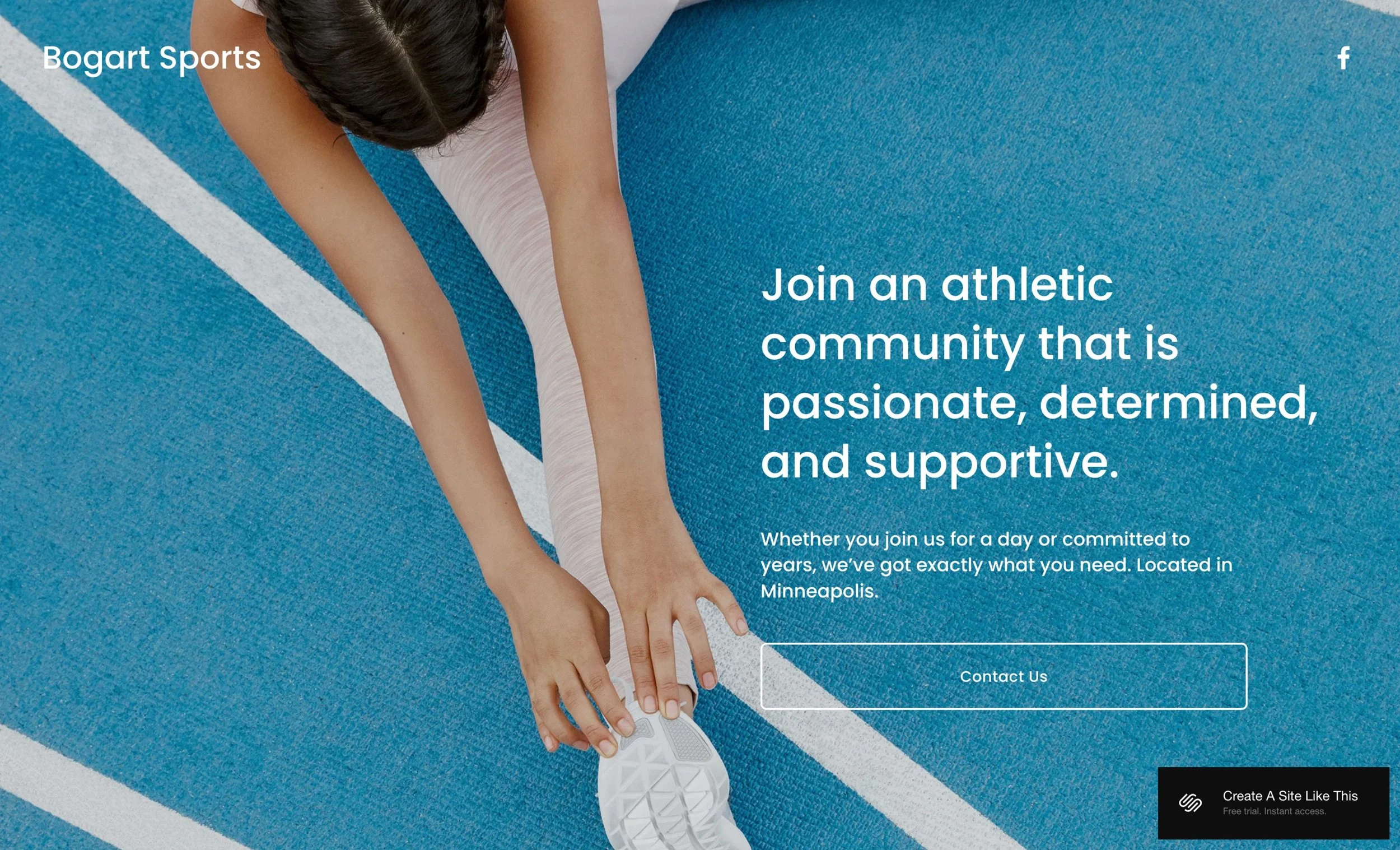
Bogart is a cover page template - a single screen with no scrolling. What you see in the demo is literally everything.
Full-screen background image
The entire page is dominated by one large background photo. In the demo, it's a swimmer on a pool lane divider. This image does all the visual heavy lifting.
Centered headline and description
Your main message sits in the middle of the screen.
Call-to-action button
One button below the text. The demo says "Contact Us." This presumably links to an email address, contact form, or external booking page.
Extras
Mobile-responsive (the same single screen adjusts to mobile devices)
Customizable background image, text, colors, and fonts
Can link the button to anything - email, external form, booking page, social media
Option to add more content if you outgrow the cover page format
Pros & Cons of the Bogart Template
What Works Well
Extremely fast setup - you can have this live in 10-15 minutes with no website experience required
Zero ongoing maintenance - no blog posts to write, no pages to update, nothing to manage
Perfect for coming soon pages, pre-launch landing pages, and minimal web presence needs
Great for social-first business models - works well as a professional link destination for social-first businesses
Removes decision paralysis with its simplicity - you can't really overthink it
What Doesn’t Work So Well
Very limited scope - you can only communicate basic info without detail
Minimal SEO value since single-screen pages can't rank for multiple keywords
No room for trust-building content like testimonials, team bios, or detailed service descriptions
Getting Started with the Bogart template is easy
Once you pick Bogart in the Squarespace 7.1 template library, here's what to do first:
Upload your background image. Choose one strong, high-quality photo that captures what your business is about. This image is doing 80% of the work, so make it good. Make sure it works with text overlay.
Update the site title. Change "Bogart Sports" to your actual business name in the top left corner.
Rewrite the headline. Replace the demo headline with one sentence that tells people what you are.
Add your description text. Write 1-2 sentences with essential info like your location or basic offering.
Set up your call-to-action button. Decide what you want people to do - email you, fill out a form, book a call - and link the button accordingly. Update the button text to match the action.
Add your social media link. Replace the Facebook icon with your own social platform link.
Customize colors and fonts in Site Styles. Adjust your text color, button color, and font choices to match your brand.
Check heading hierarchy if you care about SEO. Make sure your headline uses an H1 tag. Though honestly, with a cover page, SEO isn't really a thing anyway.
Test your button link and social media icon. Make sure everything actually goes where it's supposed to go.
Connect your domain, choose your Squarespace plan, and Publish.
Bogart Squarespace Template FAQs
Can I add more pages to the Bogart template?
Yes, since it's built on Squarespace 7.1, you can add additional pages if you outgrow the single-screen format. That said, if you know from the start that you'll need multiple pages, it makes more sense to begin with a multi-page template designed for that purpose.
Is the Bogart template good for SEO?
Not really, single-screen cover pages have very limited SEO value. You can't optimize for multiple keywords or create the content depth that search engines reward. If SEO is important to your business, you'll want to upgrade to a multi-page website with more content when you’re ready.
Can I use the Bogart template on mobile?
Yes, Bogart is fully responsive and looks great on mobile devices. Since it's a single screen with no scrolling or complex navigation, the mobile experience is just fine.
Can I change fonts and colors on the Bogart template?
Yes, you can customize fonts, colors, and styling through Squarespace's Site Styles panel.
Can I add a contact form to Bogart?
Sure. You can add a form block to the page, though many people prefer to keep the clean aesthetic and link the button to an external form, email address, or booking page instead.
Can I use Bogart as a coming soon page?
Absolutely. That’s literally what’s it for. Bogart works great as a coming soon page. You can use it to announce your launch date, collect email addresses, and direct people to your social channels while you build out your full site.
Is Bogart good for established businesses?
It depends on your needs. If you're an established business that operates primarily offline or through social media and just needs a simple landing spot, Bogart can work. But if you need to showcase your services, build credibility, or provide detailed information, a full website will serve you better.
Can I collect email addresses with Bogart?
Yes, you can link your button to an email signup form (like Mailchimp or Kit) or add a simple email signup block directly to the page.
How is Bogart different from other one-page templates?
Most one-page templates are scrolling pages with multiple sections. Bogart is a cover page - a single screen with no scrolling. It's the most minimal option, designed for situations where you truly just need a coming soon page or a focused message and one call to action.
How long does it take to set up the Bogart template?
If you have your photo and text ready, you can set up Bogart in 10-20 minutes. It's one of the fastest templates to launch because of its simplicity.