Squarespace Email Campaigns Review (2026)
A note on pricing: all prices mentioned in this post are accurate as of the date this article was written, but can change at any time. This includes Squarespace plans, third-party tools, plugins, templates, and any other services referenced. Always check directly with the provider for the most current pricing before committing.
This post contains affiliate links. If you purchase through them, I may receive a small commission at no extra cost to you.
This article was researched and fact-checked for all information provided from primary sources (Squarespace, Mailchimp, Kit) and is up to date as of July 2026. AI was not used as a source.
Table of Contents Show
Is Squarespace Email Campaigns worth it in 2026?
Quick Answer:Squarespace Email Campaigns is built right into your Squarespace dashboard. No third-party tool to connect, no extra login to juggle. If you're already on Squarespace and want to send emails to your list without adding another subscription, it's easy and convenient and a solid choice. But convenient and powerful are two different things, and depending on what you need from email marketing, it may or may not be the right fit. Squarespace Email Campaigns is a good option for sending simple newsletters without leaving Squarespace. Pricing starts at $8/month for 500 email sends per month, with unlimited contacts on every plan. But if email is a big part of how you grow your business, a dedicated platform like Kit or Mailchimp will serve you better.
KEY SQUARESPACE EMAIL CAMPAIGNS FACTS:
Pricing starts at $8/month for 500 email sends per month (billed annually)
Pricing is based on emails sent per month, not subscriber count
Unlimited contacts included on every plan
Free trial: up to 3 blast campaigns (max 5,000 sends per campaign) before a paid plan is required
You cannot remove "Powered by Squarespace" branding on the 500 sends/month plan
All plans include marketing automations, smart segmentation, real-time analytics, e-commerce tools, AI email copy, and premium templates
You don't need a Squarespace website to use Email Campaigns
You can’t undo or recall a campaign after it's sent
What Is Squarespace Email Campaigns
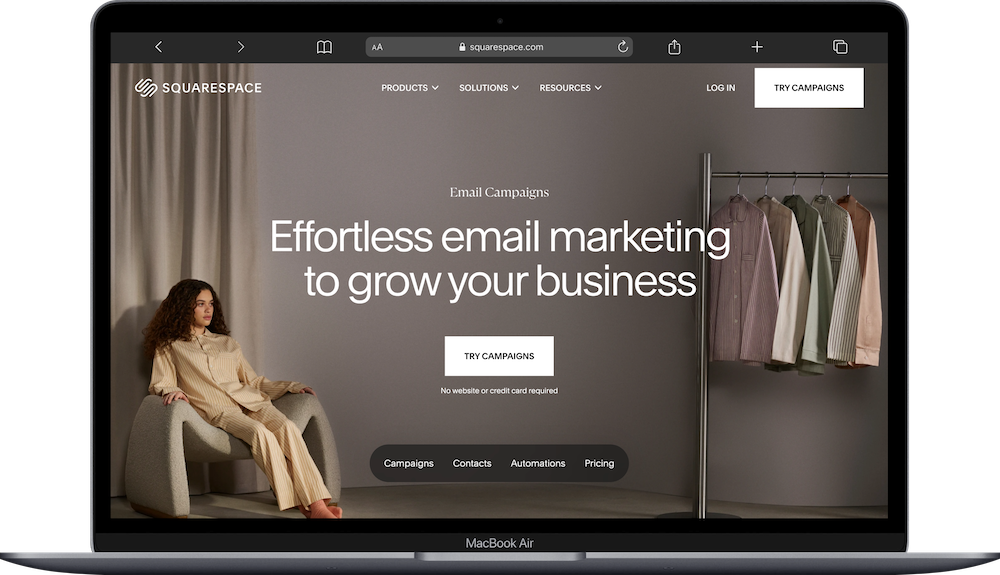
Squarespace Email Campaigns is Squarespace's built-in email marketing tool. It lives inside your dashboard, so you can build and send emails without ever leaving your site. It pulls in your site's fonts, colors, and images automatically, and you can drop in content blocks like products, blog posts, and reservation links directly from your Squarespace content.
If you've ever edited a page in Squarespace, the email editor will feel familiar. Same block-based system. And that's genuinely the biggest selling point: everything is in one place, it looks like your website, and there's basically no learning curve.
But "convenient" and "powerful" are two different things. So let's get into what it can and can't do.
Squarespace Email Campaigns Pricing
Unlike most email platforms that charge based on subscriber count, Squarespace Email Campaigns charges based on how many emails you send per month. Unlimited contacts are included on every plan.
500 sends/month: $8/month
10,000 sends/month: $20/month
500,000 sends/month: $118/month
Every plan includes unlimited contacts, marketing automations, smart segmentation, email personalization, real-time analytics, e-commerce tools, AI email copy, and premium templates. The only difference between plans is your monthly send limit and whether you can remove the "Powered by Squarespace" branding from your email footer.
Squarespace Campaign Free Trial
Every paid Squarespace website subscription includes a free Email Campaigns trial. You get up to 3 blast campaigns, with a limit of 5,000 sends per campaign. You can't send test emails or remove the Squarespace branding during the trial. Once you've used your 3 campaigns, you need a paid plan to keep sending.
When Squarespace Email Campaigns Is a Good Fit
It Lives Inside Your Squarespace Site
This is the real draw. There aren’t any third-party tools to connect, and no form embed codes, no syncing subscriber lists between platforms. Newsletter signup blocks feed directly into your mailing list. Blog posts, products, and events can be pulled into emails in a few clicks. So if you want fewer tools and fewer logins, that's a big plus.
The Campaigns Editor Is Intuitive
If you can edit a Squarespace page, you can build an email. The block-based editor lets you add text, images, buttons, dividers, product blocks, blog post summaries, and more. Your site's brand styles carry over automatically, so your emails look cohesive with your website without extra design work.
Automations Are Included on Every Plan
Unlike some platforms that lock automations behind higher tiers, Squarespace Email Campaigns includes marketing automations on every paid plan. You can set up emails that trigger when someone subscribes to your list, submits a form, or makes a purchase.
Built-In E-commerce Integration
If you're running a Squarespace store, the email tool can pull in your products directly. You can also trigger post-purchase email sequences based on what people buy.
Where Squarespace Email Campaigns Falls Short
Branding on the Entry Plan
You can't remove "Powered by Squarespace" from your email footer on the 500 sends plan. So if a fully branded email experience matters to you, factor that into your plan decision before you commit.
Limited Compared to Dedicated Platforms
Squarespace Email Campaigns handles the basics well, but it's not built for complex email marketing. If you need multi-step automations with conditional logic, advanced behavioral segmentation, detailed analytics beyond opens and clicks, or RSS-to-email for automatic new post notifications, a dedicated platform like Kit will serve you better.
You Can't Recall a Sent Campaign
Once a campaign is sent, it's gone. There isn’t an Undo. So send a test email to yourself first, and make sure to check it on mobile before you hit send.
How It Compares
Squarespace Email Campaigns vs. Kit (formerly ConvertKit)
Kit's free Newsletter plan supports up to 10,000 subscribers and is more capable than Squarespace's free trial for most people. Paid Kit plans start at $33/month (Creator) and $66/month (Pro), billed annually.
Where Kit wins: visual automation builder with conditional logic, advanced tagging and segmentation based on subscriber behavior, and RSS-to-email. If email is a meaningful part of your growth strategy, Kit gives you more room to grow into.
Where Squarespace wins: everything lives in one dashboard, your emails automatically match your site's branding, and there's nothing extra to connect or configure.
Squarespace Email Campaigns vs. Mailchimp
Mailchimp's Essentials plan starts at $13/month and Standard starts at $20/month, both for 0-500 contacts with a 14-day free trial. Under 250 contacts, Mailchimp has a free plan.
Where Mailchimp wins: more mature automations, better analytics and reporting, more integration options, and an established deliverability reputation.
Where Squarespace wins: tighter integration with your Squarespace site, simpler interface, and the visual consistency of pulling your site's branding automatically.
Who Is Squarespace Email Campaigns Good For?
Squarespace Email Campaigns is a good fit if:
Your entire site is on Squarespace and you want everything in one dashboard
You send a regular newsletter and don't need a bunch of different workflows and automations
You're just getting started with email marketing and want the simplest possible setup
You run a Squarespace store and want post-purchase emails, but without adding another tool
Easy visual consistency between your site and emails matters to you
Squarespace email campaigns is probably not the right fit if:
Email is a primary revenue driver or growth channel for your business
You need multi-step automations with conditional logic
You want detailed analytics beyond opens and clicks
You're a blogger who wants automatic new-post emails via RSS
You might ever move off Squarespace (your email setup lives inside the platform)





Frequently Asked Questions
Is Squarespace Email Campaigns Free?
There's a free trial that comes with every paid Squarespace website subscription. You get up to 3 blast campaigns, with a limit of 5,000 sends per campaign. You can't send test emails or remove the "Powered by Squarespace" branding during the trial. After that, paid plans start at $8/month for 500 sends/month, with unlimited contacts. You can build your list and create drafts without a paid plan, so you can get everything ready before you start paying.
Can I Use Squarespace Email Campaigns Without a Squarespace Website?
Yep. Email Campaigns is designed to work with a Squarespace site, but you don't need one to sign up. That said, a lot of the best features, like pulling in your site's branding, blog posts, and products automatically, only work if you have a Squarespace website connected.
How Does Squarespace Email Campaigns Pricing Work?
Unlike most email platforms that charge based on subscriber count, Squarespace charges based on how many emails you send per month. Unlimited contacts are included on every plan. The entry plan is $8/month for 500 sends/month, scaling up from there based on volume.
Can I Remove the Squarespace Branding From My Emails?
Not on the 500 sends plan. Every email sent on that plan includes "Powered by Squarespace" in the footer. On any higher plan you can turn it off.
How Does It Compare to Kit and Mailchimp?
At the entry level, Squarespace Email Campaigns at $8/month is less expensive than Mailchimp's Essentials ($13/month) and Kit's Creator plan ($33/month). But the comparison isn't straightforward because the pricing models are different: Squarespace charges by email sends, Mailchimp charges by contact count, and Kit charges by subscriber count. For simple newsletters to a modest list, Squarespace is competitive on price. For businesses that need advanced automations, segmentation, and analytics, Kit and Mailchimp offer more at their respective price points.
Can I Undo a Sent Campaign?
Nope. Once sent, a campaign can't be recalled. Send a test email to yourself first, and check it on mobile before you hit send.

