Best Squarespace Templates for Podcasters
This post contains affiliate links. If you purchase through them, I may receive a small commission at no extra cost to you.
Table of Contents Show
What is the best Squarespace template for podcasters?
Quick Answer: Squarespace has a handful of templates genuinely built for podcasters, with Paloma being the strongest option for a dedicated podcast website. Podcast hosting is available on every Squarespace plan (even Basic at $16/mo), using blog posts with audio blocks to generate an RSS feed you can submit to Apple Podcasts, Spotify, and other directories. Any Squarespace 7.1 template can technically become a podcast site, but starting with one designed for audio content saves you a lot of restructuring.
KEY PODCASTER SQUARESPACE TEMPLATE FACTS:
- Squarespace podcast hosting works on all plans (Basic through Advanced); it's not gated behind higher tiers
- Audio blocks support .mp3 and .m4a files up to 160 MB per file
- Podcast RSS feeds display up to 300 episodes; standard blog RSS shows only 20
- Each blog post with an audio block becomes one podcast episode in your feed
- Only the first audio block per post appears in the podcast RSS feed
- Squarespace has approximately 4-5 templates specifically designed for podcasters (Paloma, Sundew, Transmission, plus a few adjacent options)
If you're building a podcast website on Squarespace, you've probably already noticed that searching "podcast" in the template store gives you… not a ton of results. That's because Squarespace has somewhere around 150+ templates total, and only a small handful are specifically tagged for podcasters.
That's not necessarily a dealbreaker. But it does mean you need to know what you're looking for before you start clicking through demos. So let's talk about what a podcast website actually needs to do, and then which templates handle it best.
What a Podcast Website Needs to Do
Before picking a template, it helps to think about your podcast site as a tool with specific jobs. Not every podcaster needs every feature, but here's the full list:
Episode display and playback. Visitors should be able to find and listen to episodes directly on your site. This is the baseline.
RSS feed and syndication. Your site needs to generate a podcast RSS feed that platforms like Apple Podcasts and Spotify can pull from. (Squarespace handles this automatically through blog posts with audio blocks.)
Show notes and written content. Each episode needs a dedicated page for descriptions, links, timestamps, guest bios; all the stuff that helps with SEO and gives listeners a reason to visit your site instead of just staying in their podcast app.
Listener conversion. Email signups, social links, "listen on" buttons for every platform. The whole point of having a website is to turn casual listeners into subscribers.
Cross-platform links. Apple Podcasts, Spotify, YouTube, wherever your show lives. These should be immediately visible.
Monetization (optional). Merch, listener support via Stripe/PayPal, premium content, sponsorship info. Not everyone needs this on day one, but it's worth considering.
With that framework in mind, let's look at the Squarespace templates that actually deliver.
Best Free Squarespace Templates for Podcasters
These come included with every Squarespace subscription. They're free in the sense that you don't pay extra for them beyond your plan; you're choosing a starting layout, not buying a product.
Paloma Squarespace Template
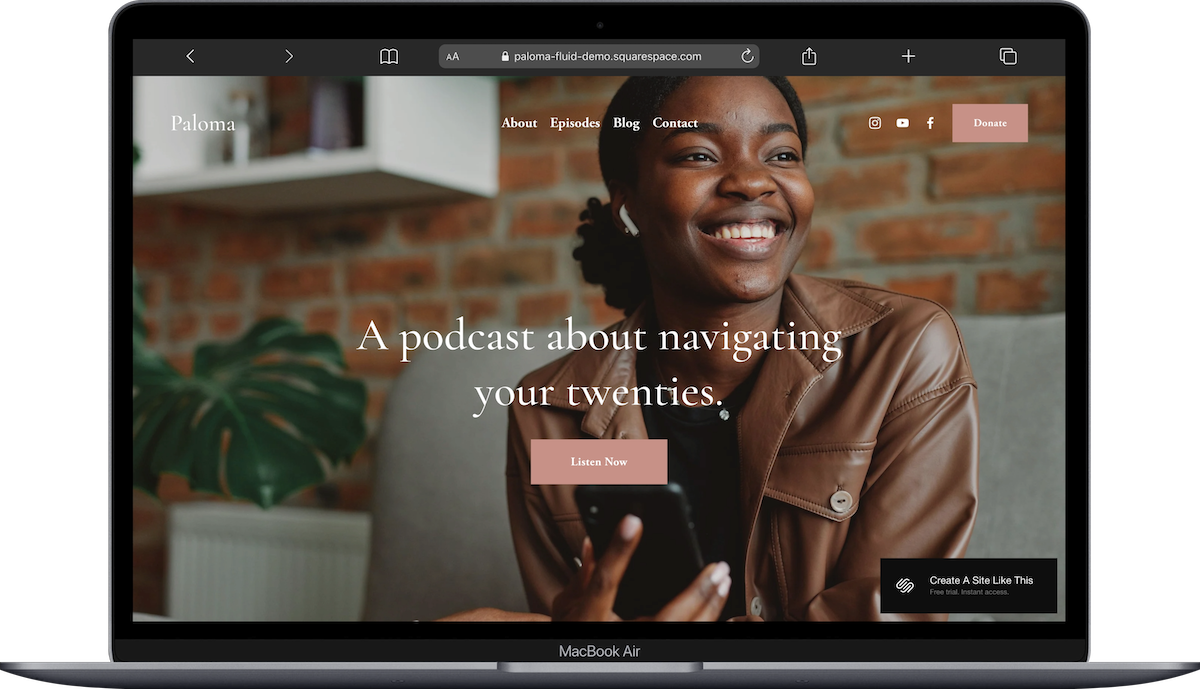
Paloma is best for: A dedicated podcast website
Paloma is the most podcast-specific template Squarespace offers. It was built with audio content in mind, and it shows. The layout centers your episodes, includes integration for listener support through Stripe and PayPal, and the overall structure just makes sense for a show that wants its own standalone site.
If you're only doing one thing with your Squarespace site and that thing is your podcast, Paloma is the obvious, and a great, starting point.
Sundew Squarespace Template
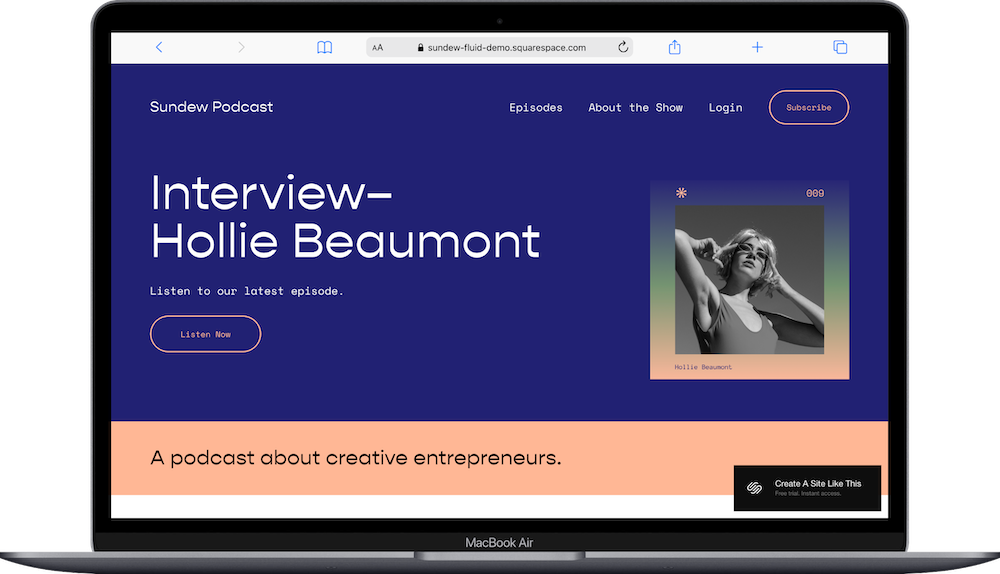
Sundew is best for: Podcast for creative entrepreneurs
Sundew is clean & minimalist. If your podcast relies heavily on show notes, written companion content, or long-form articles alongside episodes, Sundew gives you room to do both without either feeling like an afterthought.
It's not flashy, which is kinda the point; the content leads here.
Transmission Squarespace Template
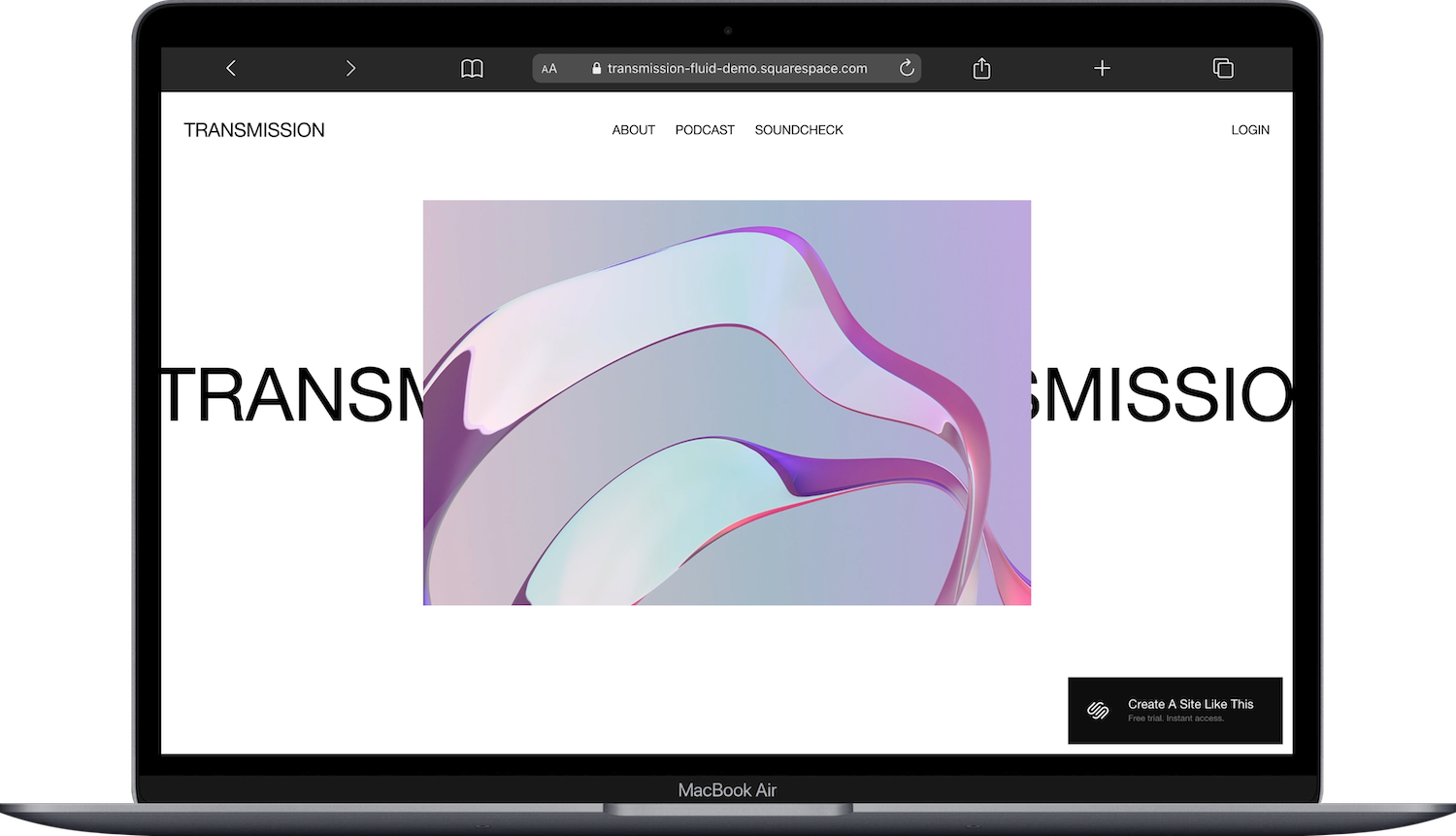
Transmission is best for: a simple, content-first podcast site
Transmission is the most stripped-back option on this list. Less visual, more "here's the podcast, here are the episodes, here's how to subscribe." If you want something modern and functional without a lot of design decisions to make, this is it.
Good pick for podcasters who want your site to go live quickly, and don't need a ton of extra pages.
Sketchbook Squarespace Template
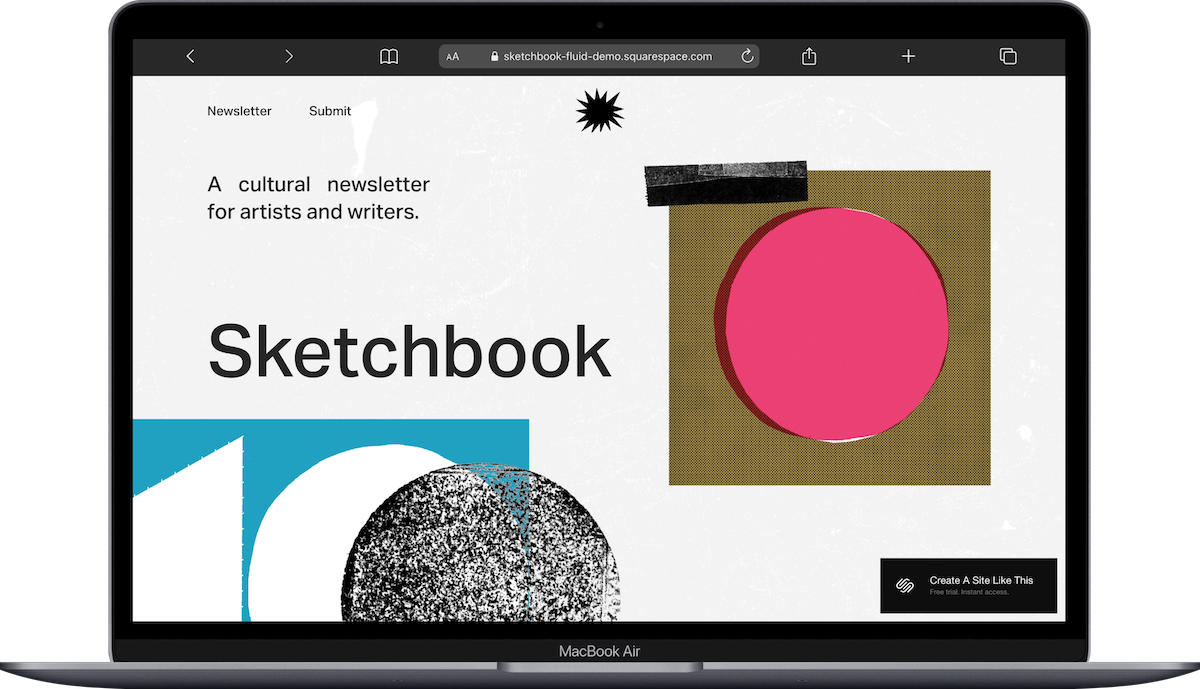
Sketchbook is best for: Newsletter-driven podcast
Sketchbook is technically a blog/newsletter template, but that could work for certain podcasters. If your show is heavily tied to written content (think: a weekly newsletter that pairs with each episode), Sketchbook gives you a layout that treats both formats equally.
Meriden Squarespace Template

Meriden is best for: Podcast with community or coaching angle
Meriden has a built-in community feel and works well if your podcast ties into a larger brand; coaching, consulting, courses, that sort of thing. It's designed for content creators who are also building an audience around something beyond the show itself. (I've written about Meriden for coaches and consultants before; the podcast use case is a different angle but the template's strengths overlap.)
Can Any of Squarespace’s Free Templates Work for a Podcast?
Yes.
And this is worth emphasizing because other blog posts (especially ones written before 2022 or so, before 7.1 came along) might make it sound like you *must* pick a podcast-tagged template or things won't work.
Since Squarespace podcast hosting runs through blog posts with audio blocks, any 7.1 template with a blog page can technically become a podcast website. You add a blog page, upload your audio files, configure your RSS settings, and you're hosting a podcast. The template choice affects layout, navigation, and visual style; not whether the podcast features work.
So if you find a template you love for some other reason (your brand aesthetic, a specific page layout, a portfolio section you want alongside the podcast), don't rule it out just because it doesn't say "podcast" in the description.
That said, starting with a podcast-specific template saves you time. The page structure, the content blocks, the overall flow; it's already set up for audio content instead of, say, a photography portfolio you'd need to tear apart and rebuild.
Third-Party Podcast Templates for Squarespace
If you want something more distinctive: The built-in Squarespace templates are fine starting points, but they're the same starting points available to everyone.
If you want a podcast website that looks like *your* show and not like a default, third-party template shops are worth exploring:
Applet Studio has podcast-specific templates (including Identity, Perfectionist, Pop Culture, and Lemongrass) with more refined layouts and unique design elements. Their templates tend to feel polished and intentional.
SparkPlugin offers plugins that can extend what your podcast site can do. Worth browsing if you want more functionality added to your site.
You can also check out shops like Big Cat Creative or Kseniia Design, for more fab options that could be adapted for podcast use.
Squarespace Podcast Hosting: What You Should Know
Since template choice and hosting features go hand in hand, here's a quick rundown of how Squarespace podcast hosting actually works:
Every plan supports podcast hosting. You don't need to upgrade to Core or Plus just to host your podcast. Even the Basic plan ($16/mo billed annually) includes full podcast functionality.
Blog posts = episodes. Each blog post with an audio block becomes an episode in your RSS feed. The first audio block in the post is the one that gets pulled into the feed.
RSS feed capacity. Your podcast feed can display up to 300 episodes. (The standard blog RSS only shows 20, but podcast feeds are different.)
File limits. Audio blocks support .mp3 and .m4a files, with a 160 MB upload limit per file. That's enough for most standard episodes, but if you're producing 3-hour shows at high bitrates, you might bump up against it.
Syndication. Once your RSS feed is set up, you submit it to Apple Podcasts, Spotify, and other directories yourself. Squarespace formats the feed to Apple Podcasts standards automatically.
Listener support. You can accept contributions through Stripe or PayPal integration directly on your site.
One thing to know: if you're currently hosting your podcast somewhere else (Buzzsprout, Libsyn, Anchor, etc.), that external feed doesn't automatically sync with Squarespace. You'd either migrate to Squarespace hosting or keep your external host and just use the Squarespace site as your podcast's home page without the built-in RSS features.
Which Squarespace Podcast Template Should You Pick?
Here's the TLDR:
Want the easiest to set up, most on-the-nose podcast site? Start with Paloma.
Podcast plus heavy written content?Sundew.
Just need something simple and fast?Transmission.
Newsletter-paired podcast?Sketchbook.
Podcast tied to coaching or community?Meriden.
Want something truly unique? Browse Applet Studio or Big Cat Creative.
You can start a free Squarespace trial and test any template before committing. Install it, poke around, add a test blog post with an audio block, and see how it feels. You're not locked in.
If you want help thinking through your overall site structure before picking a template, my website planning playbook walks through the whole process.
Frequently Asked Questions
Does Squarespace have a podcast template?
Yes. Squarespace has a few templates specifically designed for podcasters, with Paloma being the most podcast-focused option. Sundew, Transmission, and Sketchbook also work well for podcast websites. Beyond those, any Squarespace 7.1 template can be adapted for a podcast since the hosting features are tied to blog posts and audio blocks, not to specific templates.
Is Squarespace good for podcasters?
Squarespace is a solid option for podcasters who want an all-in-one website and hosting solution. It handles RSS feed generation, supports up to 300 episodes, formats feeds to Apple Podcasts standards, and includes listener support through Stripe and PayPal. It's not as feature-rich as dedicated podcast hosts like Buzzsprout or Libsyn for analytics and advanced distribution, but for most independent podcasters who also need a website, it covers the essentials well.
Can you host a podcast on Squarespace?
You can. Squarespace podcast hosting is available on all plans, including Basic ($16/mo billed annually). Each blog post with an audio block becomes an episode in your podcast RSS feed, which you can submit to Apple Podcasts, Spotify, and other directories. Audio files can be .mp3 or .m4a format, up to 160 MB per file.
What is the best website builder for a podcast?
It depends on your priorities. Squarespace is the best option if you want a polished website and basic podcast hosting in one place. WordPress offers more flexibility but is significantly more complex to manage. Podpage and Transistor are built specifically for podcast websites but are more limited as general website builders. For most podcasters who need a professional-looking site without a lot of technical overhead, Squarespace hits a good middle ground.
How do I create a podcast website on Squarespace?
Start by choosing a podcast-friendly template (Paloma is the most purpose-built option), then add a blog page to serve as your episode library. Each new blog post with an audio block becomes a podcast episode. Configure your podcast settings under the blog page's RSS settings to set your show title, description, category, and artwork. Once your feed is live, submit the RSS URL to Apple Podcasts, Spotify, and any other directories where you want your show listed.
Is there a good template for podcasting on Squarespace?
Paloma is widely considered the best built-in Squarespace template for podcasting. It's designed around audio content, includes listener support integration, and has a layout that naturally showcases episodes. If you want something more visually distinctive than the built-in options, third-party template shops like Applet Studio and SparkPlugin offer premium podcast templates for Squarespace 7.1 in the $150 - $250 range.

