Best Squarespace Portfolio Templates in 2026
This post contains affiliate links. If you purchase through them, I may receive a small commission at no extra cost to you.
Table of Contents Show
What are the best Squarespace Portfolio Templates?
Quick Answer: The best Squarespace portfolio templates are Mosley for photographers, Cami for designers, Toledo for illustrators and artists, and Pulaski for multi-discipline freelancers. Mosley is the strongest all-around pick if your work is visual-first. All Squarespace plans (starting at $16/month) include portfolio pages, and you can try any template free for 14 days.
Squarespace has over 150 templates, and around 42 of those are tagged as "portfolio." That's about 30 more options than you need to look at when you're trying to launch a site and get your work out there.
So instead of dumping every option on you, I pulled the strongest Squarespace portfolio templates and organized them by creative discipline. A photographer needs something very different from a graphic designer, who needs something very different from a multi-discipline freelancer. Let's match you up.
KEY FACTS ABOUT SQUARESPACE’S PORTFOLIO TEMPLATES:
- Squarespace has ~42 templates tagged as "portfolio," but really any 7.1 template can add portfolio pages
- Plans: Basic ($16/mo), Core ($23/mo), Plus ($39/mo), Advanced ($99/mo); all annual billing
- Five portfolio page layouts available: Grid: Simple, Grid: Overlay, Hover: Background, Hover: Fixed, Hover: Follow Cursor
- Each portfolio project gets its own sub-page with unlimited content blocks
- 14-day free trial, no credit card required
- All built-in templates are used by thousands of sites; so third-party template shops would offer more distinctive starting points
How Squarespace Portfolio Pages Work (Five Layouts)
Before jumping into templates, you should know how portfolio pages function in Squarespace 7.1. Every template can use them. You're not locked into a specific layout based on which template you choose; you pick a portfolio layout separately.
There are five portfolio options:
Grid: Simple puts your project thumbnails in a clean grid with no text overlay. Best for work where the images should do all the talking (photography, food styling, product work).
Grid: Overlay is the same grid format but with project titles layered over the images. Good when your work needs context; think design case studies or architectural projects.
Hover: Background shows project titles in a stacked or inline list. When someone hovers on a title, the entire background swaps to that project's featured image. Very editorial, very dramatic.
Hover: Fixed displays project titles as links with the featured image appearing in a fixed position on hover. Clean, modern, and popular with design portfolios.
Hover: Follow Cursor is similar, but the image follows the cursor around the page. It's a distinctive interaction; some people love it, some find it distracting.
The template you choose can help influence your homepage design, navigation style, and overall aesthetic. The portfolio layout is a separate decision you make within that template. Keep both in mind as you browse.
Best Squarespace Portfolio Templates for Photographers
Photography portfolios need space for big images, minimal distractions, and fast loading. These three are great options for that.
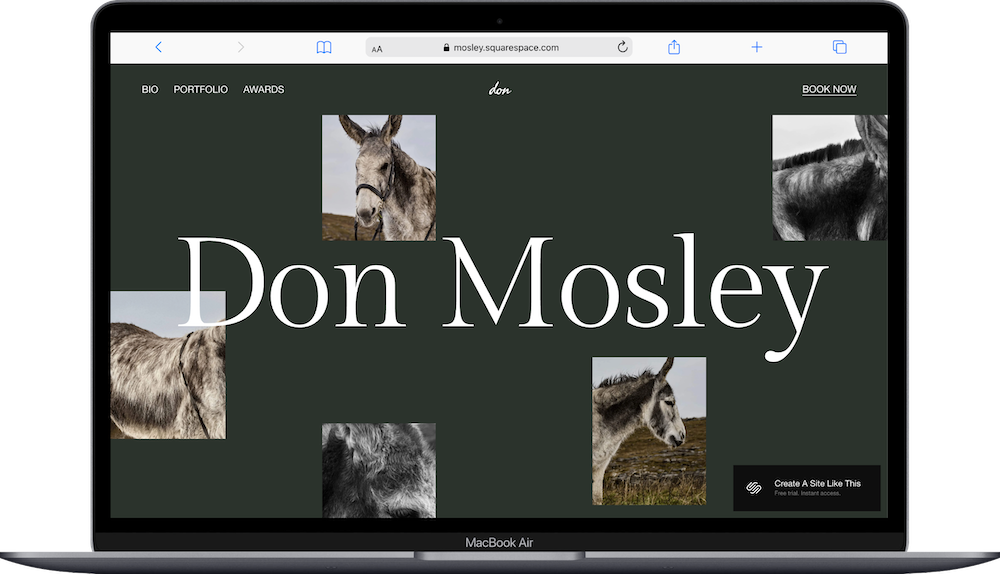
Mosley Squarespace Template
Mosley is my top pick for photographers. It's built around a creative portfolio structure with a clean homepage that leads directly into project pages. The layout gives your images room to breathe, and the navigation stays out of the way. This one is fun because it’s part of the ‘Squarespace Collaboration Collection’ and was created a few years ago in partnership with Barry Keoghan.
If you shoot editorial, lifestyle, or fine art photography, Mosley is the one to start with. I wrote a review of Mosley if you want to read more.
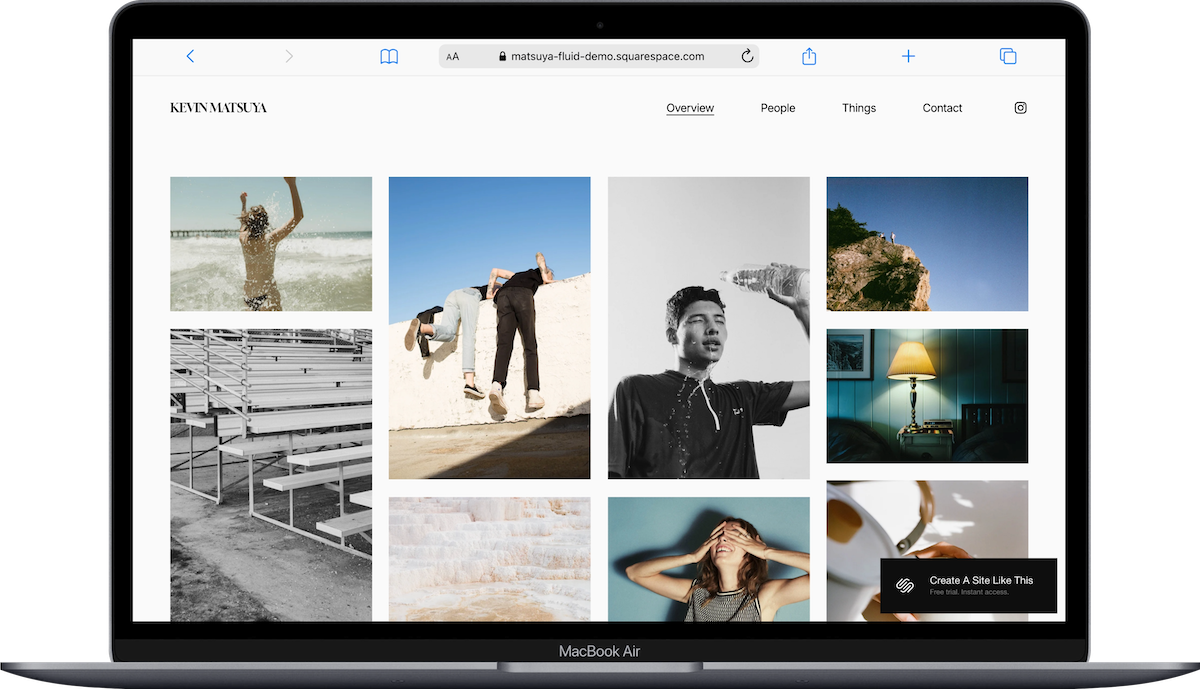
Matsuya Squarespace Template
Matsuya uses a masonry-style grid that works especially well for photographers with varied aspect ratios (landscape, portrait, square all mixed together). The visual rhythm is more dynamic than a standard grid. And the overall feel has a nice editorial vibe.
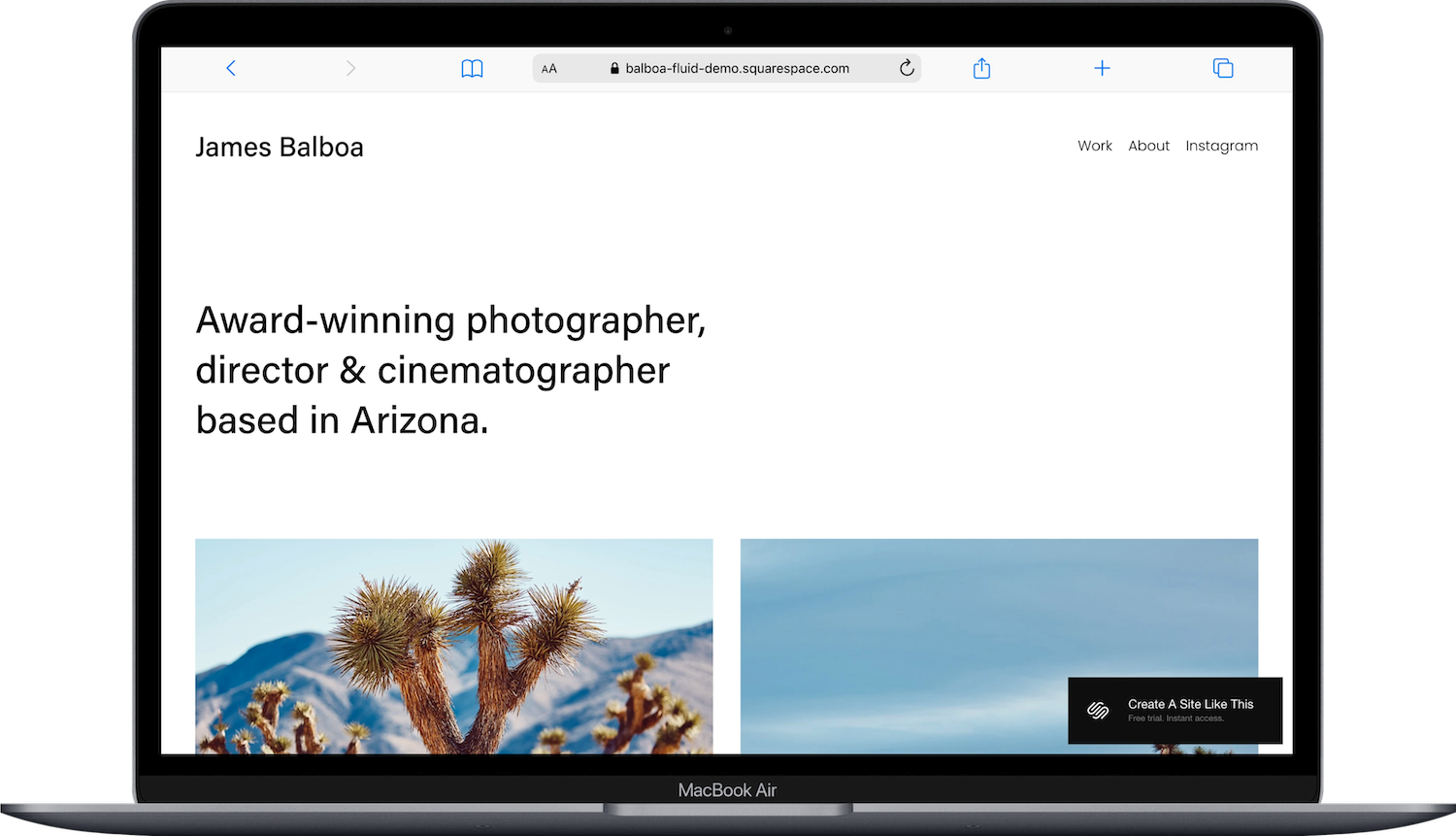
Balboa Squarespace Template
Balboa is the minimalist option. It’s got one strong image, clean navigation, and a portfolio that's entirely about the work. There's not a lot else here, which is the point. If your instinct when you open most photography websites is "I just want to see the photos," Balboa is built perfectly for that.
Other solid picks:
Cimen, Keo, and Beaumont are all worth previewing if you want a slightly different vibe.
Best Squarespace Portfolio Templates for Artists & Illustrators
Artists and illustrators typically need portfolio layouts that showcase individual pieces (without the images competing with each other). Clean backgrounds, thoughtful spacing, and project pages that’ll let you tell the story behind each piece.
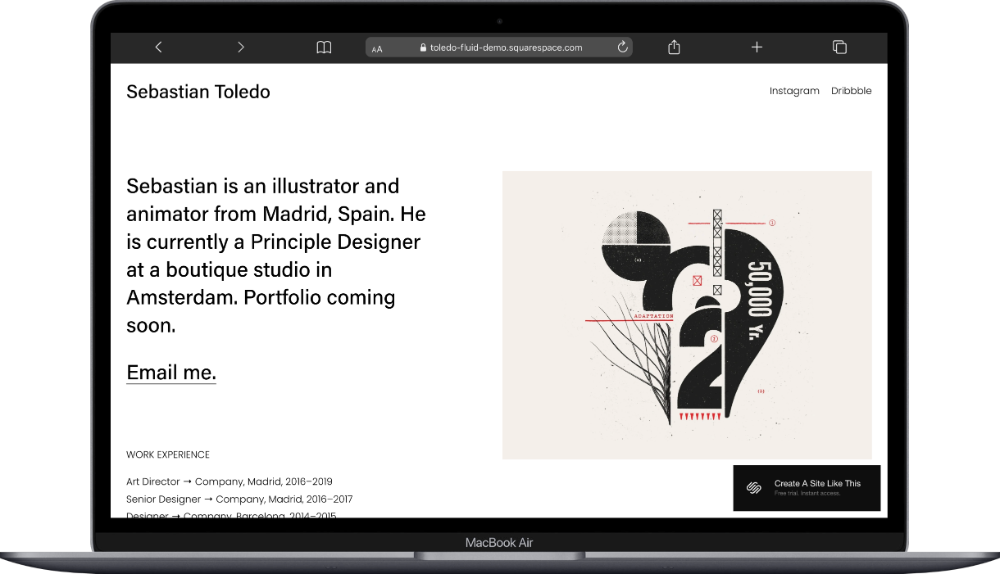
Toledo Squarespace Template
Toledo is a one-page website that was designed with illustrators in mind. The layout gives you a grid-based portfolio that handles colorful, detailed artwork without visual clutter. It's structured enough to feel professional but loose enough to feel creative.
Montclaire Squarespace Template
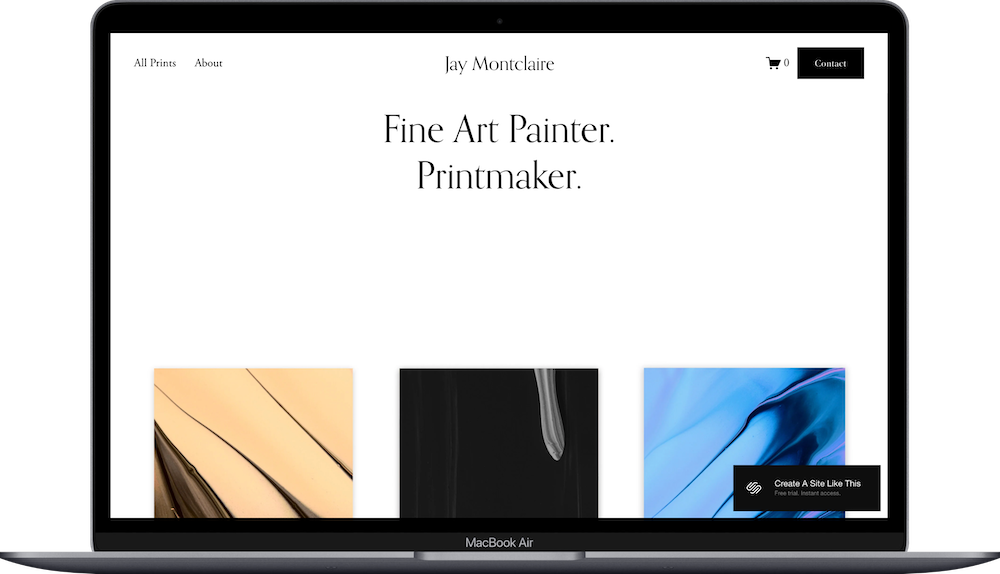
Montclaire is a great starting point for fine artists. The homepage layout centers your work in a way that feels almost gallery-like. If you're showing paintings, mixed media, or anything that benefits from a white-wall aesthetic, this one is worth a look. I wrote a review of Montclaire if you want to learn more.
Sawyer Squarespace Template
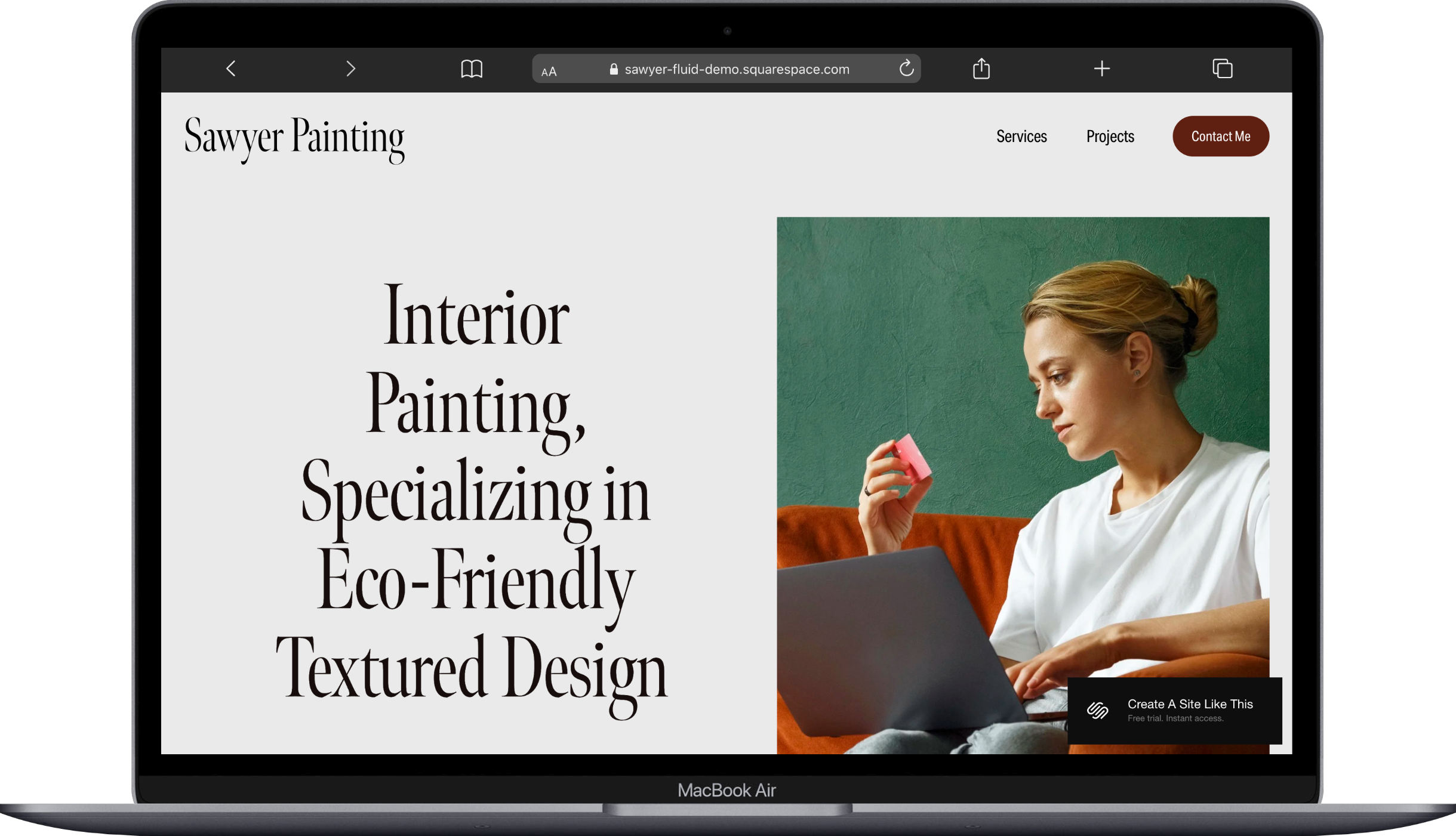
Sawyer leans into a portfolio-first layout with generous spacing. It handles both digital and physical artwork well, and the project pages give you plenty of room to include process shots, descriptions, and pricing if you sell originals or prints.
Also consider:
Reflect if you want more of an art gallery feel, or Spotted if your work is illustrative and colorful.
Best Squarespace Portfolio Templates for Designers
Design portfolios have different demands than photography or art portfolios. You're often showing process, not just final deliverables. You’ll likely need layouts that handle screenshots, mockups, before-and-afters, and written case studies alongside visuals.
Cami Squarespace Template
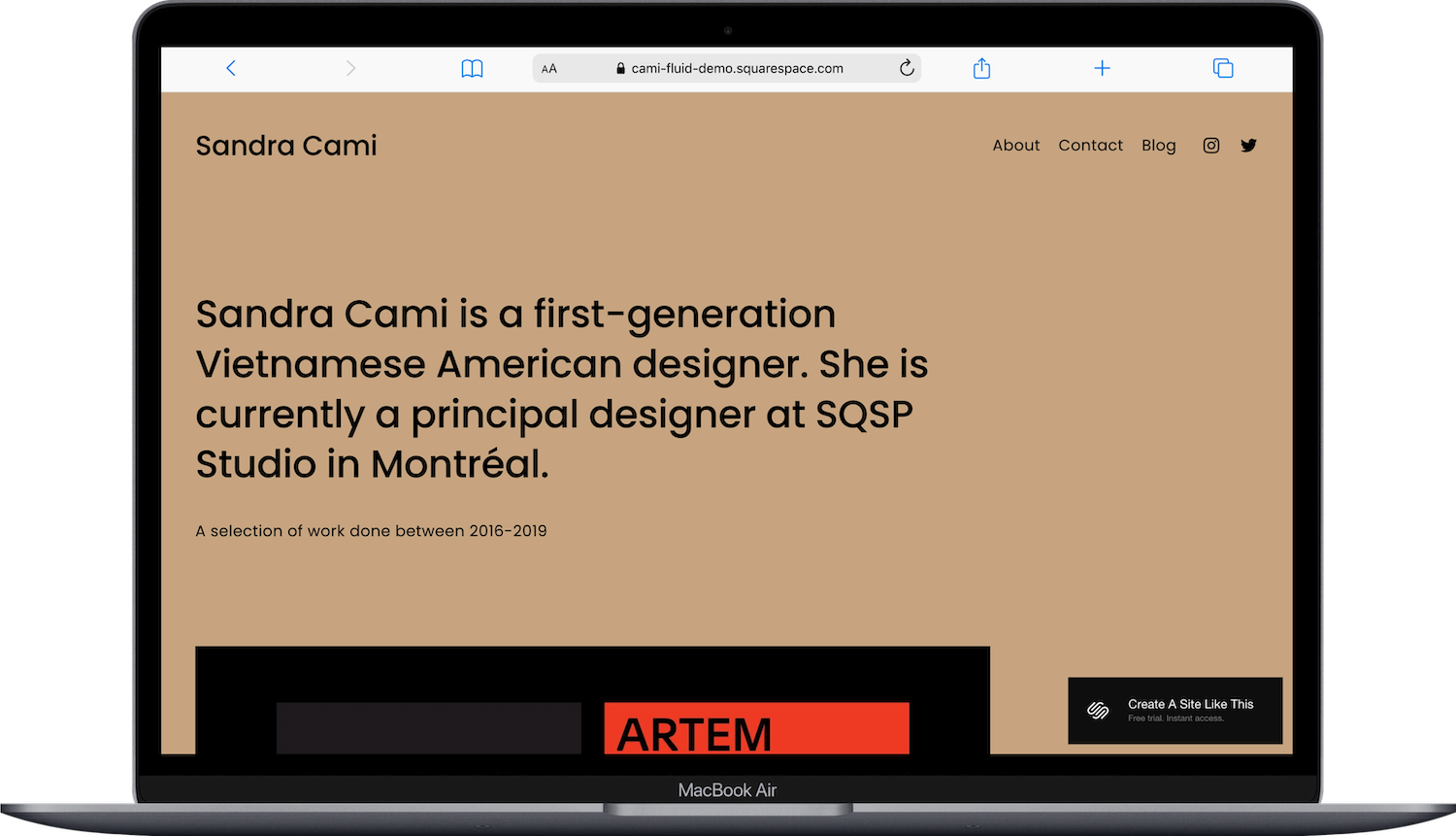
Cami is purpose-built for designers, and it's one of the most popular portfolio templates on the platform. It’s simple with an About, Contact, Blog and Home page. And the pages are structured to support both images and text, which makes it easy to walk through a design process. And the homepage is clean and modern without being cold.
Hart Squarespace Template
Hart has a visual-heavy portfolio layout that works well for brand designers, art directors, and anyone whose work is highly visual. The grid is flexible, and the overall feel is polished. It's one of those templates that looks expensive without you having to do much to it.

Radian Squarespace Template
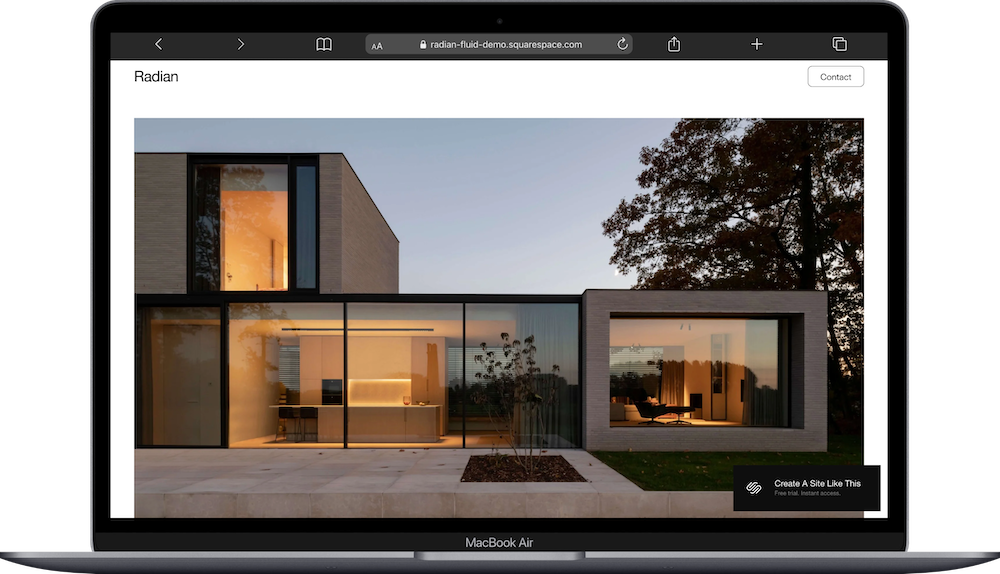
Radian was designed for architects and design studios, but it works well for any design discipline that tends toward precision — interior design, product design, UX. The geometric, structured layout handles both technical renders and brand identity projects with equal composure. If your work is more systematic than expressive, Radian fits that energy better than most.
Other options:
Adri for brand designers, Novo for a more minimal approach, and Utica for architecture specifically.
Best Squarespace Portfolio Templates for Multi-Discipline Freelancers
If you do a mix of things (writing, design, photography, strategy, whatever combination pays the bills), you’ll need a portfolio that can flex across different project types without looking scattered.
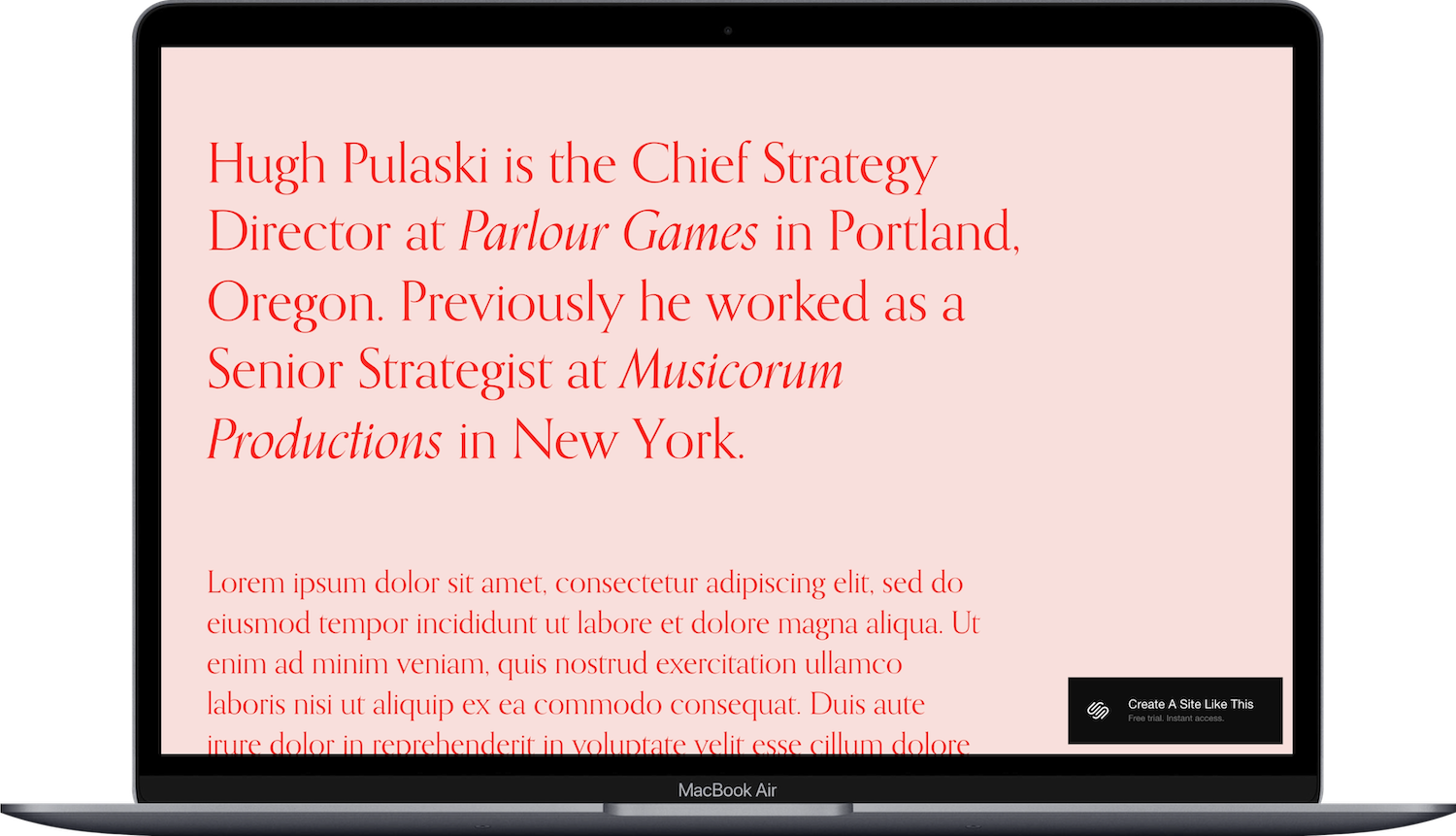
Pulaski Squarespace Template
Pulaski is a great template for people whose work doesn't fit in one box. Designers who also consult. Copywriters who also do strategy. Photographers who also teach. The layout has a portfolio section AND a credentials section in the same design, which is genuinely rare. Most of Squarespace’s free templates make you look like a creative or look like a professional. Pulaski lets you be both without the page looking confused.
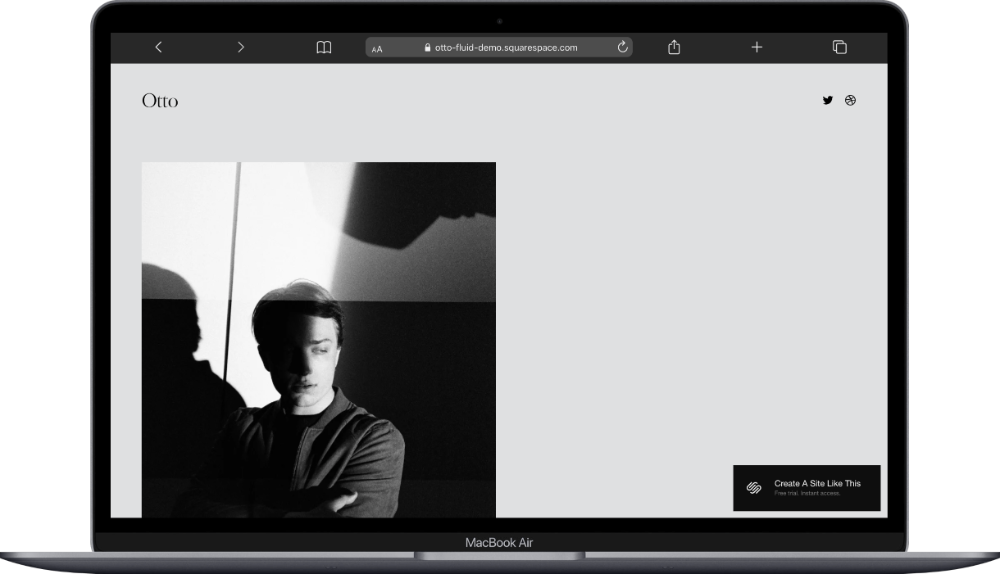
Otto Squarespace Template
Otto is another one-page Squarespace template. It has a clean, slightly tech-leaning layout that works for creatives who do adjacent work — UX, product thinking, content design, anything where the work is partly visual and partly conceptual.
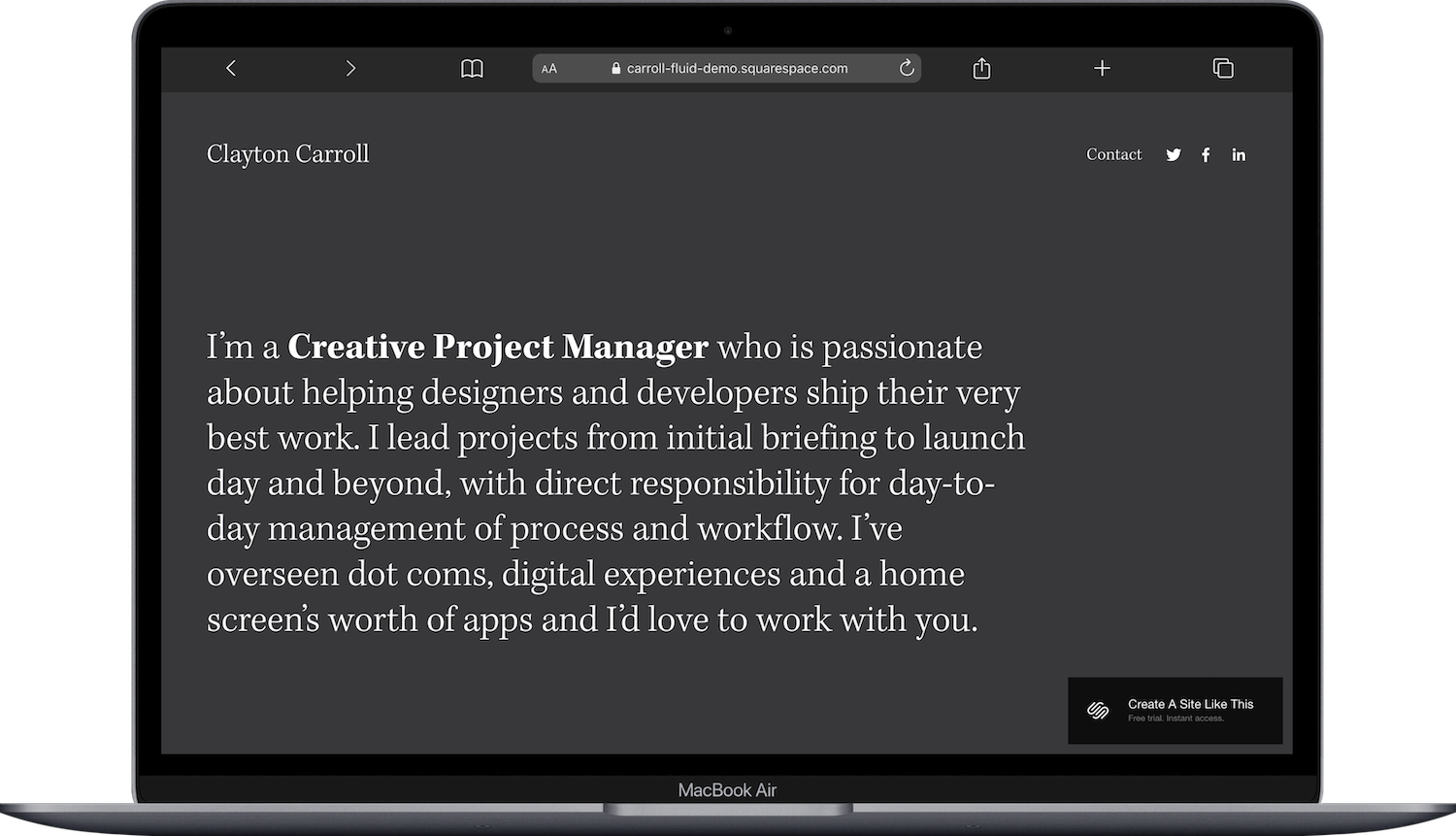
Carroll Squarespace Template
Carroll Carroll is built for creative project managers and producers — people whose portfolio is less about what they made and more about what they led, shaped, or shipped. If "here's how I directed this" is a more accurate description of your work than "here's what I designed," Carroll is a great choice.
When Built-In Squarespace Portfolio Templates Aren't Enough
Every Squarespace built-in template is a good, but generic, starting point. Thousands of other people are using the same foundation. That's fine for a lot of portfolio sites; most visitors will never notice or care.
But. If you want something that feels more custom and brand-specific (without hiring a designer), third-party Squarespace template shops are the move. They build on the same Squarespace platform but with more distinctive layouts, typography choices, and design details.
A few shops I recommend for portfolio-focused templates:
Big Cat Creative has bold, design-forward templates
Kseniia Design offers elegant, editorial portfolio layouts
Applet Studio is great for clean, modern aesthetics
Studio Mesa builds polished, professional templates
If you're unsure whether a built-in or third-party template is the right call, my guide to choosing a Squarespace template walks through that decision in detail.
Frequently Asked Questions
Does Squarespace have portfolio templates?
Yes. Squarespace currently has around 42 templates tagged as "portfolio" in their template browser. But in Squarespace 7.1, any template can add portfolio pages, so you're not limited to the ones with the portfolio tag. The tag just means those templates ship with portfolio pages already built into the demo.
Is Squarespace good for a portfolio website?
Squarespace is one of the strongest options for portfolio websites in 2026. The built-in portfolio page feature offers five layout styles, every project gets its own dedicated sub-page, and the platform handles image-heavy sites well. Plans start at $16/month, and you can start a free trial to test any template before committing.
What is the difference between a portfolio page and a gallery page in Squarespace?
A portfolio page is a collection of individual project sub-pages; each project has its own URL and can contain multiple sections, text, images, and videos. A gallery page is a single page that displays a set of images in a grid or slideshow. Use a portfolio page when you want to showcase projects with context and detail; use a gallery page when you just need a grid of images.
Can you customize Squarespace portfolio templates?
Yes. Squarespace 7.1 lets you customize fonts, colors, spacing, layout, and page structure on any template. You can change the portfolio layout style, adjust grid columns, add or remove sections, and build out project pages however you want. The Core plan and above also allow custom CSS for more specific design tweaks.
How do I create a portfolio page on Squarespace?
In the Squarespace editor, click the "+" icon in the Pages panel and select "Portfolio" from the page types. Choose one of the five layout styles (Grid: Simple, Grid: Overlay, Hover: Background, Hover: Fixed, or Hover: Follow Cursor), then add individual projects as sub-pages within the portfolio. Each project page can include images, text, videos, and other content blocks.
What are the best free Squarespace portfolio templates?
All Squarespace built-in templates are included with every plan at no extra cost, so every portfolio template is "free" once you have a subscription. The strongest built-in options are Mosley for photographers, Cami for designers, Toledo for artists, and Pulaski for freelancers. Plans start at $16/month with a 14-day free trial.

