The Best Squarespace Website Templates for Blogging (2026)
This post contains affiliate links. If you purchase through them, I may receive a small commission at no extra cost to you.
Table of Contents Show
Blogging looks different depending on your goals. Maybe you're launching a food blog packed with vegan recipes. Maybe you're building an affiliate site focused on long-tail search traffic. Or you're writing travel guides, sharing opinions, or growing a niche audience around your expertise.
The template you choose affects how your content is structured, how fast your site loads, and how readers experience every blog post your publish.
This guide covers the best Squarespace website templates for blogging in 2026: what they offer, who they're best for, and how to pick one that can grow with you.
What Makes a Good Squarespace Blog Template?
All Squarespace 7.1 templates are mobile-responsive, fast-loading, and SEO-ready right out of the box. You can customize colors, fonts, and layouts on any template. So what are you really choosing between?
Starting layout structure: How do you want posts displayed by default? A grid with featured images? A simple chronological list? Featured posts at the top?
Pre-built pages: Does it come with shop pages already set up? Portfolio sections? Member areas? You can add these to any template later, but starting with them saves setup time.
Visual starting point: The demo aesthetic just gives you a head start. But if you like what you see, that’s a great spot to get started. Just remember, you're not locked into those colors, fonts, or images. Everything's customizable.
Squarespace 7.1 limitations to know about:
No native sidebar (you'll need a plugin like this one if you want one)
No native related posts feature (this plugin helps with that though)
Same if you want to add a Table of Contents (you can get a free plugin for that here, or grab the one that I use here)
The template you pick is really just your starting point. You can adjust from there to create exactly what you need.
Best Squarespace Blog Templates for 2026
Here are my top six Squarespace website templates for blogs:
1. Harman
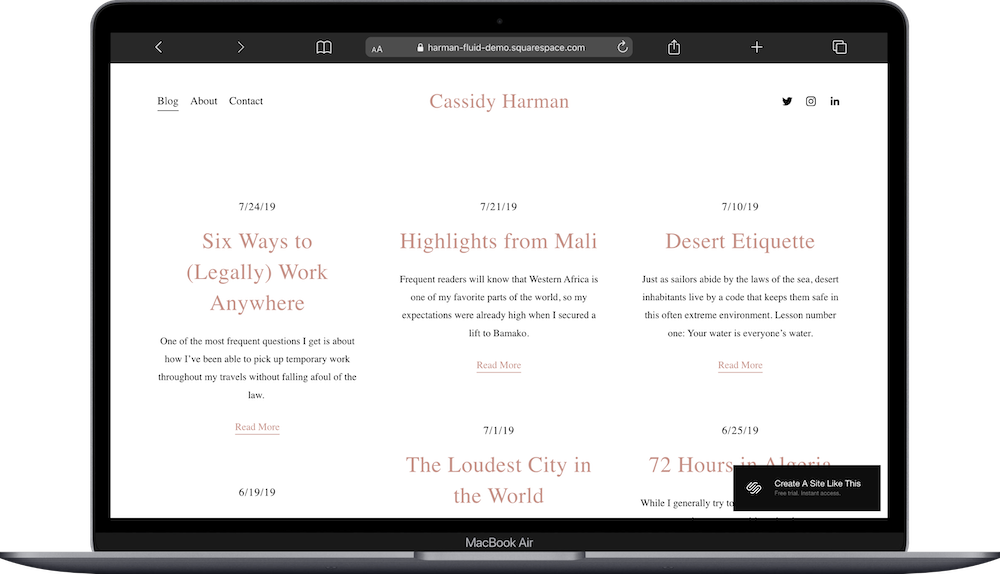
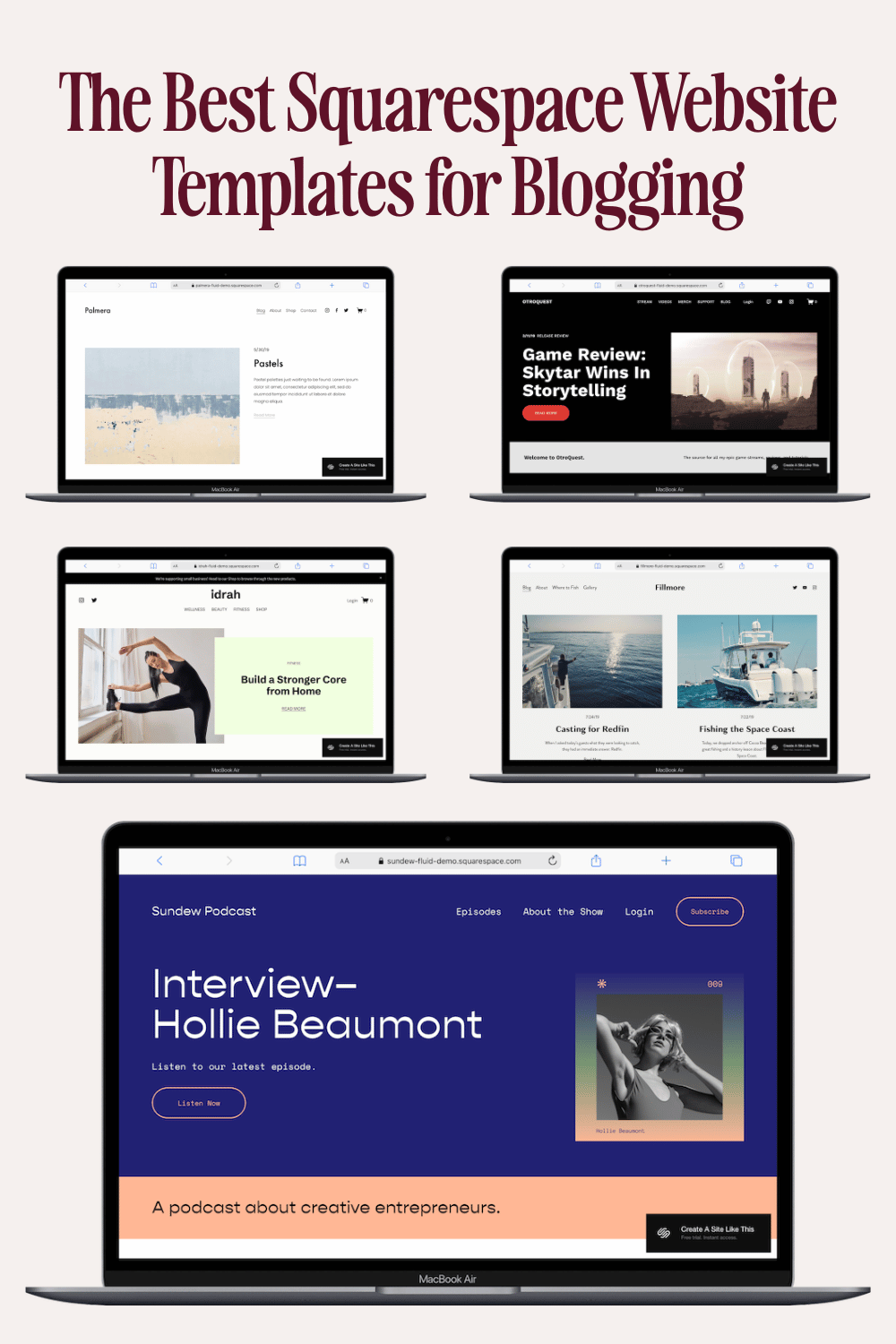
Harman is set up as a travel blog in the demo, but you can use it for anything that’s more writing focused than image focused. The homepage displays posts in chronological order with post titles, dates, and excerpts. There isn’t a featured image for each post, but you can add one.
This works well for personal essays, commentary, or any blog where the writing is the main focus. Tweak the site colors and fonts to match your aesthetic, and you're set.
Best for: Writers who want the focus on their content. If you're publishing personal essays, opinion pieces, or text-heavy content, Harman keeps things readable without requiring having to find/source/create featured images for every post.
2. Fillmore
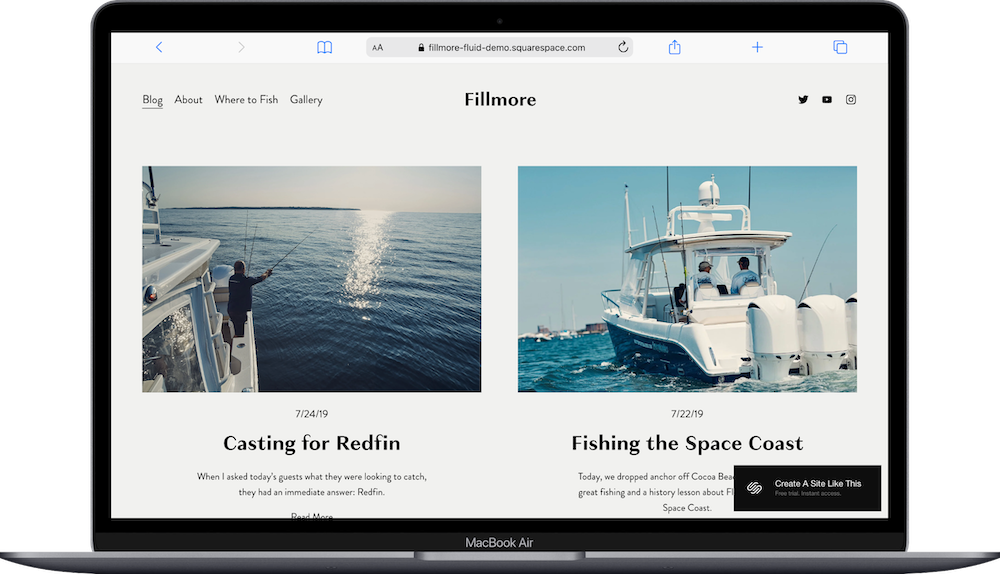
Fillmore gives you a classic blog homepage with posts in a grid layout. Each post shows a featured image, and you can adjust how many articles appear in each row. You can even add a block at the top to highlight a featured post.
The grid layout works well when you have strong featured images for each post and want to draw attention to specific content.
Best for: Bloggers who want a traditional blog aesthetic. If you're publishing regularly and want readers to browse your archive easily, Fillmore makes it simple. (Never mind that it’s about fishing, you can use it for literally any other activity, hobby or service.)
3. Palmera
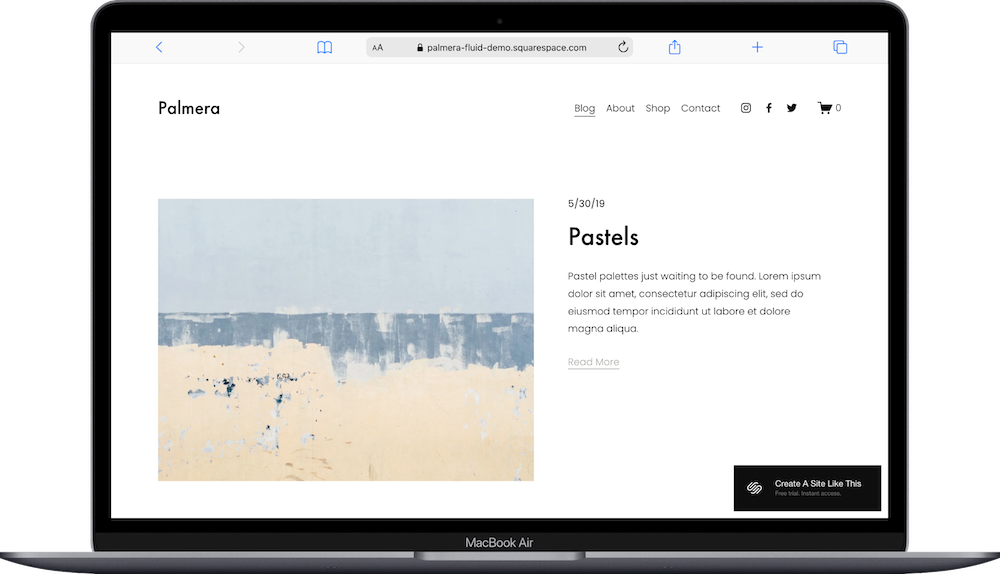
Palmera is another classic blog design. This one is designed for artists, and comes with a featured image, title, and quick preview for each post. This could work well for a lifestyle blog or food blog.
What sets this one apart? The online shop page. You can sell everything from print-on-demand merch to affiliate products. (Or remove the page until you're ready to sell.)
Best for: Bloggers planning to sell products or who want the option to add a shop later. If you're in the lifestyle, food, or DIY space, Palmera is a great choice for you.
4. Sundew

Sundew is a podcast-focused template, a blog website isn't just for blogging. You can upload and host a podcast using a blog site and an RSS feed by creating new blog posts with embedded audio files for each episode.
The Sundew template works great for a podcast. Or you can customize the article pages for a regular blog layout.
Best for: Podcasters who want a blog-style website or bloggers who want to include audio content alongside written posts. If you're planning to mix media types, Sundew handles that well.
5. Idrah
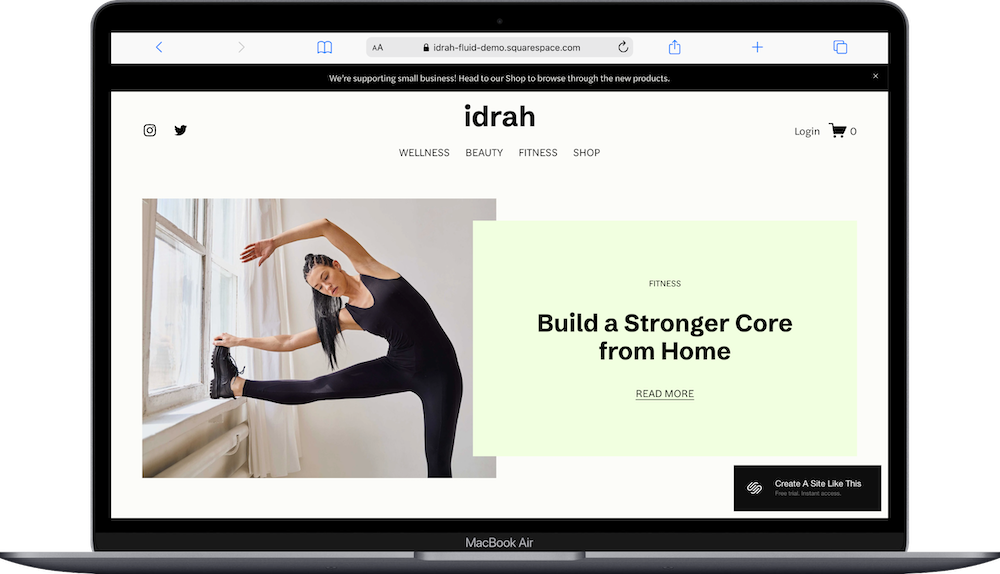
Idrah is an underrated Squarespace template IMO.
Some content creators expand into different topics, social media, or revenue streams (like a shop or online courses). And the Idrah template lets you share all of those things at once: blog pages from different topic categories, featured items from your shop, and popular articles that capture your brand. There’s also a ‘gated access’ blog set up, where you can keep posts behind a paywall.
Best for: Bloggers who are building a business around their content. If you're planning to sell digital products, offer services, or create content across multiple topics, Idrah keeps everything organized and is a great choice to get started with.
6. Otroquest
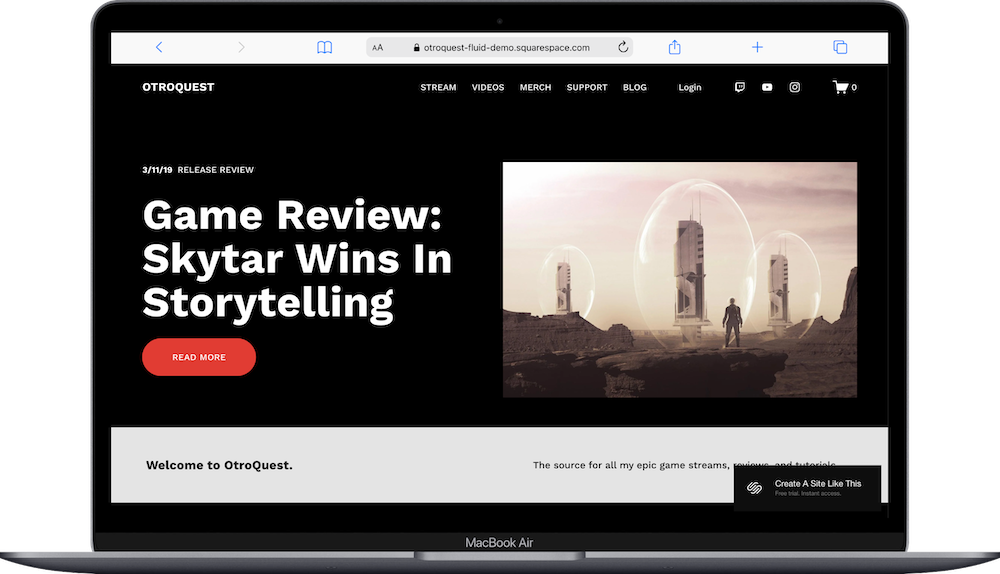
Your website can grow with you, no matter how your content changes. The Otroquest template is made with a streamer in mind but works great for any content creator who wants a home base for everything they create.
The template features a blog, events schedule, videos, merch shop, and a paywalled Member Site where subscribers can get exclusive content.
Best for: Content creators who want a central hub for everything they create. If you're planning to offer memberships, host events, or create multiple types of content, Otroquest is an ideal template for you to start with.
What to Consider Before You Choose a Template
Do You Need Strong Visual Elements?
If your blog relies on photography or graphics, go with Palmera, Fillmore, or Idrah. If you're focused on writing, Harman keeps things easy and simple to get started without requiring featured images for every post.
Are You Planning to Monetize?
If you want to sell products, choose a template with built-in shop functionality (like Palmera, Idrah, or Otroquest). You can add e-commerce to any Squarespace template, but starting with shop pages already in place saves you time.
Will You Mix Content Types?
If you're creating audio, video, or multimedia content alongside blog posts, Sundew and Otroquest are built specifically to handle that. Traditional blog templates work fine for occasional embedded content, but these templates make multimedia central rather than treating it as an add-on.
How Much Do You Want to Customize?
All Squarespace templates are customizable. Some give you more structure to start with. Harman and Fillmore are simpler and easier to adjust quickly; you can get live faster. Idrah and Otroquest include more sections and features, which means more setup time upfront, but more functionality out of the box.
Is Squarespace Good for Blogging?
Squarespace works well for blogging, especially if you want a professional-looking site without dealing with complicated setup or constant maintenance (looking at you, WordPress 👀).
What Squarespace does well for bloggers:
Squarespace is designed to be user-friendly. You don't need coding skills to create posts, organize categories, or customize your design. The blog functionality is built into every template, so you can start publishing right away.
All Squarespace templates are responsive: your blog posts automatically adjust to different screen sizes without extra work on your end.
Squarespace handles hosting, security, and updates for you. You're not managing plugins, dealing with security patches, or worrying about site speed optimization.
…And where Squarespace has limitations for bloggers:
Customization has boundaries. While you can adjust colors, fonts, and layouts, you're still working within Squarespace's system. It can be frustrating for developers or people experienced with other more customize platforms. Basically, if you want highly custom functionality or specific design elements, you might hit limits.
Also, Squarespace IS a subscription service, which means ongoing monthly or annual costs. Unlike self-hosted options where you pay for hosting separately, Squarespace bundles everything together. That's convenient, but it's also a recurring expense and should be considered.
So who should use Squarespace for blogging?
Squarespace makes sense if you want an easy-to-set-up, good-looking blog without a lot of technical hassle. It works well for personal bloggers, lifestyle content creators, food bloggers, writers building a platform, and anyone who values design and ease of use over advanced customization.
And who might want a different platform?
If you need extensive plugins, highly specific functionality, or complete control over every aspect of your site, WordPress might be a better fit. If you're planning to scale to a very large blog with complex features, you might outgrow Squarespace eventually.
For most bloggers starting out or running a small to medium-sized blog, Squarespace handles what you need without overwhelming you with technical decisions.
Squarespace Blog Template FAQs
Which Squarespace template is best for blogging?
It depends on what kind of blog you're creating. Harman works well for text-focused blogs with minimal images. Fillmore is great for traditional blogs with a grid layout. Palmera works well for lifestyle or food blogs with strong visuals and monetization plans. If you're podcasting or mixing audio with written content, Sundew is literally built for that.
Can I start a blog on Squarespace?
Yes. Squarespace has blog functionality built into every template. You can create blog posts, organize them by category, add tags, and set up an RSS feed. Every Squarespace template is customizable, so you can turn any template into a blog if needed.
Are all Squarespace templates good for blogging?
All Squarespace templates can handle blog functionality, but some are designed specifically with bloggers in mind. Templates include blog-focused layouts and features that make content easier to organize and display.
Can I sell products on a Squarespace blog template?
Yep. You can add e-commerce functionality to any Squarespace template. Some templates (like Palmera, Idrah, and Otroquest) include built-in shop pages, which makes setup easier. If you choose a template without a shop page, you can add one later, but you'll need to reorganize your navigation and homepage.
What's the difference between Squarespace blog templates and portfolio templates?
Blog templates are designed to display written content chronologically with categories and tags. Portfolio templates focus on showcasing visual work (like photography, design projects, or creative work). That said, all Squarespace templates are customizable, so you can add blog functionality to a portfolio template or vice versa.
Can I use a Squarespace template for a personal blog?
Yes. Templates (like Harman and Fillmore) work well for personal blogs. They're simple to set up, easy to customize, and don't require heavy visual content. You can write, publish posts, and organize your archive without needing advanced design skills.
How do I choose between Squarespace blog templates?
Think about what kind of content you're creating. If you're writing essays or articles, go with Harman or Fillmore. If you have strong images for each post, Palmera or Fillmore work well. If you're podcasting or creating audio content, Sundew is built for that. If you're planning to sell products or offer multiple services, Idrah or Otroquest give you better structure.
Can I customize fonts and colors on Squarespace blog templates?
Yes. All Squarespace templates let you customize fonts, colors, spacing, and button styles through the Site Styles panel. You can adjust your blog's look without touching any code.