Best Squarespace Templates for Videographers
This post contains affiliate links. If you purchase through them, I may receive a small commission at no extra cost to you.
Table of Contents Show
What are the best Squarespace templates for videographers?
Quick Answer: The best Squarespace templates for videographers are Mycelium (built-in video background and visual-first design), Mosley (portfolio structure with strong project display), and Hart (visual grid perfect for video thumbnails). Mycelium is the strongest pick because it's the only Squarespace template that we’re looking at today with a video background built in by default. All Squarespace templates support video embedding through Video Blocks, and plans start at $16/month.
KEY FACTS:
Squarespace has almost 200 free Squarespace 7.1 templates
Only one template (Mycelium) includes a video background by default
Background videos on Squarespace have a 60-second limit for uploads and don't play on mobile devices
Video Blocks support uploads up to 30 minutes or YouTube/Vimeo URLs
Squarespace plans: Basic $16/mo, Core $23/mo, Plus $39/mo, Advanced $99/mo (annual billing)
Videos Pages are available on all 7.1 sites for portfolio-style video galleries
Direct video uploads are limited by total storage:
Basic = 30 min
Core = 5 hrs
Plus = 50 hrs
Advanced = unlimited
I reviewed Squarespace's entire template library to find the templates that work for videographers; the ones with video backgrounds, portfolio layouts that showcase reels, and structures built for booking clients. These templates have things that most videographer websites need: prominent video display, project galleries, contact forms for inquiries, and designs that let your work do the talking.
Squarespace doesn't have templates specifically labeled "for videographers," which is honestly fine, because what you need is a strong visual layout that handles video well. That's what these picks deliver. And all these templates are free with any Squarespace subscription and built on Squarespace 7.1.
1. Mycelium Squarespace Template
Best for: Videographers who want a video background on their homepage, filmmakers showcasing travel or documentary work, creative directors with a strong visual brand
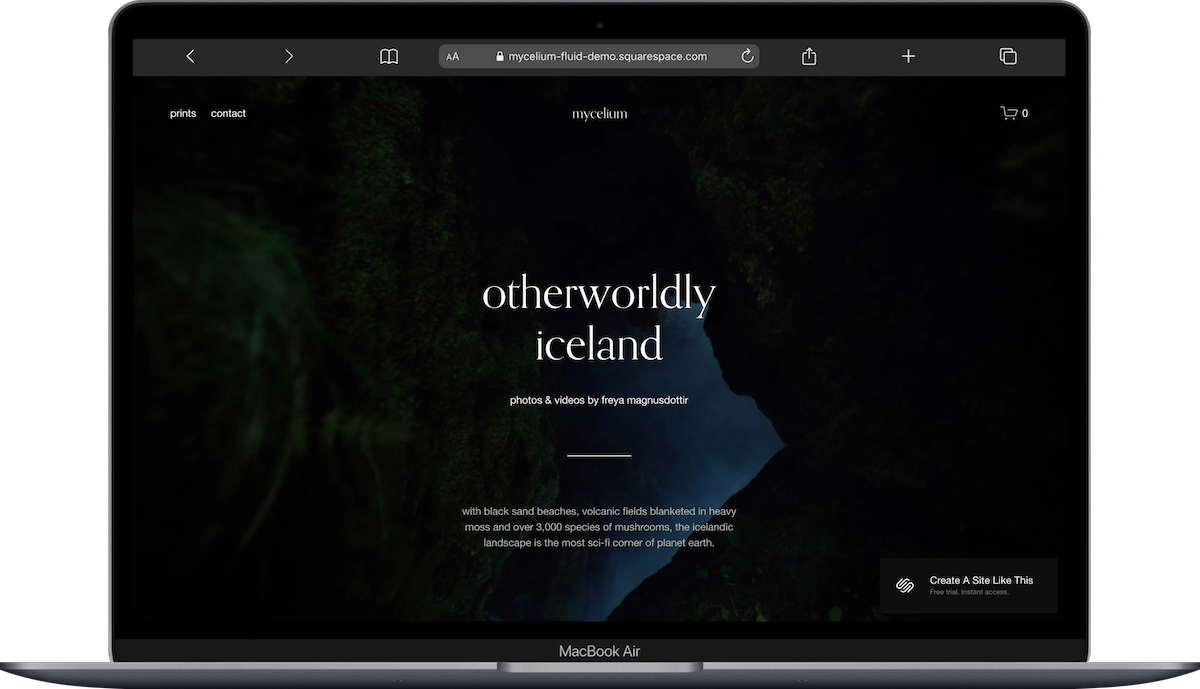
Mycelium is the only Squarespace template that we’re looking at today with a built-in video background by default. The template includes pages for Home, Print and Contact. The homepage features a full-screen video background that autoplays on loop (muted), with your tagline overlaid and a call-to-action button. You can use the ‘Print’ page to set up a portfolio gallery where you can organize projects by category (weddings, commercials, brand films, etc.).
What makes Mycelium work so well is that it's designed around visual storytelling. The video background immediately shows visitors what you do without them having to scroll or click. The portfolio structure is flexible enough for any videography niche. If you want your site to feel cinematic from the moment someone lands on it, Mycelium is a fabulous template to start with.
2. Mosley Squarespace Template
Best for: Wedding videographers, commercial filmmakers, videographers with a portfolio of high-end client work
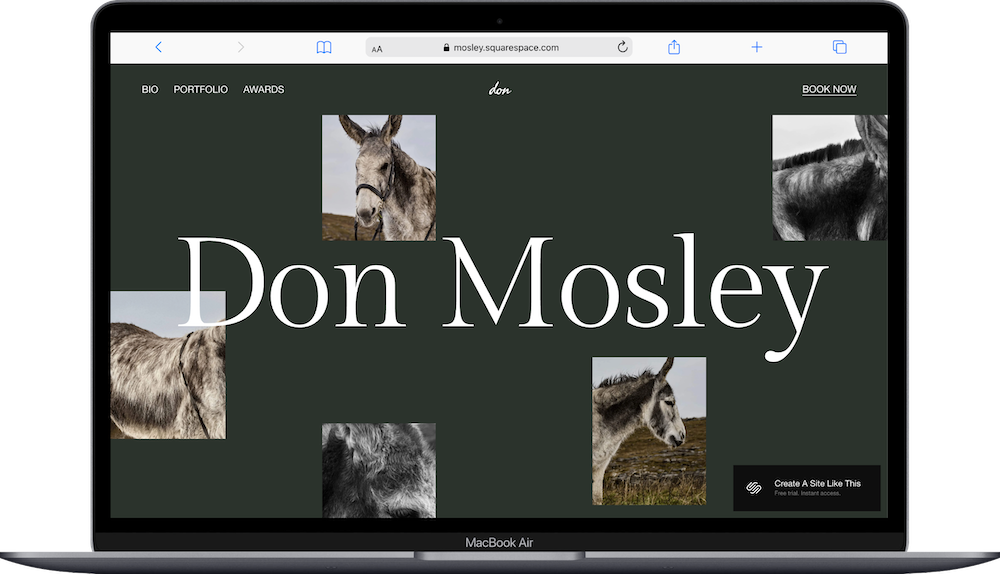
Mosley is a fun, creative, portfolio-focused Squarespace template designed for creatives. This one is part of the Squarespace Collaboration Collection. The template includes pages for Portfolio, About, and Contact. The homepage features a large hero image or video with your name and tagline, followed by a grid of featured projects. Each project can include multiple videos, images, and text. The portfolio structure makes it easy to categorize your work (weddings, corporate, music videos) and let clients browse by type.
The design is clean and minimal, which means your footage isn't competing with busy layouts or distracting elements. The grid format works really well for displaying video thumbnails that link to full project pages. If you're a wedding videographer or commercial filmmaker who wants a polished portfolio site that feels professional and easy to navigate, Mosley would be a great starting point for you.
3. Hart Squarespace Template
Best for: Fashion videographers, brand filmmakers, creative directors showcasing editorial work
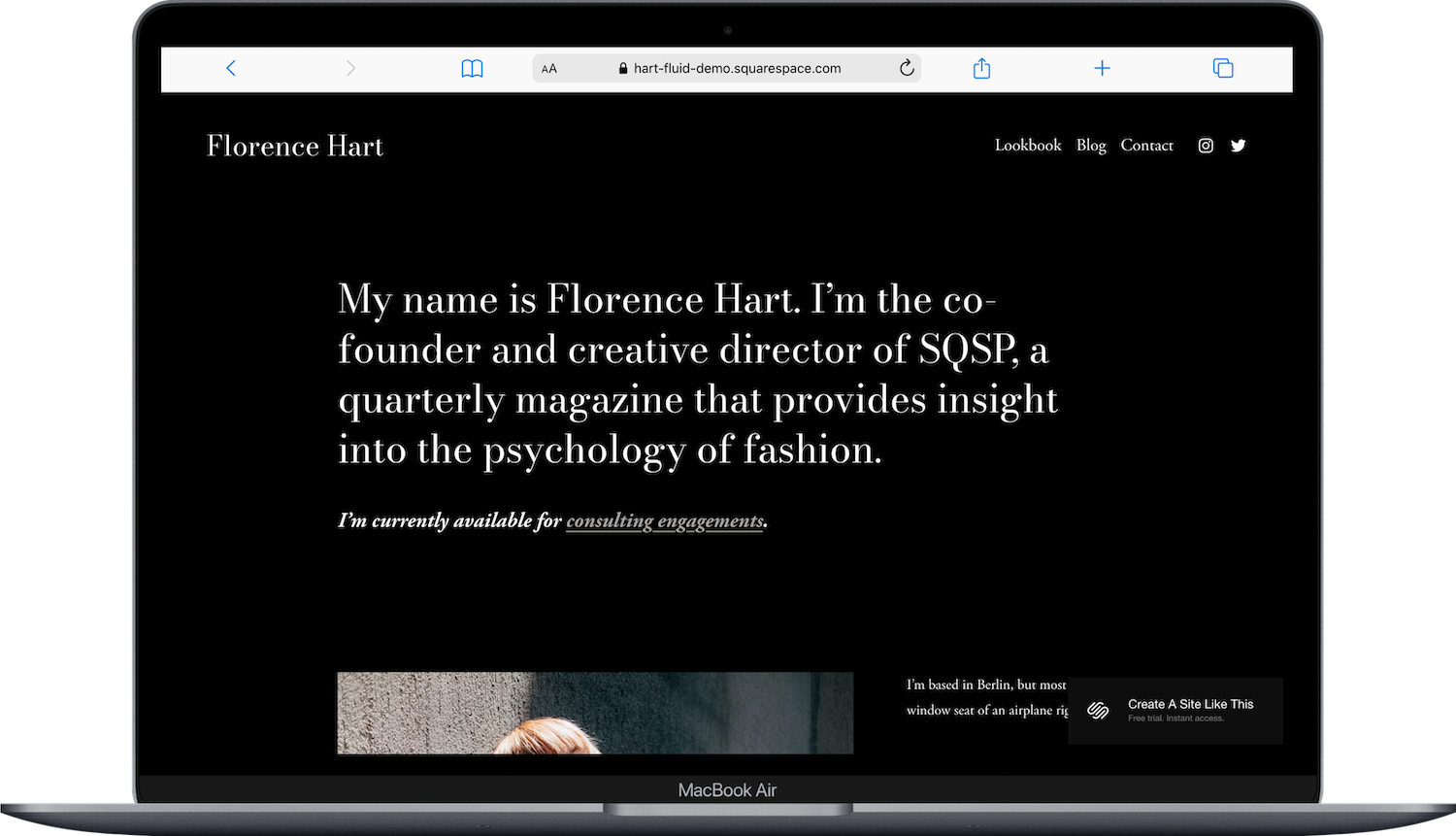
Hart is a portfolio template with a bold visual grid that works beautifully for video thumbnails. The template includes pages for Home, Lookbook, Blog and Contact.
Hart is ideal for brand filmmakers and fashion videographers whose work is highly visual and editorial. If your style is bold and your portfolio needs to make an immediate impression, Hart is a great template to start with.
4. Hawley Squarespace Template
Best for: Creative directors, video production companies, filmmakers offering multiple services
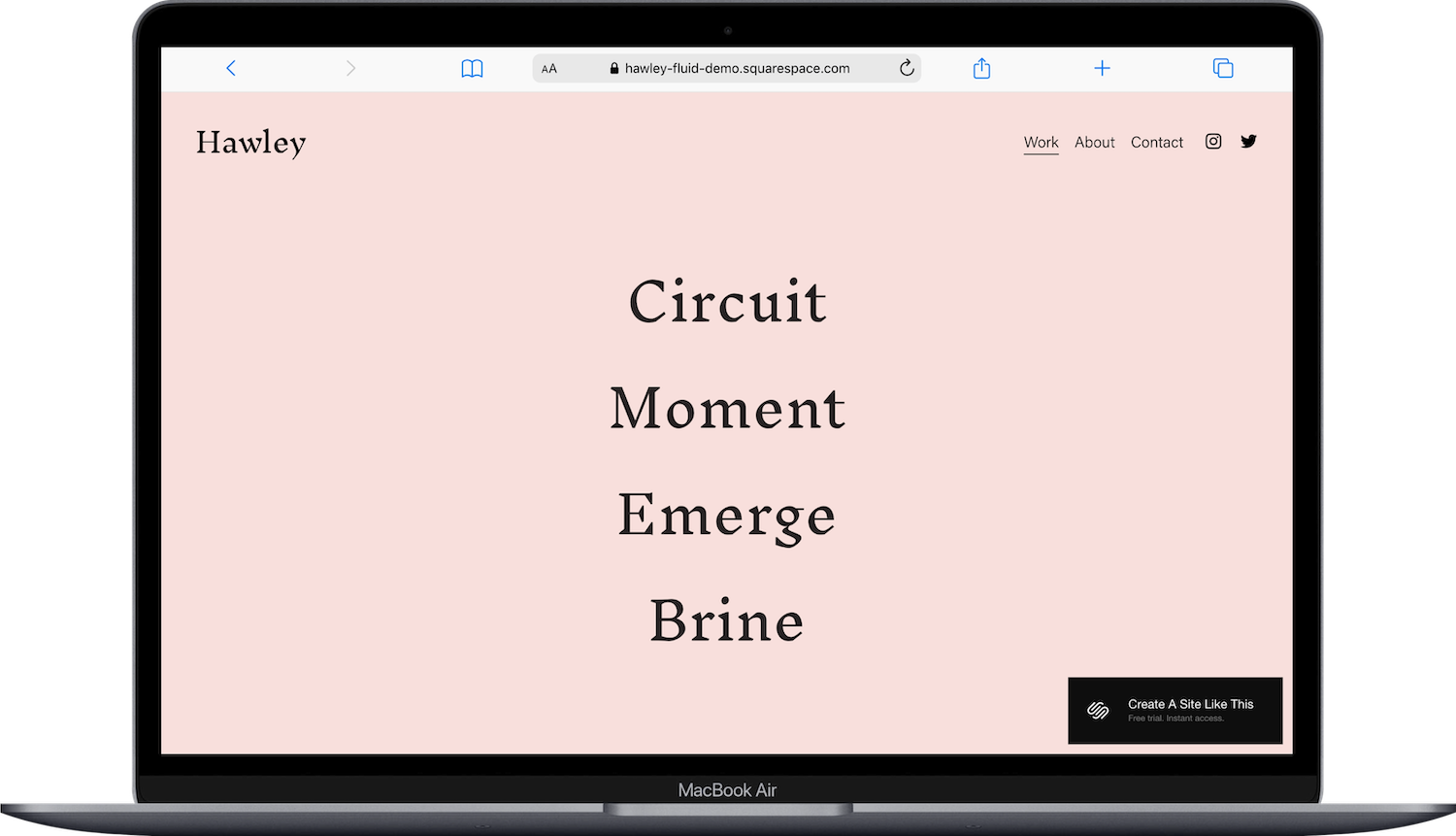
Hawley is a creative director template designed for professionals who want to showcase both their portfolio and their process. The template includes pages for Work, About, and Contact. The homepage features a large hero section with a video or image, followed by a project showcase displaying your best work. Each project page can include video embeds, project details, client testimonials, and behind-the-scenes content.
Hawley's structure works well for video production companies or freelance videographers who want to position themselves as full-service professionals. The design balances portfolio display with service explanations, which helps convert visitors into inquiries. If you're booking clients who need to understand your process and see your range of work, Hawley would be a great starting point for you.
5. Cimen Squarespace Template
Best for: Documentary filmmakers, cinematographers, videographers with a storytelling focus
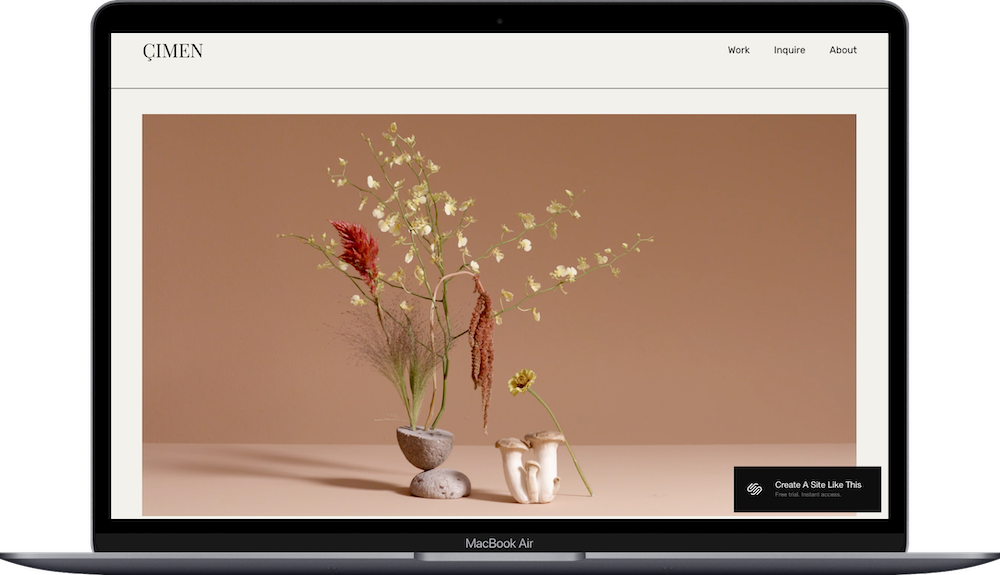
Cimen is a photographer portfolio template that works beautifully for videographers who want a clean, grid-based layout. The template includes pages for Work, Inquire adn About. The design is gorgeous and lets your work take up the full screen without distractions.
What makes Cimen work for videographers is the focus on visual storytelling. The template is organized and easy to navigate, which I think would be perfect for documentary filmmakers or cinematographers. If your work is story-driven and you want a site that feels curated and intentional, Cimen is a great template to start with.
6. Tepito Squarespace Template
Best for: Event videographers, music video directors, videographers with bold visual branding
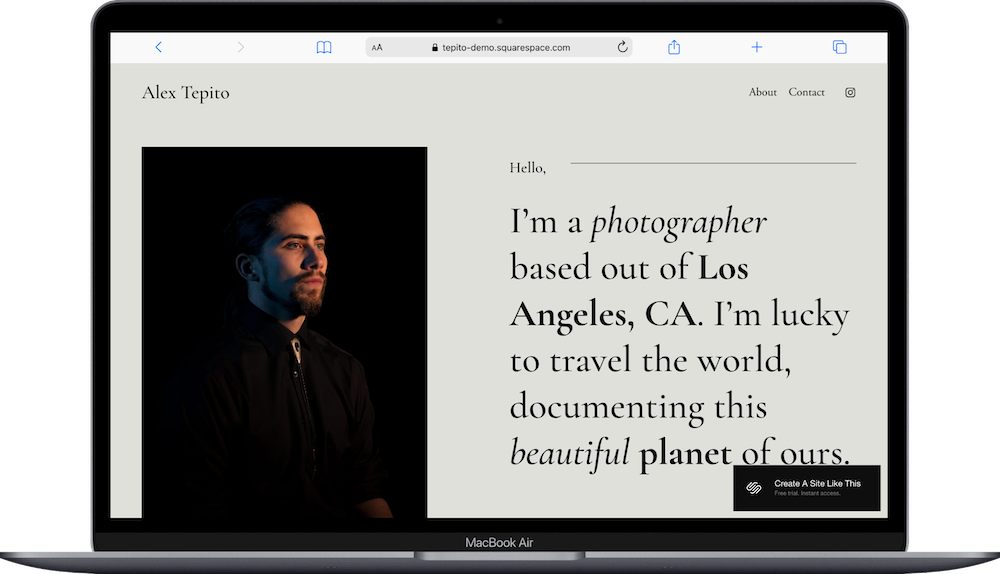
Tepito is a one-page photographer template with a bold, high-contrast design that works really well for videographers. The design is striking and modern, with strong typography and bold visuals.
Tepito's aesthetic works well for music video directors, event videographers, and anyone whose brand feels energetic and visual-first. The layout is designed to grab attention, which is exactly what you want if your work is high-energy or performance-based. If you want your portfolio to feel bold and confident, Tepito would be a great starting point for you.
7. Novo Squarespace Template
Best for: Minimalist videographers, filmmakers who want the work to speak for itself, cinematographers with a subtle brand
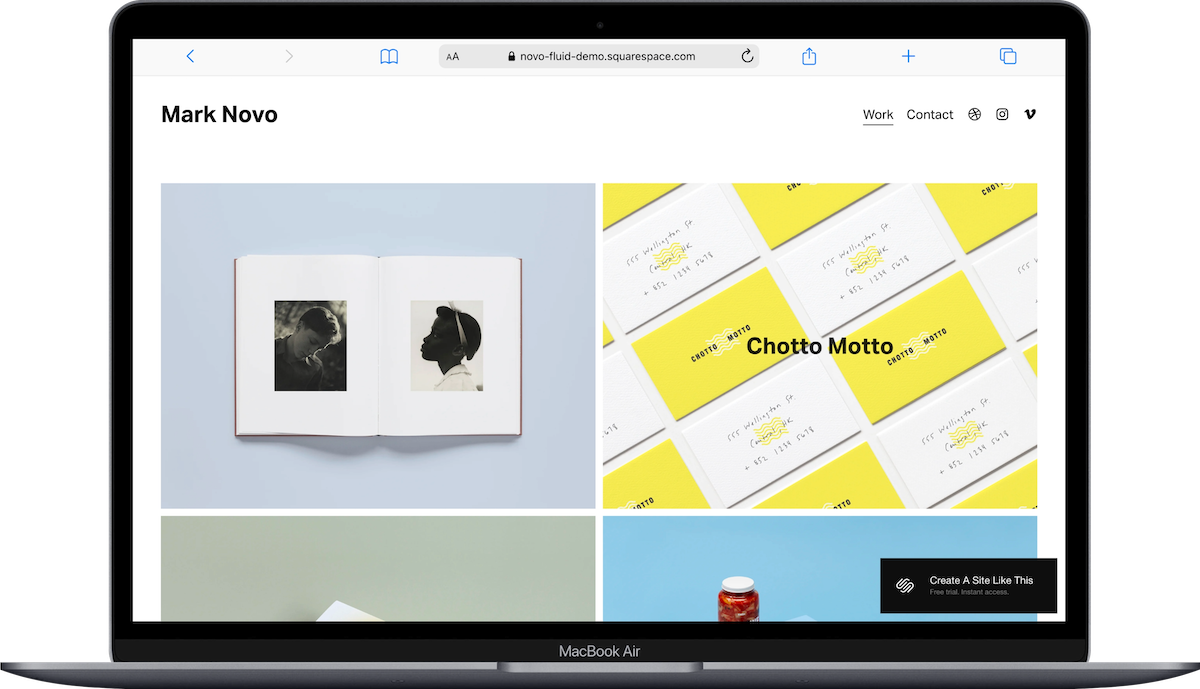
Novo is a minimal portfolio template designed to let your work be the focus. The template includes pages for Home, Work, and Contact. The homepage features a simple grid of project thumbnails with minimal text. Each project page can include embedded videos and project descriptions. The design is stripped down and clean, with lots of white space and no unnecessary elements.
What makes Novo work is the lack of distraction. If your footage is strong and you want a site that feels curated and understated, this template delivers. It's perfect for cinematographers or filmmakers who want their portfolio to feel refined and professional without flashy design elements competing for attention. If your style is minimal and your work is the statement, Novo is a fabulous template to start with.
How to Choose the Right Videographer Squarespace Template
Think about your work and what you want your site to do before picking a template. If you want a built-in video background on your homepage, Mycelium is literally built for that. If you're a wedding videographer who needs a polished portfolio structure, Mosley handles that beautifully. If your brand is bold and visual, Hart or Tepito work well. If you want something minimal that lets your footage speak, Novo is a great pick.
Remember, these templates are all starting points. You can customize colors, fonts, layouts, and page structures to match your brand. Pick the structure that's closest to what you want, then make it your own.
What About Premium Squarespace Templates?
If you want something more custom or distinctive than Squarespace's built-in options, third-party template shops are worth exploring. Squarespace's templates are solid starting points, but they're used by thousands of people. If brand differentiation matters to you, consider a premium template.
Some shops to check out:
Applet Studio has photographer and portfolio templates that work beautifully for videographers
Big Cat Creative offers templates with unique layouts and custom features
Kseniia Design creates elegant, design-forward templates
These shops typically charge a one-time fee (usually $150-$300) and you still use Squarespace to host and manage your site. You just start with a more distinctive design.
Tips for Setting Up Video on Your Squarespace Site
Once you've picked a template, here's how to actually get your videos onto your website.
Video Blocks are the easiest way to add video to any Squarespace page. You can upload a video directly (up to 30 minutes per file, within your plan's total storage limit) or paste a YouTube or Vimeo URL. If you're using YouTube, be aware that a "Watch on YouTube" button will appear on the video. If you don't want that branding, use an Embed Block instead with a YouTube embed code.
Background videos autoplay, loop, and are muted by default. They have a 60-second limit for uploaded videos. They also don't play on most mobile devices; Squarespace shows a fallback image instead. Only Mycelium includes a background video by default, but you can add one to any template's banner section.
Videos Pages are a portfolio-style layout designed specifically for video galleries. You can add them to any 7.1 site. They support YouTube, Vimeo, or direct uploads. They don't support embed codes, so if you're using Wistia or another service, you'll need to use a regular page with Embed Blocks instead.
Gallery Blocks can display multiple videos in a grid or carousel format. This works really well for portfolio pages where you want to show several projects at once.
If you're hosting videos on YouTube or Vimeo, make sure your privacy settings allow embedding. For Vimeo, you'll need a paid plan if you want to use videos as background video sources.
Frequently Asked Questions
Is Squarespace good for videographers?
Yes. Squarespace supports video embedding through Video Blocks, YouTube and Vimeo URLs, and direct uploads up to 30 minutes per video. The platform has strong visual templates, built-in SEO tools, and doesn't require coding. It's a solid middle-ground option between hiring a designer (expensive, you lose control) and using a more technical platform like WordPress (steeper learning curve). If you want a professional-looking site you can manage yourself, Squarespace works well for videographers.
Does Squarespace have video portfolio templates?
Squarespace doesn't have templates specifically labeled "for videographers," but several templates are designed for visual portfolios and work really well for showcasing video projects. Mycelium, Mosley, Hart, and Cimen all have portfolio structures with project pages that can include embedded videos, project details, and galleries. You can also use Videos Pages (available on all 7.1 sites) to create a dedicated video portfolio.
Can you embed videos on a Squarespace website?
Yes. You can embed videos using Video Blocks (supports YouTube, Vimeo, or direct uploads), Embed Blocks (supports any service that uses oEmbed or custom embed codes like Wistia), or Videos Pages (supports YouTube, Vimeo, or direct uploads but not embed codes). Direct uploads to Squarespace are limited to 30 minutes per file, within your plan's total video storage (30 minutes on Basic, 5 hours on Core, 50 hours on Plus, unlimited on Advanced). Background videos have a 60-second upload limit and don't play on mobile devices.
What is the best Squarespace template for a video portfolio?
Mycelium is the strongest pick because it's the only Squarespace template with a video background built in by default, and it's designed around visual storytelling. Mosley is another great option if you want a clean portfolio structure with project categorization. Hart works well if your style is bold and visual. The best template depends on your specific needs ; video background, grid layout, or minimal design.
How do I add a video background to my Squarespace site?
To add a video background, edit the banner section of any page, click the background, and select "Video" as the background type. You can upload a video (60-second limit) or use a YouTube or Vimeo URL. Background videos autoplay, loop, and are muted. They don't play on most mobile devices; Squarespace shows a fallback image instead. If you're using Vimeo, you'll need a paid Vimeo plan for background video functionality.
Can I upload videos directly to Squarespace?
Yes. You can upload videos directly to Squarespace using Video Blocks or Videos Pages. Uploads are limited to 30 minutes per file, within your plan's total video storage allowance. Squarespace stores the video on their servers.If your videos are longer than 30 minutes, you'll need to host them on YouTube or Vimeo and embed the URL instead.

