Best Squarespace Templates for Illustrators
This post contains affiliate links. If you purchase through them, I may receive a small commission at no extra cost to you.
Table of Contents Show
What is the best Squarespace template for illustrators?
Quick Answer: The best Squarespace templates for illustrators are Toledo (one-page minimalist portfolio), Spotted (watercolor/art shop focus), Sawyer (multi-project portfolio), Montclaire (art gallery layout), and Kester (portfolio with integrated shop). All templates are free with any Squarespace plan starting at $16/month and support ecommerce.
If you're an illustrator looking for a Squarespace template, you've probably noticed that most "best templates for artists" lists lump you in with photographers, painters, and gallery owners. Which is annoying, because illustrators need something different. Illustrators generally need portfolio layouts that can show project-based work AND process shots. You need shop integration for prints, stickers, and zines. You need a way to showcase both client work and personal projects without everything feeling jumbled.
So I went through Squarespace's entire template library to find the free templates that actually work for illustrators. These templates have the features you're looking for: clean portfolio displays, integrated shops for selling prints, space for process work, and flexible layouts that work whether you're doing editorial illustration, children's books, brand work, or personal art.
KEY FACTS:
All Squarespace plans now include ecommerce capability (Basic $16/mo, Core $23/mo, Plus $39/mo, Advanced $99/mo ; billed annually)
All templates are free with any plan and built on Squarespace 7.1
Portfolio pages, gallery sections, and image blocks are the three main ways to display illustration work in Squarespace
Toledo is specifically positioned by Squarespace for illustrators and features a one-page minimalist layout
You can customize any template's colors, fonts, and layout to match your illustration style
Third-party template shops like Applet Studio and Big Cat Creative offer more distinctive starting points if you want something less common
What Illustrators Typically Need in a Website Template
Before we get into specific templates, here's what matters for an illustration portfolio website:
Project-based portfolio display. You're not just showing individual images like a photographer. You're showing projects ; book illustrations, editorial work, branding packages, personal series. You need templates that let you group work by project with room for context and process shots.
Shop integration that doesn't look tacked on. If you sell prints, stickers, or zines, the shop needs to feel like part of the site, not an afterthought. Templates with built-in product displays work better than trying to retrofit a pure portfolio template.
Space for both client work and personal projects. You need a way to separate commissioned work from passion projects without making visitors dig through multiple confusing pages.
Clean image display. Your illustrations need to be the focus. Templates with heavy design elements or busy layouts fight with your work instead of showcasing it.
Room to talk about your process. Whether it's a blog, an about page with space for storytelling, or project descriptions, illustrators often need more words than a pure visual artist portfolio.
Now let's look at the templates that handle these things well.
1. Toledo Squarespace Template
Best for: Toledo is best for illustrators who want a clean one-page portfolio, freelance illustrators just starting out, illustrators focused on landing clients rather than selling products
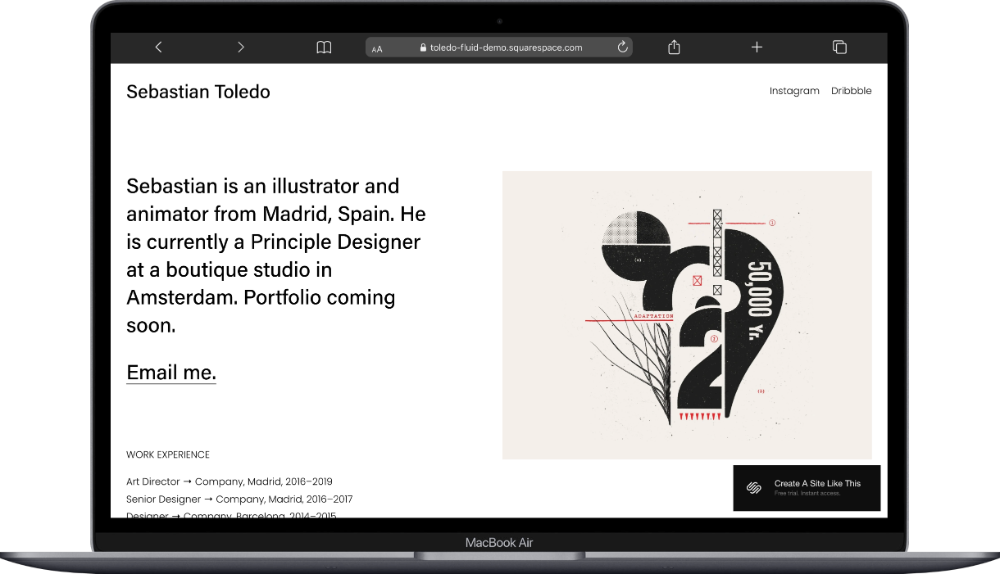
Toledo is Squarespace's go-to recommendation for illustrators. This is a one-page template with a minimalist design that keeps the focus on your work. The template includes sections for Portfolio, About, and Contact all on a single scrolling page. The homepage displays your work in a clean grid format with hover effects. The bio section is concise and positioned to introduce you without taking over the page. There's a contact form at the bottom for commission inquiries.
I think what makes Toledo work for illustrators is the simplicity. Your illustrations are front and center. The one-page structure keeps things focused, which works well when you're just establishing your online presence or when you have a tighter portfolio of client work. If you're a freelance illustrator who wants a clean digital portfolio that sends people to your work and contact form without extra pages to maintain, Toledo would be a great starting point for you.
2. Spotted Squarespace Template
Best for: Spotted is best for illustrators selling prints and products, watercolor artists, children's book illustrators, illustrators who want to monetize through a shop
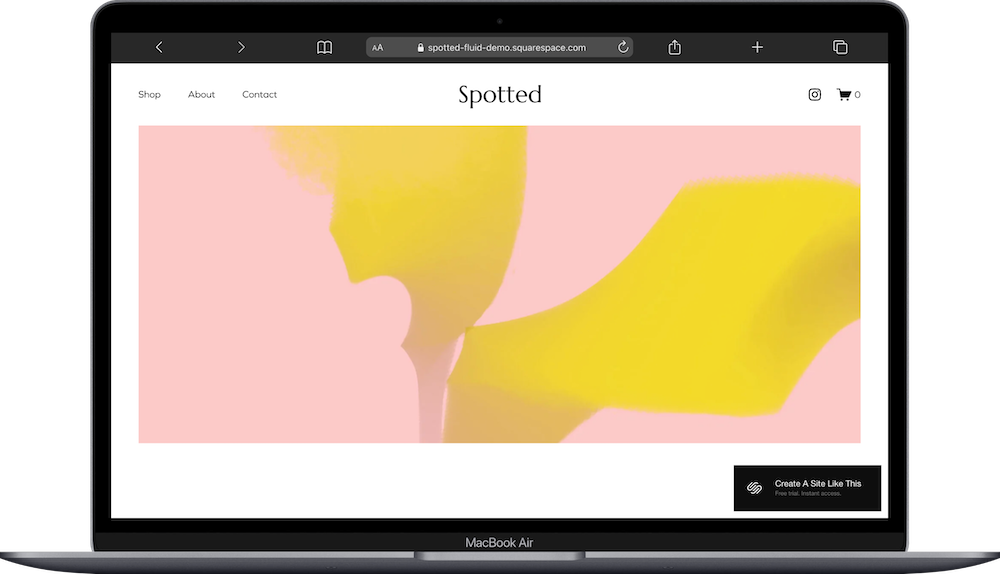
Spotted was literally designed for illustrators and artists who sell their work. The template includes pages for Shop, About, and Contact. The homepage features a hero section showcasing featured artwork, a curated product grid displaying prints or products, and a portfolio section highlighting your best illustration work. The Shop page displays products with clean imagery and detailed descriptions, and the portfolio section lets you organize work into projects or series.
Spotted's design has a softer, more organic feel than most Squarespace templates, which works well for watercolor illustration, children's books, editorial illustration, or any work with a hand-drawn quality. The product display is integrated naturally into the site rather than feeling like a separate store. If you're an illustrator who wants to sell prints, stickers, or original artwork alongside showcasing portfolio work, Spotted is a fabulous template to start with.
3. Sawyer Squarespace Template
Best for: Sawyer is best for illustrators with multiple project types, editorial illustrators, illustrators who work across different styles or clients, those who want to show detailed project pages
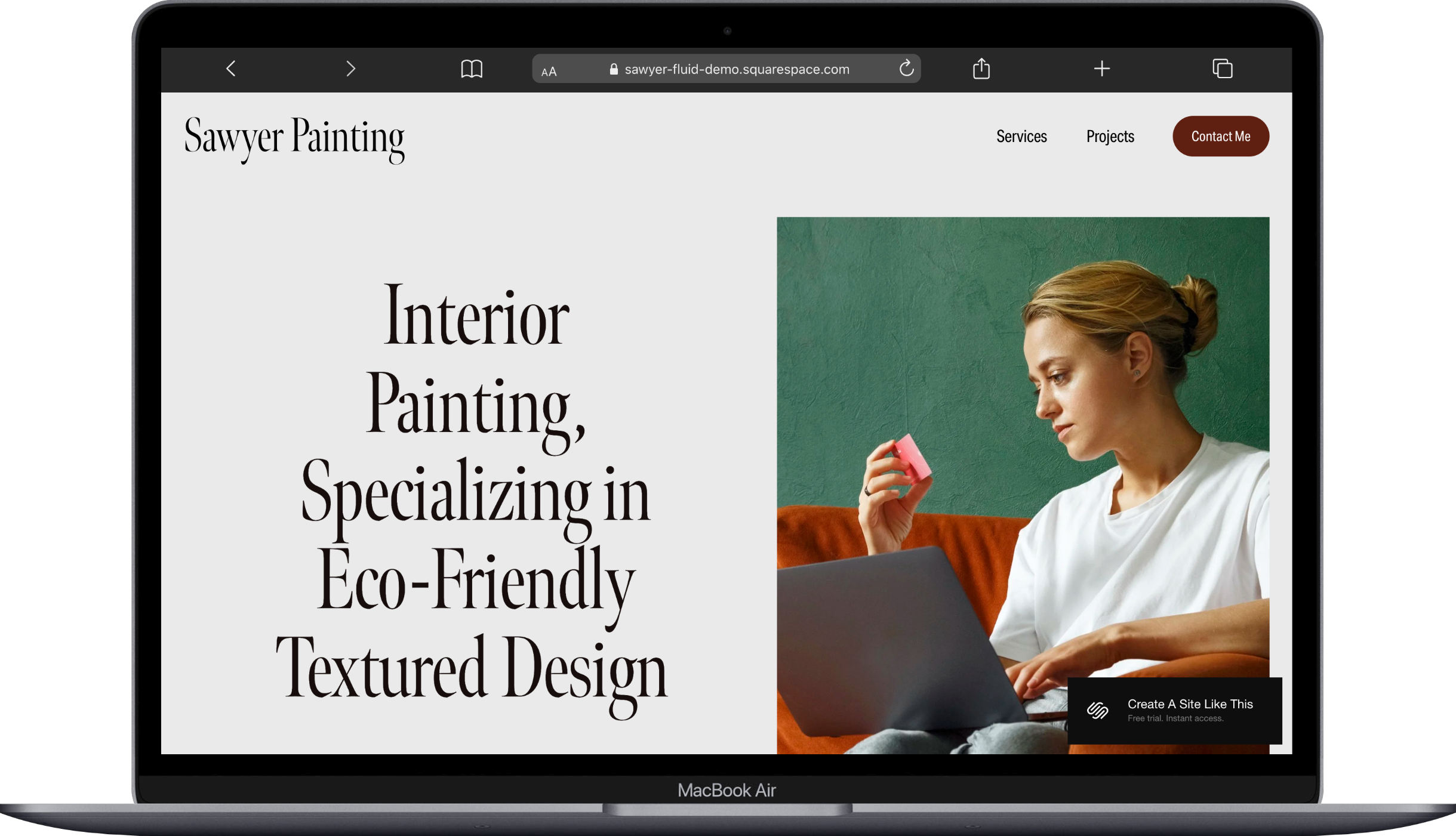
Sawyer is a multi-page portfolio template built for showing project-based work in detail. The template includes pages for Home, Services, Projects, and a Contact Me button. The homepage displays a grid of portfolio projects with large preview images. Each portfolio item links to a dedicated project page where you can show multiple images, add context about the client or concept, and include process work or sketches. And the About page has room for storytelling and explaining your approach. Plus there's a newsletter signup to notify followers of new work or shop updates.
What makes Sawyer strong for illustrators is the project page structure; you're not limited to showing one image per project. You can build out full case studies showing final illustrations, process sketches, color studies, and client context. This’ll work well for editorial illustrators, brand illustrators, or anyone who wants to show the thinking and development behind their work. If you work across different types of illustration projects and want space to present each one with depth, Sawyer would be a great starting point for you.
4. Montclaire Squarespace Template
Best for: Montclaire is best for illustrators with a gallery or exhibition history, fine art illustrators, illustrators who want an upscale portfolio feel
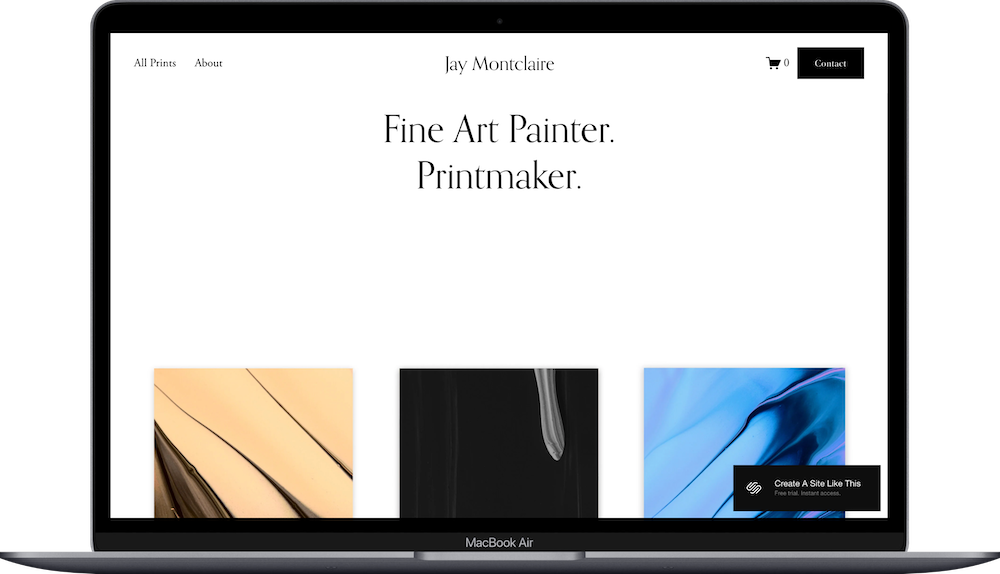
Montclaire has an art gallery aesthetic with a clean, high-end design. The template includes pages for Portfolio, About, Shop, and Contact. The homepage features large-scale imagery with minimal text, a portfolio section organized into series or projects, and an optional shop section for selling prints or originals. The portfolio layout uses full-width images that give your work breathing room. The About page has space for your artist statement, exhibition history, or creative process.
Montclaire's gallery-style layout works well for illustrators whose work leans more toward fine art or who exhibit in galleries. The design feels polished and professional without being overly minimal. The shop integration works for selling limited prints or original pieces. If you're an illustrator who wants your website to feel like a curated gallery space, Montclaire is a fabulous template to start with.
5. Kester Squarespace Template
Best for: Illustrators selling prints and products, illustrators who blog about their process, illustrators building a fan community
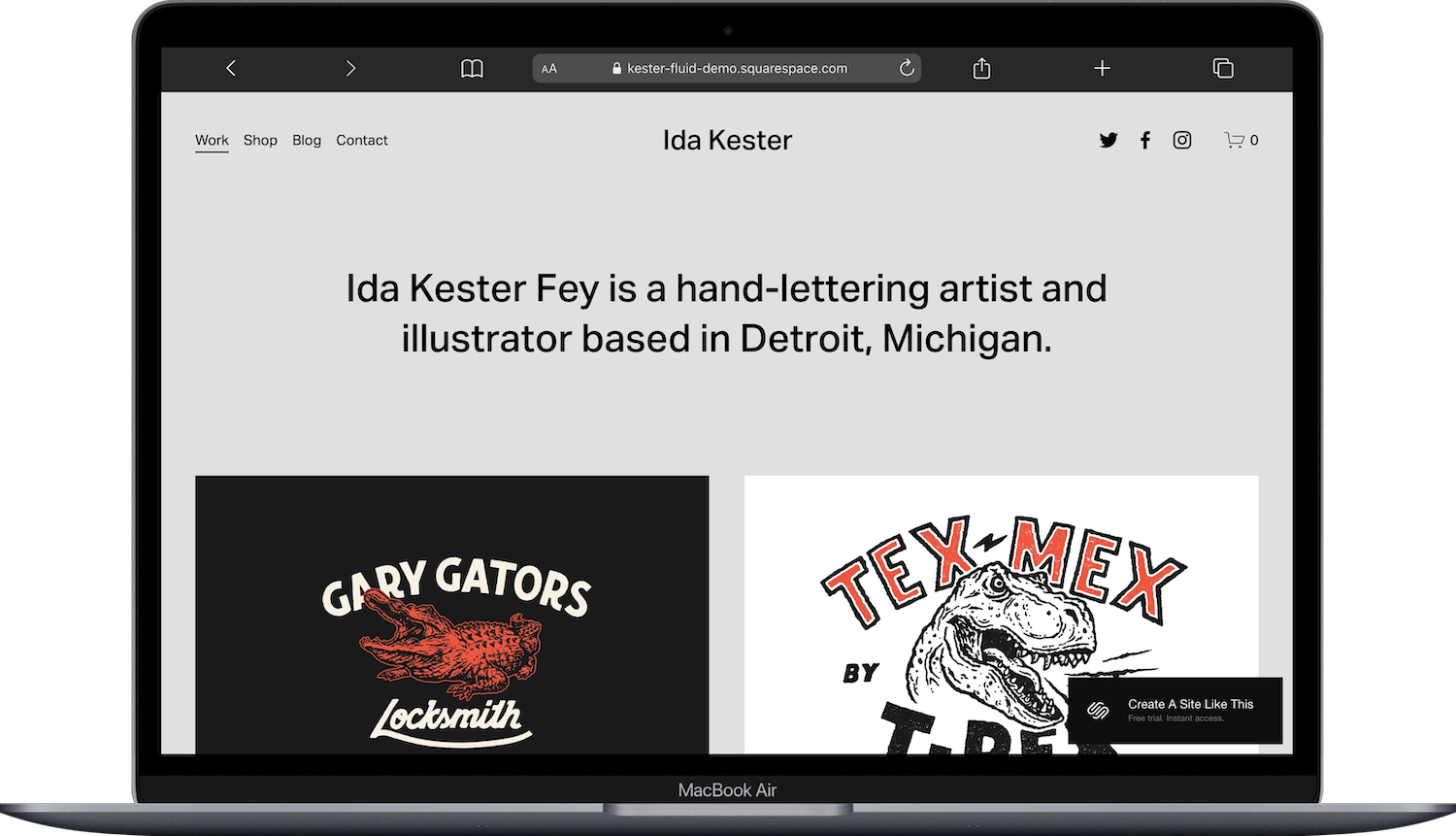
Kester is designed for artists who want to showcase portfolio work, sell products, and share their creative process. The template includes pages for Portfolio, Shop, Blog, and Contact. The homepage displays featured artwork, a grid of shop products, and recent blog posts. The portfolio section lets you organize work into categories or series. The shop displays products with clean imagery and pricing. The blog is so you can share process posts, studio updates, or behind-the-scenes content.
What makes Kester work well for illustrators, IMO, is the balance between portfolio, shop, and storytelling. You're not just showing work; you're building a relationship with people who follow your art. The blog feature is particularly useful for illustrators who want to share sketchbook pages, work-in-progress shots, or thoughts about their creative practice. If you're an illustrator who wants to sell prints AND share your creative journey with your audience, Kester would be a great starting point for you.
6. Novo Squarespace Template
Best for: Novo is best for illustrators with a bold, modern style, digital illustrators, illustrators doing tech or product illustration
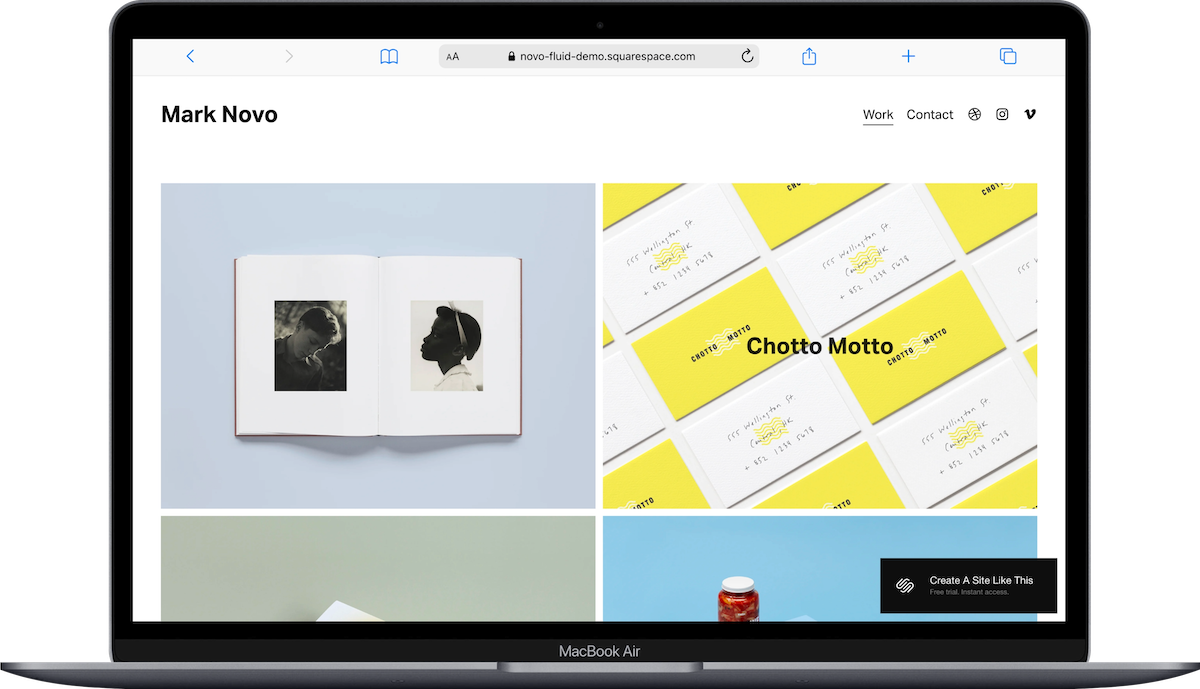
Novo is a modern, simple, portfolio template with edge-to-edge imagery and hover effects. The template includes pages for Portfolio and Contact. The homepage features a full-screen image slider showcasing your best work, a portfolio grid with large previews, and a simple contact section. Portfolio items open in a lightbox or link to project pages where you can show multiple images and add project details. The design is clean and contemporary.
Novo's modern aesthetic works well for digital illustration, product illustration, tech illustration, or any work with a clean, graphic style. The edge-to-edge image display gives your work maximum visual impact. If you're an illustrator whose work has a bold, modern style, Novo would be a great starting point for you.
How to Choose the Right Illustrator Squarespace Template
Think about what you need before picking a template. If you're just starting out and want something simple, Toledo keeps it clean and focused. If you sell prints and products, Spotted or Kester handle shop integration well. If you work on client projects and want to show detailed case studies, Sawyer gives you room for that. If you want a gallery feel, Montclaire looks polished and professional. If your work is bold and modern, Novo matches that aesthetic.
Remember, these templates are starting points. You can customize colors, fonts, images, and layouts to match your illustration style. Pick the structure that's closest to what you want, then make it your own.
If you're looking for something more distinctive than Squarespace's built-in templates, third-party template shops like Applet Studio, Big Cat Creative, and Kseniia Design create premium templates specifically designed for creative portfolios. They're less common than Squarespace's free templates, which means your site won't look like everyone else's.
Frequently Asked Questions
Is Squarespace good for illustrators?
Yes. Squarespace works well for illustrators because it handles portfolio display, ecommerce for selling prints, and blog features in one platform. The templates are designed to showcase visual work without requiring coding. All plans now include ecommerce capability, so you can start with a basic portfolio and add a shop later without switching platforms.
Can I sell my art directly through a Squarespace illustrator template?
Yes. All Squarespace templates now support ecommerce features, even on the Basic plan ($16/month). You can sell prints, original artwork, digital downloads, or physical products like stickers and zines. Templates like Spotted and Kester have built-in shop sections that integrate naturally with the portfolio layout.
What should an illustrator look for in a Squarespace template?
Look for templates with clean portfolio displays, flexible project layouts, and integrated shop features if you plan to sell work. Templates that support portfolio pages (like Sawyer) let you create detailed project pages showing multiple images and context. If you want to blog about your process, pick a template with a blog feature like Kester.
Can I customize the template to match my illustration style?
Yes. Every Squarespace template lets you customize colors, fonts, spacing, and layout. You can upload custom fonts (including commercial fonts you've purchased), adjust color palettes to match your illustration work, and rearrange page sections using the drag-and-drop editor. The structure of the template stays the same, but the visual design is fully customizable.
What type of layout works best for an illustration portfolio?
Project-based layouts work better than random image grids. Templates that let you group illustrations into projects or series (like Sawyer or Montclaire) give you room to show context, process work, and final illustrations together. This helps potential clients understand your approach and see the range of work within each project.
Do I need a different Squarespace plan to add ecommerce later?
No. All Squarespace plans now include ecommerce capability, so you can start with a portfolio on the Basic plan ($16/month) and add a shop later without upgrading. The main difference between plans is transaction fees (Basic has a 2% fee, Core has 0%).

