6 Best Squarespace Templates for Musicians & Bands (2026)
This post contains affiliate links. If you purchase through them, I may receive a small commission at no extra cost to you.
Table of Contents Show
If you're a musician and you’re looking for a website, Squarespace is a great platform to choose. They have tons templates, it’s pretty easy to get started, and updating and editing your own site doesn’t take a huge learning curve.
But with almost 200 website templates to choose from, it’d be annoying to have to search through EVERYTHING looking for the best fit.
So I did the heavy lifting for you.
I combed through Squarespace's entire template library to find the five website templates that work best specifically for musicians, bands, DJs, and producers.
These templates have things that most musician and band websites are looking for:
Tour date displays
Merch integration
Music streaming links
Bold visual design
And all these templates are free with any Squarespace subscription and built on Squarespace 7.1.


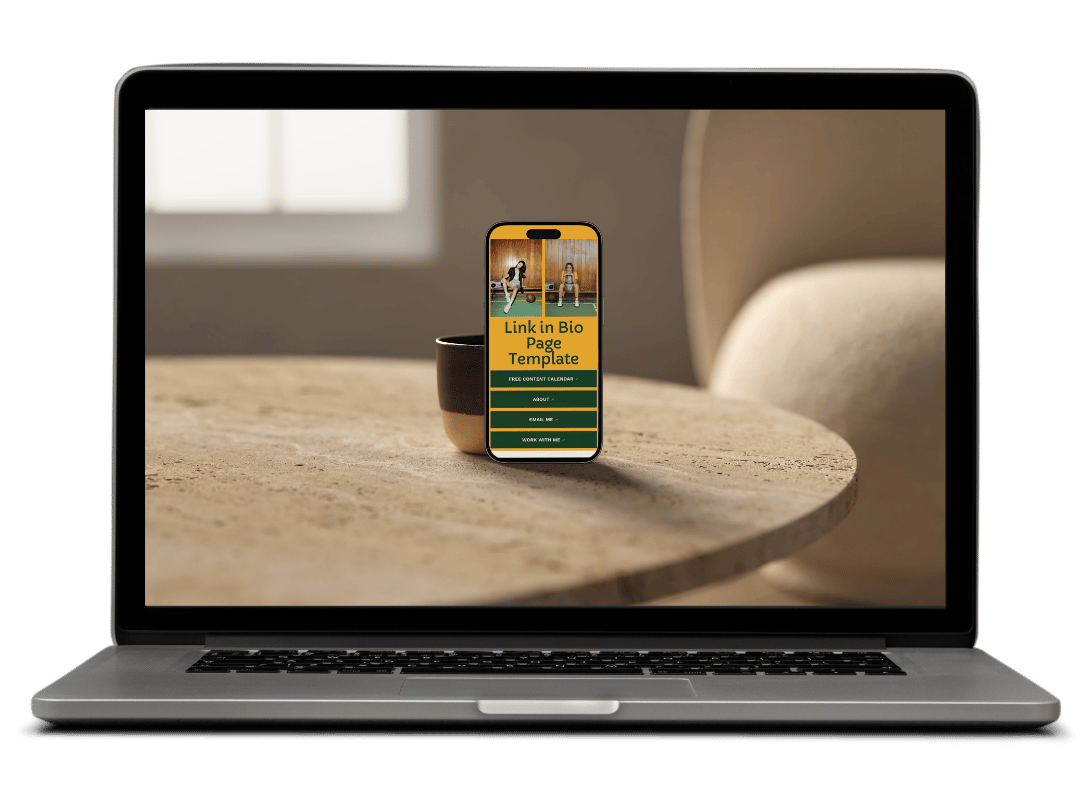



1. Vandam Squarespace Template
Best for: Bands with active touring schedules, established acts with press coverage, musicians selling physical merch
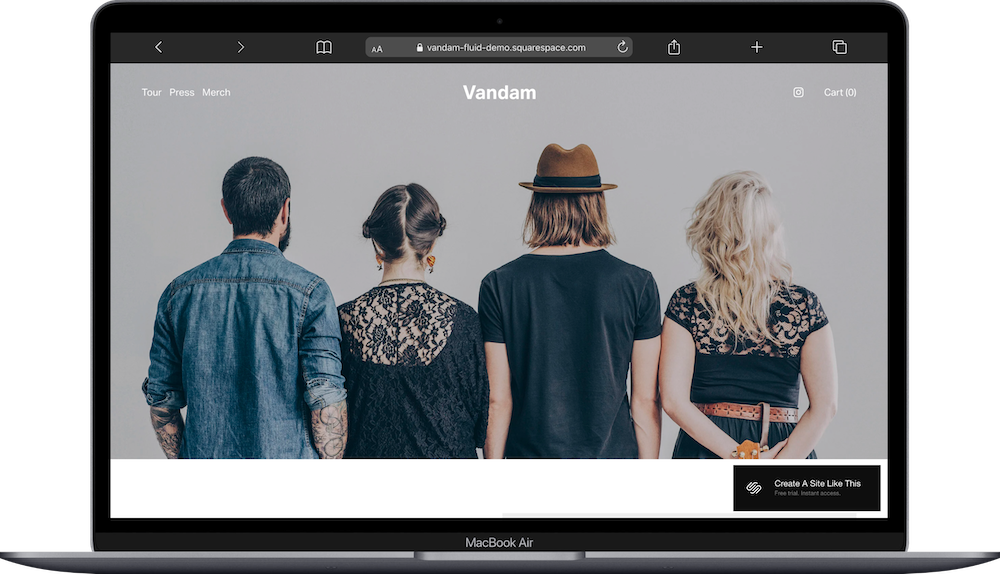
Vandam is designed for bands that tour regularly and are selling merch. The template includes pages for Tour, Press, and Merch, plus a cart for e-commerce.
The homepage features a large hero image with space for album announcements, upcoming tour dates with venue and time, and a merch section showing your products. The Press page is set up to showcase media coverage, interviews, and features.
Vandam prioritizes tour dates and merch. If you're touring and want fans to buy tickets and grab your vinyl or t-shirts in the same visit, this template is a great starting point.
2. Kitui Squarespace Template
Best for: Solo artists and bands with a strong visual identity, musicians releasing albums regularly, acts focused on touring and merch sales

Kitui is a musician Squarespace template that has a bold, dark aesthetic. The template includes pages for Tour, Store, and Contact.
The homepage prominently features album artwork and release announcements with a direct link to purchase. Tour dates are displayed with venue info and ticket links. The merch section shows products in a grid format that works well for selling albums, vinyl, posters, and clothing.
Kitui's design feels modern and moody, which works well for indie, alternative, electronic, or hip-hop artists. The newsletter signup at the bottom helps you build your email list for future releases.
3. Jasonwild Squarespace Template
Best for: Artists building a fan club or membership community, musicians with multiple revenue streams, solo artists who want to offer exclusive content
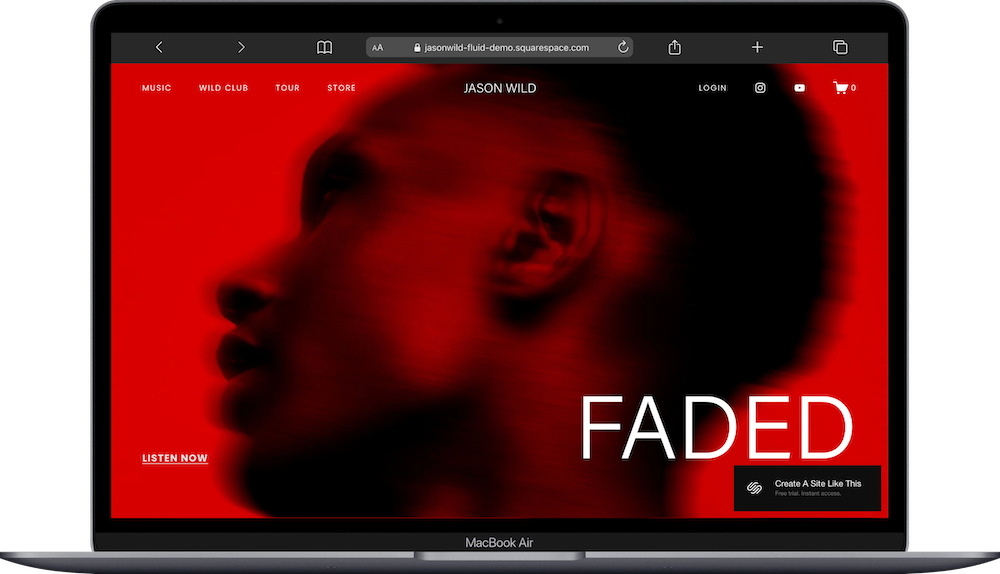
Jasonwild is a Squarespace template set up for solo musicians; especially those who want to monetize through memberships and exclusive content. The template includes pages for Music, Wild Club (membership area), Tour, Store, and a Login page.
The homepage promotes your latest single with a "Listen Now" button, displays upcoming tour dates, and highlights the membership club. The membership section explains exclusive benefits like early access to new tracks, special edition merch, video series, and show discounts.
If you're building a direct relationship with superfans AND want to offer tiered membership options or exclusive content drops, Jasonwild would be a great starting point for you. The Login button in the navigation makes it easy for members to access their content.
4. Waverly Squarespace Template
Best for: DJs and music producers, electronic artists, performers focused on live sets and club gigs
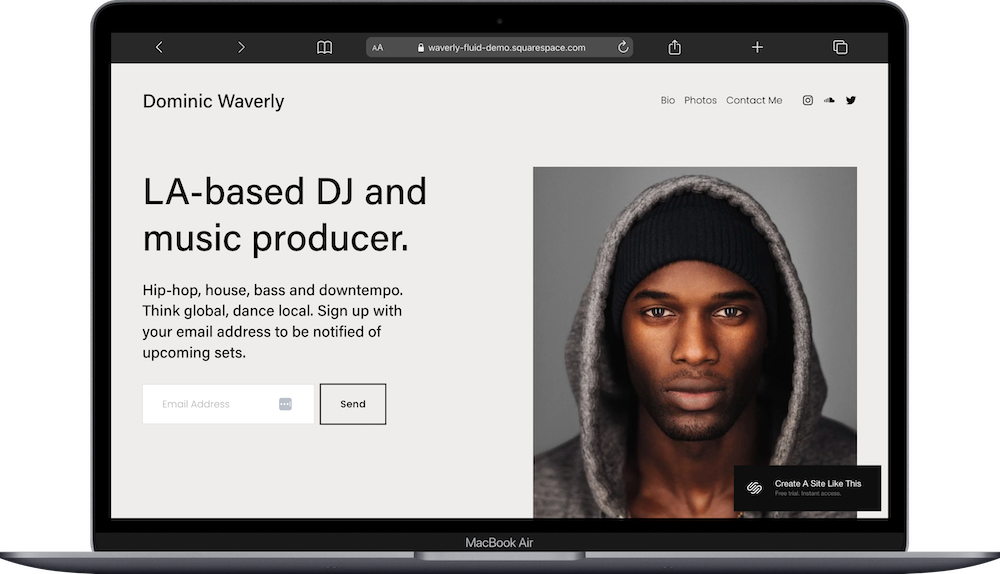
Waverly is popular Squarespace template designed for DJs and producers who want a portfolio-style site. The template includes pages for Bio, Photos, and Contact Me.
The homepage features a hero section with your photo and tagline, a brief bio with a link to read more, and a tour date list. The Photos page works well for showcasing performance shots, studio sessions, or press photos. There's a newsletter signup to notify fans of upcoming sets.
Waverly has a fairly minimalist design that keeps the focus on your music and upcoming shows. If you're a DJ or producer who plays clubs and festivals and wants a simple site that directs people to your music and tour schedule, this template would be a great starting point for you.
5. Cruz Squarespace Template
Best for: Singer-songwriters, solo artists focused on storytelling, musicians who want to showcase their discography and creative journey

Cruz is a Squarespace website template designed for singer-songwriters who want to tell their story alongside their music. The template includes pages for About, Gallery, Music, Blog, and Contact.
The homepage features a large hero image with your photo, a brief artist statement, and a "Listen Now" call-to-action for your latest album. There's space for personal storytelling, upcoming show dates with ticket links, and a discography section that displays your full catalog with album artwork and descriptions.
What makes Cruz work well is the balance between visual storytelling and music promotion. The Gallery page works for performance photos or album artwork. The Blog gives you space to share stories about your songwriting process, tour experiences, or creative influences. If you're a solo artist whose personal story and creative journey are a strong part of your music, Cruz is a fabulous template to start with.
6. Sidney Squarespace Template
Best for: Musicians announcing upcoming releases, artists who want a simple landing page, solo artists with minimal needs
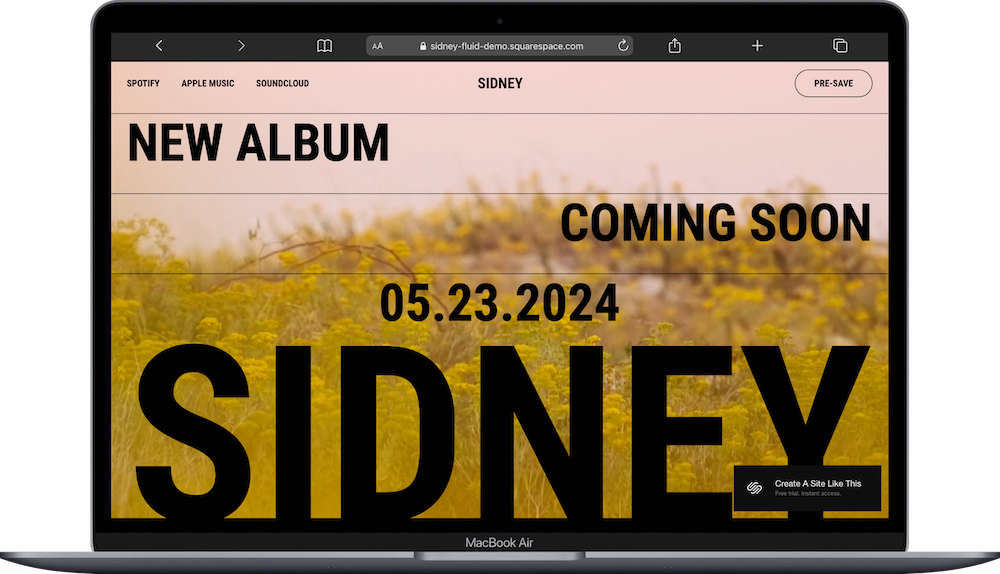
Sidney is a one-page Squarespace musician template built for simplicity. Everything lives on a single scrolling page with music streaming links (Spotify, Apple Music, SoundCloud) in the navigation and a "Pre-save" button.
The homepage displays your album artwork, release announcement, and date. The design is ultra-minimal with large text and focused messaging. If you're announcing a new album or single and want a clean landing page that sends people directly to streaming platforms or a pre-save link, Sidney keeps it easy to both set up and to manage ongoing.
This template works well if you don't need tour dates, merch, or multiple pages. It's a digital poster for your release that looks professional and gets people to your music.
How to Choose the Right Musician Squarespace Template
Think about who your are and what you want on your website before picking a template.
If you're a band that tours and sells merch, something like Vandam or Kitui handles both well.
If you're a DJ playing club gigs, Waverly was literally made for you.
If you're building a fan club with exclusive content, Jasonwild has membership features built in.
If you're a singer-songwriter, Cruz is a perfect template to start with.
And if you just need a simple one-page starting point, Sydney is the way to go.
Remember, these templates are all starting points. You can customize colors, fonts, images, and layouts to match your sound and style. Pick the structure that's closest to what you want, then make it your own.
Here’s How to Get Started With Your Band/Musician Template
Here's how to get started and go live when you choose any of these templates:
Sign up for Squarespace if you haven't already (free 14-day trial, no credit card required)
Select your template when you create your site
Replace the demo content (images, copy) with your own music, photos, tour dates, and merch
Customize colors and fonts in Site Styles to match your brand
Upload your favicon (browser image) and social share image
Connect your music streaming platforms (Spotify, Apple Music, SoundCloud, Bandcamp)
Set up your merch store and connect to a payment processor if selling products
Add tour dates with venue info and ticket links
Test everything on mobile
Go live by connecting your domain and choosing your Squarespace plan
Musician & Band Squarespace Website Template FAQs
What is the best Squarespace template for musicians?
It depends on what you're doing. Vandam and Kitui work well for touring musicians who sell merch. Jasonwild is ideal if you're building a fan club with exclusive content. Waverly suits DJs and producers who need a clean portfolio site. Sidney works for simple album announcements.
What is the best Squarespace template for bands?
Vandam is a great choice for bands because it includes dedicated pages for Tour, Press, and Merch. It’s also probably the most popular. The Press page helps you showcase media coverage and build credibility, while the tour and merch sections handle selling tickets and products.
Which Squarespace template is best for DJs?
Waverly is designed for DJs and music producers. It includes pages for Bio, Photos, and Contact, with a clean layout that focuses on upcoming sets and tour dates.
What Squarespace template is best for selling band merch?
Vandam and Kitui both feature merch sections on the homepage with product grids. If selling physical music and merch is a priority, these templates make it easy for fans to browse and buy from your site.
Can I sell music and merch directly from my Squarespace band site?
Yes. All these templates support e-commerce features, so you can sell physical products like vinyl, CDs, posters, and clothing, along with digital downloads. You can connect to a payment processor (Stripe or PayPal) and set up your products in the Store section.
Can I add tour dates and sell tickets on Squarespace?
Yes. You can add tour dates with venue information and link to external ticket sellers (like Eventbrite or Ticketmaster). Squarespace also has event features where you can sell tickets directly through your site if you want to handle ticketing yourself.
How do I add my music to my Squarespace site?
You can embed players from Spotify, Apple Music, SoundCloud, Bandcamp, or YouTube directly into your pages. Squarespace has built-in audio blocks and embed blocks that make this simple. You can also link to streaming platforms in your navigation or add "Listen Now" buttons.
Can I build a fan club or membership area for exclusive content?
Yes. Jasonwild includes a membership/login page built in, and all Squarespace sites can use Member Areas to gate content. You can offer exclusive music, early ticket access, special merch, or behind-the-scenes content to paying members or email subscribers.
Are these squarespace musician templates good for electronic music producers?
Kitui will work well for electronic artists because of its modern, dark aesthetic. Waverly is also a great choice for electronic producers who perform live sets. Both templates integrate with streaming platforms and support tour date displays.
Which squarespace template should I use if I'm just releasing a single album?
Sidney is definitely the simplest option for a single release. It's a one-page template with streaming links and a pre-save button that sends people directly to your music.
Can I connect my Spotify, Apple Music, and SoundCloud to my squarespace site?
Yes. All these templates let you add links to streaming platforms in the navigation, footer, or anywhere on your pages. You can also embed players directly into your site so visitors can listen without leaving.
Can I add a blog to share tour updates and behind-the-scenes content?
Absolutely. Cruz includes a blog built in, and you can add a blog to any other Squarespace template. This works well for tour diaries, behind-the-scenes content, album announcements, or stories about your creative process. Blogging also helps with SEO if you're trying to get discovered through search.
What should I look for in a Squarespace template for musicians?
Look for templates that support tour date displays, merch sales through e-commerce, music streaming embeds, and newsletter signups. Visual design matters too; you’ll probably want to pick something that matches your genre and brand aesthetic.
Can I switch templates later if I change my mind?
On Squarespace 7.1, all templates share the same underlying structure, so you don't technically switch templates. Instead, you redesign within the same framework by changing Site Styles and layouts. This gives you flexibility without losing your content.
Click any of these websites to demo: