Suffolk Squarespace Template Review
This post contains affiliate links. If you purchase through them, I may receive a small commission at no extra cost to you.
Table of Contents Show
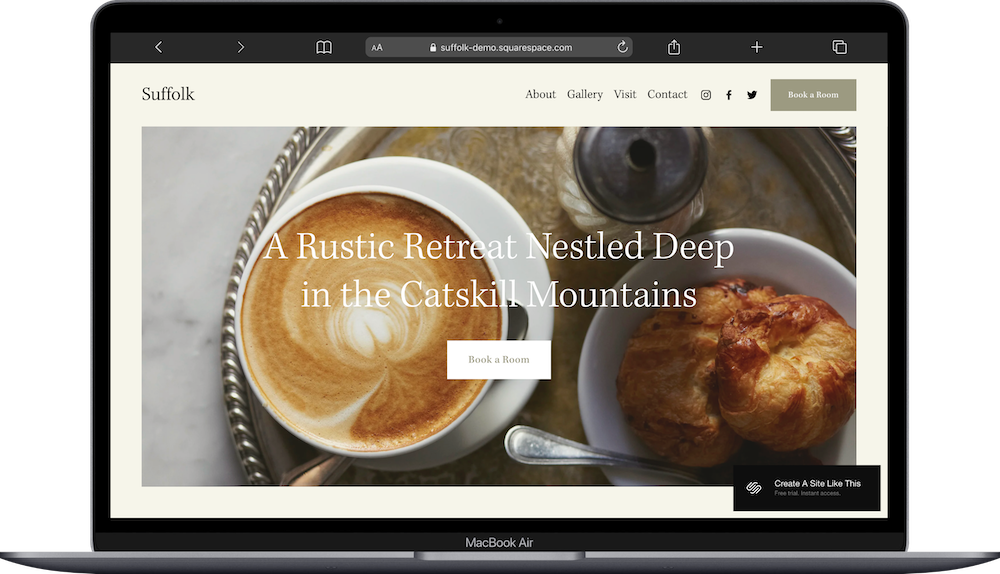
Suffolk is a free built-in Squarespace template designed for boutique hotels, bed and breakfasts, inns, and vacation rental properties.
The demo shows a rustic farmhouse property with booking options and room information. If you run a small lodging property and need a site that helps guests book, Suffolk might work for you.
This review covers who Suffolk works best for, what pages are included, and how to get started.
The goal: help you figure out if this template fits your hospitality and hotel business, or if you should keep looking.
Quick Answer: Is Suffolk Right for You?
Best for:
Boutique hotels, B&Bs & inns where atmosphere and story matter
Vacation rentals with character (historic cottages, converted barns, architecturally interesting properties)
Small retreat centers (yoga retreats, writing workshops, wellness getaways)
Not ideal for:
Large hotels needing complex reservation management with availability calendars & dynamic pricing
Properties wanting something highly custom or polished right out of the gate
Businesses where booking isn't the main focus
Price: Free with any Squarespace plan
Key features: Dedicated booking page, photo gallery, local area information page, About subpages for property story, room showcase sections
Bottom line: Suffolk works if you run a small lodging property focused on experience & need straightforward booking. If you need built-in reservation systems or custom design, look at premium templates or work with a designer.
Who the Suffolk Template Works Best For
Suffolk works well if you operate a small lodging property focused on atmosphere and experience.
Boutique Hotels and Inns
If you run a small hotel, the Suffolk template works great for showing individual rooms, explaining your property's history, and highlighting amenities.
Bed and Breakfasts
The warm design works well for B&Bs where personal touches and local charm matter. You can feature your rooms, share your story, and make booking straightforward.
Vacation Rentals with Character
If you rent a historic cottage, converted barn, or architecturally interesting property, Suffolk helps you tell that story. The layout supports descriptive copy and photography that helps guests decide to book.
Small Retreat Centers
Works well for yoga retreats, writing workshops, or wellness getaways where the setting matters. You can show the property, explain programming, and integrate booking.
Who It's Not Best For
Honestly? Suffolk is pretty flexible. You can customize it however you need. It's a great starting point if you want a free hotel template that comes with your Squarespace subscription.
That said, if you need things like built-in reservation management with availability calendars and dynamic pricing, you'll want to look at premium templates or work with a designer. Same if you have a specific vision for your site or you're at a place where you can invest in something more polished and custom. Suffolk gets the job done, but it won't feel as tailored as those options.
What You Get with the Suffolk Template:
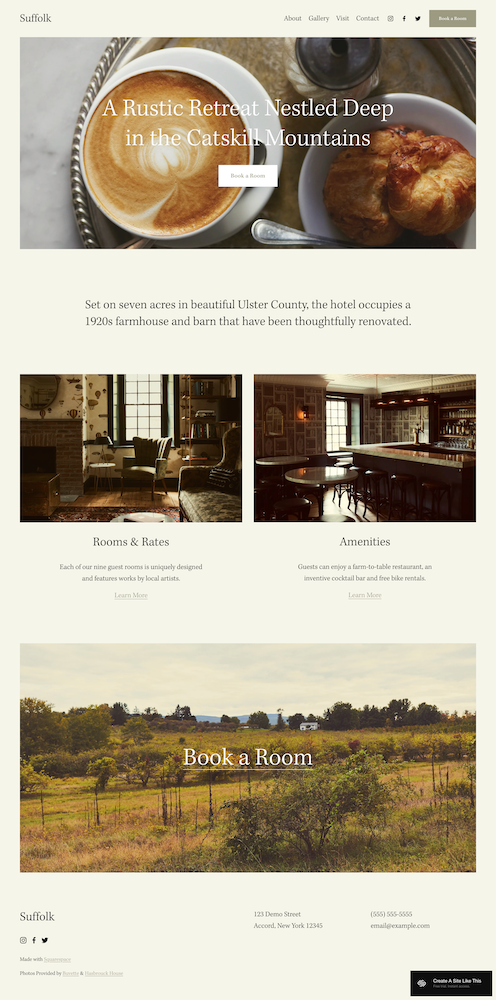
Home Page
Large hero image with property name
Intro text about the property
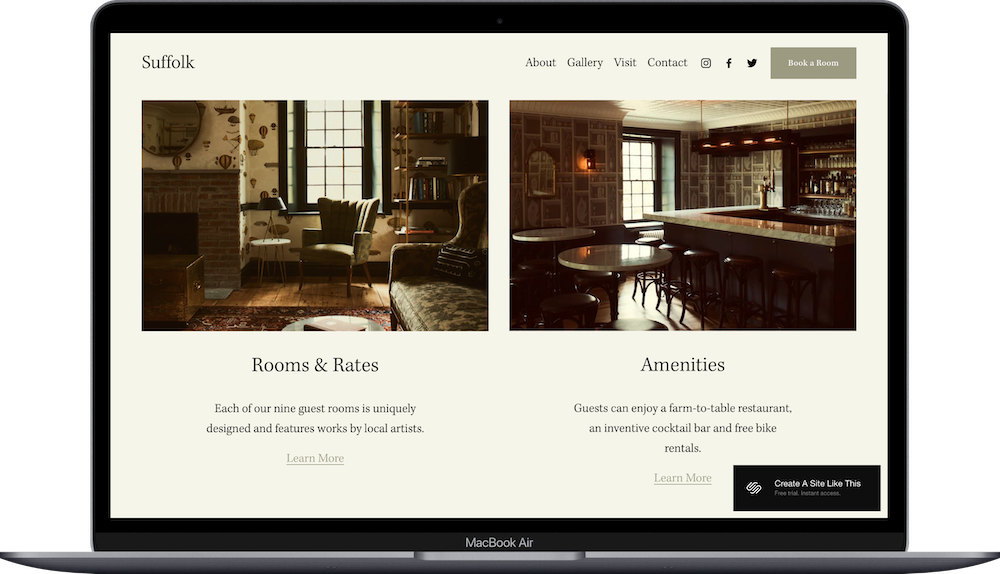
Two image-and-text panels (customizable)
Full-width booking call-to-action
About Page
Main About page plus two subpages for telling your property's story and introducing yourself.
Gallery Page
Photo gallery for your property, rooms, grounds, and amenities.
Visit Page
Information about the local area, nearby attractions, and things to do.
Contact Page
Simple contact form and property information.
Book a Room Page
Dedicated booking page ready for booking integration.
And remember, like all Squarespace 7.1 templates, you can add or remove pages and customize the structure however you need.
Getting Started with the Suffolk Template is Easy:
Update all your content. Replace demo text on every page with your property information. Write your intro section, fill in your About pages, and update the Visit page with local attractions.
Replace images throughout the site. Upload high-quality photos optimized for web. Suffolk relies on photography to work well, so use your best shots of rooms, common areas, grounds, and details that make your property special.
Delete unused pages or move them to "Not Linked." Remove any demo pages you don't need or hide them until you're ready to use them.
Add your favicon and social share image. These small details make your site look professional when people bookmark it or share links.
Set up your SEO. Write page titles, meta descriptions, and image alt text. Squarespace's AI helps with this and honestly makes it way easier.
Customize Site Styles. Update fonts, colors, and spacing to match your brand. Suffolk's warm neutrals work well for rustic properties, but swap them if you have different branding.
Configure your booking integration. Choose your booking system (like Checkfront, Bookable, or FareHarbor) and add it to your Book a Room page. Test it thoroughly to make sure reservations work correctly.
Build individual room pages if you need them. The template includes a general rooms overview, but if you want dedicated pages for each room type with detailed descriptions and galleries, you'll need to create those yourself.
Test all forms, buttons, and links. Make sure everything works, especially on mobile where most people will browse your site.
Connect your domain, choose your plan, and publish. 🎉
Suffolk Squarespace Template FAQs
What is the Suffolk Squarespace template for?
Suffolk is designed for small lodging properties like boutique hotels, bed and breakfasts, inns, and vacation rentals. It works well if you need to show your property, tell your story, and help guests book. It's built for intimate hospitality businesses where atmosphere and experience matter.
How much does the Suffolk template cost?
Suffolk is free with any Squarespace subscription. You'll pay for your Squarespace subscription:
Basic plan: $16/month (annual) or $23/month (monthly) – basic site, can sell products but has transaction fees
Core plan: $23/month (annual) or $36/month (monthly) – no transaction fees on physical products, adds custom code & integrations
Plus plan: $39/month (annual) or $56/month (monthly) – lower payment processing fees, advanced ecommerce
Advanced plan: $99/month (annual) or $142/month (monthly) – lowest processing fees, unlimited everything
Annual plans include a free custom domain for the first year.
Suffolk vs. Barbosa Template?
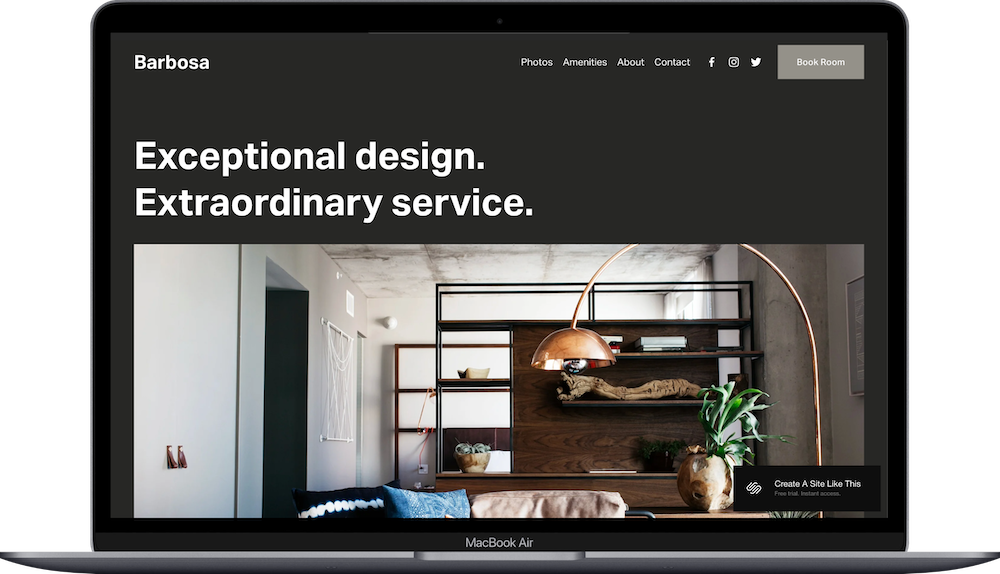
Barbosa is a modern hotel template with a dark, sleek aesthetic – think boutique city hotel rather than countryside retreat. It has a more contemporary vibe with bold typography and darker color palette.
Choose Suffolk if: Your property is rustic, countryside, or farmhouse-style & you want warm, inviting vibes
Choose Barbosa if: You run a modern, urban boutique hotel & want a sleek, contemporary look
Can I sell products on the Suffolk template?
Not really. Suffolk is designed for bookings, not selling stuff. You could add a small shop for gift certificates or merchandise if you want, but if retail is a big part of what you do, pick a different template.
Does Suffolk include a booking system?
No. You'll need to integrate third-party booking software like Checkfront, Bookable, or FareHarbor. The template includes a dedicated Book a Room page where you can embed your booking widget, but you're choosing and configuring the system yourself.
Can I add individual room pages?
Yep, but you'll build them yourself. The template includes a general rooms overview section, but dedicated pages for each room type aren't pre-built. You can create these using standard Squarespace pages with galleries and text blocks; it’ll just require some setup work.
Is the Suffolk template good for SEO?
Yep. You can optimize page titles, meta descriptions, and image alt text like any of Squarespace’s free templates. The Visit page is actually helpful for local SEO since you can naturally talk about your area and what's nearby. But no template magically ranks you; you’ll still need to write good content, optimize your site, and build backlinks.
Can I change fonts and colors on the Suffolk template?
Absolutely. You can customize fonts, colors, button styles, and spacing through Site Styles. The classic structure stays the same, but you control the visual identity to match your brand.
Can I add a restaurant menu or dining information?
Yes. You could use one of the About subpages for dining information, create a new page for your menu, or add dining details to an amenities section. The template doesn't include a pre-built menu layout, but you can format one using text blocks.
Is Suffolk good for vacation rental properties with multiple units?
It depends. If you rent 2-4 distinct units (like separate cottages or suites), you can create dedicated pages for each. If you manage a ton of units or need complex availability tracking, Suffolk's structure might feel limiting. It works best for single properties or small collections of units.