Oranssi Squarespace Template Review
This post contains affiliate links. If you purchase through them, I may receive a small commission at no extra cost to you.
Table of Contents Show
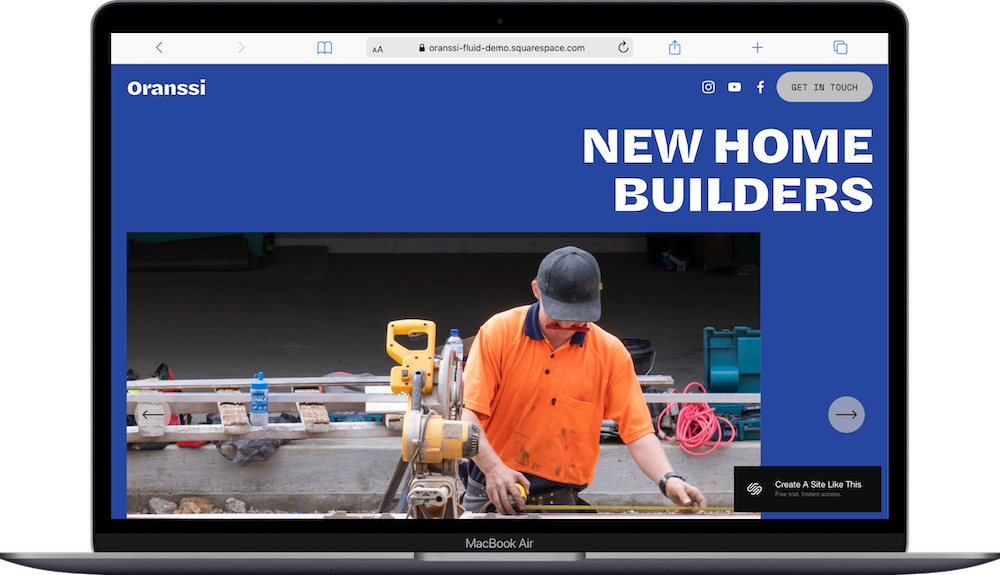
Oranssi is a one-page Squarespace template built for construction companies that want a simple, one-page website.
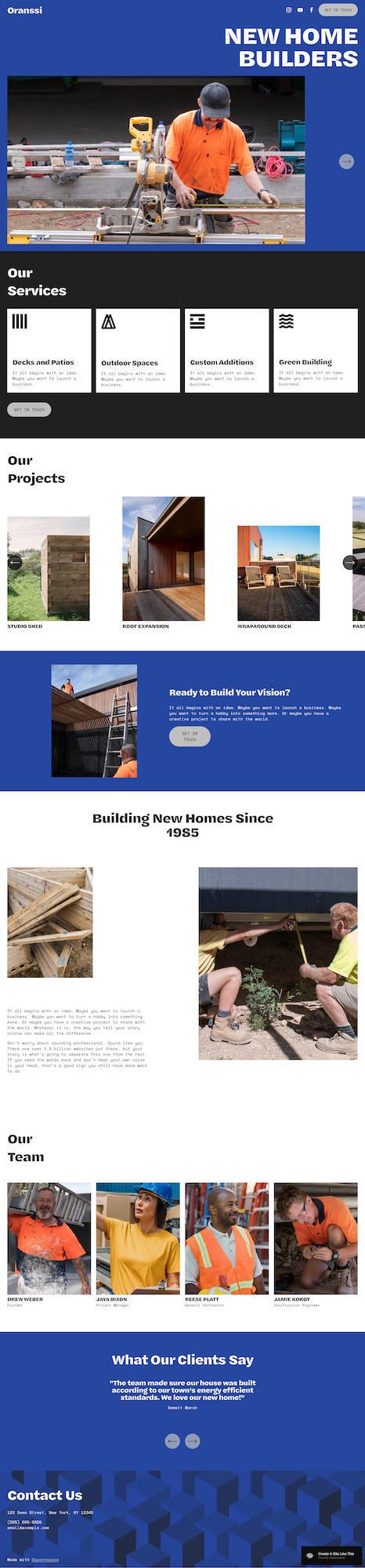
And while it’s designed for construction companies, the layout works for many types of service providers who are looking for a simple, clear and scroll-friendly website. There are clear sections for services, projects, team, and testimonials. The design is bold, image-driven, and easy to scan, which helps visitors understand your work without clicking through multiple pages.
If you want a site for your construction or service-based company that helps people understand your services, see proof of your work, and easily contact you, Oranssi could be a good fit for you.
This review covers what Oranssi includes, it’s pros and cons, where it shines, and where you may find limitations.
The goal: help you figure out if this free Squarespace template is the right fit for your construction company, or if you should keep looking.
Who the Oranssi Template Works Best For
Construction and Home Building Companies
The demo is set up for builders, which makes this template a natural fit for general contractors, home remodelers, deck builders, and other trades. The sections are literally built for these businesses, with project types, past work, and team members.
Simple Service Businesses with 3 to 5 Core Offers
If your business revolves around a short list of services, the page structure fits well. You can highlight each service in its own card with a title, a short description, and a strong visual. This works for consultants, wellness professionals, small creative studios, and other providers who don’t need long service pages.
Businesses That Want a Clear Client Journey
Because everything lives on one page, the user flow is straightforward. People see your services, browse a few examples of your work, read testimonials, and find your contact details at the bottom. This is helpful when you want to shorten decision-making, reduce confusion, and keep the focus on booking or reaching out.
What You Get With the One-Page Oranssi Template
Hero Section
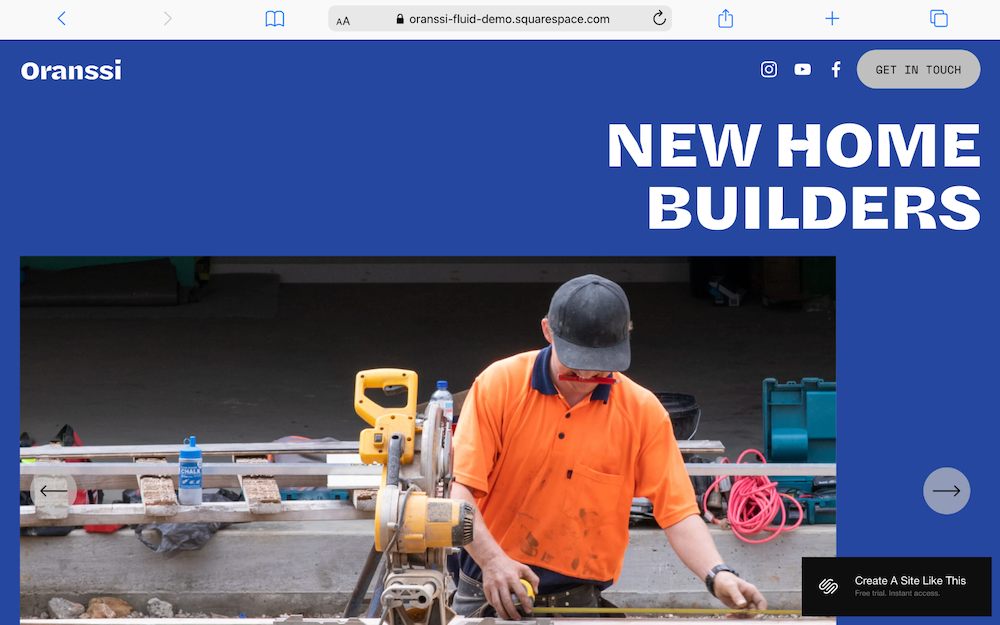
This section includes a large image slider and a bold headline. It sets the tone for your site, so you can use photos that represent your work or the feeling of your brand.
Services Section
The services grid includes four service cards with icons or images, titles, and short descriptions. The layout is clean and easy to scan, which helps visitors understand your offers.
Projects Section
The project carousel holds a set of images that rotate automatically. If you have strong visuals, this section can make a quick impact and help potential clients see the quality of your work.
About Section
The About section includes a headline and a short paragraph. This is where you can tell people who you are, how long you have been in business, and what matters most in your work.
Team Section
This section showcases four team members with photos and titles. If you are a solo business owner, you can remove this section or repurpose it for partners, subcontractors, or long-term collaborators.
Testimonials Section
The testimonial slider rotates through client quotes. This is helpful for service businesses where trust and credibility matter.
Contact Section
This section includes a call to action and contact details. You can direct people to email you, fill out a form, or book a call.
Extras
Floating header with a clear button
Mobile-friendly layout
Access to Squarespace tools like forms, scheduling, and analytics
Ability to add e-commerce pages if needed
Key Strengths of the Oranssi Template
Everything Lives on One Page
Since all information is on a single page, visitors do not need to figure out where to click. They scroll at their own pace and see your full offer without navigating a more complicated website.
Built for Quick Decisions
The order of the sections helps potential customers move from awareness to action. Services explain what you do, projects show proof, testimonials add trust, and contact details close the loop.
Polished & Easy to Read
The Oranssi template uses clear spacing and simple layouts. You don’t need advanced design skills to make this site look put-together and professional.
Simple Ongoing Management
Because the site has only one page, updates are easy. Swapping out photos or refreshing a service description takes less time compared to a larger site.
Best Use Cases of the Oranssi Template
New Construction or Trade Businesses That Need a Fast Launch
If you are new and need a clean website that helps you look established, this template offers the basics without extra setup. It also gives you space to grow later if you decide to add more pages or expand your services.
Local Service Providers That Compete on Trust
Carpenters, landscapers, contractors, and similar businesses often win work based on reputation. Oranssi highlights projects, teams, and testimonials in a clear way that helps potential clients feel confident.
Consultants or Coaches With a Small Offer Suite
If you sell a small number of services and want your site to guide visitors toward booking, the layout supports that. It keeps things focused on your core offer instead of spreading attention across many pages.
What the Oranssi Template Is Not Best For
Businesses That Need Lengthy Service Pages
If you need long explanations, detailed breakdowns, or multiple service tiers, a single page may become too long or too dense.
Businesses That Plan to Publish a Lot of Content
You can add a blog page, but the one-page layout does not naturally support a content-heavy strategy.
Product-First Businesses
You can add a shop, but Oranssi wasn’t designed for selling products. If selling products is your main revenue stream, a store-focused template like Seen or Altaloma, will serve you better.
Businesses With Multiple Audiences
If you serve very different groups, a single page can make your messaging feel unclear or too general.
Pros & Cons of the Oranssi Template
Pros
Simple to scan layout that helps visitors understand your business in one scroll
Quick setup and ongoing updates with fewer pages to manage
Strong mobile experience thanks to its simple structure
Clear visuals through the hero slider and project carousel
Trust-building sections for team members and testimonials
Cons
Limited content depth for businesses that need long explanations
Not built for blogging, which limits search engine content
Fewer internal links, which can reduce SEO opportunities
Heading hierarchy requires manual adjustment, common across all Squarespace templates
Less flexibility for businesses with multiple audiences or complex offers
Getting Started with the Oranssi Template is Easy:
Once you’ve explored the demo and you're ready to build, here's what to do:
Choose the Oranssi template in Squarespace, logging in or creating an account, opening the 7.1 template library, selecting Oranssi, and clicking “Start with This Design” to create your site.
Replace every demo image, including the hero slider, services visuals, project carousel, and team photos, uploading optimized, high-quality images that reflect your real work.
Rewrite all demo copy, including headlines, service descriptions, the About section, team bios, button labels, and any placeholder text so the content fits your actual business.
Add or remove entire sections, keeping services, projects, testimonials, and team if you need them, and hiding sections that don’t support your offers or goals.
Add your testimonials, choosing three to five quotes that build trust and formatting them cleanly in the testimonial slider.
Set up your contact section and test everything, confirming your form storage settings, checking that notifications send to the right inbox, and testing all links and buttons.
Update your global site settings, including your site title, favicon, social share image, connected social accounts, URL slugs, timezone, and basic SEO descriptions so everything is accurate and on-brand.
Customize your design in Site Styles, setting your brand colors, typography, button styles, and spacing so the entire page feels cohesive and aligned with your branding.
Review your heading hierarchy, making sure your main headline uses H1, your major sections use H2, and subsections use H3 so the page supports clarity, accessibility, and SEO.
Check your full page on desktop and mobile and launch, reviewing spacing, image cropping, readability, link behavior, and form results. Then connect your domain, choose your Squarespace plan, and publish once when you’re ready.
Oranssi Squarespace Template FAQs
Can I sell products on the Oranssi template?
Yes. You can add a shop page and sell products, but the layout works better for service-based businesses. If your main focus is e-commerce, a store-forward template will be easier to work with.
Is Oranssi good for SEO?
Yes. Squarespace generally has good foundations for SEO. Single-page sites have fewer keyword targets and fewer internal links though, so it might not be as great as a more robust site. You can still rank with thoughtful content and clear headings, but a multi-page site usually offers more SEO flexibility.
Is Oranssi mobile-friendly?
Yes. The layout adjusts well on phones and tablets, and the one-page format makes mobile browsing simple.
Can I customize fonts and colors?
Yep. You can change fonts, colors, buttons, and spacing in the Site Styles panel.
Can I add more sections?
Absolutely. You can add more content blocks or even new pages. Just keep in mind that too many sections can make the page long. You can also add more pages if you like.
Can I add a blog?
You can add a blog page, but it shifts the site away from a clean one-page flow. If blogging is part of your strategy, you may want a more flexible template.
Is Oranssi only for construction companies?
No. It’s built for it, so it’s a good, easy option for construction companies, but really any service business that wants a simple, scroll-friendly site can use it, as long as the one-page format fits their needs.
Can I remove sections?
Yes. You can hide or straight up delete any section that does not serve your business.