Lexington Squarespace Template Review
This post contains affiliate links. If you purchase through them, I may receive a small commission at no extra cost to you.
Table of Contents Show
Lexington is a Squarespace template for food and beverage brands selling products online.
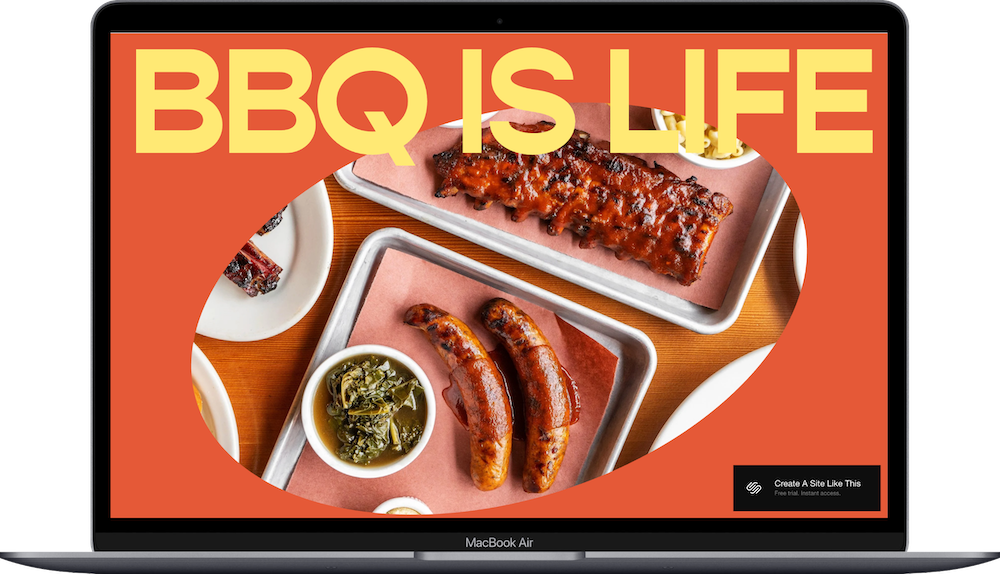
The demo shows a BBQ sauce company with a bold orange and yellow color scheme, energetic typography, and product photography front and center. If you make hot sauce, BBQ sauce, spice blends, specialty foods, or any food or beverage product you're selling online, Lexington probably caught your eye for good reason.
This review covers what Lexington includes, where it shines, and where you may hit limitations.
The goal: help you figure out if this Squarespace template is the right fit for your food product business, or if you should keep looking.
Who the Lexington Template Works Best For
Lexington works best if you sell food or beverage products and want a site with personality that matches your brand's energy.
Hot Sauce and BBQ Sauce Brands
The demo is a BBQ sauce company. If you sell sauces, condiments, or spice blends, Lexington's bold design matches that market.
Specialty Food Brands
Artisan jams, honey, hot sauce, pickles, spice rubs - if you make small-batch food products with a strong brand identity, Lexington’s your guy.
Beverage Brands
Coffee roasters, kombucha makers, craft soda companies; the template adapts to any beverage brand that wants a bold, colorful presence.
Food Brands with Recipes or Content
If you share recipes, cooking tips, or videos alongside your products (like the "What's Cookin'?" section in the demo), Lexington gives you space for that content.
Brands with a Fun, Energetic Vibe
The bold colors and playful typography work if your brand personality is upbeat, confident, and approachable - not formal or minimal.
Who the Lexington Template Is Not Best For
The Lexington template probably isn't the best fit if you:
Have a refined, elegant, or minimal brand. Lexington is loud and colorful. If your products are luxury, artisanal, or sophisticated, the energetic design won't match.
Sell 100+ products across a bunch of categories. The template works for focused product lines. If you have a huge catalog, you'll need better filtering and organization, or you’ll probably actually be better off with Shopify.
Want a traditional e-commerce layout. Lexington prioritizes brand personality over standard shop structure. If you want a conventional online store, pick a different template.
Run a service-based food business. If you're a caterer, meal prep service, or restaurant, Lexington is built for selling packaged products, NOT services.
What You Get with the Lexington Template
Home
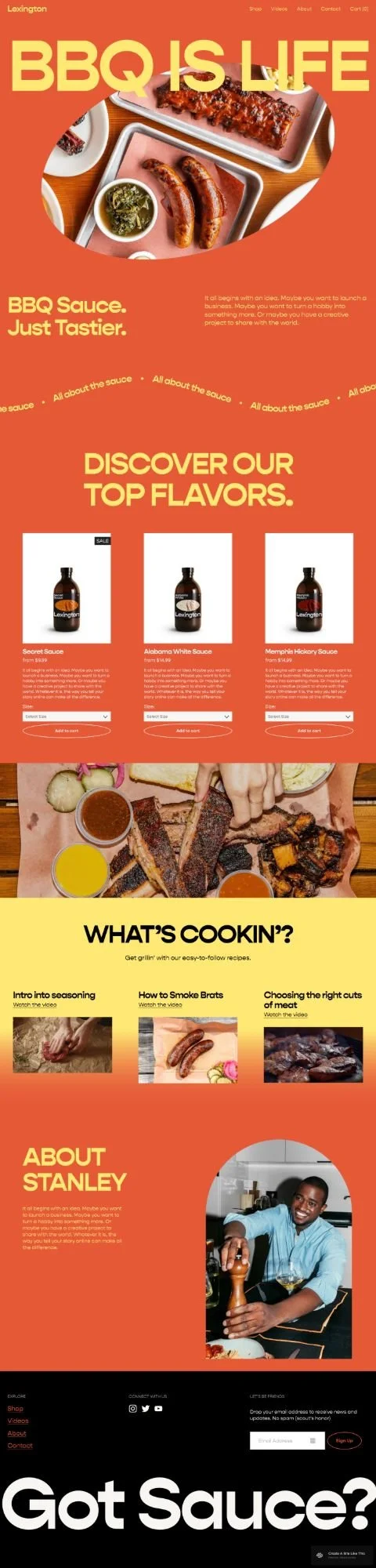
Hero section with circular image and large text, scrolling text animation, tagline and brand description, a product showcase with three featured products (each with image, description, variant selector, and "Add to Cart" button), large image section, "What's Cookin'?" recipe or content section with images and links to three articles or videos, and an about section with founder story and photo.
Shop
Dedicated shop page for browsing all products with filtering and categories.
Videos
Page for video content, recipes, tutorials, or how-to guides.
About
Full about page for your brand story, mission, or founder background.
Contact
Contact page for customer inquiries.
Cart
Shopping cart for checkout.
Built-in Features
E-commerce with product variants and cart
Newsletter signup in footer
Recipe/content section on homepage
Scrolling text animation
Mobile responsive design
Bold color scheme (orange, yellow, black)
Squarespace 7.1 Fluid Engine
Pros & Cons of the Lexington Template
What Works Well
The bold design creates instant brand personality. Orange, yellow, big typography - you look energetic and confident before people even read your copy.
Product showcase on the homepage drives sales. Featured products with add to cart buttons right on the homepage make it easy for people to buy without hunting through your shop.
The recipe/content section adds value beyond products. If you share recipes or cooking tips, the "What's Cookin'?" section builds engagement and keeps people on your site longer.
The scrolling text adds movement and energy. The animated "All about the sauce" text creates visual interest without being distracting.
What Doesn’t Work Well (Or, Just Things to be Aware Of)
The loud color scheme is hard to change completely. Orange and yellow are core to Lexington's energy. Switching to muted or elegant colors will change the whole vibe.
Limited space for large product catalogs. If you have 50+ products, the homepage showcase and shop page structure start to feel cramped without robust filtering.
The playful aesthetic won't work for premium brands. If you're selling $40 artisan olive oil or luxury specialty foods, Lexington's fun energy undermines that positioning.
Recipe section requires ongoing content. If you don't plan to create recipes or videos regularly, that section sits empty or looks outdated.
Getting Started with the Lexington Template is Easy
Once you pick Lexington in the Squarespace 7.1 template library, here's what to do:
Replace the hero image and headline. Swap the BBQ photo with your product or brand image (shoot or crop it to work in a circle). Change "BBQ IS LIFE" to your tagline or brand message.
Update the scrolling text. Change "All about the sauce" to your message. Keep it short - three to five words works best for the animation.
Add your products to the featured section. Delete the demo sauces and add your actual products. Upload product photos, write descriptions, set prices, and configure variants (like size or flavor options).
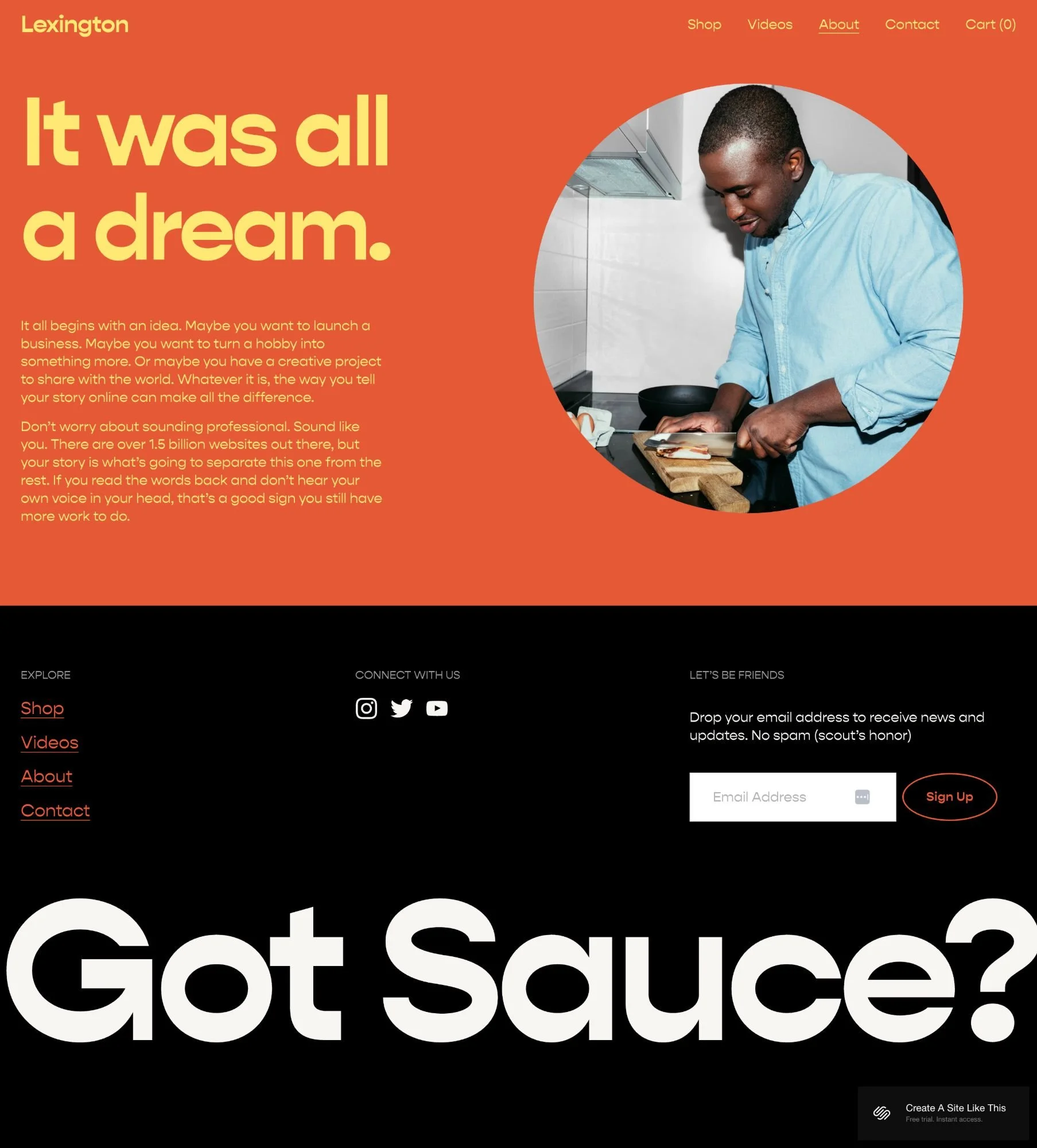
Fill in your About section. Replace the demo text and photo with your real founder story or brand background. Be specific about what makes your products different.
Add recipes or content to the "What's Cookin'?" section. Replace the demo recipe links with your actual content. If you don't have recipes yet, you can delete this section or rename it for other content like press features or customer reviews.
Set up your Shop page. Add all your products, organize them into categories if needed, and make sure product photos are consistent in style and quality.
Create your Videos page content. If you have cooking videos, tutorials, or behind-the-scenes content, add those. If not, delete this page or repurpose it for something else.
Customize colors and fonts. Open Site Styles to adjust the orange and yellow if needed. The bold colors are part of Lexington's personality, but you can shift them to match your brand.
Set up shipping and payment. Configure your shipping zones, rates, and payment processors (Stripe, PayPal, etc.) in the Commerce settings before going live.
Double check everything, connect your domain, choose your Squarespace plan, and go live. Test the checkout process, preview on mobile, fix any issues, then launch.
Lexington Squarespace Template FAQs
Can I sell products on the Lexington template?
Yes. Lexington is built for e-commerce. You can sell physical products, set up shipping, manage inventory, offer product variants, and handle checkout through Squarespace's built-in commerce tools.
Is the Lexington template good for SEO?
Yes. Lexington has the same SEO capabilities as all Squarespace templates - custom page titles, meta descriptions, image alt text, and clean code. The recipe/content section actually helps SEO by giving you space to publish keyword-rich articles.
Is the Lexington template good for mobile?
Yes. Lexington is fully responsive. The bold colors and large typography actually work great on mobile. Product cards, images, and the hero section all adapt to smaller screens.
Can I change fonts and colors on the Lexington template?
Yes. You can customize colors, fonts, and spacing through Site Styles. But the energetic orange and yellow palette is central to Lexington's personality - changing to muted colors changes the entire feel.
How many products can I sell with Lexington?
No technical limit, but Lexington works best with 10-25 products. More than that and you'll want better category filtering and organization. If you're planning to sell 100+ items, pick a template designed for larger catalogs or switch platforms and use Shopify (read my Shopify review).
Can I remove the recipe section if I don't have recipes?
Yep. You can delete the "What's Cookin'?" section entirely or repurpose it for customer testimonials, press features, or other content that fits your business.
Does Lexington work for non-food products?
It could, but the design is strongly tied to food and beverage brands. The bold colors, playful energy, and recipe section all point to food products. If you sell candles, skincare, or other products, the template might feel off-brand. You might want to check out the free Altaloma, Hales, or Crosby templates.
Can I add subscription products or recurring orders?
Yes. Squarespace supports subscription products, so you can offer monthly sauce subscriptions, coffee subscriptions, or recurring orders through Lexington.
What's the Videos page for?
The Videos page is for cooking tutorials, recipe videos, how-to content, or behind-the-scenes footage. If video isn't part of your content strategy, delete this page or use it for something else like wholesale information or a press kit.