How to Use the Squarespace AI Website Builder
A note on pricing: all prices mentioned in this post are accurate as of the date this article was written, but can change at any time. This includes Squarespace plans, third-party tools, plugins, templates, and any other services referenced. Always check directly with the provider for the most current pricing before committing.
This post contains affiliate links. If you purchase through them, I may receive a small commission at no extra cost to you.
Table of Contents Show
How Does the Squarespace AI Website Builder Work?
QUICK ANSWER: The Blueprint AI Builder asks you questions about your business, goals, and preferred brand personality, then generates a complete website with copy, images, and design recommendations in under four minutes. The tool is free to use, but you do need a paid Squarespace plan to publish. Everything it generates is fully editable.
KEY FACTS:
Squarespace's AI builder is called Blueprint AI Builder (named one of TIME's Best Inventions of 2025)
The process takes less than ten minutes from start to finished site draft
Blueprint AI is free to try; a paid Squarespace plan is required to publish
AI generates copy, images, and design recommendations; all of it is editable
AI providers powering Squarespace AI: OpenAI, Anthropic, and Google
Blueprint AI has helped 10% more users publish their sites and reduced stock image searching by 18% on day one of trial (Squarespace self-reported)
Squarespace also has AI tools for copy, email drafts, product descriptions, SEO scanning, section backgrounds, and more
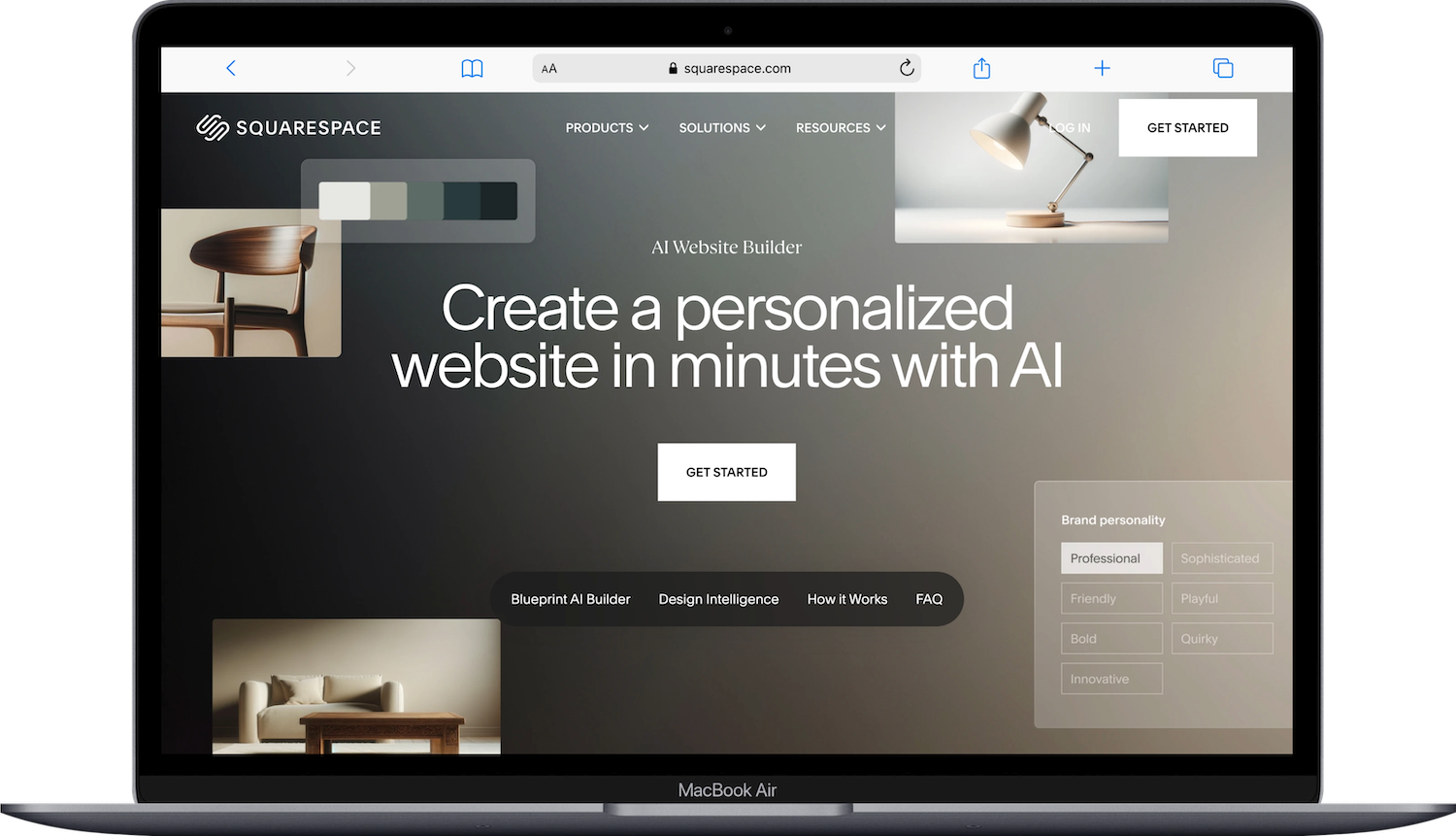
If you've been curious about Squarespace's AI website builder: It's called Blueprint AI, and it generates a full website; copy, images, and design, based on a few questions about your business. It's one of the fastest ways to get a starting point on Squarespace. Below I'm walking through how it works, what it builds, and what you'll want to customize before you go live.
How to Use Squarespace Blueprint AI Builder
Step 1: Share Your Brand Information
Start a new Squarespace trial and select Try Blueprint AI Builder from the templates page. You'll then answer a few questions:
Your website's category or topic (photography, restaurant, personal trainer, etc.)
Your goals for the site
Your preferred brand personality (options range from professional to quirky)
Be as specific as you can here. The more detail you give it, the more relevant the output will be.
Step 2: Blueprint AI Generates Your Site
Then, based on your answers, Blueprint AI generates:
Copy for your homepage and key pages, written in the tone you chose
AI-generated images tailored to your industry and brand personality
Page layouts and design recommendations
Color palette and font suggestions
You'll see a preview of the generated site before committing to it.
Step 3: Customize
Before finalizing, you can swap images, edit copy, try different layouts, and adjust colors in real time. Blueprint AI shows recommendations as you make changes.
Step 4: Launch
Once you confirm your starting design, Blueprint AI generates your full site. From there, you edit it like any other Squarespace site: update content, add pages, connect a domain, configure SEO. A paid plan is required before you can publish to a custom domain.
Ready to try it? Start with Blueprint AI - free, no credit card required.
What Squarespace’s Blueprint AI Builder Actually Builds (and What It Does Not)
Blueprint AI gives you a starting point; not a finished website. So don't expect to hit publish the second it's done generating.
Here's what to know:
All the AI-generated copy needs a review and edit. It'll match the tone you chose, but it won't capture your specific offers, your voice, or the details that make your business yours.
AI-generated images are generic placeholders. You'll want to replace them with photos of your actual work or products.
The page structure is based on your industry category. You may need to add, remove, or reorganize pages depending on what you need.
SEO elements like page titles, descriptions, and alt text won't be fully optimized out of the box. (If you want help with that, I have a post on how to optimize images in Squarespace that covers alt text and file naming.)
That said, it IS a genuinely faster start than building from a blank template; especially if you tend to get stuck on design decisions.
Blueprint AI Builder Templates: A Lighter Option
If you don't want to go through the full builder, Blueprint AI Templates are a nice middle ground. From the templates page, select your site's topic from the search bar dropdown and you'll see three AI-generated templates at the top of the results. Each comes pre-filled with AI content for your industry. Again, these are not exactly award-winning designs or anything, but they’re quick starting points. Pick one and start customizing.
Browse all Squarespace templates at squarespace.com/templates.
Other New-ish Squarespace AI Tools
Squarespace has been rolling out AI features across the whole platform. Here are some of the most popular ones:
AI Copy Writer
Available in any supported text area: text blocks, blog posts, product descriptions, email campaigns, and more. Click the three circles icon in the text toolbar to open it. You can generate text from a prompt, or highlight existing text and choose Simplify, Shorten, or Lengthen.
Pro Tip: This is great for getting a first draft down, but ALWAYS rewrite in your own words before publishing. AI copy tends to sound like... AI copy. And your audience/everyone can tell.
Brand Identity
Give Squarespace a description of your business and choose a tone of voice. Once that's set, the AI copy writer generates content that's more consistent with your brand across the board. Set it up through any supported text area.
Squarespace Beacon AI
Squarespace's built-in AI assistant, woven throughout the platform. It makes recommendations at different stages: setting up products, optimizing for SEO, creating strategic discounts.
AI SEO Scanner
Scans your site for missing SEO copy: page descriptions, image alt text, and similar gaps. Open the SEO/AI Visibility panel and click Improve with AI. It generates suggestions you review and edit before saving. Available on version 7.1 with Fluid Engine.
AI Email Copy
Built into the Email Campaigns builder. When creating a blast campaign, use the Beacon AI template: select your goal, add an asset, write a description, and click Generate for a first-draft campaign.
AI Section Backgrounds
When adding a background image to a section, you can browse AI-generated images curated by Squarespace in the Background tab of the section editor. These are designed for text overlay and tend to work better as backgrounds than random stock images.
Best Practices for AI-Generated Content
Be specific in your prompts. Include your audience, the purpose of the content, and any keywords you want to target.
Review everything before publishing. AI content can be inaccurate, generic, and/or off-brand. (I've seen it confidently hallucinate like crazy, so definitely double-check.)
Add your own details/zhuzh. The stuff that makes your content useful is the specific information only YOU know; your experience, your process, your perspective.
For product descriptions: include selling points in your prompt and have a format in mind before you start generating.
Squarespace AI may generate similar content for multiple users with the same prompt. So always personalize. Otherwise your site could read like someone else's.
Note: Squarespace AI is powered by OpenAI, Anthropic, and Google. Using these features means you agree to their terms of use and privacy policies in addition to Squarespace's own terms.
Related: How to Use Squarespace | How to Choose a Squarespace Template | Squarespace vs AI Website Builders in 2026
Frequently Asked Questions
Is the Squarespace AI Website Builder Free?
Blueprint AI Builder is technically free to use. You can build and preview a full AI-generated website without paying anything. It walks you through a few questions about your business, goals, and style preferences, then generates a complete site with pages, copy, images, and styling. There's no AI surcharge or premium tier to access it. But to publish your site to a custom domain and make it live, you'll need a paid Squarespace plan (starting at Basic). So think of it as a free design tool with a paid publishing step. Start a free trial, build with Blueprint AI, and decide from there.
How Long Does It Take to Build a Website with Blueprint AI?
Squarespace says Blueprint AI builds a full site in under four minutes. The setup questions take a minute or two; you'll answer prompts about your business type, what pages you need, your brand personality, and your color and font preferences. Generation is quick after that. How long you spend customizing after the initial build is a whole other story (and totally depends on you). Some people launch the same day. Others spend weeks tweaking. The AI gives you a strong starting point, but it's not a finished product — expect to swap in your own photos, edit the copy, and adjust layouts to actually make it yours.
Can I Edit My Site After Building It with Blueprint AI?
Yes. Everything Blueprint AI generates is fully editable in the standard Squarespace editor. Update copy, swap images, change layouts, add or remove pages, and adjust styling just like any other Squarespace site. Nothing is locked in. You can also add features Blueprint didn't include in the initial build - like a blog, a shop, a portfolio page, or integrations with tools like Kit or Acuity Scheduling. The AI gives you the starting structure, but from there it's your site to customize however you want. If you know how to edit a regular Squarespace site, you already know how to edit a Blueprint AI site.
What AI Tools Does Squarespace Use?
Squarespace has partnered with OpenAI, Anthropic, and Google to power its AI features. These providers support Blueprint AI (the website builder), the AI copy writer (which generates and rewrites text in supported text areas), Brand Identity (which sets your site's tone and personality for more consistent AI-generated copy), Beacon AI (which helps draft email campaigns based on a goal and assets you provide), and AI-generated images and backgrounds. Squarespace isn't building its own language models, it's using these partnerships and layering its own design system and prompting on top of it.

