Best Squarespace Templates for Event Planners
This post contains affiliate links. If you purchase through them, I may receive a small commission at no extra cost to you.
Table of Contents Show
What are the best Squarespace templates for event planners?
Quick Answer: The best Squarespace templates for event planners are Laurie (strongest pick for service-based planners with its portfolio, services layout, and testimonials sections), Clove (inquiry-driven design ideal for consultants), and Revel (best for showcasing specific events with bold homepage listings). All templates work on every Squarespace plan, starting at $16/month on the Basic plan.
If you've been searching for the perfect Squarespace template for your event planning business, you've probably noticed that most "event templates" roundups are recommending templates designed for either promoting a wedding, or promoting specific event; a music festival, weddings galore, or a craft fair. Which is a completely different website than what you need as a planner running a service business.
KEY FACTS:
Squarespace offers almost 200 templates in 2026; all share the same feature set on Squarespace 7.1, so any template can technically be customized for event planning
Squarespace plans: Basic ($16/mo), Core ($23/mo), Plus ($39/mo), Advanced ($99/mo); all billed annually
Acuity Scheduling integrates with Squarespace for client bookings, intake forms, and deposits but is a separate paid product (not included in any Squarespace plan)
Every Squarespace template supports portfolio pages, contact forms, and ecommerce on all plans
A 14-day free trial is available with no credit card required
Event Planner Templates vs. Event Templates
This is the distinction that some other roundup reviews I’ve seen gloss over, and it's one of the reasons that event planners DIYing their website end up frustrated with their template choice.
An event template is built to promote a specific event. Think: countdown timers, speaker lineups, ticket sales, schedule grids. These are great if you're marketing a conference, retreat, or a festival.
An event planner template needs to function like a service business website. You need a portfolio of past events, a clear services breakdown, testimonials from clients, and (most importantly) a smooth path from "just browsing" to "ready to inquire." The booking flow is everything.
Two very different websites, and two very different template needs.
I've organized the picks below into both categories so you can find exactly what fits your situation. And a quick note before we dive in: since all Squarespace 7.1 templates share the same underlying feature set, you can customize any of these pretty extensively. The template is your starting point; it gives you layout structure, visual direction, and section arrangement. It's not a cage.
Best Squarespace Templates for Event Planning Businesses
These are the picks if you're a wedding planner, corporate event coordinator, party planner, or any kind of event planning professional selling your services.
Laurie Sqarespace Template

This is my top recommendation for social & wedding event planners, and it's also the template Squarespace themselves highlight for event planners. And there's a reason for that.
Laurie's homepage flows exactly the way an event planner's site should: large event photography up top, then services and packages, then a testimonial section, then a clear call to action. It's built for the "I want to see your work and then hire you" visitor journey. The gallery sections are gorgeous for showcasing past events without overwhelming the page, and there's a natural space for a portfolio grid that links to individual event case studies.
Best for: Wedding planners & social event coordinators
Revel Squarespace Template
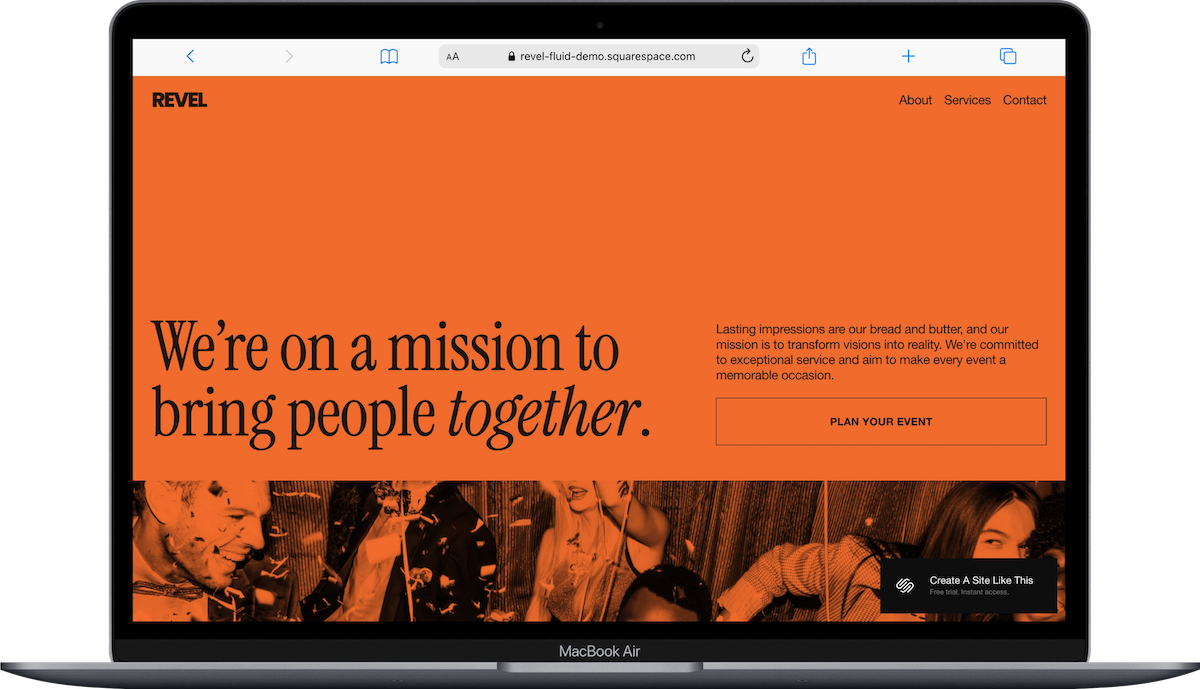
Revel is the go-to if you are more of an agency or produce corporate events. Bold homepage with event listings, strong visual hierarchy, and a layout that easily highlight special events, nonprofit events, or corporate events. If you’re a freelance event planner, producer, or agency, this is where I'd start.
Best for: Corporate events & event planning agency
Clove Squarespace Template

Kind of an underdog, but if your event planning business leans more toward consulting (think corporate event strategy, retreat planning, or high-end coordination) Clove is a surprisingly good pick. It was built with therapists and consultants in mind, but the inquiry-driven service layout translates perfectly to a service-based planner's site.
For pages, Clove has Home, About, Services, Team (you can remove or repurpose if needed), Blog, and Contact, The homepage prioritizes what you do, who you work with, and how to get in touch.
Best for: Corporate event planners, retreat coordinators, luxury planners who lead with expertise over visuals.
Forma Squarespace Template

Forma is a one-page complete website that’s technically categorized for coaches and entrepreneurs. But if you offer planning packages, courses, or digital resources alongside your core services (maybe you sell a "Plan Your Own Event" guide or a day-of coordination checklist), Forma could handle that blend beautifully. The layout supports both services and product/course sales without feeling disjointed.
It's also a solid choice if you're building a personal brand around your planning business; the kind of site where your name is the business.
Best for: Event planners who also sell digital products, courses, or package-based services.
Almar Squarespace Template

Almar is a service-based Squarespace template built for consultants and freelancers, and it works well for planners who want a straightforward, professional site without a ton of visual complexity. The layout is clean and gets out of the way; your services, your process, your contact info, done.
This one is particularly good if you're just starting your event planning business and need to get a polished site up quickly. The structure is simple enough that you won't spend three weeks tweaking layout sections.
Best for: New event planning businesses, solo coordinators, planners who want something clean and fast to set up.
Carroll Squarespace Template
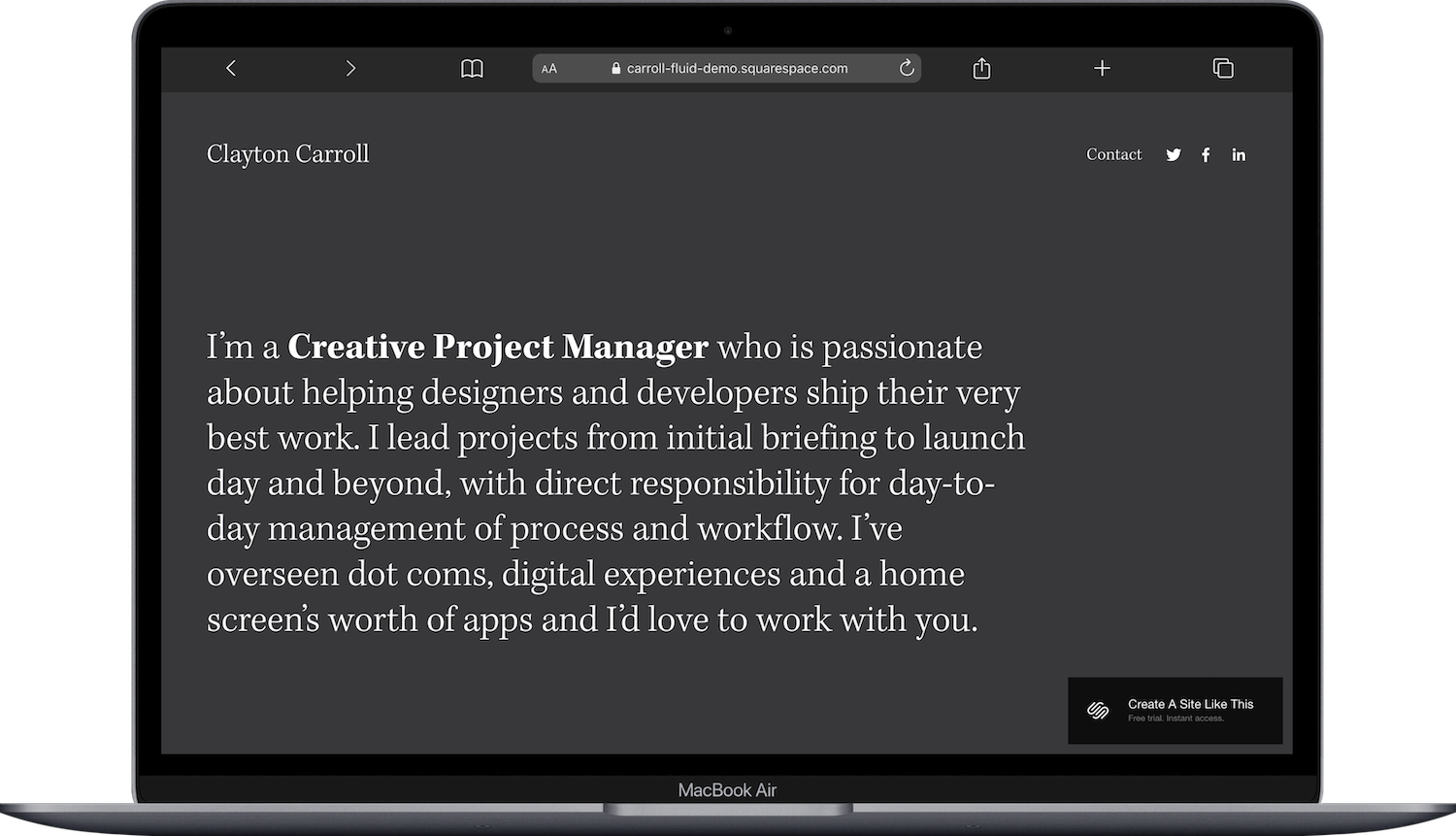
A bit of a wildcard pick. Carroll is categorized under "creative / project manager," and honestly, that's basically what event planners are. The layout emphasizes process, project highlights, and the kind of behind-the-scenes competence that makes clients trust you. If your selling point is that you're incredibly organized and can manage complex moving parts (and let's be honest, that IS the selling point for most planners), Carroll communicates that well.
Best for: Event planners who want to emphasize their process and organizational expertise.
Best Squarespace Templates for Showcasing Specific Events
These templates work better if you're building a site for a specific event, venue, or recurring event series rather than a planning business.
Carmine Squarespace Template
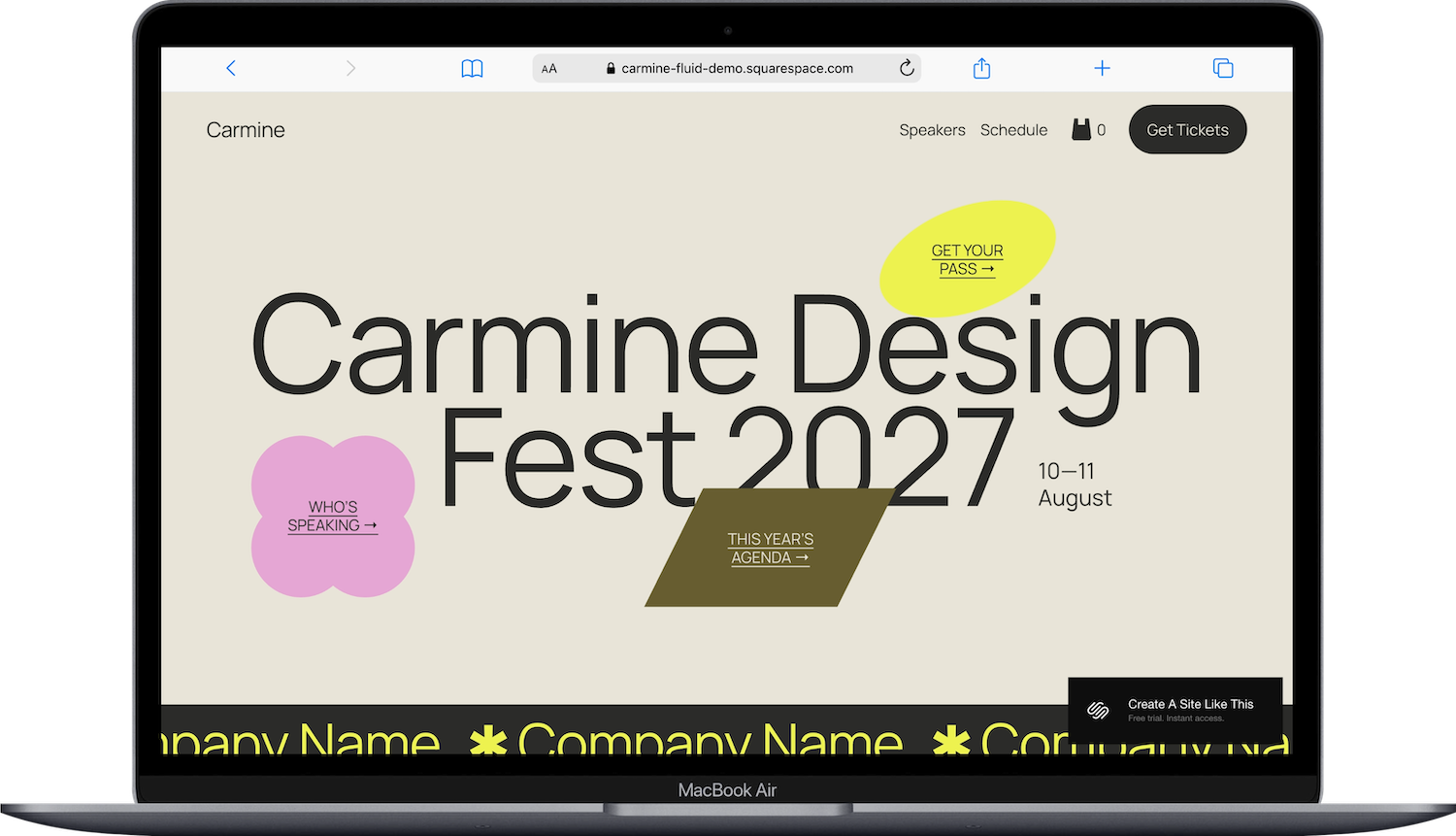
Carmine is built for festivals and creative events. Big bold headings, sections designed for speaker lineups or performer bios, schedule layouts, and ecommerce capability for ticket sales. It has a lot of energy; this is the template for events that want to feel a little more youthful, create and energetic.
Best for: Creative conferences, workshops, showcases, launch events.
Harbor Squarespace Template
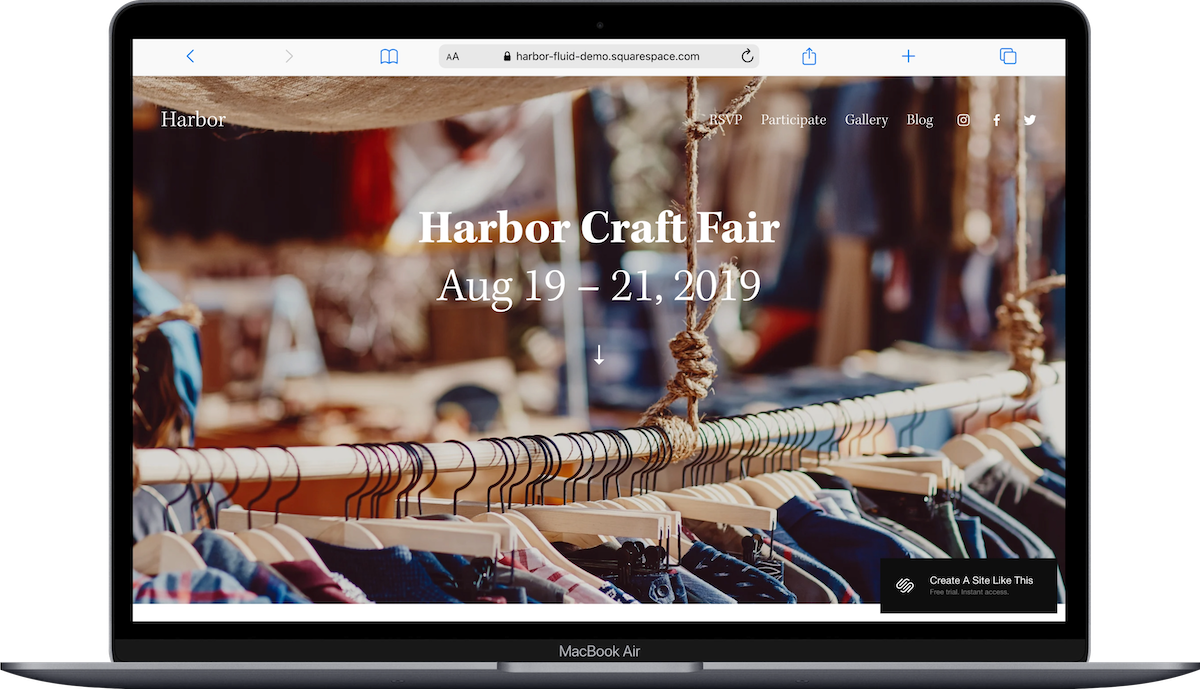
If you're promoting a market, craft fair, or community gathering, Harbor has a unique artsy warmth that sets it apart from the more polished event templates. It's got a curated, handmade feel that works well for events with a lot of vendors or exhibitors. For pages, Harbor has Home, RSVP, Gallery, Blog and Participate.
Best for: Craft fairs, pop-up markets, community festivals.
Wycoff Squarespace Template
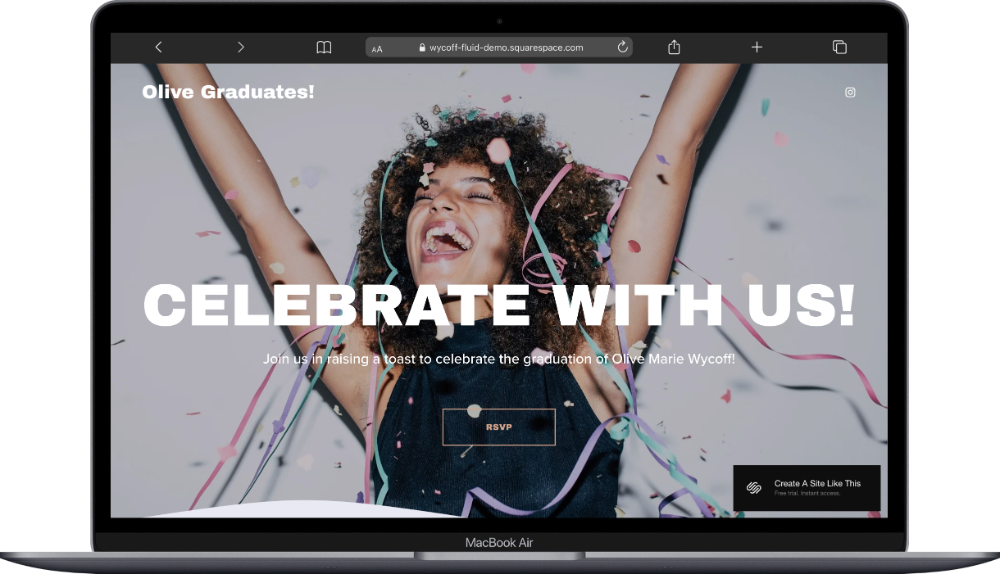
Wycoff is cleaner and more minimalist than the others in this category. I’ts a super simple, one-page site for RSVPs. It's celebratory in its design sensibility; soft, elegant, and focused. If you're building a site for a specific birthday party, graduation celebration, or an upscale ticketed event, Wycoff gives you a simple setup.
Best for: Special events like birthdays, graduations, bachelorette parties
Hoyd Squarespace Template
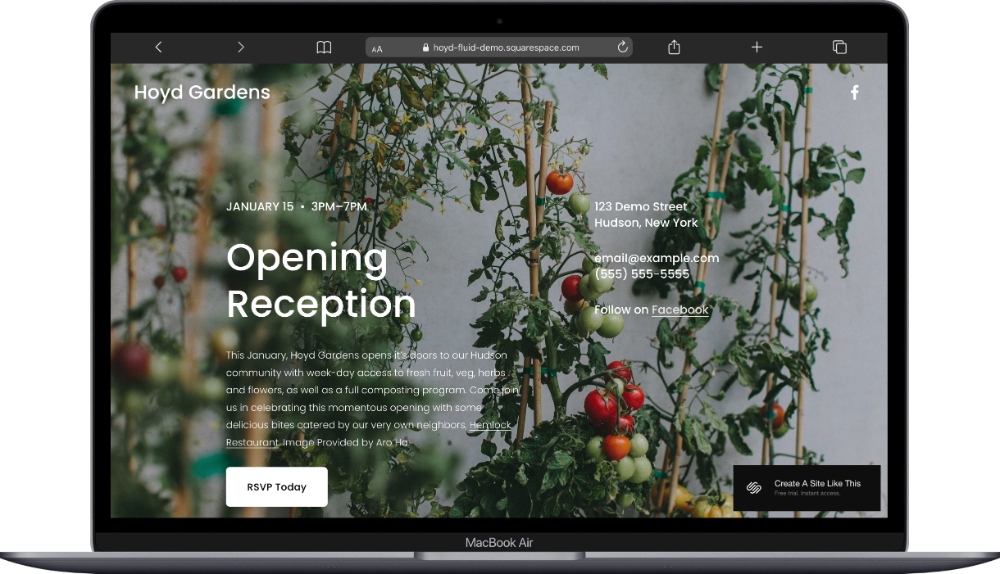
Hoyd is another one-page Squarespace template that leans heavily into the community event space with a layout that highlights dates, locations, and visual storytelling. It's a solid option if you need something simple (since it’s a one-pager) and don't want to spend a ton of time rearranging sections to fit an event format.
Best for: Milestone celebrations, non-profit events, fundraisers, community events.
What An Event Planner Website Typically Needs
Regardless of which template you choose, these are some of the things that matter for an event planning business website:
A portfolio that tells stories AND shows photos. Individual event pages with context; the client's vision, the challenges, the result. Not just a gallery dump. Every Squarespace template supports portfolio pages, so this is more about how you build it than which template you pick.
A clear services breakdown. Potential clients want to know what you offer and roughly what it costs before they reach out. Full-service planning, day-of coordination, partial planning, a la carte services; lay it out clearly.
Social proof. Testimonials, press mentions, vendor partnerships. Event planning is a trust-heavy business. People are handing you their wedding day or their company's annual conference. They need to see that other people have done this and been happy about it.
A booking or inquiry path that doesn't make people work for it. This is where Acuity Scheduling comes in. It integrates directly with Squarespace and lets potential clients book a consultation, fill out an intake form with event details, and even pay a deposit; all from your website. It's a separate paid tool (not included in your Squarespace plan), but for service-based planners, it's worth looking into.
At minimum, you need a contact form that's easy to find from every page. Not buried. Not behind three clicks.
When a Free Built-In Template Isn't Enough
All Squarespace built-in templates are "generic" by definition; thousands of other businesses (including other event planners) are starting from the same design. That's fine for getting started, and the customization options in 7.1 are solid enough that you can make most templates feel like your own.
But if you want something that looks distinctly yours from day one; something another planner in your city isn't going to accidentally end up with; a third-party template from an independent design shop is worth considering. They're built specifically for Squarespace, install the same way, and tend to have more intentional layouts for specific niches.
A few shops worth checking out:
Big Cat Creative has templates specifically designed for service-based businesses
Applet Studio for more editorial, design-forward layouts
Studio Mesa for clean, modern options
These do cost extra on top of your Squarespace subscription, but they can save you hours of customization time and give you a MUCH more distinctive starting point.
How to Choose the Right Template for Your Event Planning Business
If you're stuck between a few options, ask yourself these three questions:
1. Am I selling a service or promoting a specific event? If it's a service business, start with Laurie, Clove, or Almar. If it's a specific event, look at Revel or Carmine.
2. Is my work highly visual? Wedding and social event planners tend to have gorgeous photo portfolios; choose a template that gives those images room to breathe (Laurie is great for this). Corporate planners or coordinators might prioritize text-based content and should lean toward Clove or Carroll.
3. Do I sell anything beyond services? If you offer courses, digital downloads, or planning toolkits, Forma handles that dual service-plus-product setup well. If it's purely services, keep it simple.
And remember: you can start a free 14-day Squarespace trial and test any template before committing. Preview a few, drop in your own content, and see what feels right. That's genuinely the best way to decide.
Frequently Asked Questions
Does Squarespace have templates for event planners?
Yes. Squarespace offers several templates well-suited for event planners, including Laurie (designed for event and wedding planners), Clove (strong for service-based businesses), and Revel (built for event showcase sites). Since all Squarespace 7.1 templates share the same feature set, any template can be customized for an event planning business; the difference is in starting layout and visual direction.
What is the best website builder for event planners?
Squarespace is one of the strongest options for event planners who want a professional, polished website without hiring a developer. It offers built-in portfolio pages, contact forms, and ecommerce on every plan (starting at $16/month on Basic). For planners who need more complex ticketing or registration systems, Squarespace can be paired with third-party tools; but for a core business website with booking functionality, it covers what most planners need.
Can you sell event tickets on Squarespace?
Yes. Squarespace supports product sales on all plans, and you can set up tickets as products in the ecommerce section. For more advanced ticketing (assigned seating, tiered pricing, large-scale events), you may want to integrate a dedicated ticketing platform. But for smaller events, workshops, or consultation sessions, Squarespace's built-in tools handle it well.
How much does a Squarespace website cost for an event planner?
Squarespace plans in 2026 start at $16/month (Basic) and go up to $99/month (Advanced), billed annually. Most event planners will find the Core plan ($23/month) sufficient; it includes everything you need for a portfolio, services pages, contact forms, and basic ecommerce. If you add Acuity Scheduling for client bookings, that's a separate subscription on top of your Squarespace plan.
Does Squarespace integrate with scheduling tools?
Squarespace integrates directly with Acuity Scheduling, which lets you embed a booking calendar on your site so clients can book consultations, fill out intake forms, and pay deposits. Acuity is a separate paid product and is not included with any Squarespace plan. You can also integrate other scheduling tools through embed codes or third-party link buttons on your Squarespace site.

