Best Minimalist Squarespace Templates
This post contains affiliate links. If you purchase through them, I may receive a small commission at no extra cost to you.
Table of Contents Show
What Are the Best Minimalist Squarespace Templates?
Quick Answer: The best minimalist Squarespace templates in 2026 are Otto (one-page portfolio), Balboa (photography portfolio), Suhama (copywriter/services), Novo (creative portfolio), Bergen (interior design/visual portfolio), Clune (service businesses), Corrigan (professional services), and Cami (designer portfolio). All are free with any Squarespace plan starting at $16/month.
KEY FACTS:
All 8 templates are built on Squarespace 7.1 and free with every plan
Squarespace has almost 190 templates total; these 8 I’ve picked out are the best minimalist options across different use cases
Every 7.1 template shares the same customization engine, so you can adjust fonts, colors, spacing, and layout regardless of which template you start with
For something more custom and brand-specific, third-party minimalist templates run $79-$400+ from shops like Big Cat Creative and Studio Mesa
Minimalism Sounds Simple. But Picking the Right Template Isn't.
Choosing the right minimalist Squarespace template can be weirdly hard. Because when you search "minimalist squarespace templates," you get listicles with 20+ templates thrown at you with zero guidance on which one works for YOUR situation. A photographer and a copywriter and a spa owner all want "clean and minimal," but they need completely different page structures to get there.
So instead of dumping every vaguely clean template into a list, I went through Squarespace's entire library and pulled the 8 best minimalist templates; organized by what you'd actually use them for. Portfolio, services, shop, one-page. Find your use case, find your template, and skip the rest.
And a quick note before we dive in: all of these templates are free with any Squarespace subscription. You can preview and customize any of them without committing.
Best Minimalist Squarespace Templates for Portfolios
1. Otto - Best One-Page Minimalist Portfolio
Best for: Tech professionals, designers, or creatives who want a single-page site that leads with visuals and keeps things tight
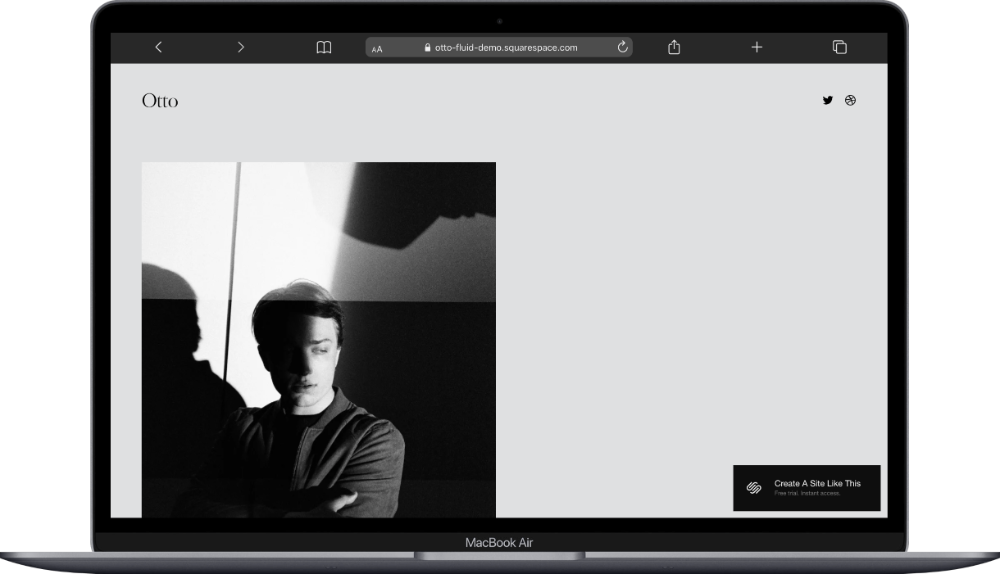
Otto is a one-page Squarespace template with a single large hero image at the top and no traditional navigation menu — just social icons. As you scroll down, the page moves through an About section (brief bio in a two-column layout), a Projects section with a slideshow of work samples, an Experiments section for side projects or current work, and a Contact section with a form.
What makes Otto work as a minimalist template is that there's genuinely nothing extra. No sidebar, no blog feed, no secondary pages competing for attention. It's your work, your name, a way to get in touch. If you want a portfolio site that feels more like a curated gallery than a traditional website, Otto would be a great starting point for you.
2. Balboa - Best Minimalist Photography Portfolio
Best for: Photographers who want their images to do all the talking, fine art or editorial shooters, anyone with a strong visual body of work
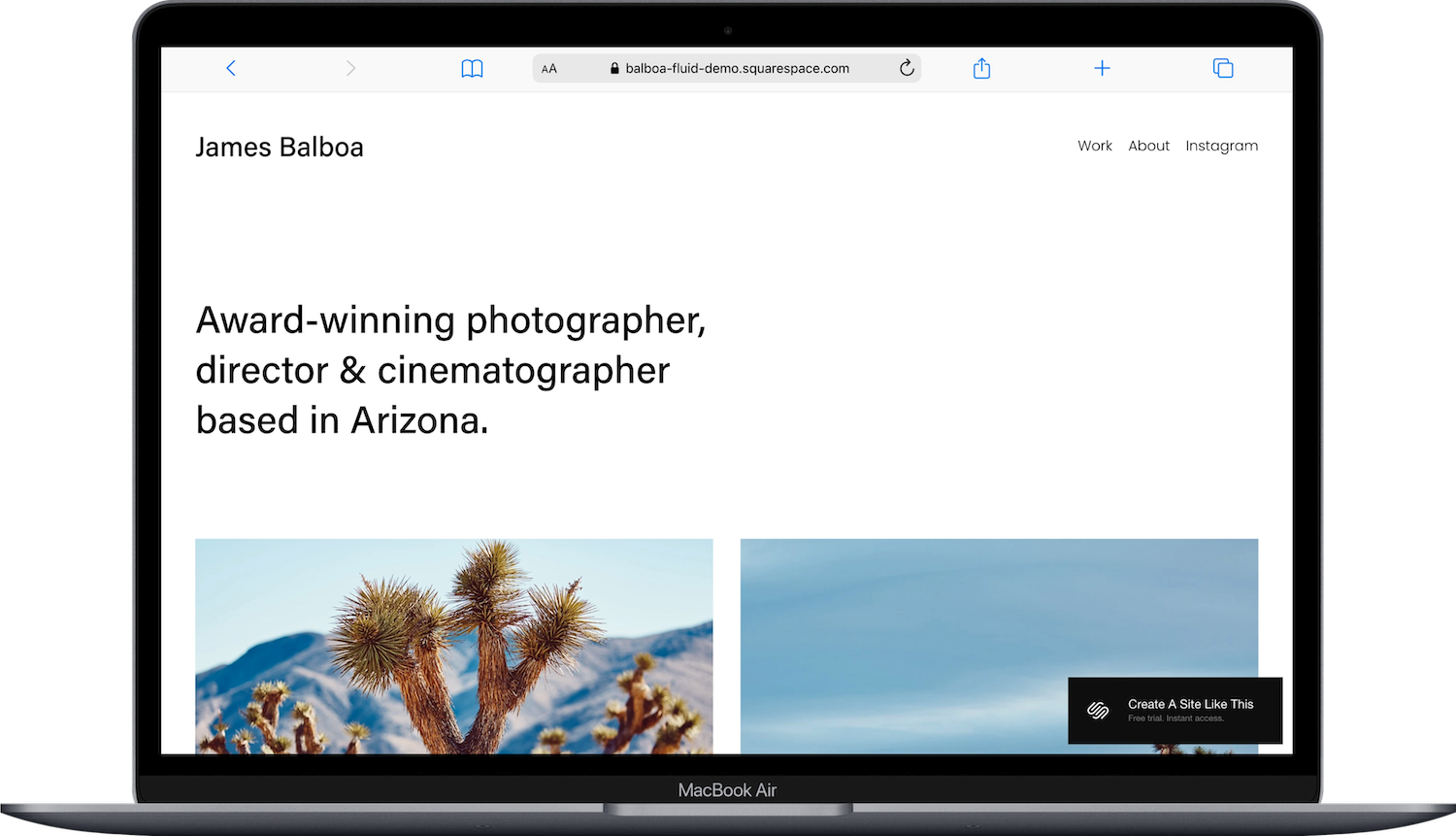
Balboa is a clean portfolio template designed for photographers and visual artists. The template includes pages for Work, About, and Instagram link. The homepage features a grid-style portfolio layout with generous white space between images, and clicking into any project opens a lightbox gallery so visitors can browse your work without leaving the page.
Balboa strips away everything that isn't your images. The typography is mellow, the color palette is neutral, and the navigation is minimal. If you've ever looked at a photographer's website and thought "why is there so much stuff around the photos," Balboa is the opposite of that. The grid spacing gives each image room to breathe, which is exactly what minimalist photography sites need. Balboa is a fabulous template to start with if your work is visual and you want people to focus on it; not your website's design.
3. Novo - Best Minimalist Portfolio for Creatives
Best for: Graphic designers, art directors, multi-disciplinary creatives who want a portfolio that feels intentional and curated
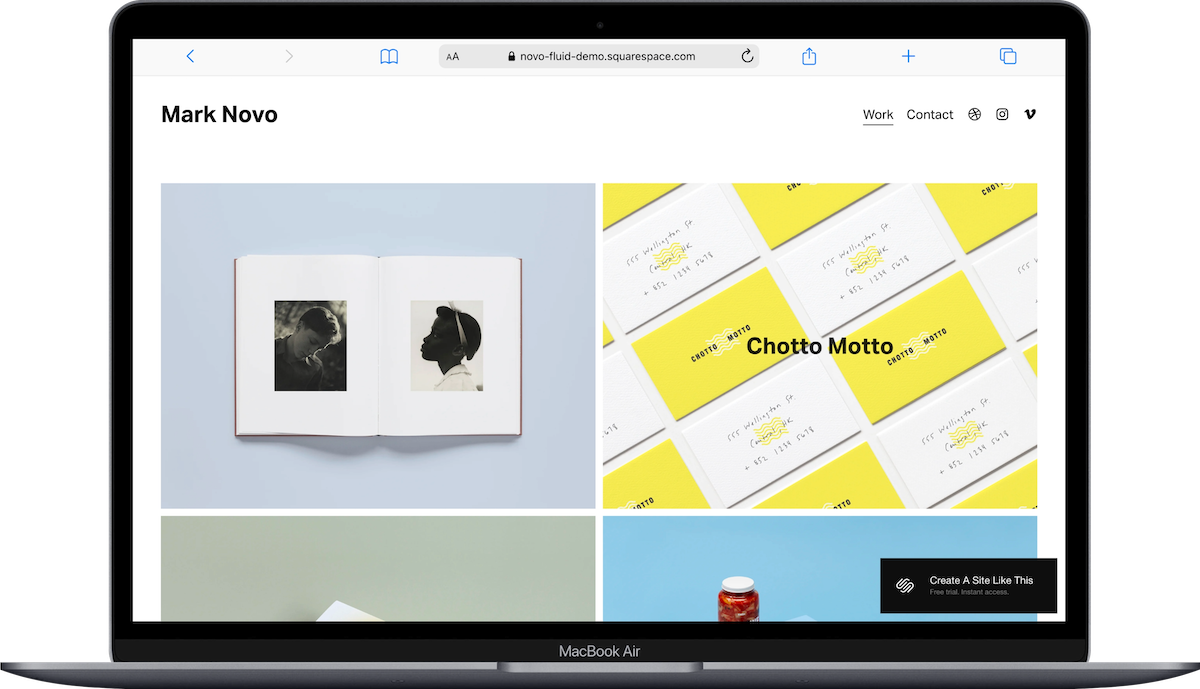
Novo is a portfolio-focused Squarespace template with a two-column grid layout. The template includes a portfolio page, an about section, and a popup contact form (so visitors never actually leave the page to reach out). The homepage features project thumbnails in a clean grid with hover effects that reveal project titles and categories.
The two-column structure gives Novo a sense of rhythm without feeling cluttered. It's structured enough to showcase multiple projects, but spare enough that it still reads as minimal. There's a separate Work and a Contact page included. If you're a creative who wants to show a range of work while keeping the overall site feeling tight and edited, Novo would be a great starting point for you.
4. Bergen - Best Minimalist Template for Visual Portfolios
Best for: Interior designers, architects, stylists, or anyone whose portfolio relies on large, high-quality images displayed one at a time
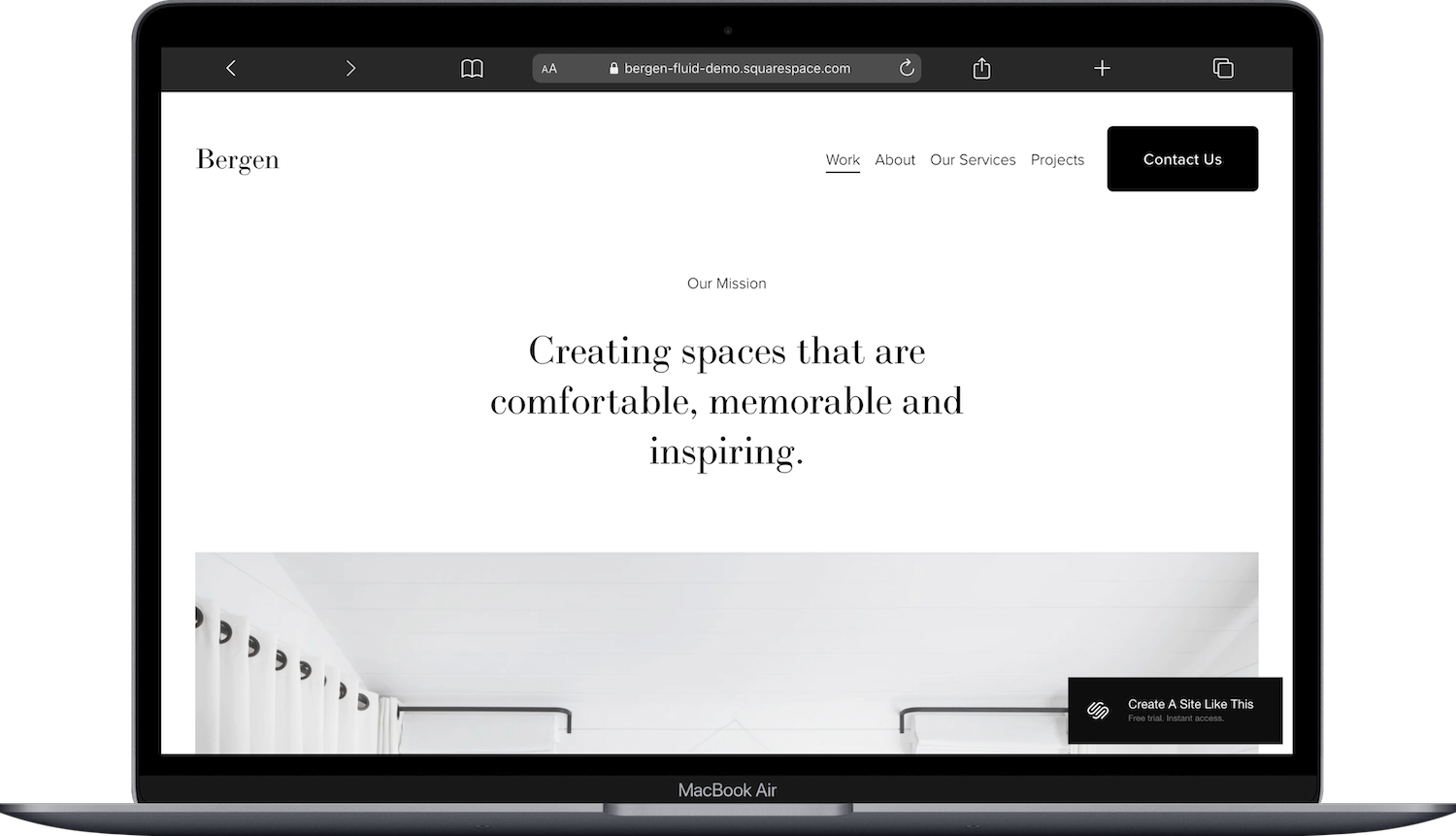
Bergen is a portfolio Squarespace template with a single-column layout that lets each image take up nearly the full width of the screen. The template includes pages for Work, About, Our Services, and Projects.. The homepage leads with a simple mission statement and scrolls into featured projects displayed as full-width photographs with minimal text overlays.
Bergen is one of those templates where you scroll and just... see beautiful images. One after another. The single-column approach means each project gets its own moment, which is ideal if your work is spatial (think: interior shots, architectural photography, set design). The typography stays quiet and the color palette is muted. If your portfolio pieces are big, atmospheric images that deserve full attention, Bergen is a fabulous template to start with.
Best Minimalist Squarespace Templates for Service Businesses
5. Clune - Best Minimalist Template for Service-Based Businesses
Best for: Spas, beauty studios, wellness practices, or any service business that wants a polished, calming online presence
Clune is a minimalist Squarespace template designed for service businesses. The template includes pages for Services, About, Team, and Contact. The homepage features a soft hero image, a services overview with brief descriptions, and a call-to-action to book. The design uses a unified color palette (think: 2-3 complementary tones) with ample spacing between every section.
Squarespace actually names Clune as one of their go-to examples of minimalist design, and I get why. It nails the "less is more" thing without feeling empty. The spacing is deliberate, the sections flow naturally, and there's nothing competing for your visitor's attention. Everything points toward one action: learn about the service, then book it. If you run a service business and want your website to feel as polished and intentional as the experience you offer, Clune would be a great starting point for you.

6. Corrigan - Best Minimalist Template for Professional Services
Best for: Lawyers, consultants, financial advisors, or any professional services firm that wants to look credible without looking corporate
Corrigan is a text-focused Squarespace template built for professional service providers. The template includes pages for Practice Areas (or Services), About, Our Team, Blog, and Contact. The homepage features alternating dark and light content sections, a brief firm overview, service categories, and a contact form built right into the page.
Where a lot of "professional" templates go overboard with stock photos and dense layouts, Corrigan takes the opposite approach. It's clean, direct, and relies on strong typography and contrast to create visual interest instead of imagery. The dark/light section alternation gives the page depth without adding complexity. If you want your site to communicate "we're serious professionals" without looking like a generic law firm template from 2018, Corrigan is a fabulous template to start with.

Best Minimalist Squarespace Templates for Writers & Designers
7. Suhama - Best Minimalist One-Page Template for Writers
Best for: Copywriters, content strategists, freelance writers, or anyone whose work is words (not images) and who wants a simple one-page site
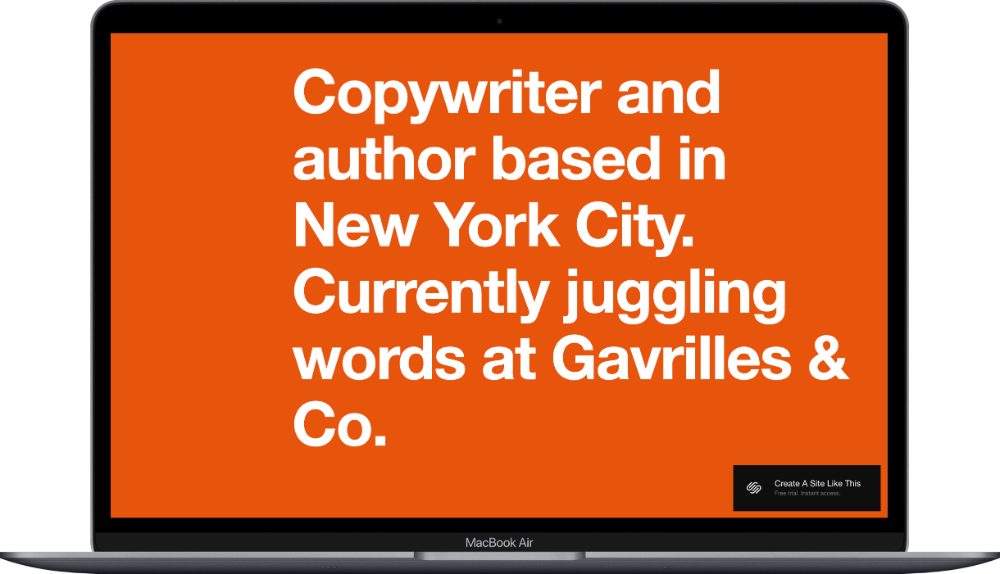
Suhama is a text-forward, one-page Squarespace template designed for writers and service providers. The template keeps everything on a single scrolling page: a bold headline section, a services or expertise overview, a short bio, and a contact section. The homepage leads with large, impactful typography and uses whitespace as the primary design element.
This is the template for people who don't have a portfolio of visual work to show and don't need one. Suhama treats your words as the design. The type is big, the layout is spare, and there's nothing on the page that doesn't earn its place. If you're a writer or strategist who wants a site that feels confident and minimal, without a bunch of placeholder image sections you'd have to fill, Suhama would be a great starting point for you.
8. Cami - Best Minimalist Portfolio for Designers
Best for: Brand designers, UI/UX designers, or creative professionals who want a portfolio that showcases both visual work and design sensibility
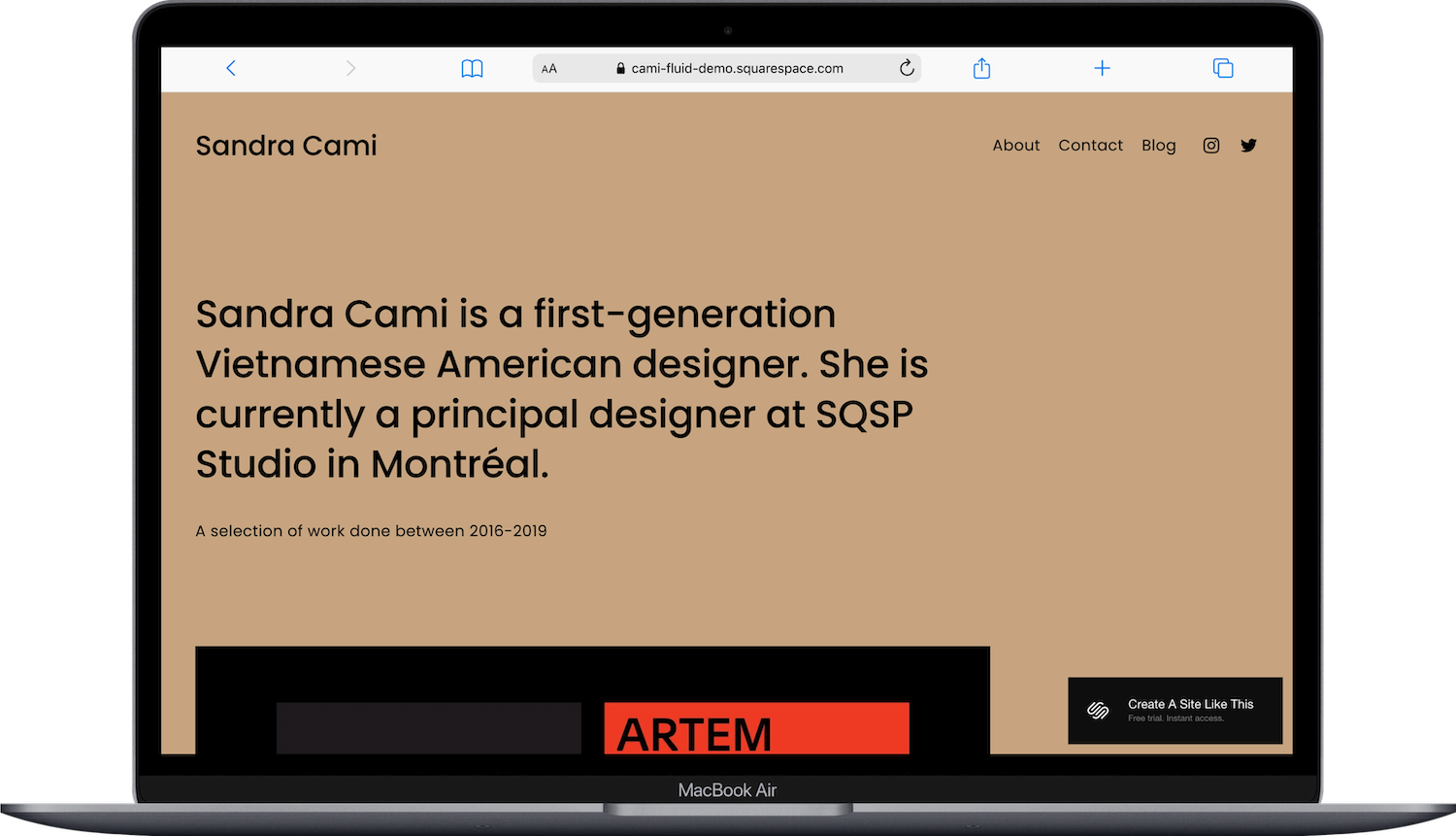
Cami is a clean, design-forward Squarespace portfolio template. The template includes pages for About, Blog, and Contact. The homepage features a curated selection of projects displayed in a grid format with clear project titles, and the overall layout uses generous padding and a restrained color palette.
Cami feels like a designer designed their own site; which makes sense, because that's exactly who it's built for. The grid layout is balanced, the type choices are intentional, and the whitespace is doing real work to make each project thumbnail feel considered. If you're a designer whose site needs to reflect the quality of your design thinking (not just show screenshots of past projects), Cami is a fabulous template to start with.
Can You Make Any Squarespace Template Minimalist?
This is a question that comes up a fair amount, and the short answer is: kind of. Since all Squarespace 7.1 templates share the same customization engine, you technically can strip any template down. Remove sections, simplify the color palette to 1-2 colors, stick to 1-2 fonts, increase the spacing between elements, and pare the navigation back to 3-4 pages max.
But starting with a template that's already minimalist saves you a ton of time and headache. Templates like Clune or Otto are already built with the right proportions, spacing, and visual rhythm for a minimal site. If you start with a template that has 8 navigation items, a sidebar, a footer with four columns, and a busy homepage layout... you CAN simplify it, but you'll spend hours undoing decisions instead of building.
So if minimalism is the goal from the start, start with a minimalist template. You'll get there faster and the end result tends to feel more cohesive.
Want a More Custom Starting Point?
Every template on this list is a starting point, and a good one. But they're also built-in Squarespace templates, which means thousands of other people are starting from the same place. If you want a minimalist site that's truly distinctive and built specifically around your brand, a third-party template could be worth the investment.
A few shops I'd recommend checking out:
Big Cat Creative - Clean, modern templates with strong customization options. Great for service businesses and creatives.
Studio Mesa - Beautiful, editorial-style templates that lean minimal and sophisticated.
Kseniia Design - Elegant, minimal designs with a lot of attention to typography and spacing.
Applet Studio - Bold, design-forward templates for creatives who want minimal but not boring.
Third-party templates typically run $79-$400+ depending on the shop and what's included (some come with setup guides, video tutorials, and style kits). It's more of an investment upfront, but if your brand needs something that doesn't look like anyone else's site, it's worth exploring.
How to Choose the Right Minimalist Squarespace Template
Think about what your site actually needs to DO before you pick a template. If you're a photographer, you want big images and minimal text (Balboa or Bergen). If you're a writer or consultant, you want strong typography and a text-forward layout (Suhama or Corrigan). If you just need a single page that does one thing well, Otto keeps it tight. And if you run a service business, Clune is genuinely hard to beat.
Remember: minimalism isn't about having less on your site. It's about only having what matters. Pick the template closest to the structure you need, then make it yours.
Ready to get started? You can try Squarespace free and preview any of these templates before committing to a plan.
Frequently Asked Questions
Does the Squarespace template you choose matter?
Yes, but probably less than you think. All Squarespace 7.1 templates share the same customization options, so you can adjust fonts, colors, layouts, and spacing on any of them. What the template gives you is a starting structure; the page layouts, default sections, and overall visual rhythm. Starting with a template that's close to what you want (like a minimalist template if you want a clean site) means less time rebuilding and a more cohesive result.
Can you make any Squarespace template minimalist?
Technically, yes. Since every 7.1 template uses the same design engine, you can strip down a busier template by removing sections, simplifying fonts and colors, and increasing whitespace. But it's significantly easier and faster to start with a template that's already built with minimalist proportions and spacing. You'll spend your time refining instead of undoing.
What is the simplest Squarespace template?
Otto and Suhama are the simplest Squarespace templates. Both are one-page designs with minimal navigation and very few sections. Otto is image-focused (it opens with a large hero image and includes a project slideshow further down the page), while Suhama is text-focused (built around bold typography). If you want the absolute least amount of pages and complexity to manage, either of those two is a solid pick.
Are Squarespace templates free?
Yes, all ~175+ built-in Squarespace templates are free with every plan. You don't pay extra for any specific template; you just need an active Squarespace subscription (Basic starts at $16/month). Third-party templates from independent design shops are a separate purchase, typically ranging from $79-$400+, and are worth considering if you want something more custom and brand-specific.
How do I make my Squarespace website look clean and minimal?
Stick to 1-2 fonts (one for headings, one for body text), limit your color palette to 2-3 colors max, use plenty of whitespace between sections, and keep your navigation to 4-5 pages or fewer. Remove any default sections or pages you don't actually need. The biggest thing that makes a site feel cluttered is trying to say everything on every page. Pick the one thing each page should communicate, and let everything else go.
What's the difference between a minimalist Squarespace template and a blank template?
A minimalist template comes with a pre-designed structure that uses clean layouts, generous spacing, and intentional typography; it just happens to use fewer elements. A blank template (or starting from scratch in Squarespace) gives you literally nothing: no pages, no sections, no design decisions made for you. Starting from blank is possible, but for most people a minimalist template gives you a stronger foundation because the proportions and visual rhythm are already dialed in.

