Best Dark Squarespace Templates: Free Templates With a Built-In Moody Aesthetic
This post contains affiliate links. If you purchase through them, I may receive a small commission at no extra cost to you.
Table of Contents Show
What Are the Best Dark Squarespace Templates?
Quick Answer: The best dark Squarespace templates are Kitui (musicians and bands), Achromatic (tattoo artists and creatives), Night (stylists and fashion portfolios), Mosley (photographers), Arcade (events and gaming), Fayette (bars and nightlife), and Forma (coaches and course creators). All are free with any Squarespace plan starting at $16/month, and Squarespace also lets you darken any template by customizing section colors, fonts, and image treatments.
KEY FACTS:
Squarespace does NOT have a built-in dark mode toggle; dark aesthetics come from choosing a dark template or manually customizing colors
All templates listed here are built on Squarespace 7.1 and free with every plan
Will Myers offers a Dark Mode plugin ($25 one-time) that adds a light/dark toggle visitors can click
You can make any Squarespace template dark by changing section backgrounds, lightening fonts, and adjusting image overlays
Third-party template shops like Big Cat Creative and Kseniia Design offer premium dark templates with more custom design
Dark websites have a way of making everything feel more intentional. More editorial. More high-end. Whether you're a musician, photographer, creative director, or running a moody little shop, a dark color scheme can do a LOT of heavy lifting for your brand.
But Squarespace doesn't exactly make it easy to filter by "dark templates." There's no dark mode category in their template library, and with almost 200 templates to scroll through, figuring out which ones actually ship with dark backgrounds, light text, and a moody vibe would take you forever.
So I went through the entire library and pulled out the best ones. Below you'll find seven of the best dark Squarespace templates organized by who they're best for, what pages they include, and what makes each one worth starting with. Plus, if you find a template you love that ISN'T dark, I've got a section at the end on how to make any Squarespace template dark.
The Best Dark Squarespace Templates for 2026
1. Kitui Squarespace Template
Best for: Solo artists and bands with a strong visual identity, musicians releasing albums regularly, acts focused on touring and merch sales
Kitui is a musician Squarespace template with a bold, dark aesthetic that feels modern and moody right out of the box. The template includes pages for Home, Tour, Store, and Contact. The homepage prominently features album artwork and release announcements with a direct link to purchase. Tour dates are displayed with venue info and ticket links, and the merch section shows products in a grid format that works well for selling albums, vinyl, posters, and clothing.
Kitui's dark palette works especially well for indie, alternative, electronic, or hip-hop artists. The newsletter signup at the bottom helps you build your email list for future releases. If you want a dark site that's built around music and touring, Kitui would be a great starting point for you.

2. Achromatic Squarespace Template
Best for: Tattoo artists, visual artists, and creatives who want a stark black-and-white portfolio
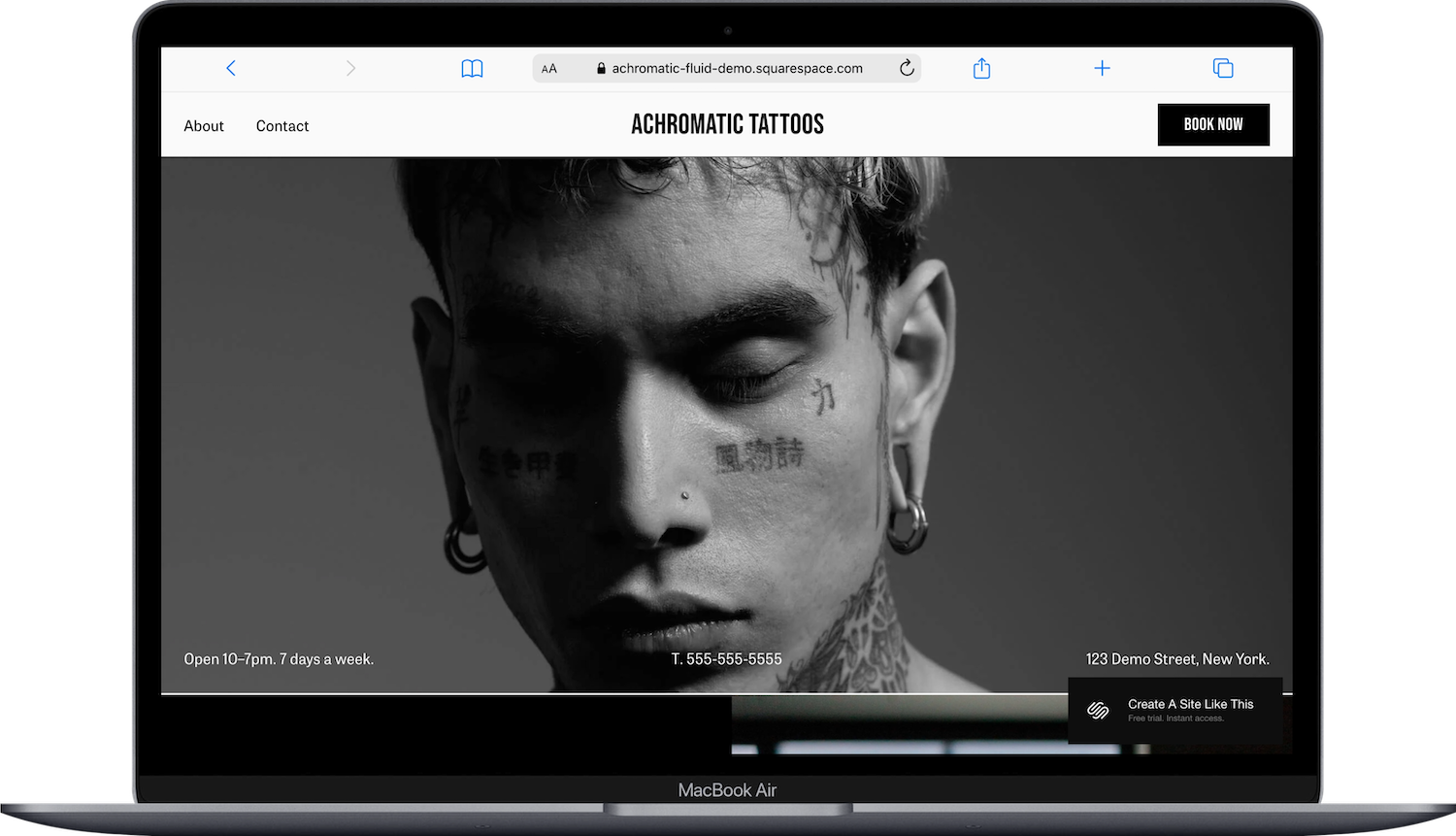
Achromatic is a black-and-white template stripped down to the essentials. The template includes pages for Home, About, Contact, and Book Now. The homepage uses high-contrast imagery against a dark background, putting the visual work front and center without any color distractions.
What makes Achromatic work so well for tattoo artists and visual creatives is the restraint. There's nothing competing with your portfolio. The Book Now page makes it easy for clients to schedule, and the minimal page count means you're not building out sections you don't need. If your work speaks loudly on its own and you just need a clean, dark frame around it, Achromatic is a fabulous template to start with.
3. Night Squarespace Template
Best for: Stylists, fashion creatives, and anyone building a visual portfolio with a dark editorial feel
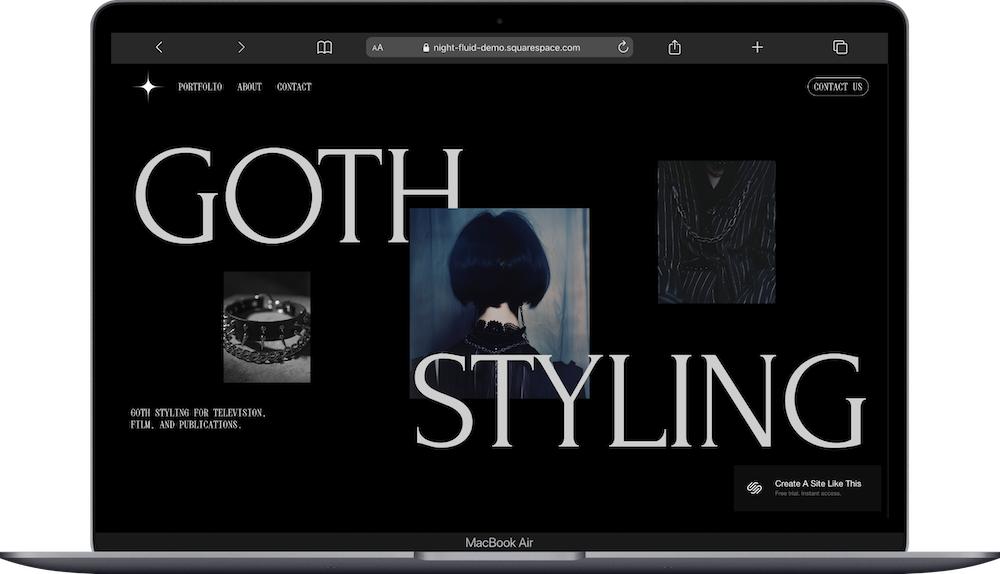
Night is a dark portfolio template that leans editorial. The template includes pages for Home, Portfolio, About, and Contact. The homepage showcases project imagery with bold text overlays, and the Portfolio page displays work in a layout that feels curated rather than catalog-like.
The design has a fashion-forward, magazine quality to it; which makes sense given it's styled for stylists. The dark background lets the photography really pop, and the overall structure keeps things tight without feeling bare. If you're a stylist, fashion creative, or visual artist whose work needs a dark, polished stage, Night would be a great starting point for you.
4. Mosley Squarespace Template
Best for: Photographers, creative directors, and portfolio-focused professionals who want a moody, high-end feel
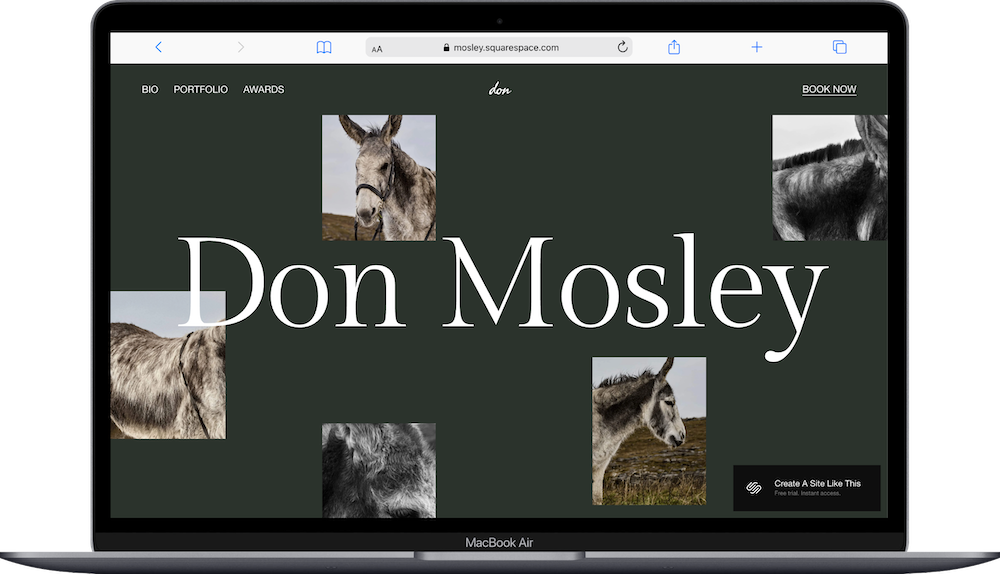
Mosley is a dark, portfolio-driven template designed to showcase creative work. The template includes pages for Home, Bio, Portfolio, Awards, and Book Now. The homepage features large-scale imagery that fills the screen, with smooth transitions between projects. The Awards page is a nice touch for established creatives who want to display recognition and press.
Mosley's dark green palette gives it a gallery-like quality; your images look like they're being exhibited, not just displayed. The Book Now page makes it functional for client-facing creatives who need an inquiry or booking flow. If you're a photographer or creative director who wants their work to feel like an experience, Mosley is a fabulous template to start with.
5. Arcade Squarespace Template
Best for: Events, gaming communities, esports organizations, and entertainment brands with a bold, high-energy vibe
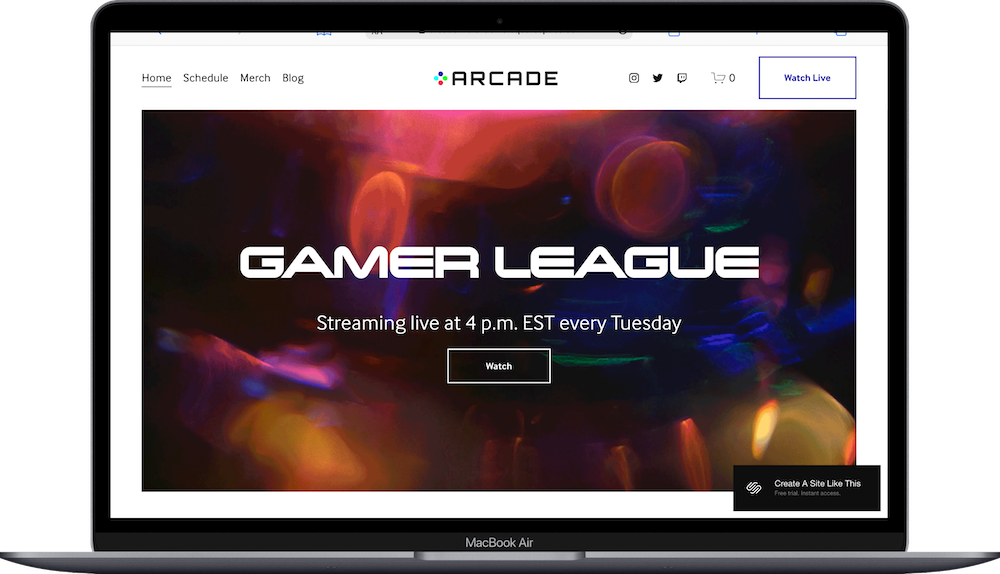
Arcade is a dark, event-focused template with serious energy. The template includes pages for Home, Schedule, Merch, Blog, and Watch Live. The homepage uses dynamic visual elements and bold typography against a dark background, and the Schedule page lays out event dates and times clearly. The Merch page connects to Squarespace's built-in e-commerce, and the Watch Live page is set up for streaming or video content.
What sets Arcade apart from other dark templates is the energy level. It's not minimalist-dark or moody-dark; it's vibrant-dark. If you're running an esports league, hosting live events, or building a community around gaming or entertainment, Arcade would be a great starting point for you.
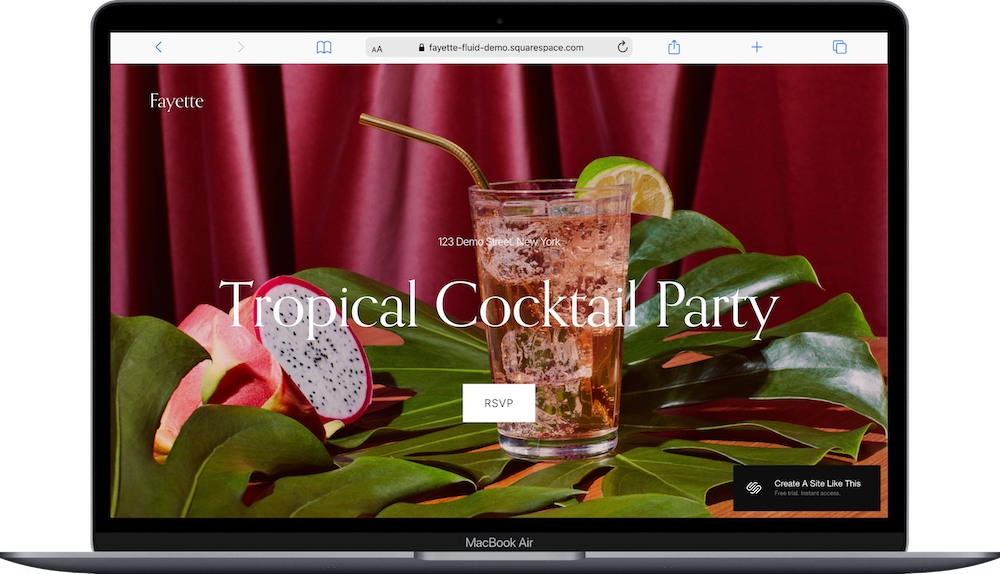
6. Fayette Squarespace Template
Best for: Bars, lounges, nightlife venues, and event spaces that want a dark, atmospheric one-page site
Fayette is a one-page dark template designed for nightlife and events. The template is a single-page site with an RSVP pop-up form. The homepage uses dim imagery, moody lighting, and bold text to create an atmospheric feel that matches the vibe of the venue it's designed for.
Fayette is intentionally minimal. There's no blog, no multi-page navigation, no shop. It's one page that sets a mood and gives people a way to RSVP or get in touch. If you're running a bar, lounge, or event space and you want something that captures the atmosphere without overcomplicating things, Fayette is a fabulous template to start with.
7. Forma Squarespace Template
Best for: Coaches, entrepreneurs, and course creators who want a sleek dark landing page with a login
Forma is a one-page dark template built for coaches and course creators. The template includes a one-page Home and a Login page. The homepage features sections for your offering, testimonials, and a call-to-action, all against a dark background. The Login page is set up for member areas or course access.
Forma's strength is its focus. It's not trying to be a 10-page website; it's a sharp, dark roboust one-page site that funnels visitors toward signing up or logging in. If you're selling a course, program, or membership and want a dark, conversion-focused site without a lot of extra pages to build out, Forma would be a great starting point for you.

Other Dark Squarespace Templates Worth Considering
A few more dark templates that didn't make the main list but could be the right fit depending on your niche:
Vandam - dark template built for touring bands with merch. Pages: Home, Tour, Press, Merch, Cart.
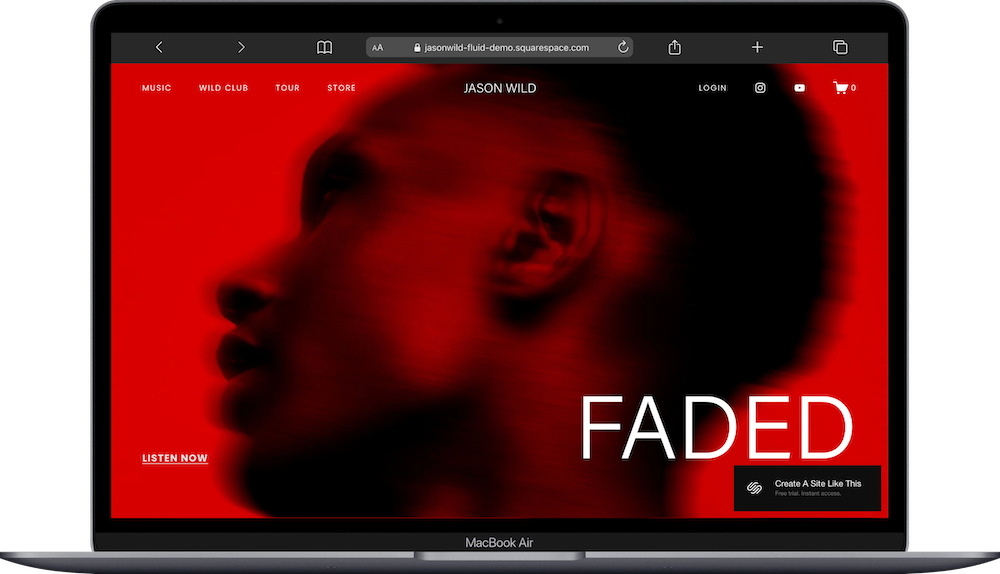
Jasonwild- dark musician template with a built-in membership area. Pages: Home, Music, Wild Club, Tour, Store, Login.
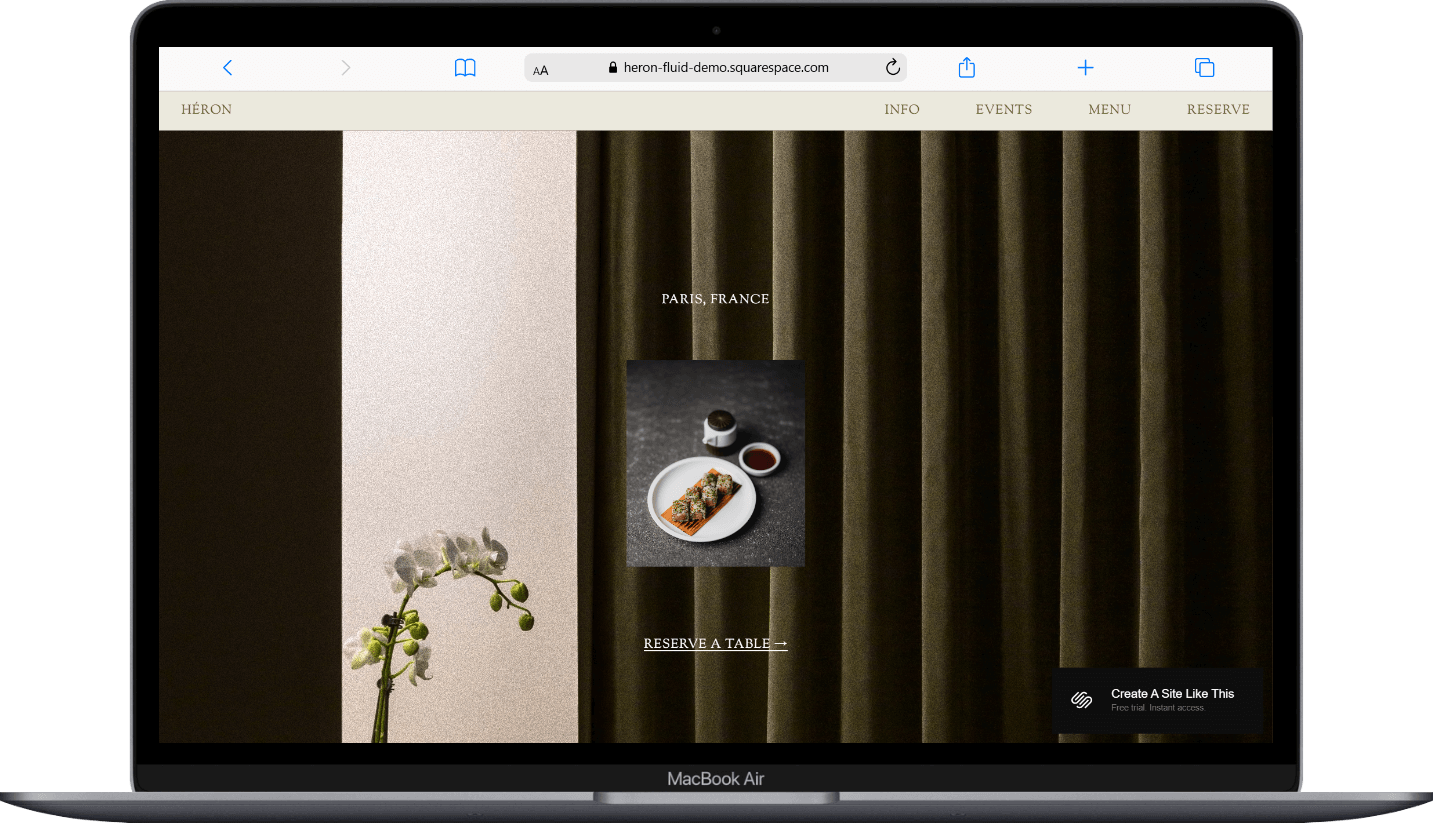
Heron - dark one-page restaurant template with anchor links for Info, Events, Menu, and Reserve.
Kusa - dark beauty and courses template. Pages: Home, About, Courses, Gallery, Contact, Login.
Crosby- dark shop template styled for plants and garden products. Pages: Home, Shop, Our Story, Journal, Contact, Cart.
Myhra - dark wellness/coaching template. Pages: Home, About, Services, Coaching, Recipes (Blog), Contact.




How to Make Any Squarespace Template Dark
Squarespace doesn't have a "dark mode" button you can flip. There's no toggle in Site Styles that converts your whole site from light to dark. But you CAN make virtually any template dark by adjusting a few settings. So if you find a template with the perfect structure but it happens to be light, you're not stuck.
Change Your Section Background Colors
This is the biggest lever. In Squarespace 7.1, every section on every page can have its own color theme. Go into the page editor, click on a section, and look for the color theme or palette options. Switch your section backgrounds to dark tones (black, charcoal, deep navy, whatever fits your brand) and your text to light colors.
You'll probably want to do this section by section across your site. It takes a bit of time, but it gives you full control.
Lighten Your Fonts
Once your backgrounds are dark, your text needs to flip to light. Whites, off-whites, and light grays work well for body text on dark backgrounds. For headers, you can go brighter or use an accent color that pops against the dark.
One tip: pure white (#FFFFFF) on pure black (#000000) can actually be harsh on the eyes. A slightly off-white text (like #F5F5F5) on a very dark gray (#1A1A1A or #111111) tends to feel more comfortable to read.
Adjust Your Images
Dark images and dark backgrounds play nicely together. But if you have bright, airy product photos or headshots, they can clash with a dark layout. A few ways to handle it:
Use Squarespace's built-in image overlay or filter options to darken images
Edit your photos before uploading to have darker tones or moodier lighting
Use images with darker backgrounds naturally (studio shots on black, nighttime photography, etc.)
Add a Dark Mode Toggle (Optional)
If you want visitors to be able to switch between light and dark mode themselves, the Will Myers Dark Mode plugin ($25 one-time purchase) adds a toggle to your header or as a floating button. It saves the visitor's preference to their browser, so it remembers their choice next time they visit. Pretty slick for a $25 add-on.
Want to Start With a More Custom Template?
The built-in Squarespace templates are solid starting points, but they're starting points. Thousands of people use the same ones. If you want a dark template that's more distinctive and brand-specific, third-party template shops are worth looking at:
Big Cat Creative- they carry dark-toned Squarespace templates designed for specific niches. Well-documented and beginner-friendly. The Noir template in particular is a gorgeous dark-mode themed template.
Kseniia Design- premium Squarespace templates with modern, editorial aesthetics. Several of her designs lean dark or can be easily customized dark.
Applet Studio - boutique template shop with some bold, moody options.
Studio Mesa - creative templates with strong design foundations.
Third-party templates typically run between $99-$299 and come with more built-in customization, detailed setup guides, and design that's already more differentiated than the free options.
Ready to Start Building?
All of the built-in dark templates above are free with any Squarespace subscription. Plans start at $16/month on annual billing. You can preview any template before committing, and since they're all on Squarespace 7.1, you can swap templates or customize extensively without starting over.
Pick the structure that's closest to what you want, darken what needs darkening, and make it yours.
Frequently Asked Questions
Does Squarespace have a dark mode?
Squarespace does not have a built-in dark mode toggle that converts your site from light to dark. To achieve a dark aesthetic, you either choose a template that already uses dark colors (like Kitui, Achromatic, or Night) or manually adjust section background colors, font colors, and image treatments on any template. The Will Myers Dark Mode plugin ($25) can add a visitor-facing light/dark toggle if you want both options.
How do I make my Squarespace website dark?
You can make any Squarespace 7.1 template dark by changing section background colors to dark tones (black, charcoal, navy), switching your text to light colors (off-white works better than pure white for readability), and adjusting your images to work with darker surroundings. You do this section by section in the page editor through the color theme settings. It takes some time but gives you full control over the look.
What is the best Squarespace template for a dark aesthetic?
It depends on your niche. For musicians, Kitui and Vandam are strong picks. For photographers and creative portfolios, Mosley and Night work well. For events and gaming, Arcade has a bold dark energy. And for coaches or course creators, Forma is a focused dark landing page.
Can you switch between light and dark mode on Squarespace?
Not natively. Squarespace doesn't offer a built-in light/dark mode switcher for visitors. However, the Will Myers Dark Mode plugin ($25 one-time) adds a toggle that can sit in your header or float on the page. It saves the visitor's preference in their browser so it persists between visits.
Are dark websites bad for SEO?
No. Your site's color scheme has no direct impact on SEO or search rankings. Google doesn't care whether your background is black or white. What matters for SEO is page speed, content quality, image optimization, and technical setup. That said, dark sites with poorly optimized large images can load slowly, which does affect SEO; so make sure you're optimizing your images regardless of your color scheme.
Do dark websites look professional?
Absolutely; when done well. Dark websites are common across luxury brands, photography, music, nightlife, fashion, and creative industries. The key is contrast and readability: make sure your text is easy to read against dark backgrounds, your images are high quality, and your color palette is intentional (not just "everything is black"). A dark site with good typography and strong imagery can feel more premium than a light one.

