Squarespace vs Showit in 2026: A Comparison for Entrepreneurs and Creatives
This post contains affiliate links. If you purchase through them, I may receive a small commission at no extra cost to you.
A note on pricing: all prices mentioned in this post are accurate as of when this post was written, but can change at any time. This includes Squarespace plans, third-party tools, plugins, templates, and any other services referenced. Always check directly with the provider for the most current pricing before committing.
Table of Contents Show
Should you use Squarespace or Showit for your business website?
Quick Answer: Squarespace is an all-in-one platform with native ecommerce, blogging, scheduling, and email marketing built in; plans start at $16/month. Showit gives you pixel-level design freedom with true drag-and-drop and separate desktop/mobile canvases, but it relies on WordPress for blogging (separate login, separate admin) and third-party tools for ecommerce; plans start at $22/month.
If you want maximum creative control over every visual detail and don't mind managing multiple systems, Showit could be a strong fit. If you want everything under one roof and the ability to update your own site without a steep learning curve, Squarespace is probably the better call.
KEY FACTS:
Squarespace Basic plan: $16/mo (annual billing); Core: $23/mo; Plus: $39/mo; Advanced: $99/mo
Showit (no blog): $22/mo annual ($259/yr); with Basic Starter Blog: $27/mo annual ($326/yr); with Advanced Blog: $39/mo annual ($470/yr)
Showit's blog is powered by WordPress; it's a separate login, separate admin panel, and separate system to maintain
Squarespace has native ecommerce on all plans; Showit has zero native ecommerce and requires Shopify Starter, WooCommerce, or third-party integrations
Both platforms offer a 14-day free trial
Squarespace has ~200 built-in templates on 7.1; Showit has a third-party template marketplace where independent designers sell custom templates
Showit offers true pixel-level design control with separate desktop and mobile design canvases; Squarespace uses a structured section-based editor
Why the Squarespace vs Showit comparison keeps coming up
If you're a coach, creative service provider, or entrepreneur shopping for a website platform, you've probably noticed that Squarespace and Showit keep popping up in the same conversations. And for good reason. They're both popular with small business owners, they both look great, and they both have passionate communities behind them.
But they work very differently under the hood. And "which one is better" depends entirely on what you need, how you like to work, and how much complexity you're willing to manage.
I'm a Squarespace designer. I build on Squarespace every day and I know the platform inside and out. But I'm not here to tell you Squarespace is the right choice for everyone, because it isn't. Showit does some things genuinely well; things Squarespace can't match. And Squarespace does some things that Showit simply doesn't offer.
So let's get into the real differences.
Design freedom: where Showit genuinely wins
This is the big one, and it's the reason a lot of creatives are drawn to Showit in the first place.
Showit gives you true pixel-level control. You can drag any element anywhere on the page. There are no content blocks or section constraints; if you want a text box overlapping an image at a 30-degree angle 47 pixels from the left edge, you can do that. You also get separate design canvases for desktop and mobile, which means you can create a completely different layout for each screen size.
For brand-obsessed entrepreneurs; the kind who have a very specific visual identity and want their website to look EXACTLY like the mockup their designer created; this is a massive draw. Showit templates from third-party designers (think shops like Tonic Site Shop, With Grace and Gold, etc.) can be stunning, and they're a huge part of the Showit ecosystem.
Squarespace, by contrast, uses a structured section-based editor. You're working within a grid system. You can customize fonts, colors, spacing, images, and layouts, but you're doing it within guardrails. You're not placing elements pixel by pixel.
For some people, those guardrails feel limiting. For others, they're a feature. They keep your site looking polished even if you're not a designer, and they make it harder to accidentally break your layout on mobile.
Bottom line: if total visual freedom is your number one priority and you're willing to invest time (or hire a designer) to get it right on both desktop and mobile, Showit delivers on that promise.
The all-in-one factor: where Squarespace wins
Here's where the conversation shifts.
Squarespace is a true all-in-one platform. Your website, your blog, your online store, your scheduling, your email campaigns, your analytics, your domains; all of it lives under one login, one dashboard, one system. You update one thing and it's done.
Showit is a website builder. A very good-looking website builder. But it's only the visual layer. The moment you need anything beyond static pages, you're plugging in other tools:
Blogging: Showit uses WordPress. Not a simplified version of WordPress. Actual WordPress, with its own login, its own admin dashboard, its own plugin updates, its own security considerations. Your Showit site and your WordPress blog are two separate systems stitched together.
Ecommerce: Showit has no native ecommerce. Zero. If you want to sell products, courses, or digital downloads, you're integrating Shopify Starter, WooCommerce (through WordPress), PayPal buttons, or a third-party tool like Shoprocket.
Email marketing: Third-party tool required.
Scheduling: Third-party tool required.
Analytics: Third-party tool required (beyond basic Showit stats).
None of this is a dealbreaker if you're comfortable managing multiple systems. Plenty of successful businesses run this way. But it's something you should know going in, because a lot of people don't realize it until after they've committed.
With Squarespace, you open one dashboard and everything is there. Blog posts, product listings, appointment scheduling through Acuity, email campaigns, SEO settings, analytics. One system. One place to update.
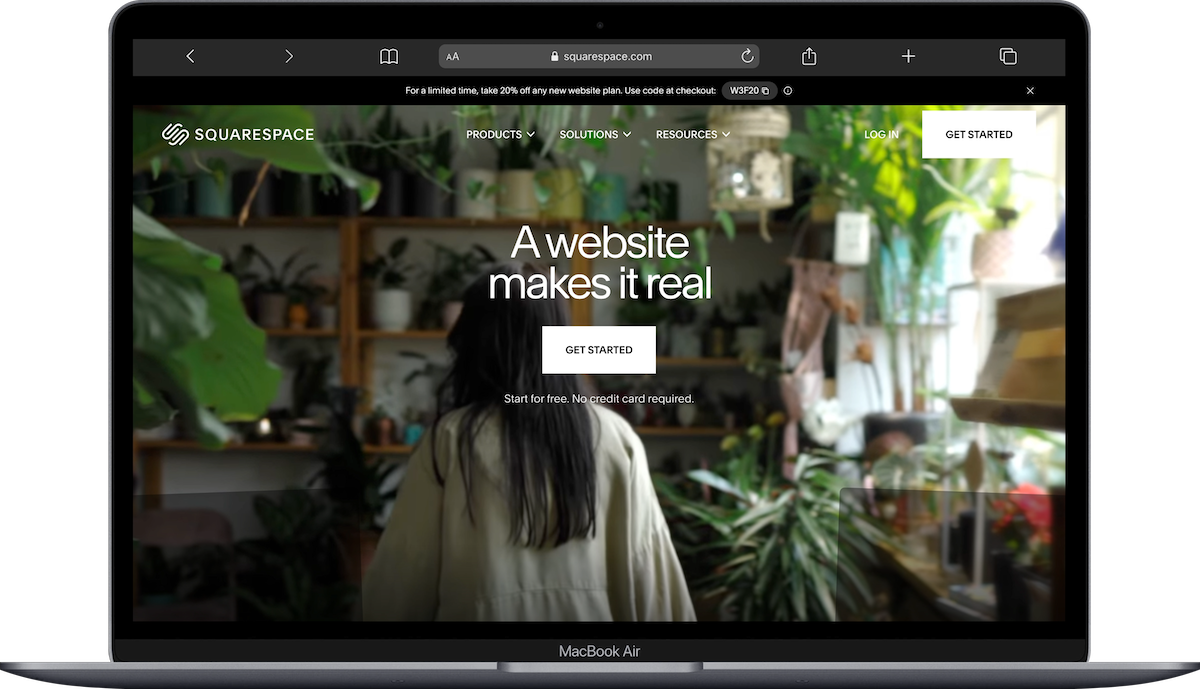
Squarespace
Blogging: Squarespace vs Showit
This is a big one for coaches, consultants, and service providers who use content marketing.
Squarespace's blog is built in. You write posts in the same editor you use for the rest of your site. Same fonts, same design system, same login. Categories, tags, scheduling, SEO fields, social sharing images; all native.
Showit's blog runs on WordPress. If you want a blog at all, you're paying more ($27/mo minimum instead of $22/mo) and you're managing a separate WordPress installation. That means:
A different login to write and publish posts
WordPress plugin updates to stay on top of
WordPress security to manage (this is not trivial; WordPress is the most-hacked CMS on the internet, and it requires regular maintenance)
A different visual editing experience for blog content vs. the rest of your site
Your blog styling is handled through a WordPress theme, not through Showit's drag-and-drop builder
If you're someone who blogs regularly (or plans to), this is worth thinking about seriously. Two systems means twice the maintenance, and the disconnect between your Showit pages and your WordPress blog can be jarring to manage.
If blogging is central to your business strategy, Squarespace makes this significantly simpler.
Ecommerce: selling products and digital downloads
If you're selling anything; physical products, digital downloads, courses, memberships; Squarespace has native ecommerce built into every plan. Even the Basic plan ($16/mo) supports selling. The Core plan ($23/mo) removes transaction fees and adds features like customer accounts and abandoned cart recovery.
Showit has no ecommerce features. None. To sell anything through a Showit site, you're embedding a third-party solution:
Shopify Starter ($5/mo on top of your Showit plan) for basic product links
WooCommerce (free plugin, but runs through WordPress, so all the WordPress maintenance applies)
Third-party tools like Shoprocket, Payhip, or Gumroad for digital products
This can work, but you're cobbling together multiple platforms. And if something breaks in the integration, you're troubleshooting across two or three different systems.
For service providers who sell one or two digital products (a workbook, a template, etc.), a lightweight third-party tool might be totally fine. But for anyone running a real online shop or selling courses at scale, Squarespace's native ecommerce is hard to beat for the price.
Squarespace vs Showit pricing breakdown
Squarespace:
Basic: $16/mo (annual) / $25/mo (monthly)
Core: $23/mo (annual)
Plus: $39/mo (annual)
Advanced: $99/mo (annual)
Everything is included. Blog, ecommerce, scheduling, email campaigns, analytics, SSL, hosting.
Showit:
Showit (no blog): $22/mo annual ($259/yr) / $27/mo monthly
Showit + Basic Starter Blog: $27/mo annual ($326/yr) / $34/mo monthly
Showit + Advanced Blog: $39/mo annual ($470/yr) / $49/mo monthly
High-traffic plans: $63/mo and $119/mo (annual)
And that's just for the website and blog. Add ecommerce? That's another subscription. Email marketing? Another subscription. Scheduling? Another subscription. The costs can stack up quickly depending on what your business needs.
If you're comparing apples to apples; a website with a blog, ecommerce, and basic business tools; Squarespace's Core plan at $23/mo covers all of it. To get equivalent functionality on Showit, you could easily be paying $50-80/mo across multiple platforms.

Squarespace vs Showit for SEO
Both platforms can rank on Google. Let's be clear about that first and foremost.
Squarespace handles SEO basics well out of the box: clean URLs, automatic sitemaps, SSL certificates, mobile-responsive layouts, built-in SEO fields for page titles and meta descriptions, and native integration with Google Search Console. (If you haven't connected your Squarespace site to Google Search Console yet, here's how to do that.)
Showit also supports SEO fundamentals; you can set page titles, meta descriptions, and alt text. But since blogging runs through WordPress, your blog SEO is handled through WordPress plugins (like Yoast or RankMath), not through Showit itself. This means you're managing SEO settings in two different places for one website.
One thing to watch with Showit: because it gives you total design freedom, it's easier to accidentally create layouts that hurt SEO. If your heading hierarchy is off, if text is embedded in images instead of live HTML, or if your mobile layout doesn't match your desktop content, search engines can struggle. Squarespace's structured editor makes it harder to make these kinds of mistakes. (If you want to dig deeper on heading hierarchy and why it matters, this post breaks it down.)
For the average small business owner managing their own site, Squarespace's built-in SEO tools are more straightforward. For someone with WordPress experience (or a developer on call), Showit + WordPress can be just as effective; it just takes more hands-on management.
Ease of use and ongoing maintenance
This is where I want to be really direct.
Squarespace is easier to maintain on your own. Updating a page, publishing a blog post, adding a product, changing a photo; it's all in one place, and the learning curve is manageable for most people. You don't have to worry about plugin updates, security patches, or compatibility issues.
Showit's design editor is intuitive for the design part; dragging elements around is pretty straightforward. But the overall system is more complex because you're managing multiple platforms. WordPress needs regular updates. Plugins need to stay compatible. If your WordPress installation gets hacked or a plugin conflict breaks your blog, that's on you (or your developer) to fix.
For entrepreneurs and service providers who want to update their own site without hiring someone every time, this matters. A LOT. If you're the kind of person who wants to hop in, swap a photo, tweak some copy, and get back to running your business, Squarespace is built for that.
Templates and design ecosystem
Squarespace has roughly 200 built-in templates, all on version 7.1, all free with any plan. They're well-designed starting points, but they are starting points; thousands of people are using the same templates. If you want something more distinctive, third-party template shops like Big Cat Creative, Kseniia Design, or Studio Mesa sell custom Squarespace templates that feel much more unique and brand-forward.
Showit's entire template model is third-party. Independent designers create and sell Showit templates through their own shops (Tonic Site Shop, With Grace and Gold, Go Live HQ, etc.), and the quality can be incredible. The design ceiling is higher because of Showit's pixel-level control, and these templates often have a very polished, editorial aesthetic that appeals to brand-conscious creatives.
If having a truly custom-looking site matters deeply to you AND you're willing to invest in a premium third-party template, both platforms can deliver. Showit has a slight edge in raw design flexibility; Squarespace has the advantage of keeping everything simple once the template is set up.
So which platform should you choose, Squarespace or Showit?
Both are great depending on your use case. But in a nutshell:
Squarespace is probably the better fit if you:
Want everything in one place (website, blog, shop, scheduling, email)
Plan to update your own site regularly without hiring help
Sell products, digital downloads, or courses
Blog consistently as part of your content marketing
Don't want to worry about WordPress security or plugin maintenance
Value simplicity and reliability over total design freedom
Showit could be a better fit if you:
Have a very specific visual brand and want pixel-level design control
Are comfortable managing multiple platforms (Showit + WordPress + ecommerce tool + email tool)
Have a designer who builds on Showit or you're investing in a premium Showit template
Don't need native ecommerce or only sell through a simple third-party tool
Don't blog frequently (or don't mind managing WordPress separately)
Prioritize aesthetics above all else and have the budget for additional tools
Neither platform is universally better. They solve different problems for different people.
If you're leaning toward Squarespace, you can start a free 14-day trial here and poke around without committing. And if you want help choosing a template or setting things up, here's how I can help.
Frequently Asked Questions
Is Showit better than Squarespace?
It depends on what you need. Showit offers more visual design freedom with pixel-level control and separate desktop/mobile canvases, which makes it a strong choice for creatives with a very specific brand aesthetic. Squarespace is an all-in-one platform with native blogging, ecommerce, scheduling, and email marketing built in, which makes it easier to manage and less expensive when you factor in the additional tools Showit requires.
Is Showit just for photographers?
No, but the photographer community is where Showit built its reputation, and many of the most popular Showit template designers cater to that market. Showit works for any business that prioritizes visual design freedom; coaches, creative service providers, brand designers, and entrepreneurs all use it. That said, the template ecosystem skews heavily toward photographers and wedding professionals, so you may need to look harder for templates that fit other industries.
Does Showit use WordPress?
Yes. Showit's blogging feature runs on WordPress, which means you have a separate WordPress admin panel with its own login, its own plugin updates, and its own security maintenance. Your Showit pages and your WordPress blog are two different systems connected together. If you don't need a blog, you can skip the WordPress integration (and pay $22/mo instead of $27/mo+), but most business owners eventually want one.
How much does Showit cost per month?
Showit starts at $22/mo (annual billing) for a website without a blog. Adding a basic WordPress blog brings it to $27/mo, and the advanced blog plan is $39/mo. High-traffic plans run $63/mo and $119/mo. Keep in mind these prices only cover the website and blog; ecommerce, email marketing, scheduling, and analytics all require separate paid tools on top of your Showit subscription.
Is Squarespace or Showit better for SEO?
Both platforms support SEO fundamentals like custom page titles, meta descriptions, alt text, and SSL. Squarespace handles all SEO settings in one dashboard and has built-in Google Search Console integration. With Showit, your page SEO is managed in Showit but your blog SEO is managed through WordPress plugins like Yoast or RankMath, which means you're handling SEO in two separate places. For most small business owners managing their own site, Squarespace's unified approach is more straightforward.
Can you sell products on a Showit website?
Not natively. Showit has no built-in ecommerce features, so you'd need to integrate a third-party tool like Shopify Starter ($5/mo), WooCommerce (through WordPress), or a service like Shoprocket or Gumroad. Squarespace, by comparison, includes native ecommerce on every plan starting at $16/mo, with features like inventory management, abandoned cart recovery, and customer accounts available on the Core plan ($23/mo) and above.

