Pine Squarespace Template Review
This post contains affiliate links. If you purchase through them, I may receive a small commission at no extra cost to you.
Table of Contents Show
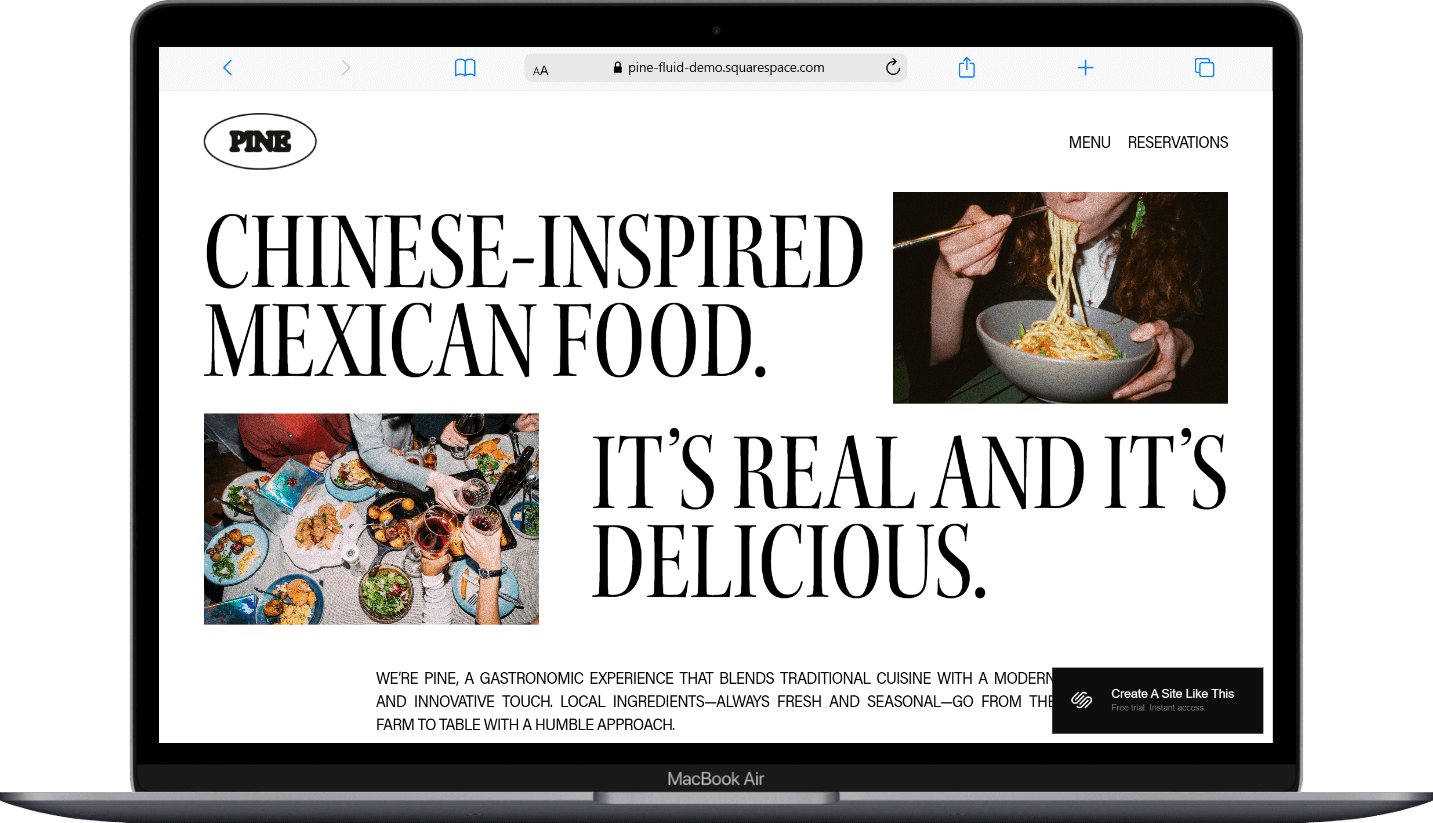
Pine is a Squarespace template designed for modern restaurants that have a strong sense of personality.
With its bold typography, dynamic image layouts, and casual-yet-modern vibe, it works especially well for fusion restaurants, food trucks, and casual dining spots.
If you're a restaurant owner who wants a simple, eye-catching website, Pine probably caught your eye for good reason.
This review covers what Pine includes, where it shines, and where you might hit limitations.
The goal: help you figure out if this restaurant template is the right fit for your business, or if you should keep looking.
Who the Pine Template Works Best For:
Fusion restaurants
Casual dining spots with personality
Food trucks or pop-ups
Chef-driven concepts
Neighborhood Bistros
Who the Pine Template Is Not Best For
Honestly, Pine is pretty flexible for restaurants. You can customize it however you need.
The main thing to know is that it's a basic free Squarespace template that comes with your Squarespace plan. If your restaurant needs really specific customization or advanced functionality, you might be better off checking out premium Squarespace templates, typically $200 - $500 (Big Cat Creative and Applet Studio are two of the ones I recommend), or hiring a web designer.
What You Get With the Pine Template
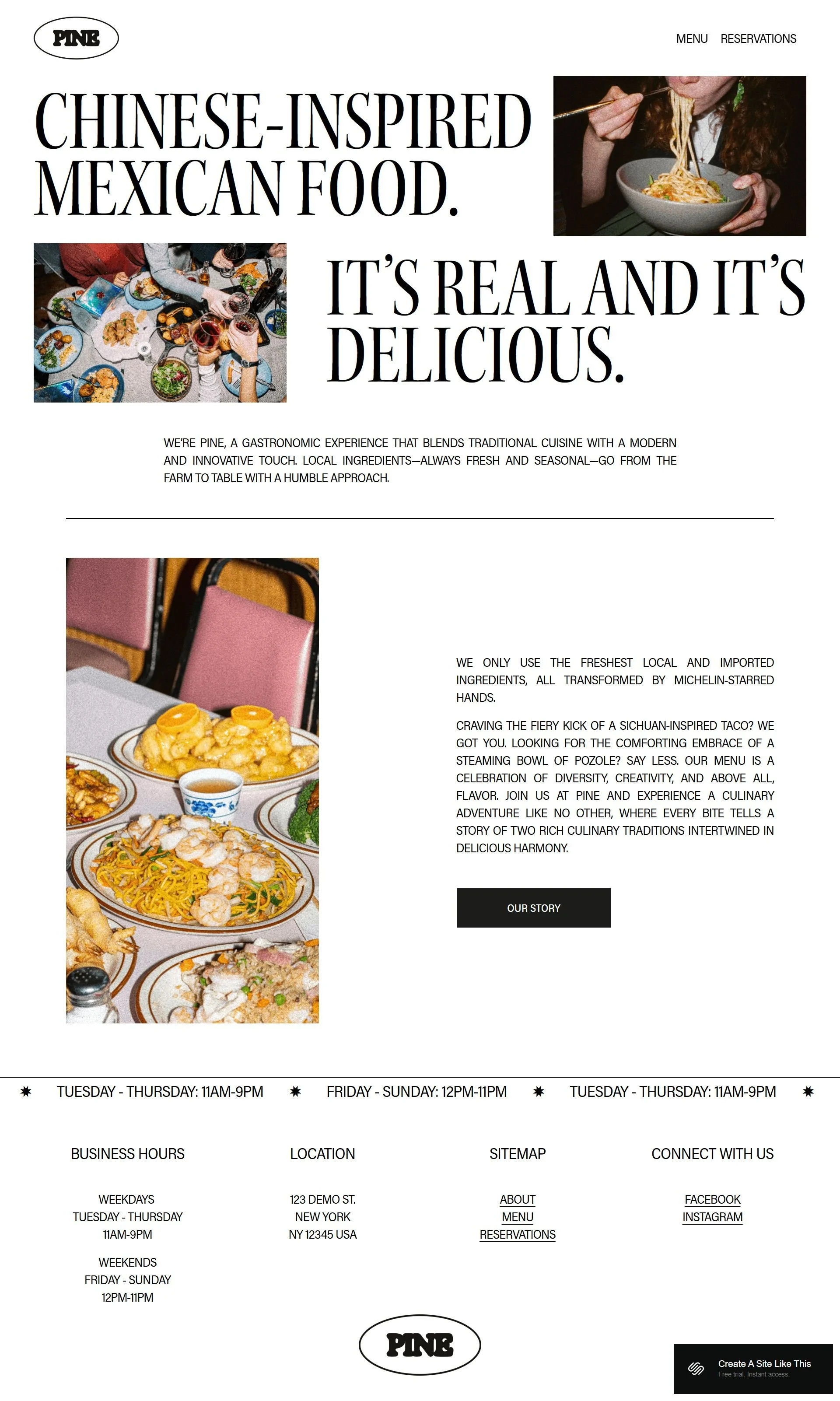
Homepage
Hero section
Image sections
Text about your restaurant
Business hours
Reservation call-to-action
Menu Page
Menu layout with categories for food and drinks.
Reservations Page
Reservation form you can connect to booking systems like OpenTable or Tock.
Footer
Business hours, location, navigation, and social media links.
Like all Squarespace 7.1 templates, you can add or remove pages and customize the structure.
Getting started with the Pine template is easy:
Once you pick Pine in the Squarespace 7.1 template library and you're ready to build, here's what to do first:
Update content on all pages - Replace demo text with your restaurant information, menu items, and story
Replace images throughout the site - Upload your own photos (make sure they're optimized for web)
Delete any unused pages - Or move them to "Not Linked" section, disable them, and turn off SEO so they're not accessible until you're ready
Add your favicon and social share image - These show up in browser tabs and when people share your website
Set up SEO - Add meta descriptions and alt text for images (Squarespace AI can help with this now and makes it way easy)
Customize Site Styles - Change colors, fonts, and buttons to match your brand
Configure reservations - Connect OpenTable, Resy, Tock, or your booking system to the reservation form. Test it thoroughly
Update your footer - Add correct business hours, location, navigation links, and social media
Test all forms, buttons, and links - Double and triple check to make sure everything works before going live
Connect your domain and choose your Squarespace plan, then publish your site 🎉
Pine Squarespace Template FAQs
What is Pine Squarespace template best for?
Pine works great for restaurants that need a website with menu, reservations, and basic information. This includes fusion restaurants, casual dining spots, food trucks, pop-ups, and chef-driven concepts where you want to share your story alongside your menu.
Is the Pine template good for SEO?
Short answer: Yes. Pine has basic SEO tools; you can customize page titles, meta descriptions, and URLs. Like all Squarespace templates, it lacks built-in hierarchical heading structure, so you'll manually set H1-H4 tags. Add alt text to images and optimize photo file sizes for better performance.
Can I use the Pine template on mobile?
Yes. Pine is fully responsive and mobile-optimized like all Squarespace 7.1 templates. The bold typography and scattered layouts work well on smaller screens.
Can I change fonts and colors on the Pine template?
Yep. Customize through Design > Site Styles. You can adjust your color palette and choose from hundreds of Google and Adobe Fonts site-wide.
Can I integrate reservation systems with Pine?
Yes. Pine works with OpenTable, Resy, and Tock. You can embed booking widgets or link to your reservation page. The template includes a dedicated reservations page layout.
Is Pine good for food trucks or pop-ups?
Yes. The casual design and storytelling sections help build a following online. Use the locations page for your weekly schedule and the blog to announce where you'll be.