Best Squarespace Templates for Architects
This post contains affiliate links. If you purchase through them, I may receive a small commission at no extra cost to you.
Table of Contents Show
What are the best Squarespace templates for architects?
Quick Answer: The best Squarespace templates for architects are Radian (project case studies and portfolios), Utica (minimalist design portfolios), and Sawyer (photography-heavy project showcases). Radian is the strongest pick for most architects because its layout is structured around presenting individual projects with supporting details. All templates work on every Squarespace plan, starting at $16/month with a free trial available.
Squarespace has over 150 templates, and scrolling through all of them to find something that fits an architect's portfolio? That's a lot of clicking through restaurant themes and wedding blogs.
I went through all of them and found the six best Squarespace templates for architects, organized by what most archtects need: a photography-forward portfolio, a firm website, or a clean personal brand.
KEY FACTS:
Squarespace plans range from $16/month (Basic) to $99/month (Advanced), billed annually
All Squarespace 7.1 templates share identical functionality; the template determines your starting layout and demo content, not what you can build
Radian and Utica are the only Squarespace templates specifically tagged for architecture and design portfolios
A portfolio page is the single most important element of an architect's Squarespace website
Squarespace offers a 14-day free trial on all plans
Third-party premium template shops offer architecture-specific Squarespace templates starting around $99 for more distinctive designs
One Thing Worth Understanding First
Every Squarespace 7.1 template runs on the same engine. Same features, same capabilities, same building blocks. The "template" is just a preset arrangement of sections, fonts, colors, and demo content.. you can change all of it.
So when I say Radian is the best template for architects, what I mean is: it gives you the best *starting point*. The layout, spacing, and demo content are already arranged in a way that makes sense for showcasing design work. You'll spend less time rearranging and more time customizing with your own projects.
That said, all Squarespace built-in templates are used by thousands of people. They're generic by nature. If you want something that looks distinctive from day one, I cover third-party options below.
(If you want a deeper dive on the template selection process, I wrote about how to choose a Squarespace template that covers the whole thing.)
The Best Squarespace Templates for Architects
Best for Project Case Studies: Radian Squarespace Template
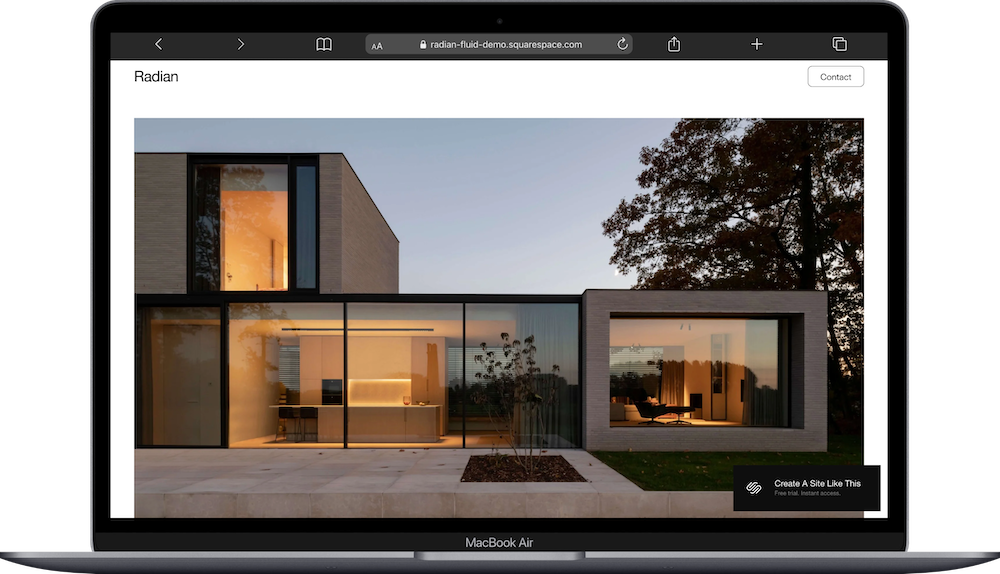
This is the one. Radian was built for design and architecture portfolios, and it shows. The demo layout leads with large project images and includes space for project descriptions, specifications, and the kind of narrative detail that architects tend to include in case studies.
What makes it work for architects specifically:
Project-driven structure. The homepage flows from one featured project to the next, which mirrors how most architecture firms present work.
Detail-friendly layouts. There's room for project scope, materials, location, and other specifics alongside the photography.
Clean typography. Nothing competes with the images. The type stays out of the way.
If you do commercial, residential, or mixed-use work and want potential clients to see the depth of each project (not just a thumbnail grid), Radian is your best starting point.
Best Minimalist Architecture Portfolio: Utica Squarespace Template

Utica has a pared-back, almost Scandinavian quality that a lot of architects gravitate toward. It's minimal without feeling empty; there's intention behind the whitespace.
This one works particularly well if your photography is strong and you want to let it speak. The layout gives images room to breathe, and the navigation stays simple and uncluttered.
Good fit for: solo architects, boutique studios, and anyone whose brand leans toward restraint and precision. If "less is more" is something you'd put on your about page, Utica gets you there faster than most.
Best for Photography-Heavy Portfolios: Sawyer Squarespace Template
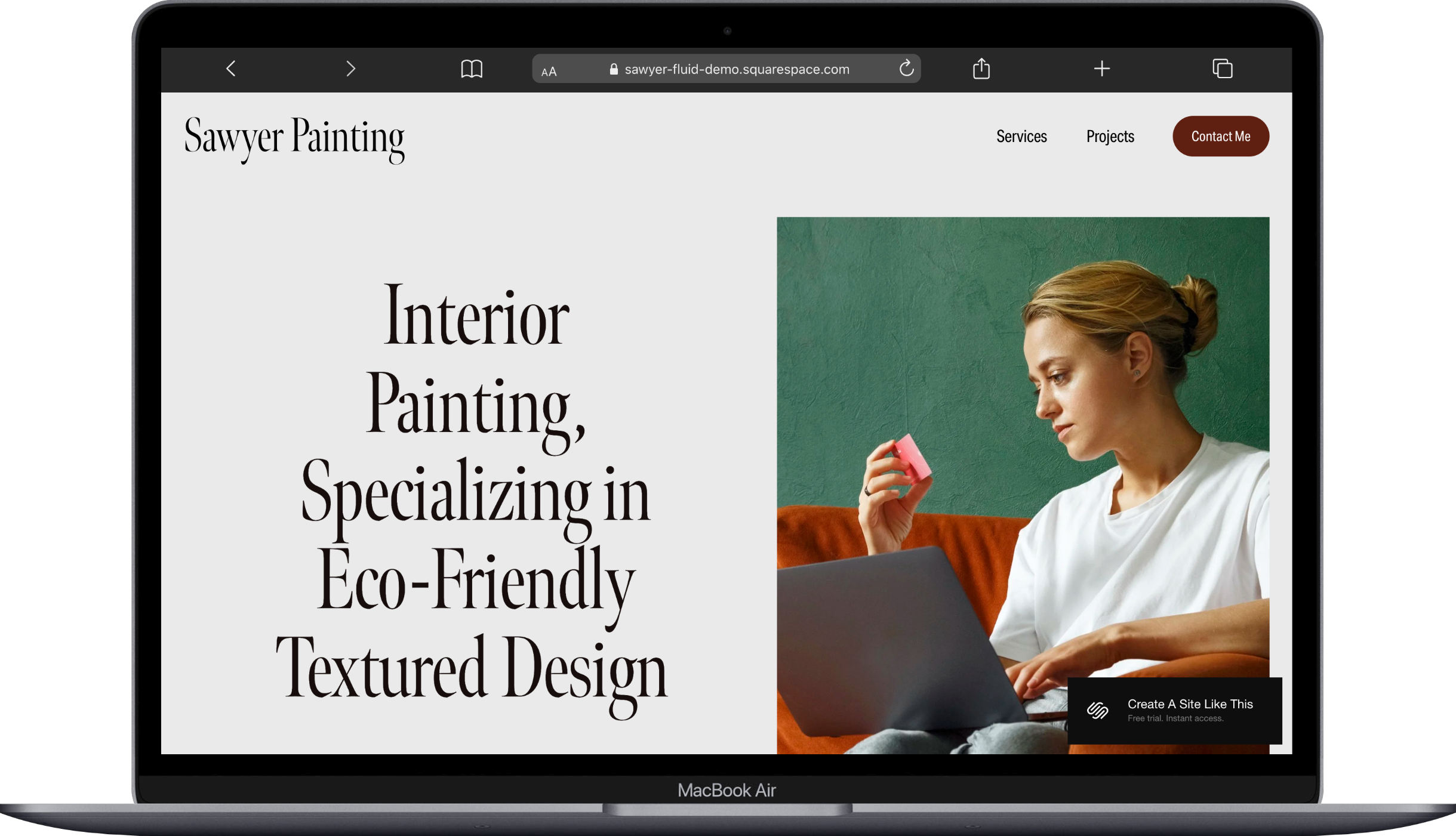
Sawyer comes from Squarespace's artist/portfolio category, but it translates beautifully to architecture. The full-width image layouts give your project photography the impact it deserves. No cramped grids, no thumbnails fighting for attention.
This is a strong pick if you work with a professional architectural photographer (or you are one yourself). The template lets those hero shots dominate the page, which is exactly what high-end residential and commercial architects tend to want.
One thing to know: Sawyer's demo is styled for fine art, so you'll want to swap in your own content and adjust the typography to feel more architectural than gallery-esque. That's a 20-minute adjustment, not a rebuild.
Best for Architecture Firms: Bailard Squarespace Template
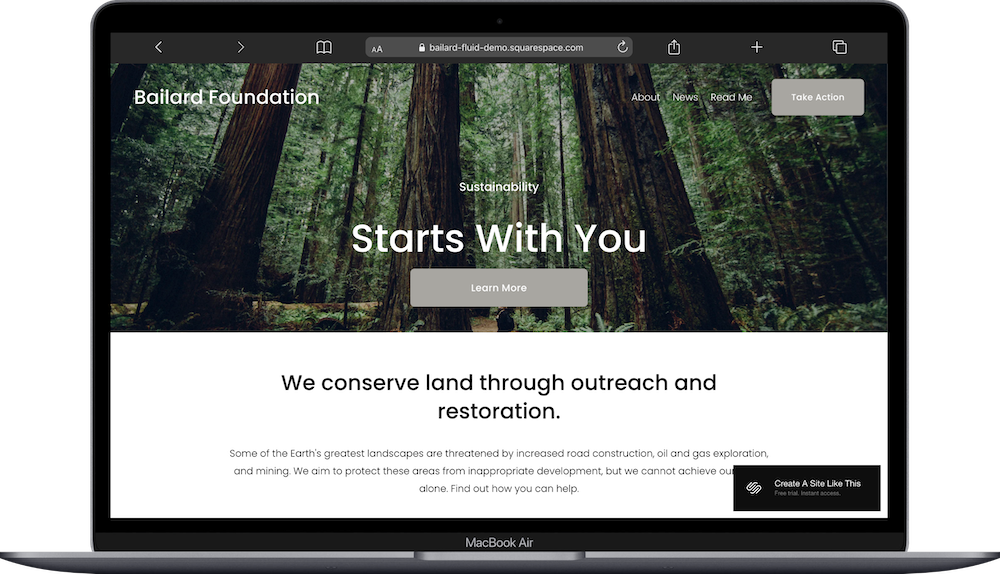
If you're building a website for a multi-person firm (not just a solo portfolio), Bailard gives you a more corporate starting point. It has sections for team bios, company history, services, and the kind of structured content that a firm needs beyond just project images.
Bailard's layout works well for architecture firms that serve clients who care about credentials, awards, and organizational depth. Think commercial, institutional, or government-contract architects.
I did a full Bailard review if you want the deep dive.
Best for Solo Architects: Otto Squarespace Template
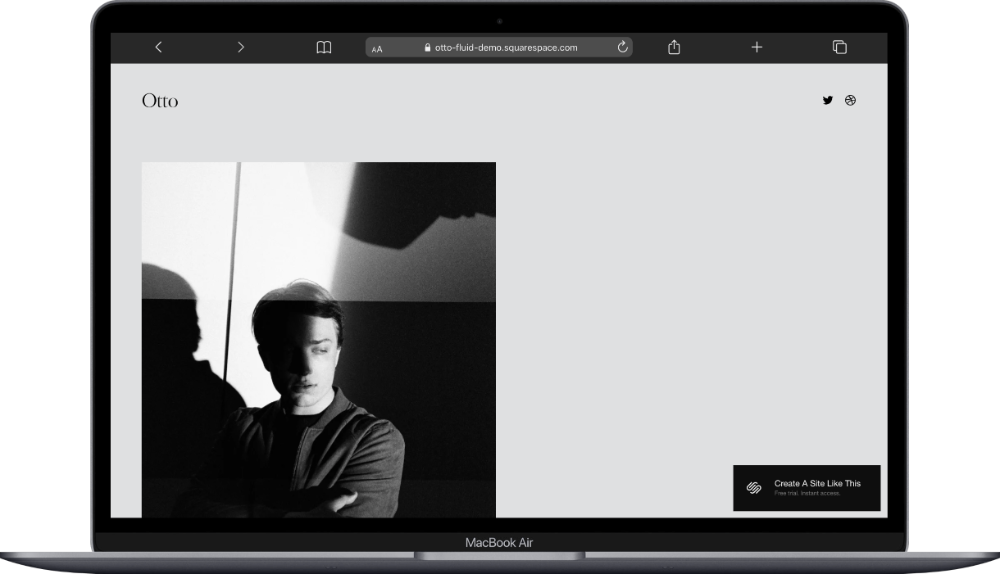
Otto is categorized as a portfolio/tech template, but its clean grid layout and modern feel work surprisingly well for independent architects. It's structured, professional, and gives you a solid homepage-to-portfolio flow without a lot of extra sections you'd need to delete.
This is a good pick if you're a solo practitioner who wants a professional web presence without the overhead of a full firm site. Homepage, portfolio, about, contact. Done.
Best for Firm Principals and Creative Leads: Hawley Squarespace Template
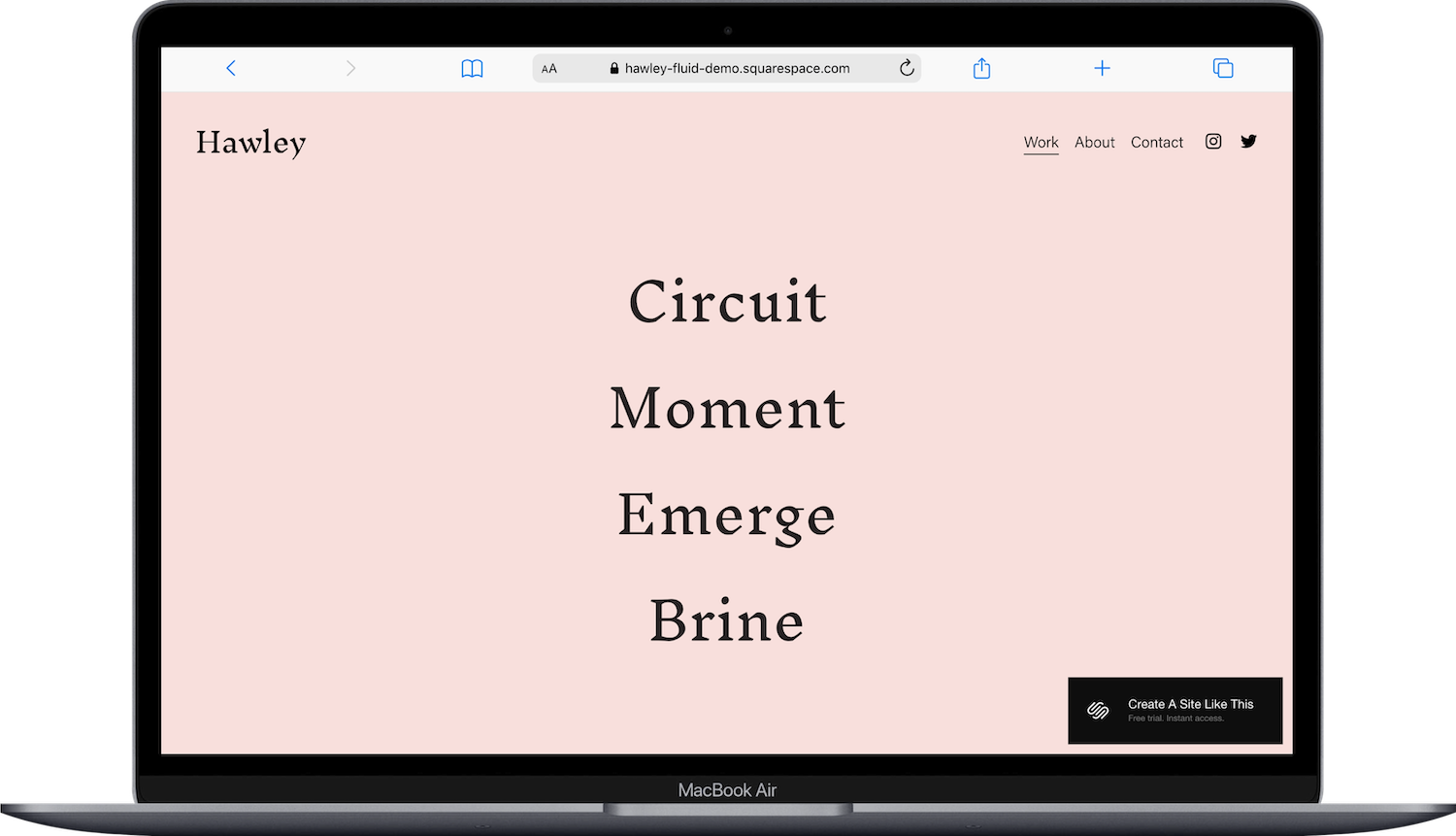
Hawley sits in Squarespace's creative director category, and that crossover works well for architects who are the face of their practice. If you do speaking engagements, write about design, or position yourself as a thought leader alongside your built work, Hawley gives you the layout to support that.
The demo includes sections for featured projects, press mentions, and a blog; all things that a principal architect with a public profile would want. It balances portfolio and personal brand in a way the other templates on this list don't prioritize.
(And if you want to explore beyond architecture-specific picks, I have a broader roundup of the best Squarespace portfolio templates too.)
What Your Architecture Website Should Include
Regardless of which template you pick, these are the pages and elements that matter for an architect's Squarespace website:
Portfolio page. This is the thing. Organized by project type, with high-quality images and at least a brief description per project. Squarespace's portfolio pages support categories, so you can filter by residential, commercial, interior, and so on.
About page. Who you are, your design philosophy, your credentials. Clients want to know who they're hiring.
Contact page. Make it easy. Squarespace has built-in form blocks; use them.
Services overview. What you offer, what your process looks like, and what types of projects you take on.
Project categories. Especially if you do multiple types of work. Let people self-select into what's relevant to them.
(For more on this, check out how many pages a small business website needs.)
Want Something More Custom?
All six templates above are great starting points. But they're free, built-in, and used by thousands of other Squarespace sites. If you want your architecture website to look distinctive from the jump, a third-party template is worth considering.
A few shops that have templates well-suited for architects and design professionals:
Kseniia Design has clean, editorial-style templates that pair well with architecture portfolios.
Studio Mesa offers polished templates with strong visual hierarchy; great for firms.
Applet Studio makes bold, design-forward templates that stand out from built-in options.
Third-party templates typically run $99 to $399 and install directly into your Squarespace site. You're getting a more unique starting point and often more refined layout details than the built-in options provide.
Getting Started with Your Squarespace Website
You can start a free Squarespace trial and test any of these templates with your own content before committing to a plan. The trial runs 14 days and doesn't require a credit card.
When you're ready to go live, Squarespace plans start at $16/month (Basic) for a portfolio site. If you need client scheduling or more advanced features, the Core plan at $27/month adds those.
And if you're still comparing platforms, I'd say Squarespace is a strong middle-ground option for architects. It's more polished than what you'd get from a WordPress theme without a designer. More reliable than the current crop of AI website builders. And significantly more affordable than hiring someone to build custom. For a portfolio-driven site, it does the job well.
Frequently Asked Questions
What is the best Squarespace template for architects?
Radian is the best Squarespace template for most architects. Its layout is structured around showcasing individual projects with large images and supporting details like scope, materials, and location. Utica is a strong second choice if you prefer a more minimalist approach to your architecture portfolio.
Is Squarespace good for architecture websites?
Squarespace is a solid platform for architecture websites, especially portfolio-focused ones. It offers responsive templates, built-in portfolio pages with category filtering, and professional-quality layouts starting at $16/month. For architects who want a polished web presence without managing WordPress or hiring a developer, it's one of the best options available in 2026.
Does Squarespace have templates specifically for architects?
Squarespace has two templates specifically tagged for architecture and design portfolios: Radian and Utica. Beyond those, several other templates work well for architects, including Sawyer (photography-heavy portfolios), Bailard (firm websites), and Otto (solo practitioners). All 7.1 templates share the same features, so any template can be customized to fit an architecture practice.
How do I create an architecture portfolio on Squarespace?
To create an architecture portfolio on Squarespace, start with a portfolio-friendly template like Radian or Utica, then add a Portfolio page from the pages panel. Organize your projects using categories (residential, commercial, interior, etc.) and include high-quality photography, project descriptions, and key details for each entry. Squarespace's portfolio pages automatically generate individual project pages with gallery support.
What should an architect's website include?
An architect's website should include a portfolio page organized by project type with professional photography, an about page covering your design philosophy and credentials, a services overview, and a contact page with an inquiry form. Project categories that let visitors filter by work type are especially valuable if you handle multiple kinds of projects. A blog for thought leadership is a nice addition but not essential at launch.
Can I use the same Squarespace template for architecture and interior design?
Yes, and several templates on this list work for both. Utica and Radian translate well across architecture and interior design portfolios. If you do both, I'd also recommend checking out the best Squarespace templates for interior designers for additional options that lean more toward interiors-specific layouts.

