Klipsan Squarespace Template Review
This post contains affiliate links. If you purchase through them, I may receive a small commission at no extra cost to you.
Table of Contents Show
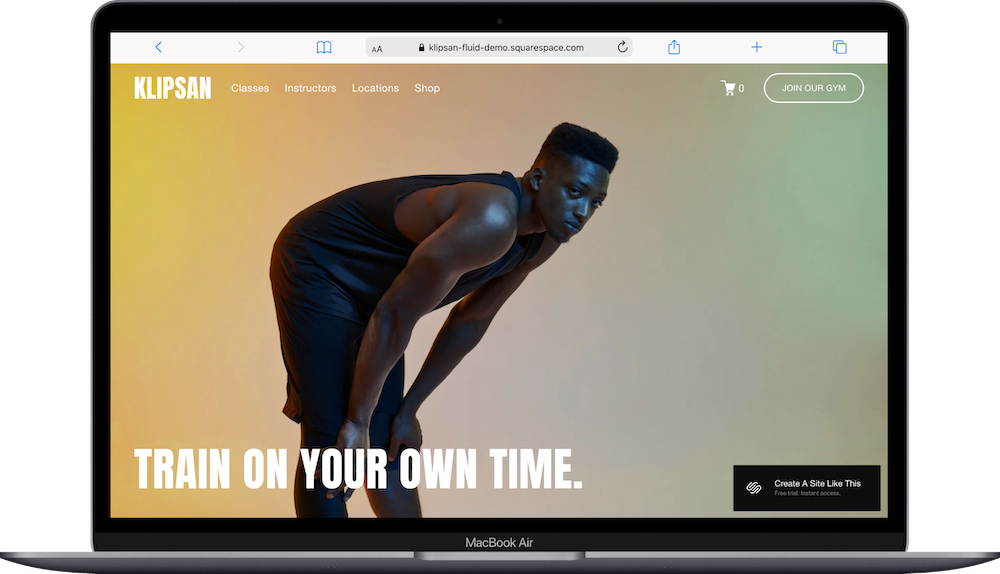
Klipsan is a Squarespace template built for gyms, fitness studios, and wellness centers.
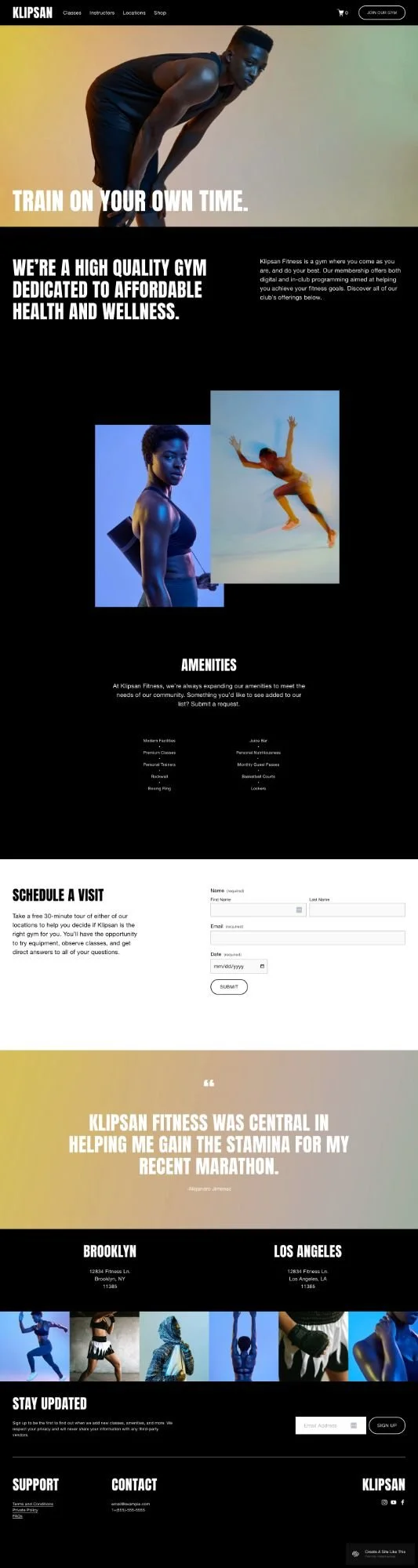
The homepage opens with a full-screen hero image and tagline, then shows amenities in a bullet list, location info, a testimonial, and an image gallery. Navigation includes links to Classes, Instructors, Locations, Shop, and a Join button.
If you run a gym or fitness studio with multiple locations and want to showcase a shop, amenities and class offerings, Klipsan works well. If you're a solo personal trainer or online-only fitness business, it’s probably not the best fit for you.
Let's figure out if this template fits your business.
Who the Klipsan Template Works Best For
Klipsan works well if you run a fitness or wellness business with scheduled classes or sessions.
Boutique Fitness Studios
Yoga studios, Pilates centers, boxing gyms, or cycling studios with rotating class schedules. The class overview page shows your offerings without overwhelming visitors.
Personal Trainers
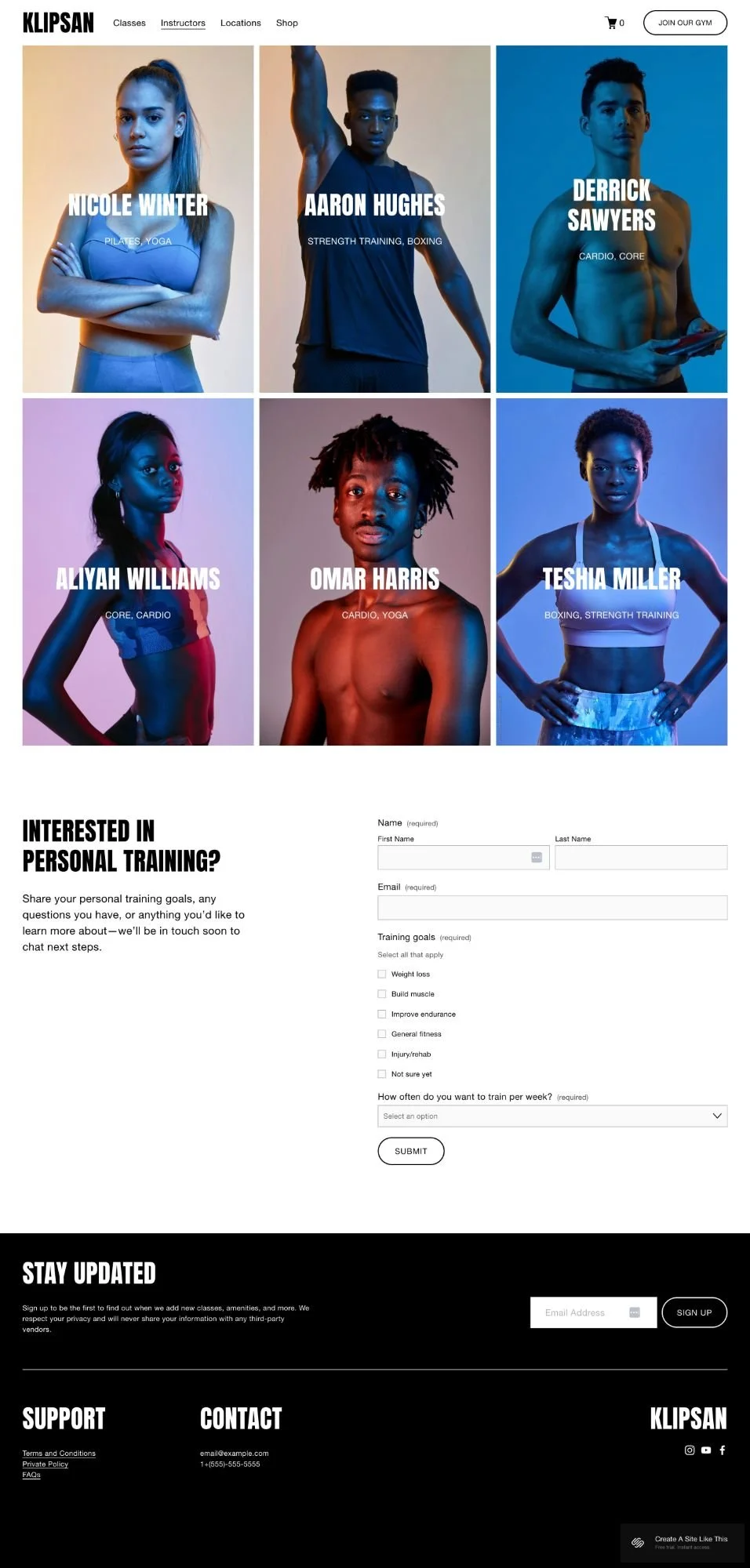
One-on-one or small group trainers who need scheduling plus a way to show what you do through bold imagery.
Multi-Location Gyms
The demo includes space for multiple gym addresses and a scheduling form for tours.
Wellness Businesses Selling Products
If you offer classes and sell health products or fitness gear, the built-in shop handles both.
Who the Klipsan Template Doesn’t Work Best For
The Klipsan template probably isn't the best fit if you:
Run a non-fitness business
Need extensive blogging capabilities as your main content strategy
Want a light, bright, minimal aesthetic instead of dark and dramatic
Don't offer any scheduled services or classes (the template's main strength is wasted)
Need advanced portfolio features for showcasing detailed project work
What You Get with the Klipsan Template
Home Page
Full-screen image background with bold text overlay. Transparent header that becomes solid when you scroll. Amenities list section. "Schedule a Visit" form with date picker. Multiple location addresses. Testimonial section. Six-image gallery grid.
Classes Overview Page
Alternating layout showing individual class offerings with large images. Each class includes name, instructor, duration, intensity level, description, and "Book a Class" button. The demo shows Cardio, Boxing, Yoga, Pilates, and Strength Training. "Try a Class" contact form at bottom.
Schedule Page
Acuity Scheduling integration for direct class booking.
About Page
Space for your story, team bios, and business philosophy.
Contact Page
Standard contact form.
Shop/Store Page
E-commerce section for products, memberships, or class packages.
Extras
Built-in Acuity Scheduling integration
E-commerce functionality
Responsive mobile design
Full-width image sections
Multiple contact forms
Multi-location display
Testimonial sections
Dark design with high-contrast text
Pros & Cons of the Klipsan Template
What Works Well
Bold visual impact. Full-screen images and dark background create an energetic look for fitness brands. The transparent-to-solid header adds polish.
Handles multiple revenue streams. Use scheduling for class bookings, the shop for products or memberships, and contact forms for inquiries.
Good class showcase layout. The alternating image and text layout gives you room to explain each class while keeping things visual.
Multi-location ready. The homepage location section shows multiple addresses if you have more than one studio.
What Doesn’t Necessarily Work Well (Or, Just Things To Be Aware Of)
Very fitness-focused design. The dark, bold aesthetic with high-energy imagery is clearly built for gyms. Hard to adapt for other business types.
Limited layout variety. Most pages use similar patterns with large images and text blocks. Not much diversity in section types.
Acuity Scheduling costs extra. The integration is built in, but Acuity is a separate subscription beyond Squarespace.
Dark design limits flexibility. The template's impact comes from the dark background. A bright or colorful look requires major customization.
Limited personalization for boutique studio. The corporate gym feel doesn't translate well if you run a small, community-focused studio.
No class schedule visible on homepage. Visitors interested in specific classes have to navigate away to find schedule details.
Getting Started with the Klipsan Template is easy.
Once you pick Klipsan in the Squarespace 7.1 template library, here's what to do:
Replace the hero image and headline. Start with the homepage background image and update the main text to match your gym or studio name. This makes the biggest immediate impact.
Update the Classes Overview page. Replace each class section with your actual offerings. Change the class names, instructor info, descriptions, and images to match what you teach.
Set up Acuity Scheduling (if that’s what you’re using). Connect your Acuity account (or activate Acuity through Squarespace) and configure your class schedule, time slots, and booking settings.
Customize the amenities list. Update the scrolling amenities section on the homepage with your actual facilities and services.
Add your location information. Change the address section to show your gym's actual location(s). If you only have one location, delete the extras.
Replace demo images throughout. Swap all the demo photos with your own images of your space, classes, and trainers. Use high-quality, energetic photos that match the template's bold style.
Set up your shop if needed. If you're selling products or memberships, add your items to the shop page with prices, descriptions, and product photos.
Update Site Styles. Go to Design > Site Styles to adjust colors and fonts. The dark background is a key part of this template's vibe, but you can tweak accent colors and typography.
Check your heading hierarchy. Squarespace templates don't always include proper heading structure by default, so make sure your main headline is an H1 and subheadings follow logical order.
Replace forms and contact information. Update all contact forms with your email, adjust the contact page details, and test that form submissions work correctly.
Review the navigation menu. Remove any pages you don't need and make sure your menu structure makes sense for your business.
Double check everything, connect your domain, choose your Squarespace plan, and go live.
Klipsan Squarespace Template FAQs
Can I sell products on the Klipsan website template?
Yes. Klipsan includes a shop page with full e-commerce functionality. You can sell physical products like fitness gear, supplements, or branded merchandise. You can also sell digital products like membership packages or class bundles. The shop works well for fitness businesses that want to offer both classes and products.
Is the Klipsan template good for SEO?
Yes, like all Squarespace 7.1 templates. Squarespace handles the technical SEO basics like mobile responsiveness, clean code, and page speed. You'll need to add your own title tags, meta descriptions, and heading structure. The template doesn't come with optimized headings by default, so you'll want to check and fix the heading hierarchy yourself.
Is the Klipsan template good for mobile/Responsive Design?
Yep. Klipsan is fully responsive and adapts to all screen sizes. The full-screen images and dark design work well on mobile. The sticky navigation stays accessible, and the scheduling forms are mobile-friendly. Just test your actual content on mobile after you customize it.
Can I change fonts and colors on the Klipsan template?
Yes. Go to Design > Site Styles to change fonts, colors, and spacing. You can adjust the colors, button styles, and fonts.
Does Klipsan work with Acuity Scheduling?
Absolutely, Acuity Scheduling is integrated into the template so people can book classes directly from your site. Keep in mind Acuity is a separate subscription that costs extra.
Can I use Klipsan for a business that isn't fitness-related?
You can, but it's not ideal. The dark, bold design with high-energy imagery is very clearly built for gyms and fitness studios. The demo content and layout choices all point to fitness. If you're in a different industry, you'd be working against the template's natural style.
How many pages come with the Klipsan template?
The demo includes a homepage, Classes Overview page, Schedule page, About page, Contact page, and Shop page. You can add or remove pages as needed since all Squarespace 7.1 templates let you create unlimited pages.
Does Klipsan have a blog section?
Not in the demo, but you can add a blog to any Squarespace template.
Can I show multiple gym locations with Klipsan?
Yes. The homepage includes a location section that's set up to display multiple addresses. If you have two or three locations, this section works well. If you only have one location, you can simplify it.
Is Klipsan good for personal trainers?
Yes, absolutely, if you offer scheduled sessions. The template works well for one-on-one training or small group sessions where people need to book online. The bold imagery gives you space to show your training style and personality.